
For AI agents to become mainstream, better model performance alone is not enough. They need to meet people in the ways they already work every day. Alex Finn’s video makes this point clearly by showing the Hermes Agent desktop app.
The video’s wording is somewhat bold. It says the Hermes desktop app is better than the CLI, Telegram, and OpenClaw. From a blog perspective, however, the important question is not which option wins. The question is what kind of interface AI agents need if they are to move beyond chatbots and become real work tools.
Why a Desktop App Matters
An AI agent is not simply a tool that generates answers. It reads files, runs commands, creates images, executes scheduled tasks, and carries context across multiple sessions. When that kind of tool is handled only through a command line or messenger commands, the barrier to entry is high for beginners.
The Hermes Agent desktop app matters because it turns this complex structure into a visible workspace. Users can see sessions, artifacts, skills, toolsets, cron jobs, and profiles in one place. This is a key shift that moves AI agents from developer toys toward everyday work tools.
Sessions Become Work Folders for AI Agents
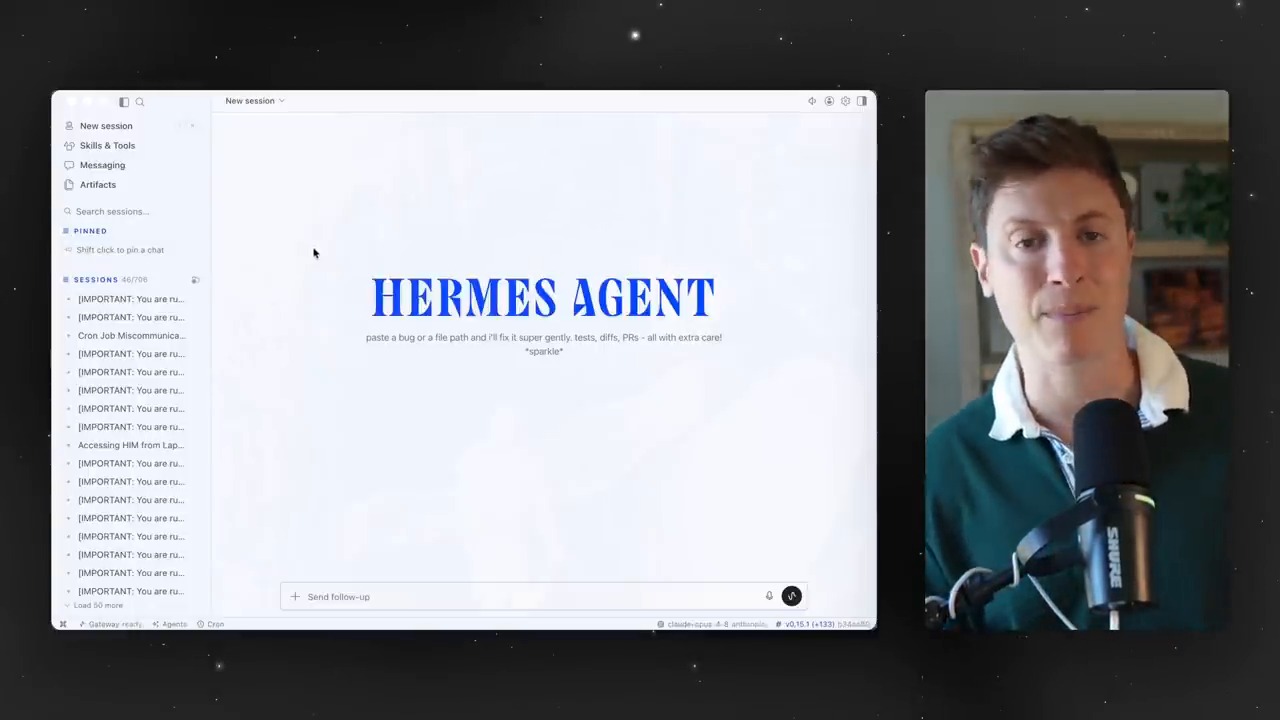
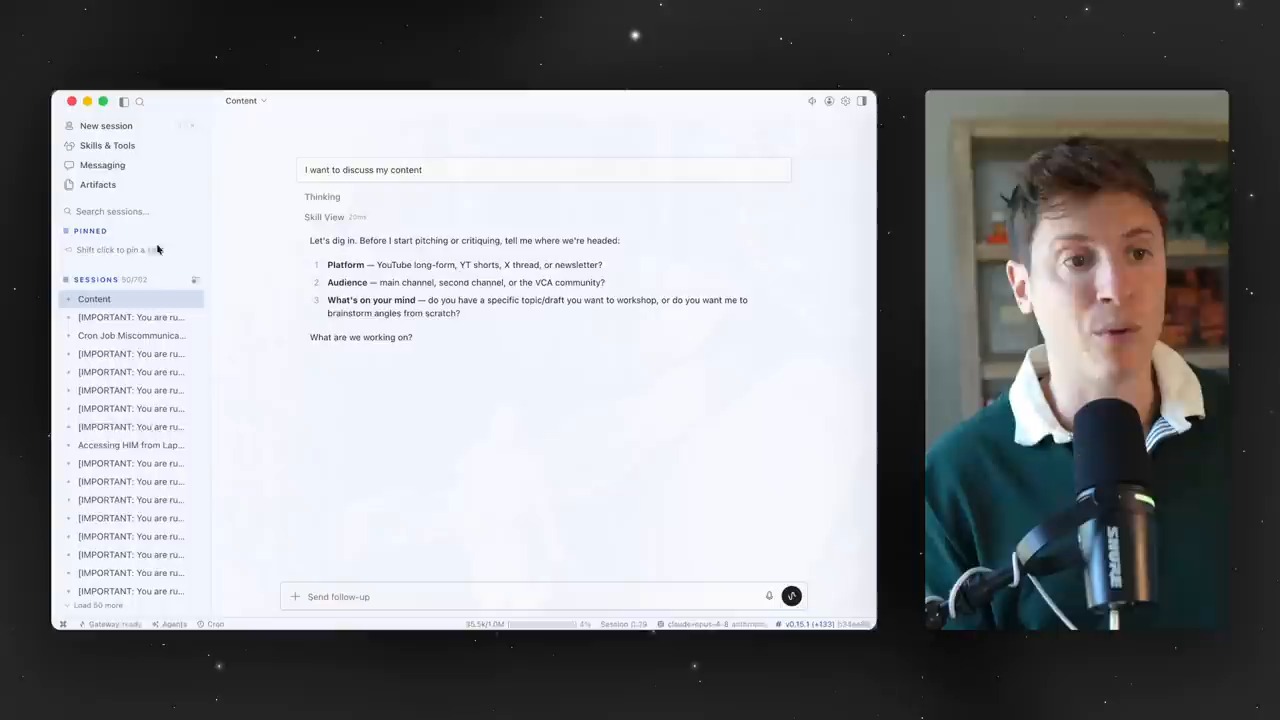
Early in the video, the presenter shows how to create sessions by topic. Work with different contexts, such as content, development, and personal projects, is separated into individual sessions. This is not just tidying up chat rooms. It is closer to dividing the units of work assigned to an AI agent.
AI agents become more useful as context grows longer. But when contexts are mixed together, they can create confusion instead. That is why splitting sessions by topic and pinning important sessions are small-looking features worth a closer look. Just as humans need project folders, agents need context folders.
Artifacts Turn Chat Logs Into Work Assets
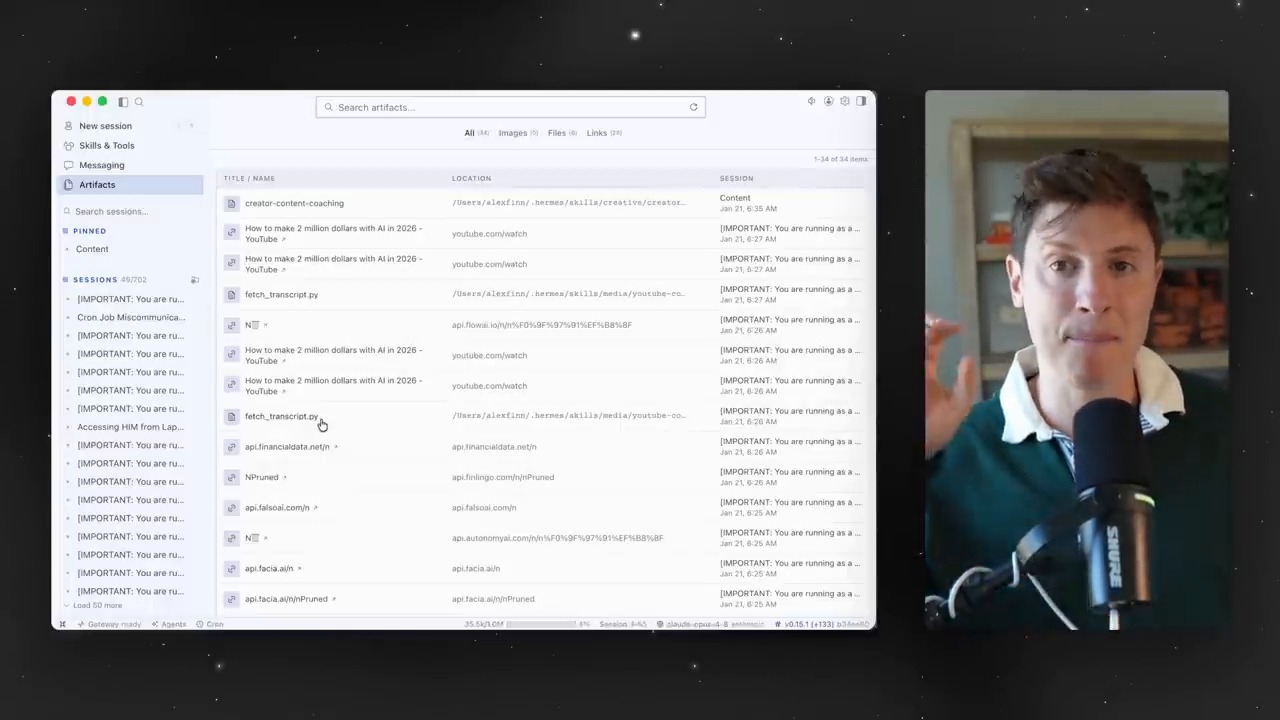
One especially interesting part of the video is artifacts. Links, files, images, and outputs created by the agent can be found again in one place. The presenter explains that this can be used like a bookmark collection or a repository for work materials.
This feature shows the direction of the AI-agent experience. Chatbots leave conversations behind. Agents need to leave deliverables behind. Those deliverables should be easy to find later, continue using, and reuse in other sessions.
Skills and Toolsets Are Panels for Managing an Agent’s Capabilities
One important feature of Hermes Agent is skills. Repeated work or procedures learned in a specific environment can be saved as skills and reused in later tasks. In the video, the presenter also shows a scene where he checks a custom skill generated while making a Godot game.
Toolsets deserve attention as well. Turning groups of tools such as web search, terminal, files, image generation, and cron on or off is a way to control an agent’s permissions and abilities. The desktop UI turns these settings from commands into a management screen.
Cron Jobs Turn AI Agents From Manual Assistants Into Automated Operators
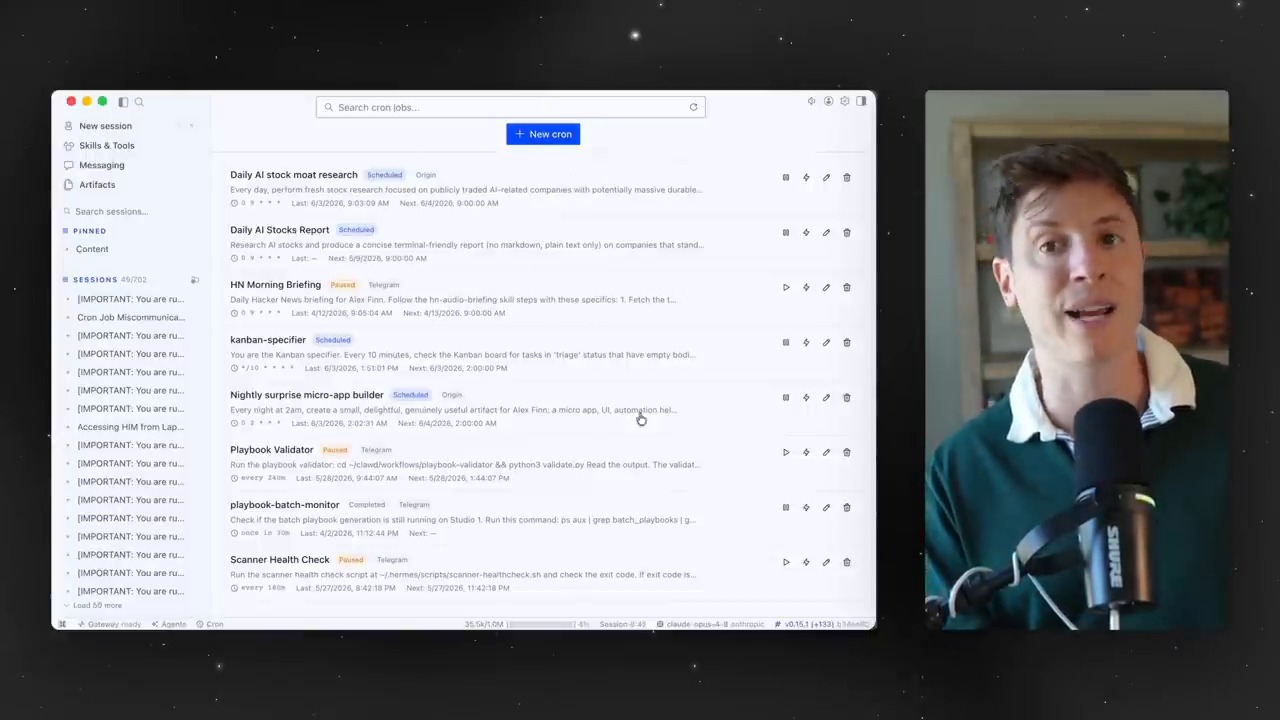
In the middle of the video, a cron-job management screen appears. It visually shows scheduled tasks, such as having the agent build an app every night or run work at a specified time.
Cron jobs mark the point where AI agents move from one-off answering tools to automated operating tools. One caveat is that scheduled tasks are trustworthy only when failures, execution logs, and permission scopes are visible together. A desktop app can make this review process easier.
Multiple Profiles Are a Way to Create Role-Based AI Employees
Later in the video, the presenter says he runs several Hermes Agents across different devices and roles. Some agents live on specific machines, while others take on different responsibilities. The desktop app makes these agent profiles easier to manage.
This structure has important implications for the future. Instead of one general-purpose chatbot, we may increasingly operate multiple AI agents with different roles and permissions. A content agent, development agent, research agent, and monitoring agent may each have different skills and tools.
The Real-World Example Shows an Output-Centered Experience
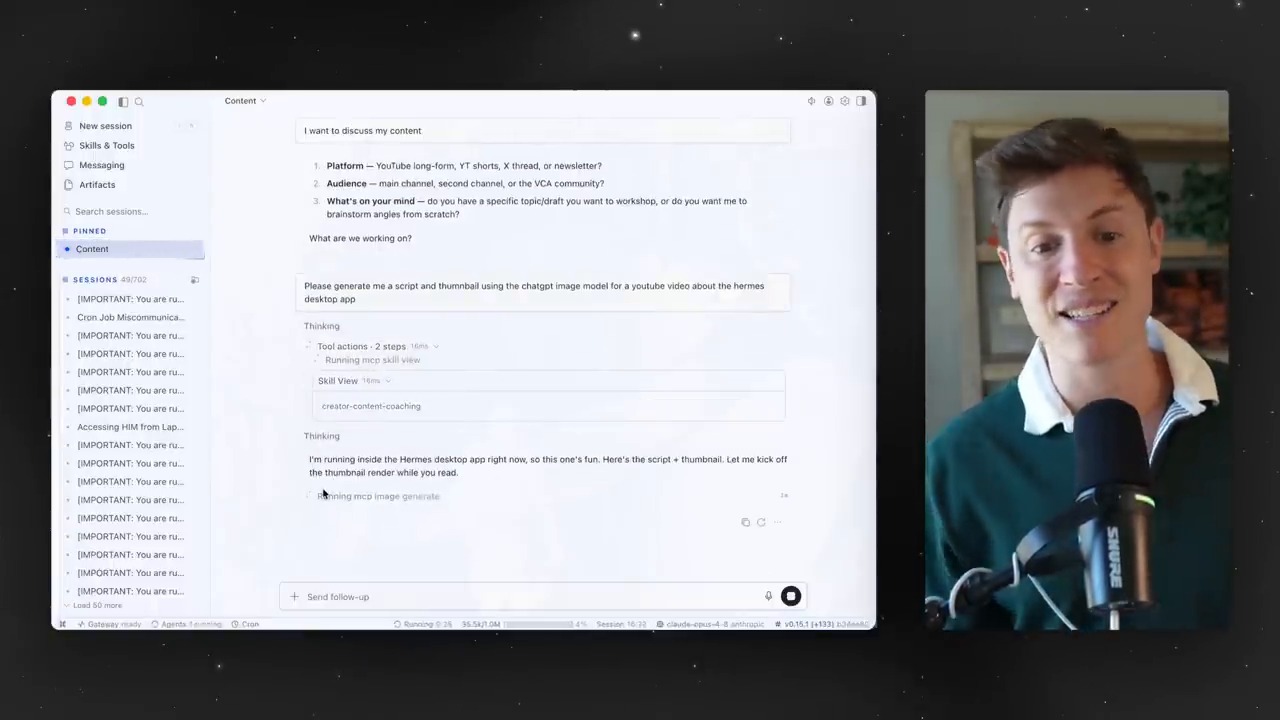
In the final example, the presenter asks the agent to generate a script and thumbnail for the video. The desktop app shows which skills and tools are being used, and the outputs are visible in artifacts.
This scene compresses the core of an AI-agent UI. Users do not need to memorize commands. They can see which tools the agent is using. Outputs remain as files or images. AI agents enter real work flows only when these three pieces come together.
The Question Raised by the Hermes Agent Desktop App
The point to watch in this video is not that “Hermes won.” The more important question is where the primary interface for AI agents will be. The CLI is powerful but not mainstream. Messengers are convenient but weak for complex configuration and verification. A desktop app sits between them, offering both work management and accessibility.
There are also cautions. AI agents can access files, browsers, terminals, and external APIs. That means the easier the UI becomes, the more important permission management and log review become. A good desktop app is not one with many buttons. It is an app that helps users understand what they allowed and what was executed.
Related Reading
- How to Train AI Agents
- Hermes Agent Deliverable Mode
- How to Build an Agent OS That Unifies AI Tools
- Hands-On Local LLM Use on M5 Pro Max
- How AI Agents Are Changing: Executable AI Through OpenClaw
Conclusion: The Battleground for AI Agents Is the User Experience After the Model
The Hermes Agent desktop app clearly shows the next challenge for AI agents. The question is no longer only “what can an agent do?” It is how users can understand, manage, and repeatedly use those capabilities.
Sessions separate context. Artifacts store outputs. Skills accumulate experience. Cron jobs automate recurring work. Profiles create role-based agents. When these elements are connected inside a desktop UI, AI agents move from developer experiments toward something closer to a real operating system for work.
FAQ
What does the Hermes Agent desktop app make easier?
It lets users visually check and control sessions, artifacts, skills, toolsets, cron jobs, and profiles. Even without knowing CLI commands, users can more easily understand the operating structure of an agent.
Is a desktop app always better than the CLI?
Not always. Developers and advanced automation users may be faster with the CLI. The point is that, for beginners and non-developers, a desktop UI lowers the barrier to entry.
Why is the artifact feature important?
It makes links, images, files, and outputs created by the AI agent easy to find and reuse. This turns simple chat history into real work assets.
What kinds of work can cron jobs handle?
They can be used for scheduled work such as regular reports, site monitoring, data collection, blog-performance checks, and repetitive development tasks. The caveat is that failure logs and permission scopes must be checked carefully.
What should users watch out for when using an AI-agent desktop app?
Do not open excessive access to files, terminals, browsers, or external APIs. Check which tools are enabled, what work has run, and what approval flow is in place.
References
- Alex Finn, Hermes Agent just WON
- Official Hermes Agent documentation
- NousResearch Hermes Agent GitHub README
Original Korean article: Hermes Agent Desktop App: The Next Interface for Mainstream AI Agents
Image source: Captured images used in this article are stills from the original YouTube video. They are used for review, commentary, and educational explanation, and copyright remains with the original rights holders and the channel.