
AI research tools have multiplied. The problem is that their results scatter. Notes summarized in NotebookLM, web-search reports, AI CLI summaries, and the notes you actually use can all live in different places, and reassembling them takes time.
ReallyGood Research, introduced in the video, is an Obsidian plugin designed to narrow that gap. With one question, it runs NotebookLM MCP and Tavily research, then saves the results as Markdown and HTML reports inside your vault. The point is not merely a better search tool, but a structure where research remains inside your knowledge workflow.
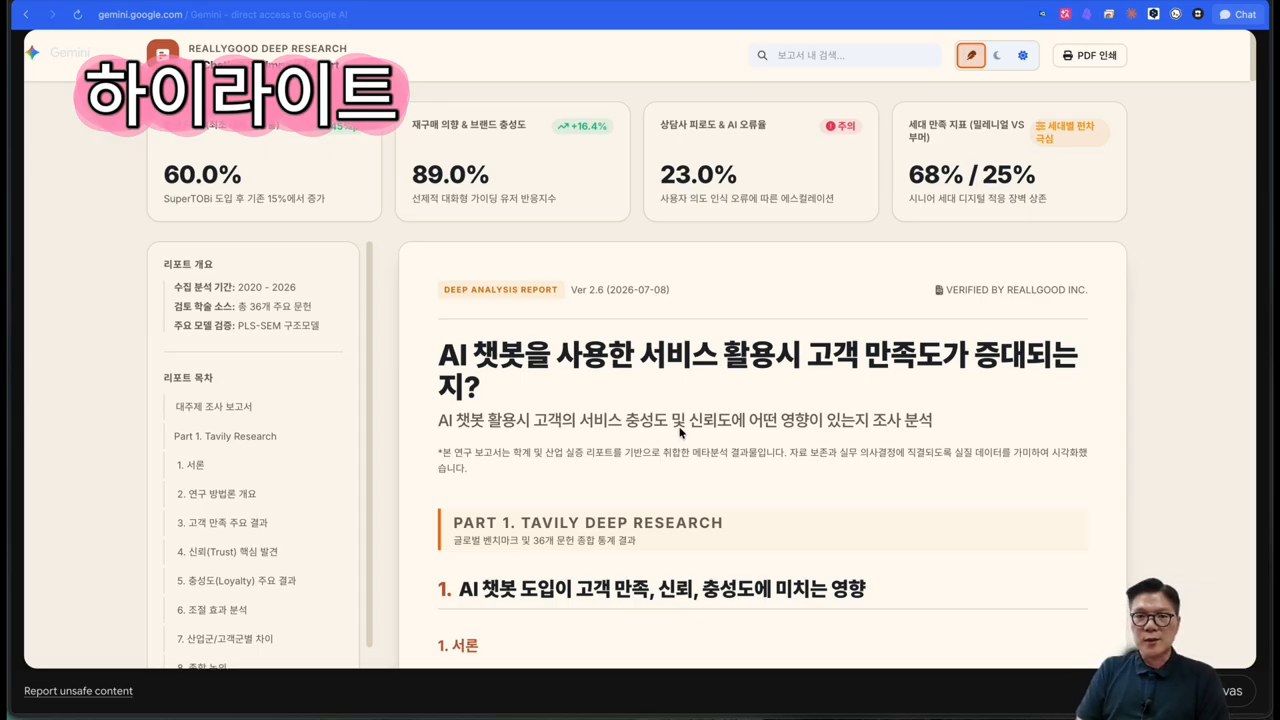
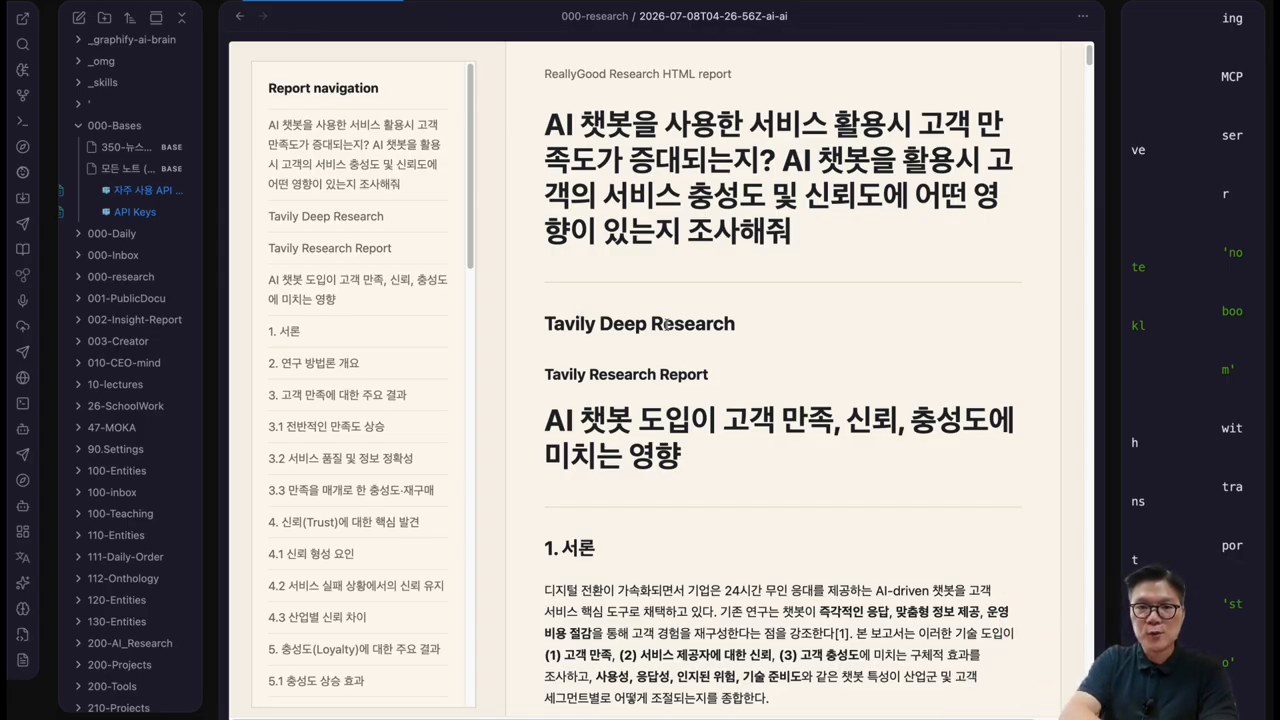
The video begins with a completed report. It shows an HTML report opened in the browser and then expanded into a Gemini Canvas sharing link. The plugin’s purpose becomes clear: it is not simple search, but production of shareable research artifacts.
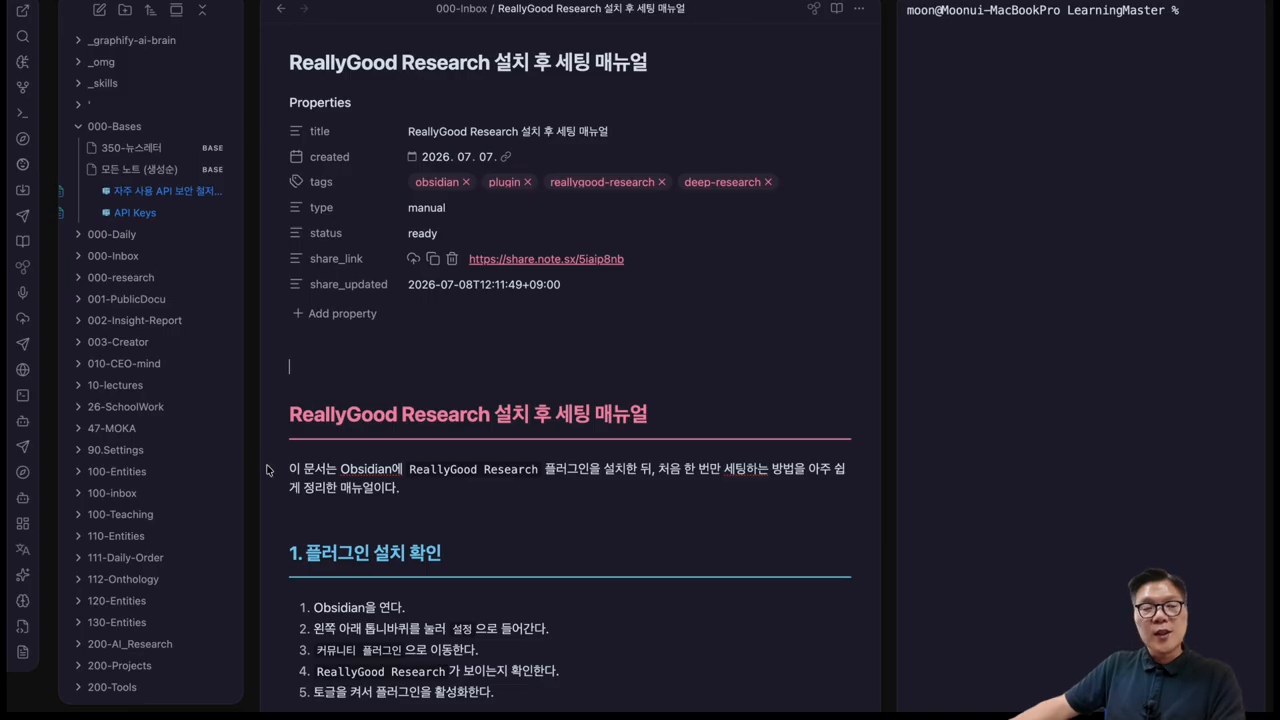
The presenter then installs the plugin in Obsidian by searching for ReallyGood Research in Community Plugins and opening the research console from the left panel. The video also emphasizes that it can be accessed as a community plugin without a separate BRAT installation.
Tavily is strong at web search and research APIs. It is suited to finding material on the public web and generating topic reports. NotebookLM is stronger at answering from user-provided sources. Used together, they separate broad web exploration from source-based verification.
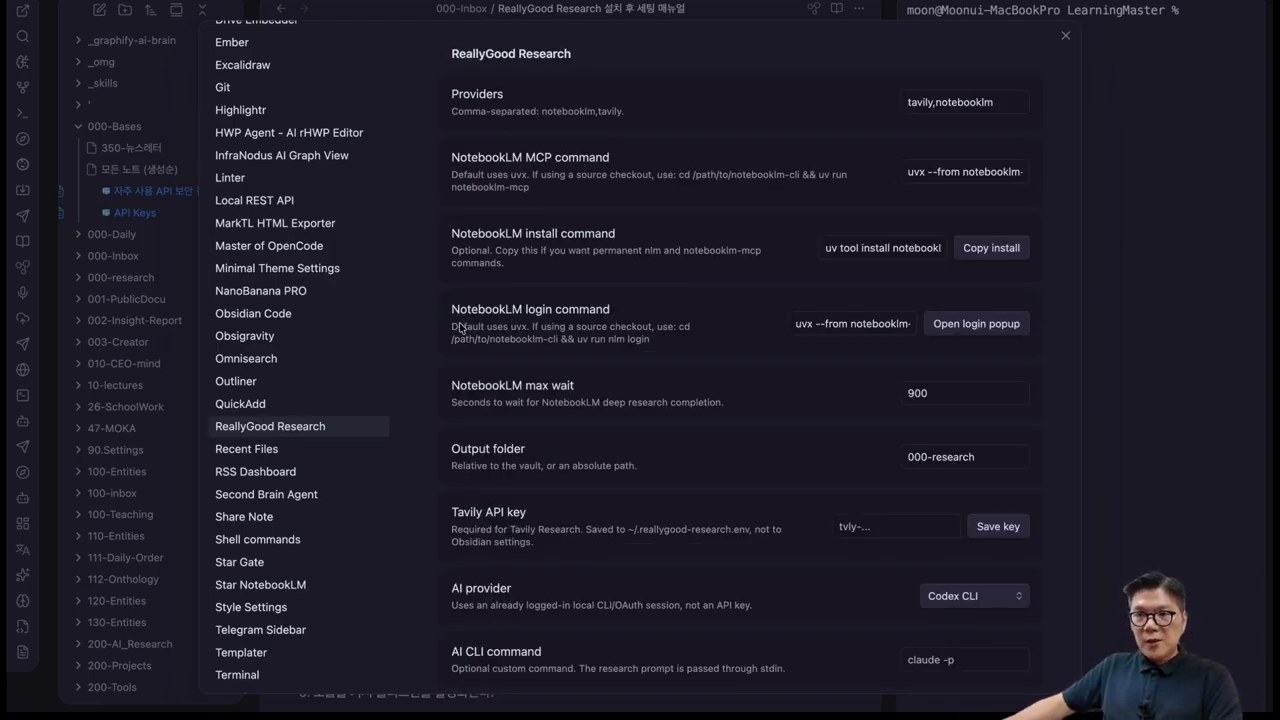
ReallyGood Research connects both as providers. The video shows adding a Tavily API key, installing NotebookLM MCP, logging in, and then selecting Antigravity as an AI CLI provider. It also notes that CLI tools such as Claude Code, Codex, and Gemini can be selected.
The demo question asks how customer use of AI chatbots affects satisfaction, loyalty, and trust. After the user enters the question and presses Start, the plugin runs Tavily research and NotebookLM research separately.
The important moment is comparison. One prompt produces a Tavily-based deep research report and a NotebookLM-based result. The user can compare whether the evidence is sufficient and whether the viewpoint is biased toward one source type.
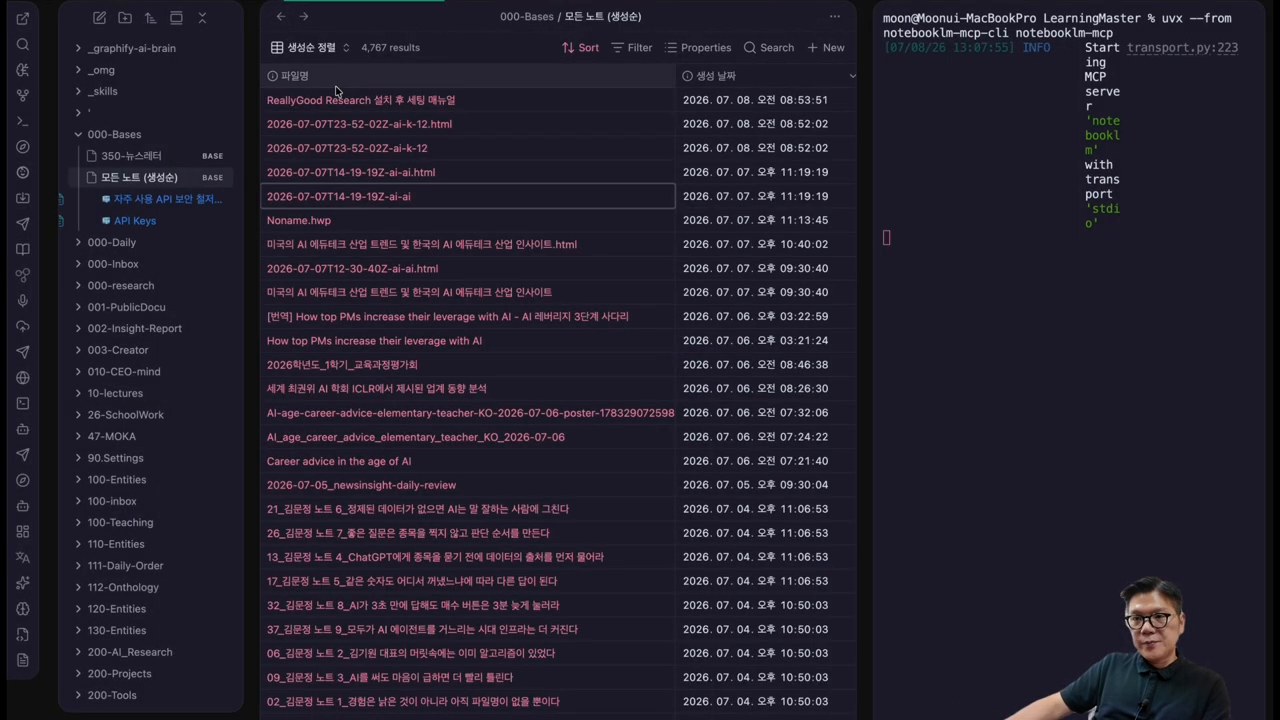
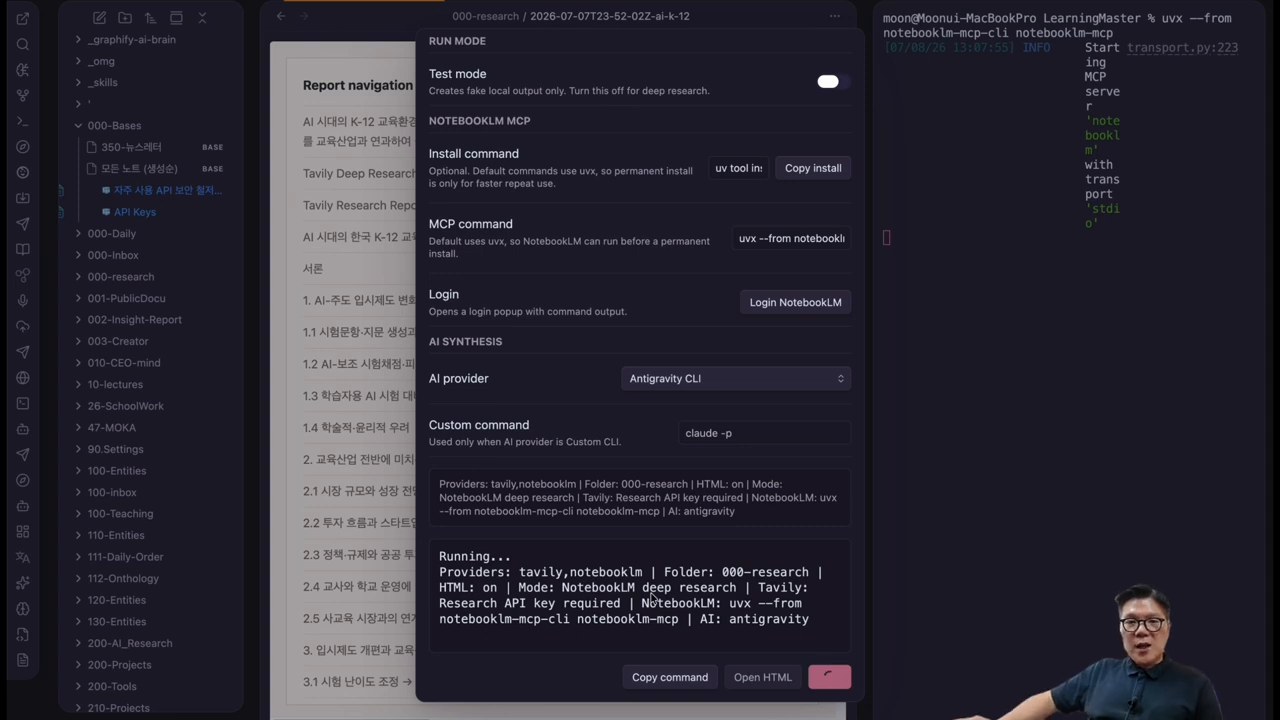
The plugin’s strength is less the automation itself than the place where the work lands. When results are saved inside an Obsidian vault, they can become writing, reports, lectures, or proposals without searching again. HTML reports can also be shared quickly.
There are checks to make first: Tavily API keys, NotebookLM login, local MCP execution, and AI CLI permissions. If company documents or sensitive customer data are involved, confirm which provider receives which information. The more convenient automation becomes, the more carefully logs, sources, and account permissions must be managed.
- Do you actually use Obsidian as your knowledge store?
- Can you manage Tavily API keys and usage limits?
- Can you install NotebookLM MCP and handle Google login safely?
- Do you have work that turns research directly into writing or reports?
- Do you have standards for checking sources and generated results?
If these five conditions fit, it is worth testing. If you only need one-off search, the setup may be excessive. ReallyGood Research fits people who use Obsidian as a research workbench.
## Related reading- AI-Native Workflows
- AI Second Brain
- Antigravity CLI and Obsidian Automation
- The Essence of AI Coding Is the Harness
- Original video on automating AI deep research in Obsidian
- Obsidian Community Plugins list
- ReallyGood Research GitHub repository
- Tavily documentation
- Google NotebookLM
Image source: Captured images used in this article are stills from the original YouTube video. They are used for review, commentary, and educational explanation, and copyright remains with the original rights holders and the channel.