[태그:] Future of Work

English articles about work, jobs, and organizations in the AI era.

  • AI Personal Assistants: How Much Should We Trust AI Agents?

    AI Personal Assistants: How Much Should We Trust AI Agents?

    This fuller English adaptation follows the Korean source on AI agents as personal assistants. The article asks a practical question: when AI can schedule, compare, book, pay, and communicate, how much trust should we give it?

    AI personal assistant and AI agent workflow
    AI personal assistants can reduce work, but trust depends on boundaries and verification.

    Original Korean article: AI 에이전트 시대, 나의 완벽한 비서는 어디까지 믿을 수 있을까

    What Makes AI Agents Different?

    How are AI agents different from ChatGPT?

    A normal chatbot mainly answers inside a conversation. An AI agent can pursue a goal through tools: search the web, read a calendar, draft an email, compare prices, fill a form, or prepare a reservation. The difference is not intelligence alone; it is execution authority.

    The Korean source frames this as the arrival of a “perfect assistant” that may feel helpful precisely because it removes small burdens. But every removed burden also shifts responsibility. If the assistant acts, the user must decide where the boundary of trust should be.

    Scenes Where Work Decreases and Results Increase

    The article describes everyday situations where agents become useful: organizing schedules, summarizing documents, preparing travel options, comparing products, writing replies, collecting meeting notes, or managing routine requests. These tasks do not always require deep creativity, but they consume attention.

    For individuals, the immediate benefit is less context switching. For organizations, the benefit is workflow compression: a task that passed through several apps and people can become a supervised agent run with a clear output.

    AI as a Personal Assistant: What Can We Delegate?

    Can we delegate payments or reservations?

    The source article’s answer is cautious. Low-risk preparation can be delegated earlier than final execution. An agent can compare hotels, draft a reservation request, or prepare a payment screen. But actually paying money, accepting terms, signing contracts, deleting data, or sending sensitive messages should require explicit confirmation.

    Delegation should be layered. Start with information gathering, then drafting, then controlled actions, and only later allow limited autonomous execution for low-risk repeated tasks. Trust should be earned through logs and successful experience, not granted all at once.

    What improves first for individuals?

    The first improvement is usually not a dramatic replacement of work. It is the removal of small coordination costs: comparing options, gathering links, turning a vague plan into a checklist, and preparing a message that the user can approve.

    The Biggest Risk Comes From Execution Authority

    AI agent helping with work automation
    AI agents can handle repeated tasks when permissions and goals are clear.

    A wrong answer is annoying. A wrong action can be costly. If an agent books the wrong flight, sends a message to the wrong person, buys the wrong product, or exposes private data, the damage is real. This is why execution authority is the central risk.

    The article emphasizes permissions. Agents should not have unlimited access to email, banking, company systems, or customer records. They should operate under least privilege, with approval steps for irreversible actions.

    The more connected the agent is, the narrower its permissions should be

    A disconnected assistant can mostly make textual mistakes. A connected assistant can create operational mistakes. Therefore the safest design is paradoxical: the more tools an agent can use, the more specific and limited each permission should become.

    Human Judgment Becomes More Important

    AI agents may reduce repetitive labor, but they increase the value of human judgment. Users must define goals, choose tradeoffs, recognize suspicious outputs, and decide whether an action matches their values. The person who delegates poorly may simply automate mistakes.

    In organizations, this means policy is not optional. Teams need rules about who can authorize agents, what data can be accessed, how logs are stored, and which actions require human approval. AI adoption becomes a management issue, not only a tool issue.

    A Practical Checklist for Workers

    personal AI assistant trust and security risk
    The biggest risk appears when AI agents receive execution authority.
    • Classify tasks into read-only, draft-only, confirm-before-action, and autonomous-low-risk categories.
    • Keep payments, legal decisions, HR decisions, medical issues, and public communication under human approval.
    • Use separate accounts or limited tokens for agent access where possible.
    • Review logs regularly to learn where the agent fails.
    • Do not delegate a task you cannot explain or evaluate.

    What to Watch in the Original Video

    The source article points readers to moments where AI assistants move from impressive conversation to actual action. The most important viewing point is not the demo itself, but the hidden assumptions: what data the agent used, what permissions it had, where confirmation occurred, and how errors would be corrected.

    Organizations need policy before scale

    A company should decide in advance which departments can use agents, what records may be accessed, who approves external actions, and how incidents will be handled. If these rules are created only after a mistake, the organization has already delegated too much.

    Personal users need boundaries too

    Individuals should create their own rules: no automatic payment without confirmation, no sensitive documents in unknown tools, no medical or legal decisions without expert review, and no deletion or public posting without a final human check.

    Trust grows through repeated supervised use

    The article’s most practical implication is that trust should be built through repeated supervised use. Let the agent prepare, compare, and draft; inspect the result; then slowly expand the scope only where the agent proves reliable.

    Conclusion: Trust Must Be Designed

    human judgment supervising AI agents
    Human judgment becomes more important when AI agents act on behalf of people.

    The age of AI personal assistants will not be decided only by model capability. It will be decided by trust design. The best assistants will make work easier while keeping the user in control of meaningful decisions. The safest approach is gradual delegation, clear permissions, and visible review.

    Related Reading

    FAQ

    What improves first when individuals use AI agents?

    Routine coordination improves first: scheduling, comparing options, drafting messages, summarizing documents, and preparing decisions.

    What should organizations prepare before adopting agents?

    They should define permissions, data boundaries, approval rules, logs, accountability, and rollback procedures.

    Does the human role shrink?

    The repetitive part may shrink, but judgment, oversight, ethics, and responsibility become more important.

    AI assistant adoption checklist
    A simple checklist helps decide what to delegate to AI personal assistants.
  • AI Agents and Physical AI: When AI Starts Taking Action

    AI Agents and Physical AI: When AI Starts Taking Action

    This article is a fuller English adaptation of the Korean source about AI agents and physical AI. Its main argument is simple but important: AI is moving from answering questions to taking action. That shift affects software, robots, content creation, healthcare, design, education, and everyday work.

    AI agents and physical AI trend overview
    AI agents and physical AI move artificial intelligence from conversation to action.

    Original Korean article: AI 에이전트와 피지컬 AI, 이제 ‘행동하는 AI’가 온다

    AI Agents Become Assistants That Open and Use Apps for Us

    The source article begins with the difference between a chatbot and an agent. A chatbot replies inside a conversation. An AI agent can understand a goal, open the necessary application, search for information, compare options, write a message, book something, or prepare a file. It behaves less like a search box and more like a digital operator.

    This does not mean the agent is magically independent. It still needs permissions, data access, and clear limits. But once an agent can use tools, the user’s work changes. Instead of copying text between apps, the user can ask for an outcome and supervise the process.

    How are AI agents different from existing chatbots?

    The difference is execution. A chatbot can explain how to reserve a restaurant; an agent may compare restaurants, check availability, prepare a reservation request, and ask for confirmation before sending. That final confirmation is crucial because action creates consequences.

    Physical AI Turns Robots Into Judging Workers

    Physical AI applies the same movement from conversation to action in the physical world. Robots have long existed in factories, but many were limited to repetitive motions. New systems combine vision, language, planning, and motor control, allowing robots to understand a situation and adapt their actions.

    The Korean article describes this as the move from a “tin machine” to a worker that can judge. A humanoid robot that recognizes objects, decides how to pick them up, and adjusts when the environment changes is different from a machine following a fixed path. The near-term impact may appear first in logistics, warehouses, manufacturing, delivery, inspection, and care support.

    Will humanoid robots immediately replace jobs?

    The source is cautious. Robots will not instantly replace all human labor, because real environments are messy and expensive to automate. Yet the direction is clear. As robot bodies, sensors, batteries, and AI models improve together, more physical tasks will become automatable.

    China’s Robot and Video AI Ecosystem Raises the Speed of Competition

    The article pays attention to China because its ecosystem moves quickly. Hardware manufacturing, robot startups, video AI tools, and platform distribution reinforce one another. When a country can prototype devices, train models, create content tools, and push products to users at high speed, other markets feel competitive pressure.

    For global readers, the lesson is not only about China. It is about the new rhythm of AI competition. A feature that looks experimental today can become a consumer product quickly when hardware supply chains and AI software are tightly connected.

    Content Creation Favors People With Ideas, Not Only Technicians

    AI agent controlling apps and devices
    AI agents can operate software tools and digital services on behalf of users.

    AI video, image, music, and editing tools lower the technical barrier to making content. The source article argues that this can favor people with strong ideas. In the past, a person needed cameras, editing skills, design software, and production teams. Now a creator can sketch a concept, generate drafts, iterate quickly, and publish.

    This does not remove human creativity. It changes where creativity matters. Taste, storytelling, direction, judgment, and audience understanding become more valuable. The person who knows what to make and why can use AI tools as production staff.

    Healthcare, Design, and Kitchen Work Expand AI’s Assistant Role

    The article also notes that AI is entering practical professional settings. In healthcare, AI can summarize records, assist diagnosis, guide triage, or help with administrative burden. In design, it can generate alternatives and speed ideation. In kitchens or service work, robots and smart devices can help with repetitive preparation, monitoring, and quality control.

    The common pattern is assistance before full replacement. AI takes over fragments of work: preparation, comparison, monitoring, drafting, and routine execution. Humans remain responsible for safety, taste, empathy, ethics, and final decisions.

    Smart Glasses and AI Cheating Force Education to Change

    physical AI robot with decision-making ability
    Physical AI gives robots more ability to perceive, decide, and act.

    Smart glasses show why education cannot rely only on old testing methods. If students can see answers, translations, or generated explanations in real time, schools must rethink assessment. The source article treats AI cheating not as a small disciplinary issue but as a sign that learning environments must change.

    Education needs more oral defense, process evaluation, project-based work, in-class reasoning, and assignments that require personal interpretation. If information access becomes invisible, the value of education must move toward judgment, problem framing, and authentic understanding.

    Three Changes to Watch Now

    • Whether agents can safely connect to real apps and payment systems.
    • Whether physical AI becomes reliable enough for warehouses, care, delivery, and manufacturing.
    • Whether schools and workplaces redesign tasks around judgment instead of simple answer production.

    The real signal is permission, not novelty

    For teams watching this field, the most important signal is not a spectacular demo. It is whether the AI system can receive limited permission, act inside a real workflow, and leave evidence that a human can inspect. That is the difference between entertainment and infrastructure.

    Conclusion: Surprise Becomes Routine

    AI content creation and smart device workflow
    AI changes content creation, smart devices, healthcare, and education workflows.

    The source article concludes that the surprising demonstrations of today become the normal tools of tomorrow. AI agents and physical AI are not separate trends; both show AI crossing the boundary from language into action. The right response is neither panic nor blind optimism, but careful preparation: define permissions, keep human review, and learn how to work with systems that can act.

    Related Reading

    FAQ

    What is physical AI?

    Physical AI refers to AI systems that perceive and act in the physical world, often through robots, sensors, and embodied devices.

    Do AI agents need human confirmation?

    Yes, especially for payments, reservations, messages, deletion, hiring, medical decisions, and any action with real-world consequences.

    What should workers learn first?

    They should learn to describe outcomes clearly, set boundaries, review AI output, and identify which parts of work are safe to delegate.

    AI adoption checklist for action-oriented AI
    Organizations need to prepare for AI systems that can take action, not only answer questions.
  • How to Train AI Agents: Building AI-Native Workflows with Hermes Agent

    How to Train AI Agents: Building AI-Native Workflows with Hermes Agent

    When people ask how to train AI agents, they often look for a prompt, a model, or a tool setting. That is the wrong starting point. AI agents become useful when they are placed inside an operating workflow: roles, memory, tools, review rules, and feedback loops.

    This article uses Hermes Agent as an example of how an AI-native workflow can be designed. The point is not only installation. The more important question is how to operate AI agents so they can produce useful work safely and repeatedly.

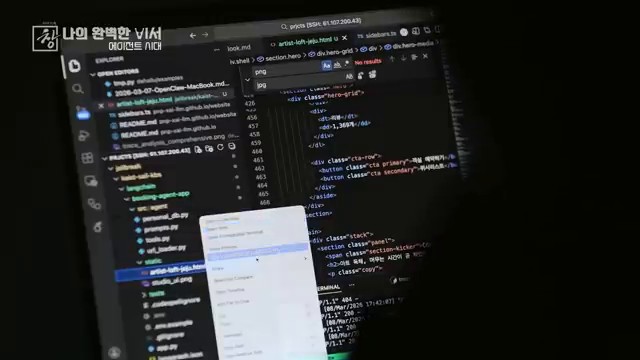
    AI agent training workflow with Hermes Agent remote execution
    Hermes Agent can be operated remotely as part of an AI agent training workflow.

    Start With Operations, Not Installation

    Installing an agent tool is easy compared with operating it. A real workflow needs answers to practical questions. What kind of work should the agent do? What context can it read? What tools can it use? Who reviews the output? What happens when it makes a mistake?

    An AI-native organization does not begin with a dashboard. It begins with operating rules. The rules define how agents receive tasks, how they access memory, how they report results, and when humans must approve changes.

    Why AI Agents Need Roles

    multi-agent command center for AI-native workflows
    Role-based AI agents make workflow operations easier to manage.

    A single general-purpose agent can help with many tasks, but role separation makes the workflow more reliable. One agent can research sources. Another can draft content. Another can review quality. Another can check files or run tests. This is closer to how teams work.

    Role design reduces confusion. It also makes evaluation easier. If a research agent fails, you inspect the research step. If a writing agent produces weak output, you improve the writing instructions. If a review agent misses errors, you strengthen the checklist.

    The Supervisor Role Is Still Essential

    AI agent output review and supervisor workflow
    AI agent outputs need supervisor review before production use.

    AI agents can execute tasks, but supervision remains important. A supervisor defines the goal, checks whether the result is useful, and decides whether the output can move into production. In many workflows, the supervisor is a human. In more advanced workflows, a review agent can assist, but human approval is still needed for risky changes.

    This is especially important when agents can write files, publish content, send messages, or call APIs. Tool access should be powerful, but it should also be bounded by clear approval gates.

    Memory Is Not Just More Storage

    Obsidian context wiki for AI agent memory
    A context wiki helps AI agents use verified organizational knowledge.

    Many teams assume that agent training means adding more memory. That is only partly true. More memory can help, but unstructured memory can also confuse agents. The better approach is to store compact, reusable, verified context.

    Useful memory includes preferences, project conventions, source summaries, durable workflows, and lessons from repeated errors. Temporary task progress should usually stay in session logs or project files, not permanent memory. Good memory helps agents avoid repeating the same mistakes.

    Remote Execution Is an Operating Channel

    AI-native organization dashboard and operating rules
    AI-native teams need operating rules, dashboards, and review loops.

    Hermes Agent can be operated through interfaces such as a browser UI, messaging channels, and automation. Remote execution is not just a convenience. It turns the agent into an always-available operating layer. You can ask it to inspect a file, summarize a document, prepare a draft, or run a scheduled check.

    However, remote access should not mean uncontrolled automation. The safest approach is to define which actions can happen automatically and which actions require explicit approval. Draft creation is usually safe. Public publishing, deleting files, or changing production settings should require approval.

    Cron Jobs Create Learning Loops

    Scheduled jobs can turn an agent from a manual assistant into an operating system component. A cron job can monitor a feed, prepare a weekly summary, check a dataset, or remind a team about stale work. The key is to make each scheduled task self-contained and verifiable.

    Scheduled work should also feed learning back into the system. If a weekly report improves because the agent learned which sources matter, that improvement should become part of the workflow.

    Checklist Before Adopting AI Agents

    1. Choose one workflow with clear inputs and outputs.
    2. Define agent roles before adding many tools.
    3. Prepare a small, reliable memory base.
    4. Separate draft actions from production actions.
    5. Create review checklists for quality and safety.
    6. Log results so the workflow can improve.
    7. Start with small teams or individual workflows before scaling.

    Conclusion: Training AI Agents Means Designing the Workflow

    The future of AI agents is not only about stronger models. It is about better operating systems around those models. Hermes Agent shows one direction: agents connected to memory, tools, schedules, profiles, and review loops.

    To train AI agents, do not begin by asking for the perfect prompt. Begin by designing the work system the agent will live inside.

    Related Reading

    FAQ

    What does it mean to train an AI agent?

    In practical work, it means giving the agent reliable context, clear roles, tool boundaries, review criteria, and feedback loops. It is not the same as model fine-tuning.

    Can small teams use AI agents?

    Yes. Small teams may benefit faster because they can define workflows and review results without complex organizational layers.

    What should not be automated first?

    Avoid automating public publishing, irreversible file changes, security settings, payments, or customer-facing messages until review gates are mature.

    Original Korean article: AI 에이전트를 학습시키는 법

  • How to Build an AI Agent Operating System: A 7-Layer Blueprint

    How to Build an AI Agent Operating System: A 7-Layer Blueprint

    Most people start using AI by opening one tool at a time. They ask ChatGPT for a draft, use Claude for a long document, try a coding assistant for development, and keep separate notes somewhere else. That works for experiments, but it breaks down when AI becomes part of daily work.

    An AI agent operating system is a way to connect those scattered tools into one repeatable workflow. It does not mean a literal computer operating system. It means a practical work architecture: memory, models, agents, dashboards, production tools, and feedback loops working together.

    AI agent operating system dashboard with multiple agents
    A mission-control style dashboard for managing multiple AI agents.

    What Is an AI Agent Operating System?

    An AI agent operating system is the layer that helps AI tools remember context, choose the right model, run tasks through agents, and send results back into a knowledge base. The goal is not to collect more apps. The goal is to turn AI into a system that can produce, verify, and improve work over time.

    The easiest way to understand it is to compare two workflows. In the first workflow, every AI conversation starts from zero. In the second, the AI can read your notes, follow your preferred process, use tools, create deliverables, and leave behind reusable context. The second workflow is closer to an agent operating system.

    Why Individual AI Tools Are Not Enough

    AI tools connected through an agent workflow
    AI tools need shared context, routing, and workflow design to become useful together.

    Individual AI tools are powerful, but they are usually isolated. A chatbot may write well but cannot see your whole knowledge system. A coding agent may edit files but may not know your business context. A note-taking app may store information but does not automatically turn that information into action.

    This is why many AI workflows feel impressive at first and messy later. The user becomes the connector. They copy and paste context, check results, move files, remember previous decisions, and restart the same explanation again and again. An AI agent operating system reduces that friction.

    The 7 Layers of an AI Agent Operating System

    AI agent operating system workflow layers
    A visual example of workflow layers inside an AI agent operating system.

    1. Foundation: Hardware and Basic Environment

    The first layer is the environment where the system runs. This may be a laptop, a workstation, a cloud server, or a hybrid setup. The important question is not only speed. It is whether the environment can run the tools you need reliably: browsers, terminals, local files, APIs, schedulers, and AI clients.

    2. Memory: Long-Term Context Storage

    Memory is where your system keeps reusable context. This can include Markdown notes, project documents, meeting summaries, prompt patterns, decision logs, source material, and structured databases. Without memory, every AI interaction becomes a one-time conversation. With memory, agents can work from accumulated knowledge.

    3. Brain: Model Routing

    No single model is best for every task. Some models are better at writing, some at coding, some at long-context reasoning, and some at fast routine work. The brain layer routes work to the right model. A good AI operating system should make it easy to choose between cloud models, local LLMs, and specialized tools.

    4. Agents: The Actual Workers

    Agents are not just chatbots with names. They are task-oriented workers with access to tools, files, instructions, and verification steps. One agent may inspect a codebase. Another may summarize sources. Another may prepare a WordPress draft. The agent layer turns AI from conversation into execution.

    5. Command Center: A Unified Dashboard

    As workflows grow, users need a command center. This may be a desktop app, a web UI, a terminal dashboard, a Kanban board, or a messaging interface. The command center shows what is running, what was produced, what needs review, and what should happen next.

    6. Production Services: Where Real Output Lives

    AI becomes valuable when outputs leave the chat window. Production services include GitHub repositories, WordPress sites, shared drives, documents, spreadsheets, email systems, CRMs, and internal dashboards. The operating system should connect agents to these services safely, with clear approval gates.

    7. Loop: Feeding Results Back Into Memory

    The final layer is the feedback loop. After an agent completes a task, the result should not disappear. Useful decisions, reusable workflows, errors, and quality checks should return to memory. This is how the system gets better. Without a loop, automation produces output. With a loop, it produces learning.

    How to Start Building One

    AI workflow automation command center
    A command-center view for coordinating AI tools, agents, and outputs.
    1. Choose one recurring workflow, such as publishing a blog post or preparing a report.
    2. Create a simple memory folder for source material, decisions, and reusable instructions.
    3. Define which AI tools or models handle writing, coding, research, and review.
    4. Use agents only where tool access and verification matter.
    5. Create a dashboard or checklist so humans can review progress.
    6. Connect output destinations only after the local draft process is reliable.
    7. Record what worked and feed it back into the next run.

    What to Avoid

    AI agent feedback loop for workflow improvement
    A feedback loop turns one-time automation into a learning AI workflow.

    The biggest mistake is trying to automate everything before the workflow is clear. An AI agent operating system should not be a pile of tools. It should be a map of how work moves from context to action to verification. Start small, then add layers only when they solve a real bottleneck.

    Related Reading

    FAQ

    Is an AI agent operating system the same as an AI agent platform?

    Not exactly. A platform is a product. An AI agent operating system is a workflow architecture. You can build it with several tools, including chatbots, coding agents, local files, schedulers, and publishing systems.

    Do I need local LLMs to build one?

    No. You can start with cloud models. Local LLMs become useful when privacy, cost control, or offline experimentation matters.

    What is the first practical use case?

    Choose a workflow with clear inputs and outputs, such as research-to-draft publishing, meeting-summary generation, documentation updates, or code review.

    Original Korean article: AI 도구를 하나로 묶는 Agent OS 구축법