
The Korean source introduces a practical workflow for turning HWP documents into AI voice briefings and HTML share pages. The real problem is not simply file conversion. In schools, public institutions, and community organizations, HWP notices are often difficult to read, translate, summarize, or share quickly. AI can turn a static document into audio, web pages, PDFs, and viewer-friendly links.
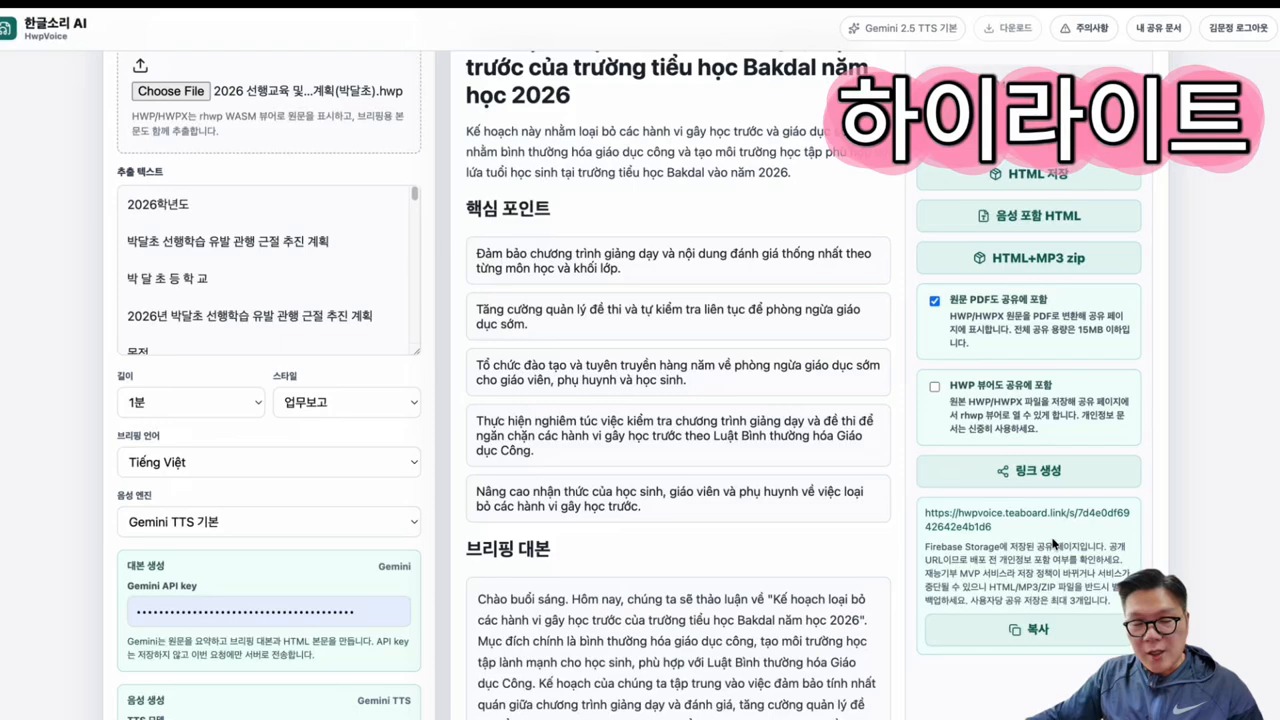
Original Korean article: 한글 HWP 문서, AI 음성 브리핑과 HTML 공유 페이지로 바꾸는 방법
The Problem This Tool Solves
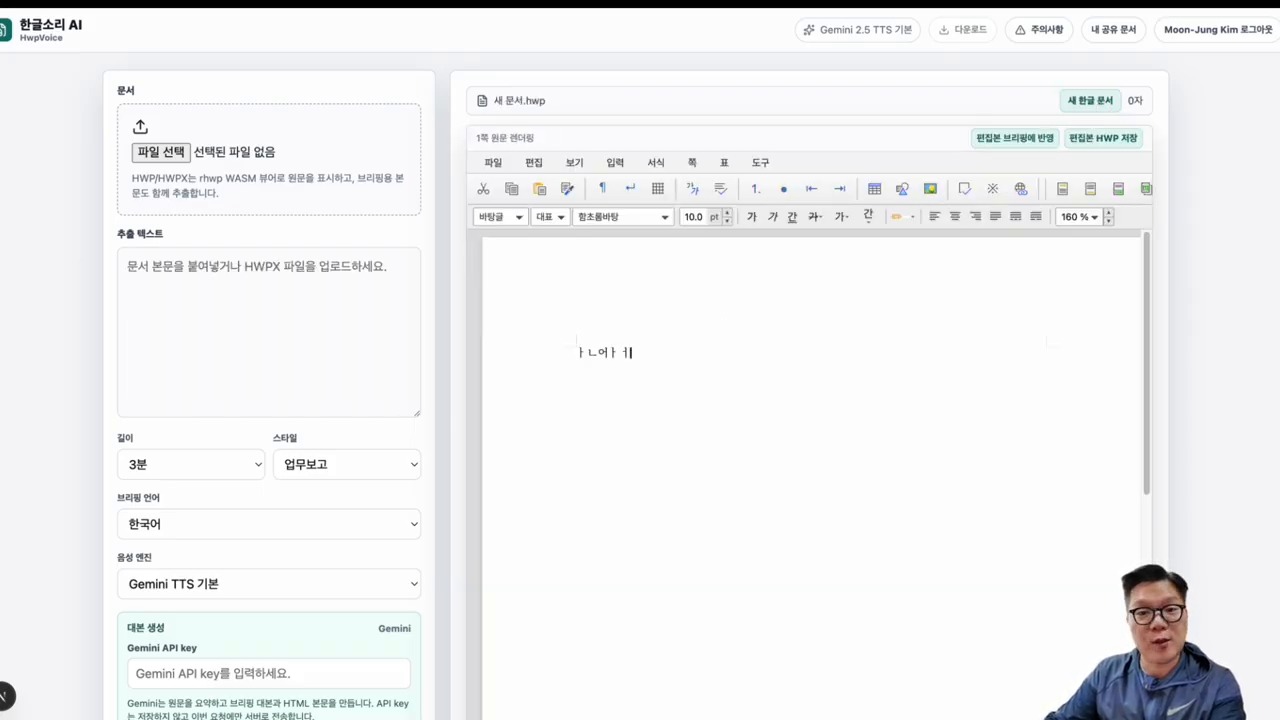
HWP documents remain common in Korea, especially in education and administration. But recipients may not have the right viewer, may not read Korean fluently, or may not have time to parse a long notice.
The tool described in the source solves the communication gap by extracting the document, summarizing it, generating a voice briefing, and creating a shareable HTML page that includes the core information.
Workflow From Upload to Share Link
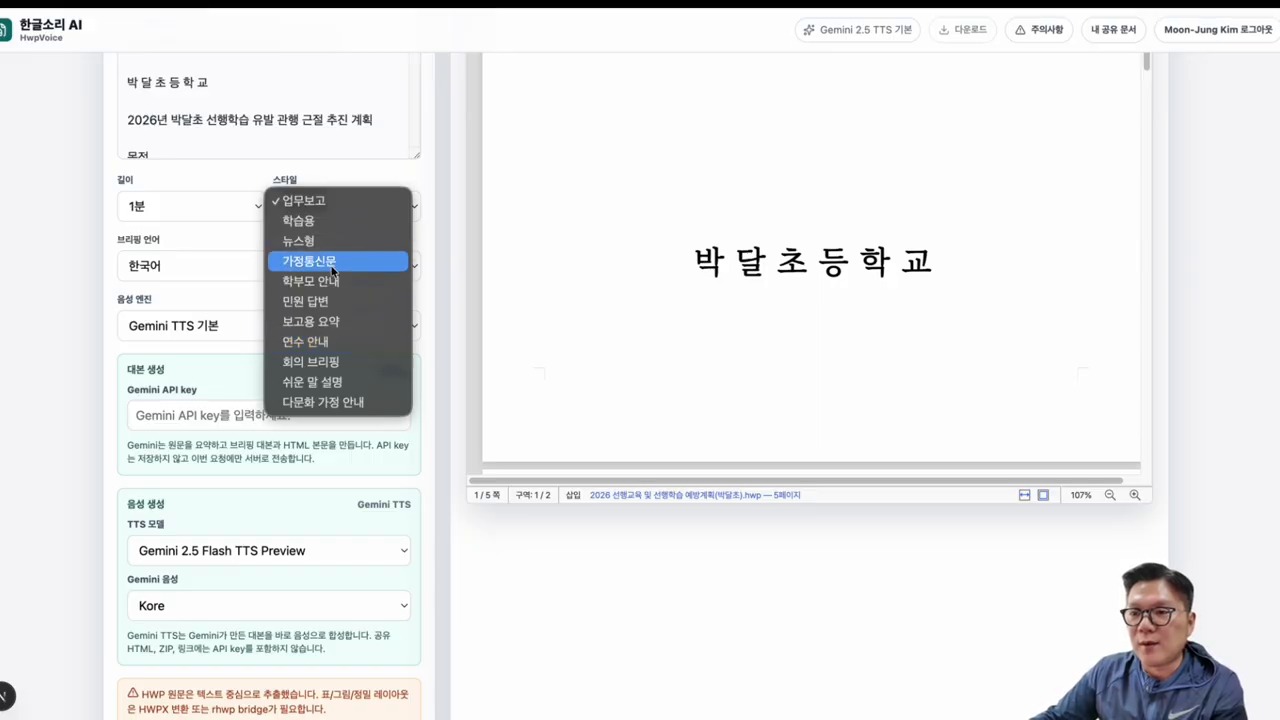
The basic flow is simple: upload the HWP file, choose the briefing style and language, let AI analyze the content, generate audio and supporting files, and share the final link.
The value of this workflow is that one document can become multiple formats. A teacher, staff member, or administrator can send a short audio briefing, a web page, a PDF, and an HWP viewer reference instead of asking every reader to open the original file.
Why Briefing Style and Language Matter
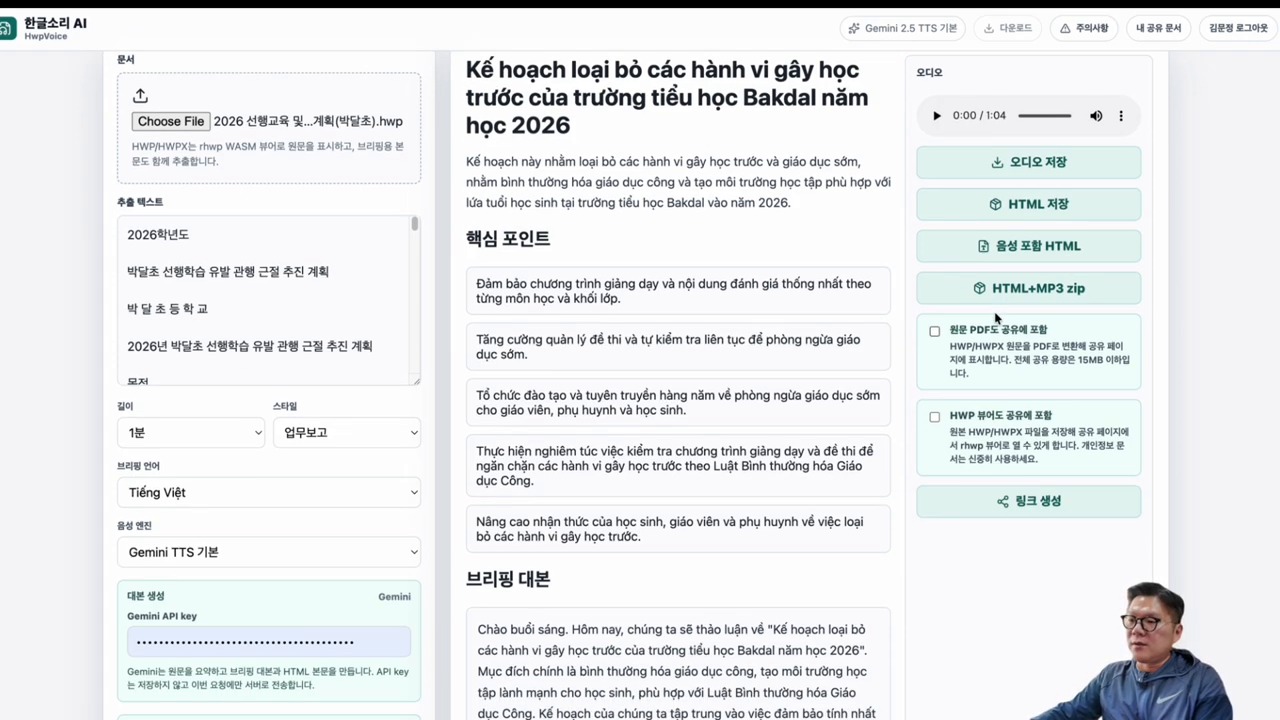
A school notice for parents should not sound like a legal memo. A policy guide may need a more formal tone. A multicultural parent notice may need simpler language and translation support.
The source emphasizes style and language choice because AI output is not only a technical artifact. It is communication. The same HWP document may need a concise summary, a friendly briefing, or a step-by-step instruction depending on the audience.
Gemini API and ElevenLabs Integration
Gemini handles document understanding, extraction, summarization, and generation. ElevenLabs handles natural-sounding voice output. Together, they transform text-heavy HWP information into listenable briefings.
This division of labor is practical. A language model interprets the document and structures the message, while a voice model delivers it in a format that busy users can consume on the move.
Result Outputs: MP3, HTML, PDF, and Viewer Support
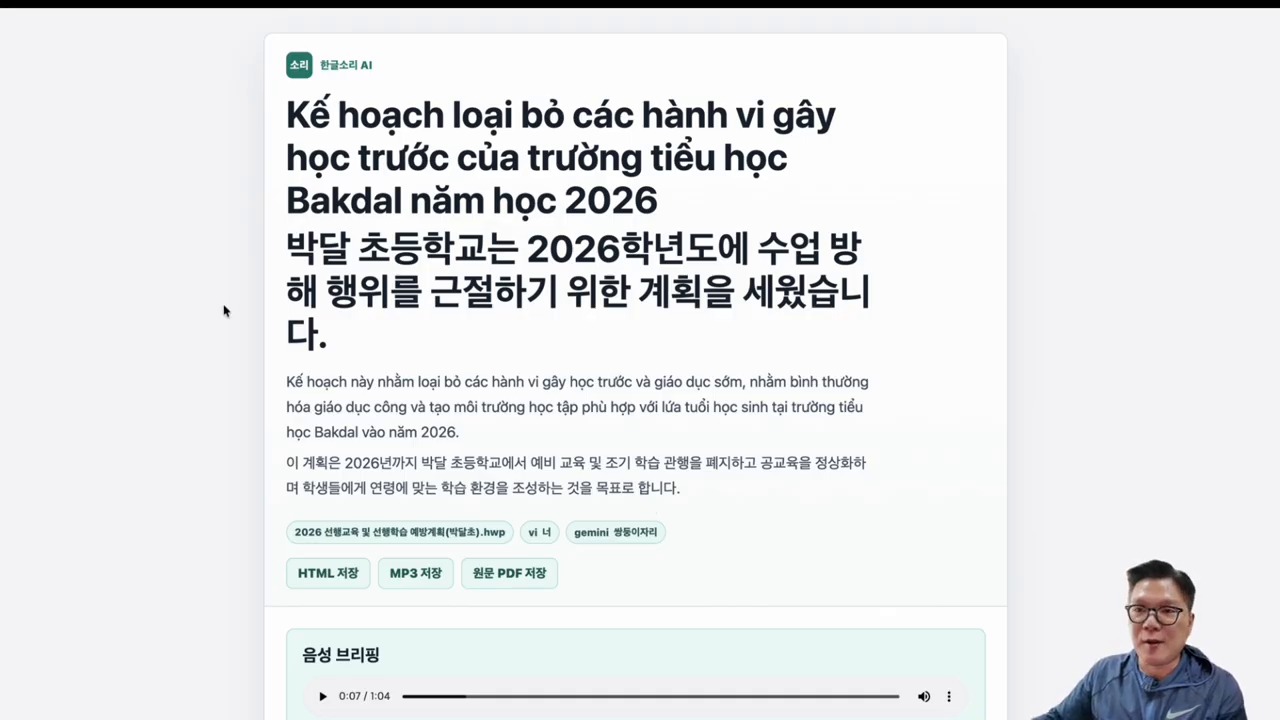
The expected outputs include an MP3 voice briefing, an HTML share page, a PDF version, and access to the original or viewer-supported document. The HTML page becomes the center because it can link or embed the other formats.
This is especially useful when organizations need fast distribution. A share page can include title, summary, key dates, action items, contact information, audio playback, and document references in one place.
Use Case: Multicultural Parent Communication
The source gives multicultural parent guidance as a strong use case. Parents who are not comfortable reading Korean HWP files may miss important school information about schedules, applications, events, or deadlines.
A multilingual voice briefing and HTML summary can reduce that gap. It does not replace official documents, but it makes the message easier to access and understand.
Limitations of a Free MVP Service
The article is careful that a free MVP should be tested before operational use. File size, document layout, tables, embedded images, API cost, language quality, and privacy handling may all have limits.
Users should verify the generated summary against the original document. AI can misunderstand a deadline, omit a condition, or simplify an exception too much. Human review remains necessary.
Checklist Before Practical Deployment
Before using this workflow in real work, check whether the document contains personal information, whether API keys are managed safely, whether the output language is accurate, and whether recipients can access the share page.
Also decide what must remain official. The generated briefing should support communication, while the original notice or approved PDF remains the authoritative document when legal or administrative precision matters.
Practical Implications for Readers
For readers using this article as a working reference, the practical lesson is to move from abstract interest to a concrete audit. Identify where the topic touches your own work, which assumptions are already outdated, what data or tools are missing, and which decision could be tested on a small scale before a larger commitment. Write that test down, assign an owner, and review evidence rather than impressions.
The Korean source repeatedly treats technology, strategy, and human judgment together. That is why the safest next step is not blind adoption or passive worry. It is disciplined experimentation: define the problem, compare alternatives, verify results, protect sensitive information, and keep the human purpose visible while the tool or trend evolves.
Related Reading
Continue with these related Thinknote English articles in the Digital Transformation cluster.
- Thinknote English article
- Thinknote English article
- Thinknote English article
- Thinknote English article
- Thinknote English article
- Thinknote English article
FAQ
What is this article about?
This article explains a digital transformation, platform, market-structure, or technology-adoption topic with Korea-specific context and global implications.
How should I use this guide?
Use it to understand market signals and strategic patterns. Combine it with current market data before making business or investment decisions.
Where can I read the original Korean article?
The original Korean article is available here: Turn HWP Documents Into AI Voice Briefings and HTML Share Pages.