[태그:] AI Agents

English articles about AI agents and agentic workflows.

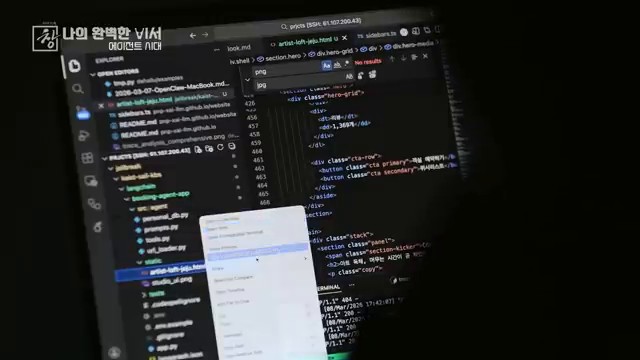
  • Hermes Agent Deliverable Mode: Sending AI Outputs Directly to Chat

    Hermes Agent Deliverable Mode: Sending AI Outputs Directly to Chat

    The Korean source explains Hermes Agent Deliverable Mode for beginners. Its central idea is simple: when an AI produces a file, report, audio, image, CSV, PDF, or other output, the user should be able to receive it directly inside the chat interface. Deliverable Mode reduces the final gap between background AI work and usable results.
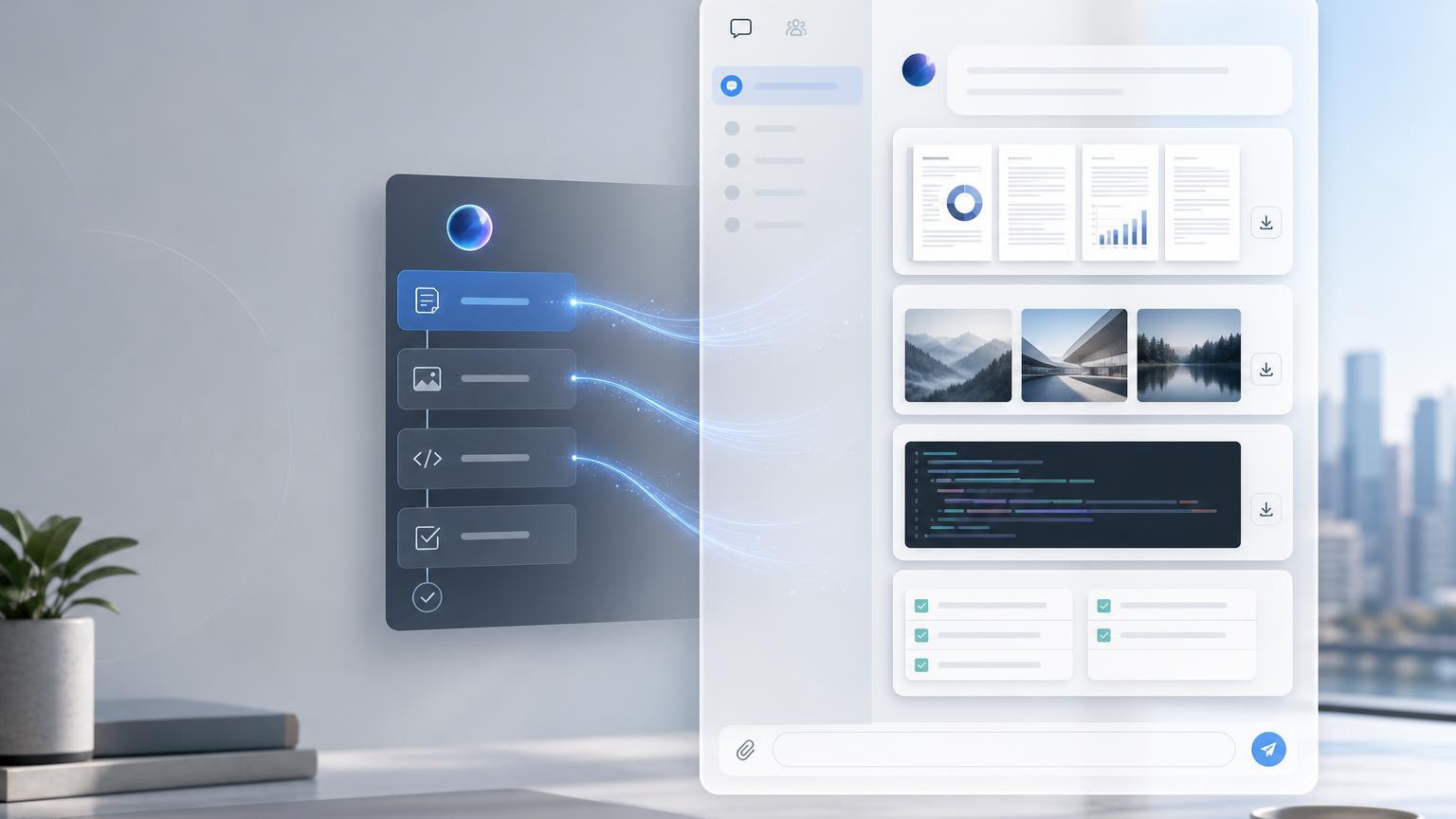
    Hermes Agent Deliverable Mode sending AI files to chat
    Hermes Agent Deliverable Mode delivers AI-generated files to chat platforms such as Telegram, Slack, and Discord.

    Original Korean article: Hermes Agent Deliverable Mode: AI 산출물을 채팅에서 바로 받는 방법

    What Deliverable Mode Means

    Deliverable Mode is a way for Hermes Agent to send completed outputs into the chat as visible deliverables. Instead of telling the user that a file exists somewhere, the agent can provide a rich preview or downloadable attachment depending on the platform.

    This is especially useful because many AI tasks are not just answers. They produce artifacts: reports, data tables, images, audio, video, HTML pages, PDFs, and summaries.

    Three Beginner Concepts

    First, a deliverable is a file or output created by AI. Second, the gateway is like a delivery worker between the messenger and the AI environment. Third, each platform displays files differently.

    These concepts help beginners understand why the same AI output may appear as an inline preview in one chat and as a link or attachment in another. Deliverable Mode handles the “last meter” of delivery.

    What Files Can Be Sent

    Deliverables may include images, PDFs, CSV files, HTML pages, audio, video, diagrams, presentations, and other user-facing results. The key is that the file should be meaningful to the user, not merely an internal log.

    Developer files, private paths, code scratch files, and raw logs may require different handling. The source emphasizes that not every file should automatically be pushed to the user.

    How It Works in Practice

    A user asks for an output. Hermes Agent performs the task, creates the file, checks whether it is safe and useful to deliver, and then sends the file through the gateway so that the chat can display it.

    This flow is important for background jobs. If an analysis takes time, Deliverable Mode can notify the user when the final report or media is ready rather than forcing the user to search the filesystem.

    When It Is Especially Useful

    Data analysis is one example: the user may want a CSV, chart, and written report. Automated reporting is another: the agent can compile information into a PDF or HTML page.

    Presentation drafts, document templates, generated images, audio briefings, and completed background tasks also benefit because the result becomes immediately visible in the conversation.

    Setup Points to Remember

    Configuration should define which file types can be delivered, how previews are rendered, and how platform-specific behavior works. The user experience should be clear: the recipient should know what the file is and why it was sent.

    The source also reminds readers that delivery is not the same as generation. A system can create a file but still fail at giving it to the user conveniently.

    MCP and Extensibility

    When used with MCP, Deliverable Mode can become more flexible because tools, resources, and external systems can be connected. MCP can expand what the agent can access and produce.

    But expanded capability requires stronger control. More integrations mean more attention to permissions, file types, user consent, and traceability.

    Security and Practical Cautions

    Deliverables should not expose private local paths, secrets, unnecessary logs, or sensitive internal files. The agent should deliver user-facing outputs, not implementation leftovers.

    Teams should define review rules for sensitive documents, restrict automatic attachment of risky file types, and ensure that platform rendering does not accidentally expose data.

    Artifacts Versus Deliverable Mode

    Some AI tools have Artifacts that show generated content in a side panel. Deliverable Mode is broader in spirit: it focuses on delivering completed outputs from the AI work environment into the user’s chat.

    The conclusion is that Deliverable Mode reduces the last-meter friction of AI automation. It lets users receive the actual result, not just a message about the result.

    Practical Implications for Readers

    For readers using this article as a working reference, the practical lesson is to move from abstract interest to a concrete audit. Identify where the topic touches your own work, which assumptions are already outdated, what data or tools are missing, and which decision could be tested on a small scale before a larger commitment. Write that test down, assign an owner, and review evidence rather than impressions.

    The Korean source repeatedly treats technology, strategy, and human judgment together. That is why the safest next step is not blind adoption or passive worry. It is disciplined experimentation: define the problem, compare alternatives, verify results, protect sensitive information, and keep the human purpose visible while the tool or trend evolves.

    Related Reading

    FAQ

    Do I need coding knowledge to use Deliverable Mode?

    Basic use does not require coding, but configuration and advanced integration may require technical setup.

    Will every chat platform show files the same way?

    No. Each platform has different rendering and attachment behavior.

    Should file paths be shown to users?

    Private local paths should not be exposed. User-facing deliverables should be presented safely and clearly.

    Why are .py or .log files not always auto-attached?

    They may be internal implementation files or contain sensitive details, so automatic delivery should be controlled.

    Is MCP the same as Deliverable Mode?

    No. MCP expands tool and resource connections; Deliverable Mode focuses on delivering final outputs to chat.

  • AI Personal Assistants: How Much Should We Trust AI Agents?

    AI Personal Assistants: How Much Should We Trust AI Agents?

    This fuller English adaptation follows the Korean source on AI agents as personal assistants. The article asks a practical question: when AI can schedule, compare, book, pay, and communicate, how much trust should we give it?

    AI personal assistant and AI agent workflow
    AI personal assistants can reduce work, but trust depends on boundaries and verification.

    Original Korean article: AI 에이전트 시대, 나의 완벽한 비서는 어디까지 믿을 수 있을까

    What Makes AI Agents Different?

    How are AI agents different from ChatGPT?

    A normal chatbot mainly answers inside a conversation. An AI agent can pursue a goal through tools: search the web, read a calendar, draft an email, compare prices, fill a form, or prepare a reservation. The difference is not intelligence alone; it is execution authority.

    The Korean source frames this as the arrival of a “perfect assistant” that may feel helpful precisely because it removes small burdens. But every removed burden also shifts responsibility. If the assistant acts, the user must decide where the boundary of trust should be.

    Scenes Where Work Decreases and Results Increase

    The article describes everyday situations where agents become useful: organizing schedules, summarizing documents, preparing travel options, comparing products, writing replies, collecting meeting notes, or managing routine requests. These tasks do not always require deep creativity, but they consume attention.

    For individuals, the immediate benefit is less context switching. For organizations, the benefit is workflow compression: a task that passed through several apps and people can become a supervised agent run with a clear output.

    AI as a Personal Assistant: What Can We Delegate?

    Can we delegate payments or reservations?

    The source article’s answer is cautious. Low-risk preparation can be delegated earlier than final execution. An agent can compare hotels, draft a reservation request, or prepare a payment screen. But actually paying money, accepting terms, signing contracts, deleting data, or sending sensitive messages should require explicit confirmation.

    Delegation should be layered. Start with information gathering, then drafting, then controlled actions, and only later allow limited autonomous execution for low-risk repeated tasks. Trust should be earned through logs and successful experience, not granted all at once.

    What improves first for individuals?

    The first improvement is usually not a dramatic replacement of work. It is the removal of small coordination costs: comparing options, gathering links, turning a vague plan into a checklist, and preparing a message that the user can approve.

    The Biggest Risk Comes From Execution Authority

    AI agent helping with work automation
    AI agents can handle repeated tasks when permissions and goals are clear.

    A wrong answer is annoying. A wrong action can be costly. If an agent books the wrong flight, sends a message to the wrong person, buys the wrong product, or exposes private data, the damage is real. This is why execution authority is the central risk.

    The article emphasizes permissions. Agents should not have unlimited access to email, banking, company systems, or customer records. They should operate under least privilege, with approval steps for irreversible actions.

    The more connected the agent is, the narrower its permissions should be

    A disconnected assistant can mostly make textual mistakes. A connected assistant can create operational mistakes. Therefore the safest design is paradoxical: the more tools an agent can use, the more specific and limited each permission should become.

    Human Judgment Becomes More Important

    AI agents may reduce repetitive labor, but they increase the value of human judgment. Users must define goals, choose tradeoffs, recognize suspicious outputs, and decide whether an action matches their values. The person who delegates poorly may simply automate mistakes.

    In organizations, this means policy is not optional. Teams need rules about who can authorize agents, what data can be accessed, how logs are stored, and which actions require human approval. AI adoption becomes a management issue, not only a tool issue.

    A Practical Checklist for Workers

    personal AI assistant trust and security risk
    The biggest risk appears when AI agents receive execution authority.
    • Classify tasks into read-only, draft-only, confirm-before-action, and autonomous-low-risk categories.
    • Keep payments, legal decisions, HR decisions, medical issues, and public communication under human approval.
    • Use separate accounts or limited tokens for agent access where possible.
    • Review logs regularly to learn where the agent fails.
    • Do not delegate a task you cannot explain or evaluate.

    What to Watch in the Original Video

    The source article points readers to moments where AI assistants move from impressive conversation to actual action. The most important viewing point is not the demo itself, but the hidden assumptions: what data the agent used, what permissions it had, where confirmation occurred, and how errors would be corrected.

    Organizations need policy before scale

    A company should decide in advance which departments can use agents, what records may be accessed, who approves external actions, and how incidents will be handled. If these rules are created only after a mistake, the organization has already delegated too much.

    Personal users need boundaries too

    Individuals should create their own rules: no automatic payment without confirmation, no sensitive documents in unknown tools, no medical or legal decisions without expert review, and no deletion or public posting without a final human check.

    Trust grows through repeated supervised use

    The article’s most practical implication is that trust should be built through repeated supervised use. Let the agent prepare, compare, and draft; inspect the result; then slowly expand the scope only where the agent proves reliable.

    Conclusion: Trust Must Be Designed

    human judgment supervising AI agents
    Human judgment becomes more important when AI agents act on behalf of people.

    The age of AI personal assistants will not be decided only by model capability. It will be decided by trust design. The best assistants will make work easier while keeping the user in control of meaningful decisions. The safest approach is gradual delegation, clear permissions, and visible review.

    Related Reading

    FAQ

    What improves first when individuals use AI agents?

    Routine coordination improves first: scheduling, comparing options, drafting messages, summarizing documents, and preparing decisions.

    What should organizations prepare before adopting agents?

    They should define permissions, data boundaries, approval rules, logs, accountability, and rollback procedures.

    Does the human role shrink?

    The repetitive part may shrink, but judgment, oversight, ethics, and responsibility become more important.

    AI assistant adoption checklist
    A simple checklist helps decide what to delegate to AI personal assistants.
  • AI Agents and Physical AI: When AI Starts Taking Action

    AI Agents and Physical AI: When AI Starts Taking Action

    This article is a fuller English adaptation of the Korean source about AI agents and physical AI. Its main argument is simple but important: AI is moving from answering questions to taking action. That shift affects software, robots, content creation, healthcare, design, education, and everyday work.

    AI agents and physical AI trend overview
    AI agents and physical AI move artificial intelligence from conversation to action.

    Original Korean article: AI 에이전트와 피지컬 AI, 이제 ‘행동하는 AI’가 온다

    AI Agents Become Assistants That Open and Use Apps for Us

    The source article begins with the difference between a chatbot and an agent. A chatbot replies inside a conversation. An AI agent can understand a goal, open the necessary application, search for information, compare options, write a message, book something, or prepare a file. It behaves less like a search box and more like a digital operator.

    This does not mean the agent is magically independent. It still needs permissions, data access, and clear limits. But once an agent can use tools, the user’s work changes. Instead of copying text between apps, the user can ask for an outcome and supervise the process.

    How are AI agents different from existing chatbots?

    The difference is execution. A chatbot can explain how to reserve a restaurant; an agent may compare restaurants, check availability, prepare a reservation request, and ask for confirmation before sending. That final confirmation is crucial because action creates consequences.

    Physical AI Turns Robots Into Judging Workers

    Physical AI applies the same movement from conversation to action in the physical world. Robots have long existed in factories, but many were limited to repetitive motions. New systems combine vision, language, planning, and motor control, allowing robots to understand a situation and adapt their actions.

    The Korean article describes this as the move from a “tin machine” to a worker that can judge. A humanoid robot that recognizes objects, decides how to pick them up, and adjusts when the environment changes is different from a machine following a fixed path. The near-term impact may appear first in logistics, warehouses, manufacturing, delivery, inspection, and care support.

    Will humanoid robots immediately replace jobs?

    The source is cautious. Robots will not instantly replace all human labor, because real environments are messy and expensive to automate. Yet the direction is clear. As robot bodies, sensors, batteries, and AI models improve together, more physical tasks will become automatable.

    China’s Robot and Video AI Ecosystem Raises the Speed of Competition

    The article pays attention to China because its ecosystem moves quickly. Hardware manufacturing, robot startups, video AI tools, and platform distribution reinforce one another. When a country can prototype devices, train models, create content tools, and push products to users at high speed, other markets feel competitive pressure.

    For global readers, the lesson is not only about China. It is about the new rhythm of AI competition. A feature that looks experimental today can become a consumer product quickly when hardware supply chains and AI software are tightly connected.

    Content Creation Favors People With Ideas, Not Only Technicians

    AI agent controlling apps and devices
    AI agents can operate software tools and digital services on behalf of users.

    AI video, image, music, and editing tools lower the technical barrier to making content. The source article argues that this can favor people with strong ideas. In the past, a person needed cameras, editing skills, design software, and production teams. Now a creator can sketch a concept, generate drafts, iterate quickly, and publish.

    This does not remove human creativity. It changes where creativity matters. Taste, storytelling, direction, judgment, and audience understanding become more valuable. The person who knows what to make and why can use AI tools as production staff.

    Healthcare, Design, and Kitchen Work Expand AI’s Assistant Role

    The article also notes that AI is entering practical professional settings. In healthcare, AI can summarize records, assist diagnosis, guide triage, or help with administrative burden. In design, it can generate alternatives and speed ideation. In kitchens or service work, robots and smart devices can help with repetitive preparation, monitoring, and quality control.

    The common pattern is assistance before full replacement. AI takes over fragments of work: preparation, comparison, monitoring, drafting, and routine execution. Humans remain responsible for safety, taste, empathy, ethics, and final decisions.

    Smart Glasses and AI Cheating Force Education to Change

    physical AI robot with decision-making ability
    Physical AI gives robots more ability to perceive, decide, and act.

    Smart glasses show why education cannot rely only on old testing methods. If students can see answers, translations, or generated explanations in real time, schools must rethink assessment. The source article treats AI cheating not as a small disciplinary issue but as a sign that learning environments must change.

    Education needs more oral defense, process evaluation, project-based work, in-class reasoning, and assignments that require personal interpretation. If information access becomes invisible, the value of education must move toward judgment, problem framing, and authentic understanding.

    Three Changes to Watch Now

    • Whether agents can safely connect to real apps and payment systems.
    • Whether physical AI becomes reliable enough for warehouses, care, delivery, and manufacturing.
    • Whether schools and workplaces redesign tasks around judgment instead of simple answer production.

    The real signal is permission, not novelty

    For teams watching this field, the most important signal is not a spectacular demo. It is whether the AI system can receive limited permission, act inside a real workflow, and leave evidence that a human can inspect. That is the difference between entertainment and infrastructure.

    Conclusion: Surprise Becomes Routine

    AI content creation and smart device workflow
    AI changes content creation, smart devices, healthcare, and education workflows.

    The source article concludes that the surprising demonstrations of today become the normal tools of tomorrow. AI agents and physical AI are not separate trends; both show AI crossing the boundary from language into action. The right response is neither panic nor blind optimism, but careful preparation: define permissions, keep human review, and learn how to work with systems that can act.

    Related Reading

    FAQ

    What is physical AI?

    Physical AI refers to AI systems that perceive and act in the physical world, often through robots, sensors, and embodied devices.

    Do AI agents need human confirmation?

    Yes, especially for payments, reservations, messages, deletion, hiring, medical decisions, and any action with real-world consequences.

    What should workers learn first?

    They should learn to describe outcomes clearly, set boundaries, review AI output, and identify which parts of work are safe to delegate.

    AI adoption checklist for action-oriented AI
    Organizations need to prepare for AI systems that can take action, not only answer questions.
  • Are Development Teams Ready to Operate AI Agents?

    Are Development Teams Ready to Operate AI Agents?

    This fuller English version follows the original Korean article more closely. The central question from Anthropic’s Claude Code London 2026 message is not whether a developer can ask an AI model for code. It is whether a development organization is ready to operate AI agents with goals, tools, security, evaluation, and review loops.

    operate AI agents in a development team dashboard
    A development team needs dashboards, tools, and review loops to operate AI agents.

    Original Korean article: Anthropic이 던진 질문: 당신의 개발 조직은 AI 에이전트를 운영할 준비가 됐나

    The Core Change Announced at Claude Code London 2026

    The keynote framed AI coding as an operational change. The distance from idea to execution is shrinking: a product manager can describe a feature, an engineer can ask an agent to explore a codebase, and the model can draft changes, run checks, and report back. But the original Korean article stresses that this speed only helps when the organization knows how to receive and verify the work.

    From idea to execution

    In the old workflow, an idea moved through tickets, handoffs, coding, review, and deployment. With Claude Code-style agents, some of those steps can happen asynchronously. The agent can investigate files, propose a plan, edit code, and run tests while the human focuses on judgment. The bottleneck moves from typing to task design and validation.

    Linear adoption meets exponential model improvement

    Companies usually adopt new tools slowly: a pilot, a few champions, a security review, and then gradual rollout. Model capability, however, is improving faster than that rhythm. Anthropic’s message is that teams should build the operating foundation now, because the agents of tomorrow will have longer task horizons and higher autonomy than the tools they are testing today.

    Claude Model Roadmap: Longer Tasks and Better Judgment

    Task horizon is expanding

    A key concept in the source article is task horizon: how long a model can keep working toward a goal before it loses context, makes mistakes, or needs human rescue. Earlier coding assistants handled short completions. Newer agents can work across multiple files and longer sequences. The practical implication is that teams must prepare work units that are clear enough for agents to execute but bounded enough for humans to review.

    Less scaffolding, more general tools

    As models become stronger, teams may need less fragile scaffolding around every prompt. Yet this does not mean “no structure.” It means agents should be given clean repositories, reliable commands, clear acceptance criteria, and general tools such as search, tests, documentation, issue trackers, and deployment checks. The better the workbench, the less the team depends on prompt tricks.

    Advisor strategy balances performance and cost

    The article also highlights the need to balance powerful models and cost-efficient models. Not every step requires the most expensive reasoning. Some tasks can be routed to cheaper models, while architecture review, security-sensitive changes, and difficult debugging may require a stronger advisor model. Agent operations therefore become a routing problem as much as a prompting problem.

    Claude Platform: Infrastructure for Product-Grade Agents

    Managed agents, self-hosted sandboxes, and MCP tunnels

    The Claude platform direction points toward agents that can operate in controlled environments. Managed agents reduce setup burden; self-hosted sandboxes give enterprises more control; MCP tunnels connect agents to internal tools without exposing everything blindly. The source article treats these pieces as the infrastructure layer for making AI agents part of real products.

    Asynchronous coding requires verification

    When an agent works in the background, the human does not watch every keystroke. That makes verification more important. Teams need automated tests, linting, reproducible builds, review checklists, and logs that explain what the agent changed. Without this, asynchronous work can become asynchronous risk.

    Routines: Claude prompting Claude Code

    The article’s discussion of routines is important because it shows a recursive pattern: Claude can help write the instructions that Claude Code follows. Instead of every developer inventing prompts from scratch, a team can maintain reusable routines for bug fixes, refactors, dependency updates, documentation, or test generation. This turns good practice into shared organizational memory.

    Claude Code Changes the Developer Role

    Claude Code workflow for AI agent operations
    Claude Code points toward development workflows where agents execute longer tasks.

    Claude Code is not merely a faster autocomplete. It pushes developers toward the role of automation designers. The developer writes specifications, chooses tools, defines the boundary of autonomy, checks tradeoffs, and decides whether the result is safe to merge. In that sense, the developer’s responsibility becomes broader rather than smaller.

    The source article’s warning is practical: organizations should prepare evaluation and architecture before giving agents too much freedom. A model that can modify code at scale can also amplify unclear requirements, weak tests, and insecure defaults. The maturity of the organization determines whether AI agents become leverage or chaos.

    What Developers and Enterprises Should Prepare Now

    Prepare evaluation and architecture first

    Teams should inventory the work they want agents to perform, define success criteria, and build measurable checks. They should document architecture decisions, coding standards, security constraints, and escalation rules. If humans cannot explain the desired outcome, an agent cannot reliably produce it.

    Move from personal productivity to organizational operations

    The biggest shift is from individual productivity to team operations. One developer using an AI tool is useful; a company operating AI agents needs governance. Access control, audit logs, tool permissions, privacy rules, and incident response become part of the AI coding stack.

    Claude Code London 2026 Readiness Checklist

    AI agent task horizon and software automation
    Longer task horizons make agent supervision and verification more important.
    • Define which coding tasks agents may perform and which require human-only judgment.
    • Create reusable routines for common workflows such as bug fixing, test writing, and documentation.
    • Build automated verification before increasing agent autonomy.
    • Separate low-risk tools from sensitive tools and grant permissions gradually.
    • Track cost, latency, model choice, and failure patterns as operational metrics.

    Conclusion: The Next Stage Is Operation, Not Conversation

    The article’s conclusion is that AI development tools are moving beyond chat. The important question is no longer “Can the model answer?” but “Can the organization run the model as a dependable worker inside a controlled system?” Teams that answer this early will be better prepared for the next wave of agentic software development.

    Related Reading

    AI agent platform infrastructure and MCP tools
    Agent platforms need infrastructure, sandboxes, tools, and secure connections.

    FAQ

    What is the main message of Claude Code London 2026?

    The main message is that development teams must learn to operate AI agents, not merely chat with coding assistants.

    Why is verification so important for AI coding agents?

    Because agents may work across many files and steps. Automated tests, review rules, and audit trails prevent speed from becoming uncontrolled risk.

    Does this mean developers are less important?

    No. Developers move toward higher-level responsibility: defining tasks, building harnesses, reviewing outputs, and deciding what is safe to ship.

    AI coding automation governance checklist
    Teams need clear governance before giving AI agents production-level authority.
  • Harness Engineering: How to Make AI Agents Work Reliably

    Harness Engineering: How to Make AI Agents Work Reliably

    This fuller English article follows the Korean source on harness engineering. The core idea is that AI agents do not become reliable simply because we write longer prompts. They become reliable when we build a harness: a structured work environment with goals, tools, tests, permissions, feedback, and human review.

    harness engineering workflow for AI agents
    Harness engineering gives AI agents a structured workplace instead of only a prompt.

    Original Korean article: 하네스 엔지니어링이 온다: AI 에이전트를 제대로 일하게 만드는 법

    What Is Harness Engineering?

    Not a request, but a structure

    A harness is the system that holds an AI agent in the right working position. In software development, that may include repository access, test commands, coding standards, file boundaries, issue context, and review criteria. In business operations, it may include approved data sources, templates, workflow steps, and escalation rules.

    The Korean article contrasts this with simply saying “do this for me.” A request gives the agent a desire. A harness gives the agent a safe path for execution. The more consequential the task, the more important the harness becomes.

    Vibe Coding Raises the Floor; Harness Engineering Raises the Ceiling

    Vibe coding made it easier for beginners to create prototypes. This is powerful because it lowers the floor of software creation. But organizations need to raise the ceiling: they need agents that can do complex work reliably, repeatedly, and safely. Harness engineering is the discipline that raises that ceiling.

    Verification is harder than generation

    The source article emphasizes that code generation is no longer the hardest part. Verification is. An AI can produce thousands of lines quickly, but a team still has to know whether the code is correct, secure, maintainable, and aligned with the product. Without verification, speed becomes debt.

    Longer Prompts Are Not Enough

    A good workplace beats a good prompt

    Prompt engineering matters, but it cannot carry the whole burden. If the repository is undocumented, tests are broken, commands are unclear, and acceptance criteria are missing, even a good model will struggle. A clean workplace gives the agent stable ground.

    A good harness includes task templates, examples of correct output, constraints, automated checks, and a way to ask for clarification. It also defines what the agent should not touch. Guardrails are not a sign of weak AI; they are how responsible work is done.

    More Tools Are Not Always Better

    agentic coding environment with tools and checks
    Agentic coding depends on tools, context, and verification loops.

    Give narrow and accurate tools for each task

    The article warns against giving agents every possible tool. Too many tools increase confusion and risk. A refactoring agent may need search, edit, tests, and lint. It does not need production database access. A marketing agent may need approved brand assets and analytics summaries, not unrestricted email sending.

    Tool design should follow least privilege. Start with read-only access, add write access where needed, and require confirmation for external actions. The harness should make the right action easy and the dangerous action difficult.

    Practical Checklist for Harness Engineering

    • Define the task type and expected deliverable before invoking the agent.
    • Provide source-of-truth documents, not scattered context.
    • Limit tools to what the task actually requires.
    • Attach test commands, acceptance criteria, and examples of failure.
    • Keep logs of agent actions and decisions.
    • Require human review for security, money, customer communication, and production changes.

    Developers Become AI Team Leaders

    AI agent verification workflow for software teams
    Verification becomes more important as AI agents generate more code.

    From direct coding to work-environment design

    The developer’s role shifts from writing every line to designing the environment in which agents can write useful lines. That includes preparing tasks, maintaining tests, reviewing diffs, choosing models, and improving routines after failures. The best developers will be those who can multiply their judgment through systems.

    This does not make programming knowledge obsolete. On the contrary, a developer who understands architecture, debugging, security, and user needs is better equipped to supervise agents. A weak human reviewer cannot reliably catch a strong model’s subtle mistakes.

    Conclusion: The Next Step After Saying “Do It”

    The source article concludes that the age of simply asking AI to work is giving way to the age of building systems where AI can work well. Harness engineering is that system-building practice. It turns agents from impressive demos into dependable collaborators.

    Related Reading

    focused AI tools for reliable agent workflows
    Narrow and accurate tools are often better than giving agents too much access.

    FAQ

    Is harness engineering the same as prompt engineering?

    No. Prompt engineering focuses on instructions. Harness engineering includes tools, context, tests, permissions, feedback, and review loops.

    Why not give an AI agent every tool?

    Because broad access increases risk and confusion. Agents should receive the narrow tools needed for the task.

    Who needs harness engineering?

    Any team that wants AI agents to perform real work repeatedly, safely, and measurably needs harness engineering.

    developer as AI agent team leader
    Developers increasingly lead AI agents by designing safe workflows and review systems.
  • AI Agent Desktop Apps: Why Hermes Agent Points to the Next Interface

    AI Agent Desktop Apps: Why Hermes Agent Points to the Next Interface

    AI agents are powerful, but many people still experience them as chat windows, command-line tools, or scattered automations. That limits adoption. If AI agents are going to become part of everyday work, they need a better interface.

    This is why the idea of an AI agent desktop app matters. A desktop interface can turn sessions, artifacts, skills, tools, schedules, and profiles into something users can see and manage. Hermes Agent points toward this next layer of AI agent adoption.

    AI agent desktop app interface for Hermes Agent
    A desktop interface can make AI agent sessions and outputs easier to manage.

    Why a Desktop App Matters

    Chat is a useful starting point, but agent work is not only conversation. Agents read files, create drafts, run commands, schedule jobs, use tools, and produce deliverables. When all of that is hidden behind a simple chat log, users can lose track of what is happening.

    A desktop app can make agent work more visible. It can show active sessions, generated files, reusable skills, available toolsets, scheduled tasks, and project-specific context. This visibility is important for trust.

    Sessions Become Work Folders for AI Agents

    AI agent sessions and context workspace
    Sessions can become work folders for AI-assisted tasks.

    For human workers, a project usually has a folder, a history, and a set of related files. AI agents need the same kind of structure. A session is not just a chat. It can become the workspace where context, decisions, outputs, and follow-up tasks stay connected.

    This is one reason desktop interfaces are useful. They can help users move from “I asked an AI a question” to “I managed an AI-assisted work session.”

    Artifacts Turn Chat Into Work Assets

    AI agent artifacts and links inside a desktop app
    Artifacts turn chat outputs into reusable work assets.

    AI output becomes more valuable when it is treated as an artifact. An artifact may be a document, a draft, a data file, a diagram, a script, a report, or a web page. If the interface makes artifacts visible, users can review, reuse, and improve them more easily.

    This changes the role of AI. It is no longer only a conversational assistant. It becomes a production partner that creates assets inside a workflow.

    Skills and Toolsets Need a Control Panel

    As agents become more capable, users need a way to manage what agents know how to do. Skills can store reusable workflows. Toolsets can define which tools an agent can access. Without a visible control panel, these capabilities can become hard to understand.

    A desktop app can make these capabilities more approachable. Users can see which skills are available, which tools are enabled, and which workflows are safe for a given task.

    Cron Jobs Turn Agents Into Operators

    AI agent cron jobs and scheduled automation
    Cron jobs turn AI agents into scheduled operators.

    Scheduled tasks are one of the most important differences between a chatbot and an operating agent. A cron job can monitor a feed, create a recurring report, check a website, summarize new data, or remind a team about a workflow.

    In a desktop interface, scheduled agent work can become easier to inspect. Users can see what is scheduled, when it runs, what it produced, and whether it needs attention. This is essential for trust and reliability.

    Profiles Make Role-Based Agents Easier

    Different work roles need different settings. A writing assistant, a code reviewer, a research analyst, and an operations monitor should not always share the same tools, memories, or rules. Profiles make role-based agent work easier to manage.

    This is similar to creating different workspaces for different jobs. The user can choose the right profile for the task instead of constantly reconfiguring the agent.

    The Bigger Question: What Comes After the Model?

    AI agent desktop app generation demo
    A desktop app can make agent-generated deliverables visible and reviewable.

    For the last few years, much of the AI conversation has focused on model capability. That still matters. But as models become widely available, the next competition may move to the interface layer. Who can make AI agents understandable, controllable, and useful in daily work?

    Hermes Agent desktop-style workflows suggest one possible answer. The future of AI agents may depend less on one perfect chat window and more on a complete workbench: sessions, artifacts, tools, memory, schedules, and review gates.

    Conclusion: The Interface Is Part of the Agent

    An AI agent is not only a model. It is a model inside an operating environment. The interface determines how easily people can assign work, understand progress, review outputs, and trust automation.

    That is why AI agent desktop apps matter. They may become the bridge between powerful agent technology and everyday work.

    Related Reading

    FAQ

    What is an AI agent desktop app?

    It is a desktop interface for managing AI agent sessions, outputs, tools, skills, schedules, and project context in one place.

    Why is chat not enough for AI agents?

    Chat is good for conversation, but agent work often includes files, tools, scheduled tasks, generated artifacts, and review workflows. Those need more structure.

    Who needs an AI agent desktop interface?

    Creators, developers, researchers, analysts, and teams that use AI for recurring workflows can benefit from a more visible and manageable agent interface.

    Original Korean article: Hermes Agent 데스크톱 앱

  • Local LLM on Apple Silicon: What OMLX and Hermes Agent Show in Real Use

    Local LLM on Apple Silicon: What OMLX and Hermes Agent Show in Real Use

    Local LLMs are no longer only a hobbyist experiment. With high-memory Apple Silicon machines, local model servers, and agent tools, the question is becoming more practical: can a local LLM actually support real work?

    This article looks at that question through the lens of local LLM on Apple Silicon, OMLX-style local serving, and Hermes Agent workflows. The important point is not whether local models replace cloud AI immediately. The better question is where local models fit into a hybrid AI workflow.

    local LLM on Apple Silicon model dashboard
    A local LLM setup shows how models can run inside a local AI workflow.

    The Core Question: Can Local LLMs Be Used for Real Work?

    For a long time, local LLMs were interesting but limited. They were slower, less capable, or harder to run than cloud models. That is changing. New open-source models, better inference engines, and powerful local hardware are making local AI more realistic.

    Still, “possible” does not mean “always better.” A local LLM workflow should be judged by speed, quality, privacy, cost, setup complexity, and how well it integrates with daily tools.

    Why OMLX Matters: Serving Experience Comes Before Model Hype

    OMLX token dashboard for local LLM serving
    OMLX-style serving makes local LLM performance easier to inspect.

    Many discussions about local AI focus only on model names. That is understandable, but the serving layer is just as important. A model that is theoretically strong is not useful if it is difficult to run, unstable, or too slow for an agent workflow.

    OMLX-style local serving matters because it points toward a smoother way to run models on Apple Silicon. The practical experience includes starting the server, connecting tools, sending requests, checking latency, and seeing whether the output is good enough for the task.

    Claude Code, Local Models, and the Need for Verification

    local LLM admin dashboard for model operations
    A local model admin dashboard helps monitor and operate local AI services.

    Local models can be fast and private, but verification remains essential. This is especially true for coding. A local model may generate a patch, explain a file, or suggest a command. The result still needs tests, review, and sometimes comparison with stronger cloud models.

    The best local LLM workflows do not blindly trust local output. They use local models for the right tasks: drafting, summarizing, classifying, exploring code, transforming text, or handling private context. Critical decisions should still go through stronger review gates.

    Hermes Agent and Local LLMs: A New Experiment for Agent Operations

    Claude Code local model output for AI coding
    Local models can support coding workflows, but outputs still need verification.

    Hermes Agent is useful as a workflow layer because it can connect chat, files, tools, schedules, and skills. When local LLMs are added, a new possibility appears: some agent work can run locally while other work still uses cloud models.

    This hybrid pattern is important. A local model may handle private notes, repetitive transformations, or low-risk drafts. A cloud model may handle complex reasoning, long-form synthesis, or final review. The workflow becomes more flexible than a single-model setup.

    Why Apple Silicon Is Interesting for Local AI

    Apple Silicon is attractive for local LLM experiments because of memory bandwidth, energy efficiency, and integrated hardware. High-memory configurations make larger local models more practical. For individual creators, developers, and small teams, this can reduce dependence on cloud APIs for some tasks.

    However, hardware still matters. A high-end machine may deliver a very different experience from a base laptop. When evaluating local LLMs, it is important to distinguish what is possible on premium hardware from what is realistic for everyday users.

    Checklist Before Adopting Local LLMs

    Hermes Agent local LLM workflow with search tools
    Hermes Agent can combine local LLMs with tools in a hybrid workflow.
    1. Define the task. Is the model for writing, coding, summarization, search, or private context handling?
    2. Measure latency. A model that is too slow will not fit an agent workflow.
    3. Compare quality. Test local outputs against your current cloud model for real tasks.
    4. Check privacy needs. Local models are most valuable when sensitive context matters.
    5. Estimate cost. Hardware cost should be compared with cloud API usage.
    6. Plan a hybrid setup. Local and cloud models should complement each other.
    7. Keep review gates. Local does not automatically mean reliable.

    Conclusion: Local LLMs Are About Placement, Not Replacement

    The strongest case for local LLMs is not that they replace Claude, ChatGPT, or other cloud models tomorrow. The stronger case is that they give users another place to run AI work. Some tasks belong in the cloud. Some tasks can move local. Some tasks should use both.

    For AI agents, this placement question matters. A good agent system should be able to choose the right model for the right job. Local LLMs on Apple Silicon make that future more realistic.

    Related Reading

    FAQ

    Can a local LLM replace Claude or ChatGPT?

    For some tasks, yes. For complex reasoning or final review, cloud models may still perform better. The practical answer is usually hybrid use.

    Why run a local LLM on Apple Silicon?

    Apple Silicon can offer strong local performance, efficient memory use, and a convenient developer environment, especially on high-memory machines.

    What tasks are best for local LLMs?

    Private note processing, summarization, draft generation, code exploration, text transformation, and low-risk agent tasks are good starting points.

    Original Korean article: M5 Pro Max 128GB 로컬 LLM 실사용

  • How to Train AI Agents: Building AI-Native Workflows with Hermes Agent

    How to Train AI Agents: Building AI-Native Workflows with Hermes Agent

    When people ask how to train AI agents, they often look for a prompt, a model, or a tool setting. That is the wrong starting point. AI agents become useful when they are placed inside an operating workflow: roles, memory, tools, review rules, and feedback loops.

    This article uses Hermes Agent as an example of how an AI-native workflow can be designed. The point is not only installation. The more important question is how to operate AI agents so they can produce useful work safely and repeatedly.

    AI agent training workflow with Hermes Agent remote execution
    Hermes Agent can be operated remotely as part of an AI agent training workflow.

    Start With Operations, Not Installation

    Installing an agent tool is easy compared with operating it. A real workflow needs answers to practical questions. What kind of work should the agent do? What context can it read? What tools can it use? Who reviews the output? What happens when it makes a mistake?

    An AI-native organization does not begin with a dashboard. It begins with operating rules. The rules define how agents receive tasks, how they access memory, how they report results, and when humans must approve changes.

    Why AI Agents Need Roles

    multi-agent command center for AI-native workflows
    Role-based AI agents make workflow operations easier to manage.

    A single general-purpose agent can help with many tasks, but role separation makes the workflow more reliable. One agent can research sources. Another can draft content. Another can review quality. Another can check files or run tests. This is closer to how teams work.

    Role design reduces confusion. It also makes evaluation easier. If a research agent fails, you inspect the research step. If a writing agent produces weak output, you improve the writing instructions. If a review agent misses errors, you strengthen the checklist.

    The Supervisor Role Is Still Essential

    AI agent output review and supervisor workflow
    AI agent outputs need supervisor review before production use.

    AI agents can execute tasks, but supervision remains important. A supervisor defines the goal, checks whether the result is useful, and decides whether the output can move into production. In many workflows, the supervisor is a human. In more advanced workflows, a review agent can assist, but human approval is still needed for risky changes.

    This is especially important when agents can write files, publish content, send messages, or call APIs. Tool access should be powerful, but it should also be bounded by clear approval gates.

    Memory Is Not Just More Storage

    Obsidian context wiki for AI agent memory
    A context wiki helps AI agents use verified organizational knowledge.

    Many teams assume that agent training means adding more memory. That is only partly true. More memory can help, but unstructured memory can also confuse agents. The better approach is to store compact, reusable, verified context.

    Useful memory includes preferences, project conventions, source summaries, durable workflows, and lessons from repeated errors. Temporary task progress should usually stay in session logs or project files, not permanent memory. Good memory helps agents avoid repeating the same mistakes.

    Remote Execution Is an Operating Channel

    AI-native organization dashboard and operating rules
    AI-native teams need operating rules, dashboards, and review loops.

    Hermes Agent can be operated through interfaces such as a browser UI, messaging channels, and automation. Remote execution is not just a convenience. It turns the agent into an always-available operating layer. You can ask it to inspect a file, summarize a document, prepare a draft, or run a scheduled check.

    However, remote access should not mean uncontrolled automation. The safest approach is to define which actions can happen automatically and which actions require explicit approval. Draft creation is usually safe. Public publishing, deleting files, or changing production settings should require approval.

    Cron Jobs Create Learning Loops

    Scheduled jobs can turn an agent from a manual assistant into an operating system component. A cron job can monitor a feed, prepare a weekly summary, check a dataset, or remind a team about stale work. The key is to make each scheduled task self-contained and verifiable.

    Scheduled work should also feed learning back into the system. If a weekly report improves because the agent learned which sources matter, that improvement should become part of the workflow.

    Checklist Before Adopting AI Agents

    1. Choose one workflow with clear inputs and outputs.
    2. Define agent roles before adding many tools.
    3. Prepare a small, reliable memory base.
    4. Separate draft actions from production actions.
    5. Create review checklists for quality and safety.
    6. Log results so the workflow can improve.
    7. Start with small teams or individual workflows before scaling.

    Conclusion: Training AI Agents Means Designing the Workflow

    The future of AI agents is not only about stronger models. It is about better operating systems around those models. Hermes Agent shows one direction: agents connected to memory, tools, schedules, profiles, and review loops.

    To train AI agents, do not begin by asking for the perfect prompt. Begin by designing the work system the agent will live inside.

    Related Reading

    FAQ

    What does it mean to train an AI agent?

    In practical work, it means giving the agent reliable context, clear roles, tool boundaries, review criteria, and feedback loops. It is not the same as model fine-tuning.

    Can small teams use AI agents?

    Yes. Small teams may benefit faster because they can define workflows and review results without complex organizational layers.

    What should not be automated first?

    Avoid automating public publishing, irreversible file changes, security settings, payments, or customer-facing messages until review gates are mature.

    Original Korean article: AI 에이전트를 학습시키는 법

  • AI Second Brain: Building a Personal Knowledge System for AI Agents

    AI Second Brain: Building a Personal Knowledge System for AI Agents

    A second brain used to mean a personal note-taking system. In the AI agent era, it means something more important: a context system that AI can actually read, use, and improve.

    An AI second brain is not just a digital notebook. It is a structured knowledge base that helps AI agents understand your projects, preferences, decisions, sources, and working style. When it is built well, an agent does not have to start every task from zero.

    AI second brain concept for personal knowledge management
    An opening scene introducing the AI second brain concept.

    A Second Brain Is Now Context for AI

    Traditional personal knowledge management focused on human recall. You saved notes so you could find them later. That still matters, but AI changes the purpose. Now the question is not only “Can I find this?” It is also “Can an AI agent understand this well enough to help me work?”

    This shift makes context the most valuable part of a knowledge system. The best model in the world is less useful if it does not know your goals, source material, constraints, and past decisions. A smaller model with better context can often produce more useful work than a stronger model with no memory.

    Why Your Own Context Matters More Than the Model

    AI second brain custom knowledge system
    A custom knowledge system gives AI agents reusable personal context.

    Many people compare AI tools by model scores, benchmark results, or subscription plans. Those factors matter, but they are not the only bottleneck. For real work, the bigger bottleneck is often private context: what you know, what your organization has decided, how your projects are structured, and what quality standards you follow.

    An AI second brain stores that private context in a form that can be reused. It may include meeting notes, source summaries, research cards, operating principles, writing guidelines, project plans, workflows, and examples of good output. The value grows as the system accumulates more verified context.

    LLM Wiki and Obsidian Are Practical Starting Points

    LLM Wiki for AI agents and context engineering
    An LLM Wiki makes notes easier for language models and agents to read.

    You do not need an enterprise platform to start. A folder of Markdown files can be enough. Tools such as Obsidian make it easy to create linked notes, tags, source cards, and project pages. An LLM Wiki extends that idea by making the knowledge base easier for language models to read.

    The structure does not need to be complex. A useful LLM Wiki usually has small documents, clear titles, source metadata, internal links, and short summaries. The goal is not to create a beautiful graph. The goal is to make knowledge easy to retrieve and use during AI-assisted work.

    The Obsidian Graph Is Useful, But It Is Not the Finish Line

    Visual knowledge graphs are motivating, but the graph itself is not the main value. The real value is in the quality of the notes and the relationships between them. A graph full of vague notes does not help an AI agent. A small set of clear, linked, source-grounded notes does.

    For AI use, clarity matters more than decoration. Each note should answer simple questions: What is this about? Where did it come from? Why does it matter? How is it related to other work? Can an agent use it without guessing?

    How Harness Engineering Connects to a Second Brain

    AI second brain harness engineering evaluation
    Harness engineering connects notes, tools, workflows, and evaluation.

    Harness engineering means designing the surrounding system that helps AI do useful work. Prompts are only one part of that system. The harness also includes files, tools, workflows, memory, tests, and review steps.

    An AI second brain is one of the most important parts of that harness. It gives agents the context they need. It also gives humans a way to inspect where the AI’s answer came from. This makes the workflow more reliable than a one-off prompt.

    How to Start Building an AI Second Brain

    AI-native roadmap for personal knowledge systems
    A roadmap view for building an AI-native personal knowledge system.
    1. Keep the original sources. Do not throw away transcripts, PDFs, articles, or meeting notes too early.
    2. Create small Markdown documents. One note should cover one idea, source, decision, or workflow.
    3. Add links and tags. Relationships help both humans and agents navigate context.
    4. Write short summaries. A short summary at the top helps an AI quickly understand the note.
    5. Let agents read and test the system. Ask an agent to use the notes, then check where it misunderstands context.
    6. Improve the structure slowly. Do not overbuild. Add structure when repeated work shows the need.

    What Individuals and Teams Should Do First

    Individuals should begin with recurring personal workflows: writing, research, planning, learning, or project management. Teams should begin with shared context: onboarding documents, decision records, meeting summaries, customer insights, and workflow guides.

    The first goal is not automation. The first goal is context quality. Once context becomes reliable, agents can help with drafting, summarizing, checking, and producing deliverables.

    Related Reading

    FAQ

    What is an AI second brain?

    It is a personal or team knowledge system designed so AI agents can use your accumulated context, not just so humans can search old notes.

    Is an LLM Wiki different from normal notes?

    Yes. Normal notes may be written only for the author. An LLM Wiki is structured so a language model can read, retrieve, and apply the information with less guessing.

    Do I need Obsidian?

    No. Obsidian is useful, but the core idea is tool-independent. Markdown files, clear metadata, and good links are more important than any single app.

    Original Korean article: 세컨드 브레인과 LLM Wiki

  • How to Build an AI Agent Operating System: A 7-Layer Blueprint

    How to Build an AI Agent Operating System: A 7-Layer Blueprint

    Most people start using AI by opening one tool at a time. They ask ChatGPT for a draft, use Claude for a long document, try a coding assistant for development, and keep separate notes somewhere else. That works for experiments, but it breaks down when AI becomes part of daily work.

    An AI agent operating system is a way to connect those scattered tools into one repeatable workflow. It does not mean a literal computer operating system. It means a practical work architecture: memory, models, agents, dashboards, production tools, and feedback loops working together.

    AI agent operating system dashboard with multiple agents
    A mission-control style dashboard for managing multiple AI agents.

    What Is an AI Agent Operating System?

    An AI agent operating system is the layer that helps AI tools remember context, choose the right model, run tasks through agents, and send results back into a knowledge base. The goal is not to collect more apps. The goal is to turn AI into a system that can produce, verify, and improve work over time.

    The easiest way to understand it is to compare two workflows. In the first workflow, every AI conversation starts from zero. In the second, the AI can read your notes, follow your preferred process, use tools, create deliverables, and leave behind reusable context. The second workflow is closer to an agent operating system.

    Why Individual AI Tools Are Not Enough

    AI tools connected through an agent workflow
    AI tools need shared context, routing, and workflow design to become useful together.

    Individual AI tools are powerful, but they are usually isolated. A chatbot may write well but cannot see your whole knowledge system. A coding agent may edit files but may not know your business context. A note-taking app may store information but does not automatically turn that information into action.

    This is why many AI workflows feel impressive at first and messy later. The user becomes the connector. They copy and paste context, check results, move files, remember previous decisions, and restart the same explanation again and again. An AI agent operating system reduces that friction.

    The 7 Layers of an AI Agent Operating System

    AI agent operating system workflow layers
    A visual example of workflow layers inside an AI agent operating system.

    1. Foundation: Hardware and Basic Environment

    The first layer is the environment where the system runs. This may be a laptop, a workstation, a cloud server, or a hybrid setup. The important question is not only speed. It is whether the environment can run the tools you need reliably: browsers, terminals, local files, APIs, schedulers, and AI clients.

    2. Memory: Long-Term Context Storage

    Memory is where your system keeps reusable context. This can include Markdown notes, project documents, meeting summaries, prompt patterns, decision logs, source material, and structured databases. Without memory, every AI interaction becomes a one-time conversation. With memory, agents can work from accumulated knowledge.

    3. Brain: Model Routing

    No single model is best for every task. Some models are better at writing, some at coding, some at long-context reasoning, and some at fast routine work. The brain layer routes work to the right model. A good AI operating system should make it easy to choose between cloud models, local LLMs, and specialized tools.

    4. Agents: The Actual Workers

    Agents are not just chatbots with names. They are task-oriented workers with access to tools, files, instructions, and verification steps. One agent may inspect a codebase. Another may summarize sources. Another may prepare a WordPress draft. The agent layer turns AI from conversation into execution.

    5. Command Center: A Unified Dashboard

    As workflows grow, users need a command center. This may be a desktop app, a web UI, a terminal dashboard, a Kanban board, or a messaging interface. The command center shows what is running, what was produced, what needs review, and what should happen next.

    6. Production Services: Where Real Output Lives

    AI becomes valuable when outputs leave the chat window. Production services include GitHub repositories, WordPress sites, shared drives, documents, spreadsheets, email systems, CRMs, and internal dashboards. The operating system should connect agents to these services safely, with clear approval gates.

    7. Loop: Feeding Results Back Into Memory

    The final layer is the feedback loop. After an agent completes a task, the result should not disappear. Useful decisions, reusable workflows, errors, and quality checks should return to memory. This is how the system gets better. Without a loop, automation produces output. With a loop, it produces learning.

    How to Start Building One

    AI workflow automation command center
    A command-center view for coordinating AI tools, agents, and outputs.
    1. Choose one recurring workflow, such as publishing a blog post or preparing a report.
    2. Create a simple memory folder for source material, decisions, and reusable instructions.
    3. Define which AI tools or models handle writing, coding, research, and review.
    4. Use agents only where tool access and verification matter.
    5. Create a dashboard or checklist so humans can review progress.
    6. Connect output destinations only after the local draft process is reliable.
    7. Record what worked and feed it back into the next run.

    What to Avoid

    AI agent feedback loop for workflow improvement
    A feedback loop turns one-time automation into a learning AI workflow.

    The biggest mistake is trying to automate everything before the workflow is clear. An AI agent operating system should not be a pile of tools. It should be a map of how work moves from context to action to verification. Start small, then add layers only when they solve a real bottleneck.

    Related Reading

    FAQ

    Is an AI agent operating system the same as an AI agent platform?

    Not exactly. A platform is a product. An AI agent operating system is a workflow architecture. You can build it with several tools, including chatbots, coding agents, local files, schedulers, and publishing systems.

    Do I need local LLMs to build one?

    No. You can start with cloud models. Local LLMs become useful when privacy, cost control, or offline experimentation matters.

    What is the first practical use case?

    Choose a workflow with clear inputs and outputs, such as research-to-draft publishing, meeting-summary generation, documentation updates, or code review.

    Original Korean article: AI 도구를 하나로 묶는 Agent OS 구축법