
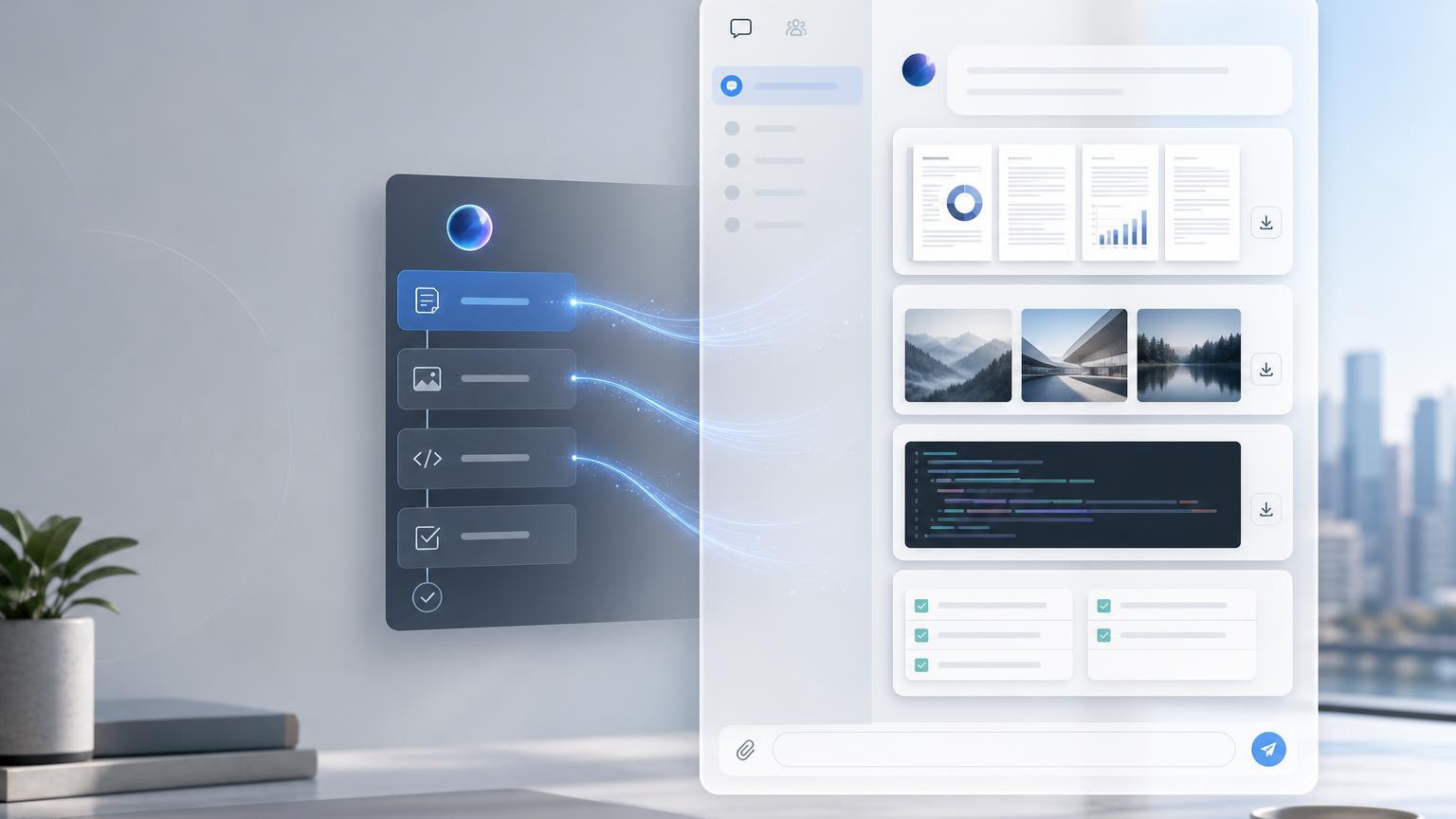
The Korean source explains Hermes Agent Deliverable Mode for beginners. Its central idea is simple: when an AI produces a file, report, audio, image, CSV, PDF, or other output, the user should be able to receive it directly inside the chat interface. Deliverable Mode reduces the final gap between background AI work and usable results.
Original Korean article: Hermes Agent Deliverable Mode: AI 산출물을 채팅에서 바로 받는 방법
What Deliverable Mode Means
Deliverable Mode is a way for Hermes Agent to send completed outputs into the chat as visible deliverables. Instead of telling the user that a file exists somewhere, the agent can provide a rich preview or downloadable attachment depending on the platform.
This is especially useful because many AI tasks are not just answers. They produce artifacts: reports, data tables, images, audio, video, HTML pages, PDFs, and summaries.
Three Beginner Concepts
First, a deliverable is a file or output created by AI. Second, the gateway is like a delivery worker between the messenger and the AI environment. Third, each platform displays files differently.
These concepts help beginners understand why the same AI output may appear as an inline preview in one chat and as a link or attachment in another. Deliverable Mode handles the “last meter” of delivery.
What Files Can Be Sent
Deliverables may include images, PDFs, CSV files, HTML pages, audio, video, diagrams, presentations, and other user-facing results. The key is that the file should be meaningful to the user, not merely an internal log.
Developer files, private paths, code scratch files, and raw logs may require different handling. The source emphasizes that not every file should automatically be pushed to the user.
How It Works in Practice
A user asks for an output. Hermes Agent performs the task, creates the file, checks whether it is safe and useful to deliver, and then sends the file through the gateway so that the chat can display it.
This flow is important for background jobs. If an analysis takes time, Deliverable Mode can notify the user when the final report or media is ready rather than forcing the user to search the filesystem.
When It Is Especially Useful
Data analysis is one example: the user may want a CSV, chart, and written report. Automated reporting is another: the agent can compile information into a PDF or HTML page.
Presentation drafts, document templates, generated images, audio briefings, and completed background tasks also benefit because the result becomes immediately visible in the conversation.
Setup Points to Remember
Configuration should define which file types can be delivered, how previews are rendered, and how platform-specific behavior works. The user experience should be clear: the recipient should know what the file is and why it was sent.
The source also reminds readers that delivery is not the same as generation. A system can create a file but still fail at giving it to the user conveniently.
MCP and Extensibility
When used with MCP, Deliverable Mode can become more flexible because tools, resources, and external systems can be connected. MCP can expand what the agent can access and produce.
But expanded capability requires stronger control. More integrations mean more attention to permissions, file types, user consent, and traceability.
Security and Practical Cautions
Deliverables should not expose private local paths, secrets, unnecessary logs, or sensitive internal files. The agent should deliver user-facing outputs, not implementation leftovers.
Teams should define review rules for sensitive documents, restrict automatic attachment of risky file types, and ensure that platform rendering does not accidentally expose data.
Artifacts Versus Deliverable Mode
Some AI tools have Artifacts that show generated content in a side panel. Deliverable Mode is broader in spirit: it focuses on delivering completed outputs from the AI work environment into the user’s chat.
The conclusion is that Deliverable Mode reduces the last-meter friction of AI automation. It lets users receive the actual result, not just a message about the result.
Practical Implications for Readers
For readers using this article as a working reference, the practical lesson is to move from abstract interest to a concrete audit. Identify where the topic touches your own work, which assumptions are already outdated, what data or tools are missing, and which decision could be tested on a small scale before a larger commitment. Write that test down, assign an owner, and review evidence rather than impressions.
The Korean source repeatedly treats technology, strategy, and human judgment together. That is why the safest next step is not blind adoption or passive worry. It is disciplined experimentation: define the problem, compare alternatives, verify results, protect sensitive information, and keep the human purpose visible while the tool or trend evolves.
Related Reading
Continue with these related Thinknote English articles in the Digital Transformation cluster.
- Thinknote English article
- Thinknote English article
- Thinknote English article
- Thinknote English article
- Thinknote English article
- Thinknote English article
FAQ
What is this article about?
This article explains a digital transformation, platform, market-structure, or technology-adoption topic with Korea-specific context and global implications.
How should I use this guide?
Use it to understand market signals and strategic patterns. Combine it with current market data before making business or investment decisions.
Where can I read the original Korean article?
The original Korean article is available here: Hermes Agent Deliverable Mode: Sending AI Outputs Directly to Chat.