[태그:] AI Agents

  • SGLang for Local LLM Serving: Is It the Next Step After Ollama and vLLM?

    SGLang for Local LLM Serving: Is It the Next Step After Ollama and vLLM?

    This fuller English adaptation follows the Korean source on SGLang as a local LLM serving engine. The article’s question is practical: after trying Ollama for easy local use and vLLM for high-throughput serving, when should teams consider SGLang?
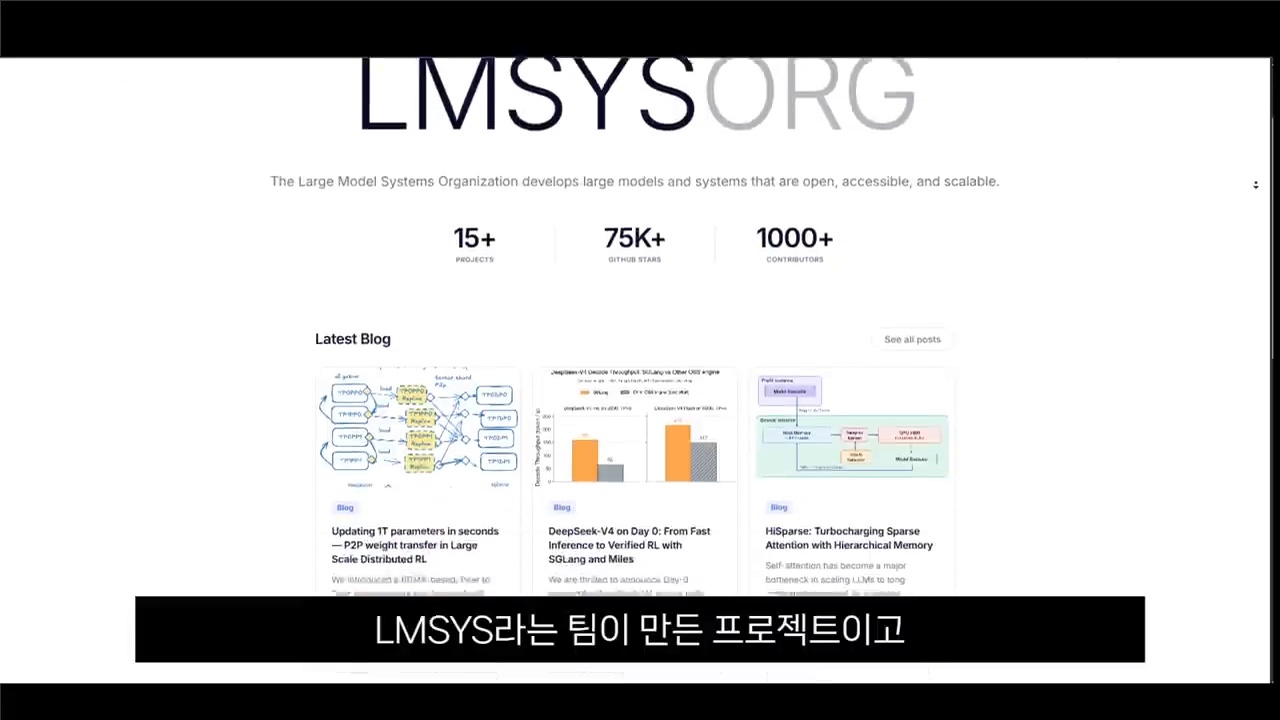
    SGLang local LLM serving engine
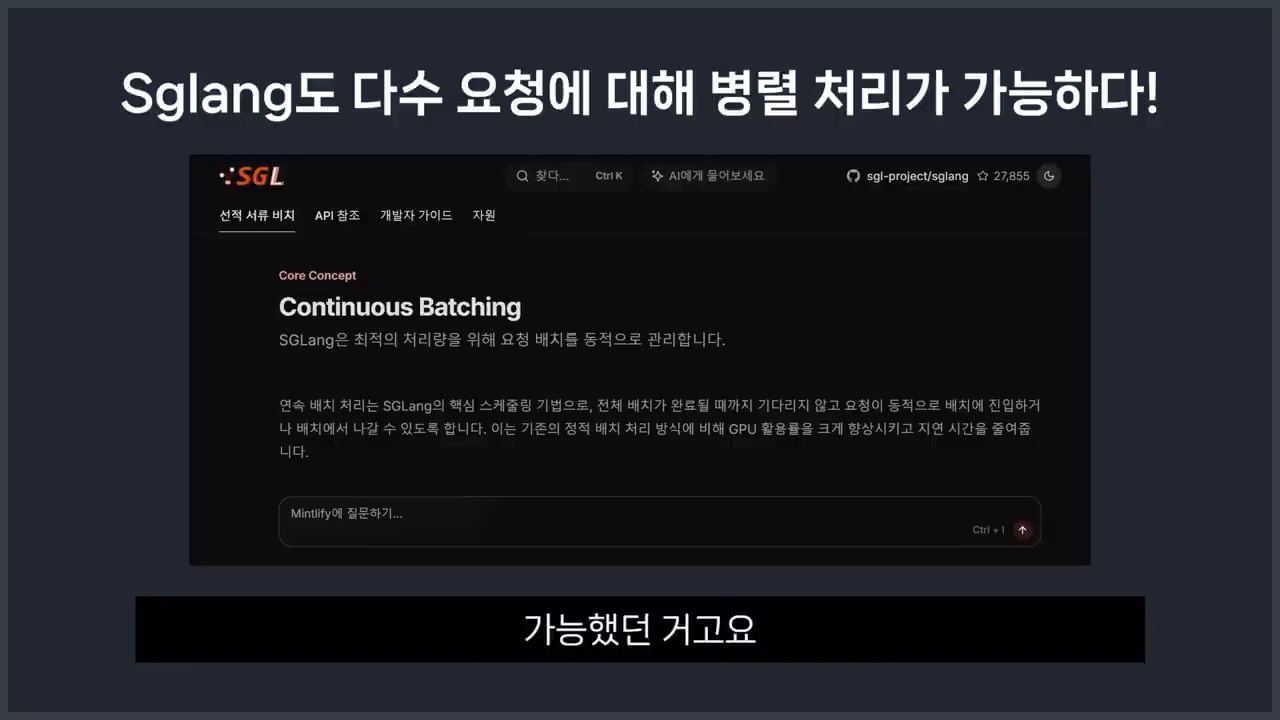
    SGLang is a local LLM serving engine built for high-throughput inference.

    Original Korean article: SGLang 로컬 LLM 서빙 엔진, Ollama·vLLM 다음 선택지가 될까?

    Why SGLang Is Getting Attention as a Local LLM Serving Engine

    Closer to a service engine than a simple runner

    Ollama made local model testing convenient. But production-like serving has different requirements: concurrency, latency, throughput, batching, caching, observability, and API stability. SGLang belongs to this service-oriented conversation. It is designed for structured generation workflows and efficient serving rather than only one-person experimentation.

    Ecosystem signals are hard to ignore

    The source article notes that ecosystem momentum matters. GitHub activity, benchmark discussions, model support, developer adoption, and integration examples all influence whether a serving engine becomes a serious option. SGLang is drawing attention because it addresses real bottlenecks in repeated LLM requests.

    Core Principle: What RadixAttention Reduces

    Common prompts do not need to be recalculated

    RadixAttention is the key concept highlighted in the Korean article. Many LLM services repeatedly send prompts that share the same prefix: system instructions, policy text, examples, retrieved documents, tool descriptions, or conversation history. If the engine can reuse shared computation, it can reduce waste.

    Why this matters for RAG and agent services

    In RAG systems and agent workflows, repeated context is common. Many users may ask different questions over the same documents, or an agent may run multiple steps with the same tool instructions. Prefix reuse can improve throughput and latency when the workload matches the pattern.

    How to Read Ollama, vLLM, and SGLang Comparisons

    Benchmarks are strong, but conditions matter

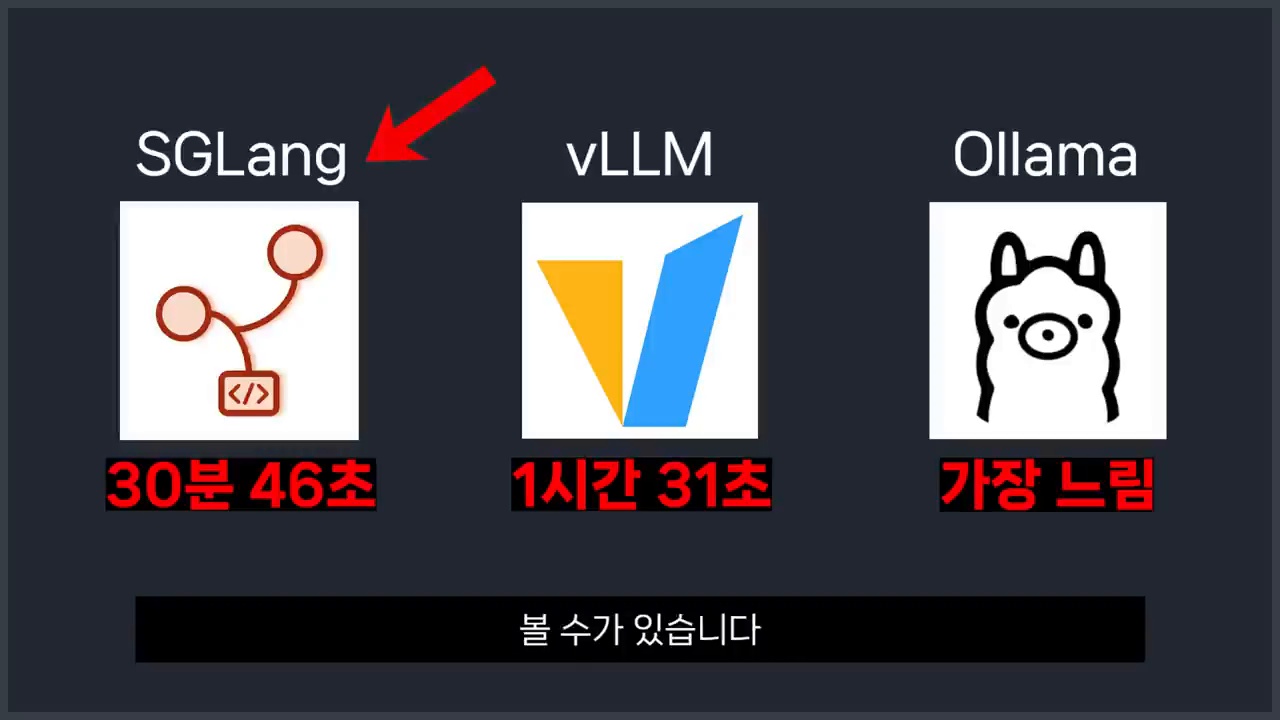
    The source article warns against reading benchmark numbers blindly. Performance depends on model size, GPU type, batch size, context length, request pattern, quantization, and serving configuration. A chart that favors one engine under one workload may not apply to another team’s service.

    vLLM’s strengths remain important

    vLLM remains a powerful and widely adopted serving option. Its ecosystem, PagedAttention, OpenAI-compatible APIs, and production experience make it a default candidate for many teams. SGLang should be evaluated against vLLM using the team’s own traffic pattern, not only public claims.

    Decision Criteria by Situation
    Ollama vLLM and SGLang comparison
    Ollama, vLLM, and SGLang fit different local LLM serving needs.

    For personal tests, Ollama is still convenient

    If the goal is to download a model and test prompts locally, Ollama remains the easiest starting point. It is simple, friendly, and good for learning. A developer experimenting on a laptop may not need a full serving engine.

    For general service serving, start by reviewing vLLM

    If the goal is a service API with multiple users, vLLM is often the first serious option to evaluate because of its maturity and ecosystem. Teams should measure throughput, latency, memory use, and operational complexity.

    For repeated-context high-volume requests, evaluate SGLang

    SGLang becomes especially interesting when requests share long prefixes or when agent/RAG workflows repeatedly reuse context. In those cases, RadixAttention and structured generation features may provide meaningful advantages.

    Pre-Adoption Checklist

    Look at tail latency, not only averages

    Average latency can hide user pain. Teams should measure p95 and p99 latency, cold starts, long-context behavior, concurrency, error recovery, logging, deployment complexity, and compatibility with existing clients.

    • Test with your own prompts, documents, and traffic shape.
    • Compare GPU memory use under realistic concurrency.
    • Check model support and OpenAI-compatible API behavior.
    • Monitor tail latency and failed generations.
    • Plan rollback to a known engine if production behavior differs from tests.

    Conclusion: SGLang Is a Candidate for Service-Style Local LLMs
    RadixAttention for repeated prompts
    RadixAttention can reduce repeated computation for shared prompt prefixes.

    The article’s conclusion is balanced. SGLang is not automatically the replacement for Ollama or vLLM. It is a strong candidate when local LLM work moves from simple testing to repeated, service-style generation where caching and structured workflows matter.

    For many teams, the best decision is staged. Use Ollama to learn the model, test vLLM when service traffic appears, and benchmark SGLang when repeated context, RAG, or agent chains become a real cost. The right engine is the one that fits the workload you can measure.

    Related Reading

    Continue with these related Thinknote English articles in the Digital Transformation cluster.

    FAQ

    What is this article about?

    This article explains a digital transformation, platform, market-structure, or technology-adoption topic with Korea-specific context and global implications.

    How should I use this guide?

    Use it to understand market signals and strategic patterns. Combine it with current market data before making business or investment decisions.

    Where can I read the original Korean article?

    The original Korean article is available here: SGLang for Local LLM Serving: Is It the Next Step After Ollama and vLLM?.
  • Agentic Engineering: What Comes After Vibe Coding?

    Agentic Engineering: What Comes After Vibe Coding?

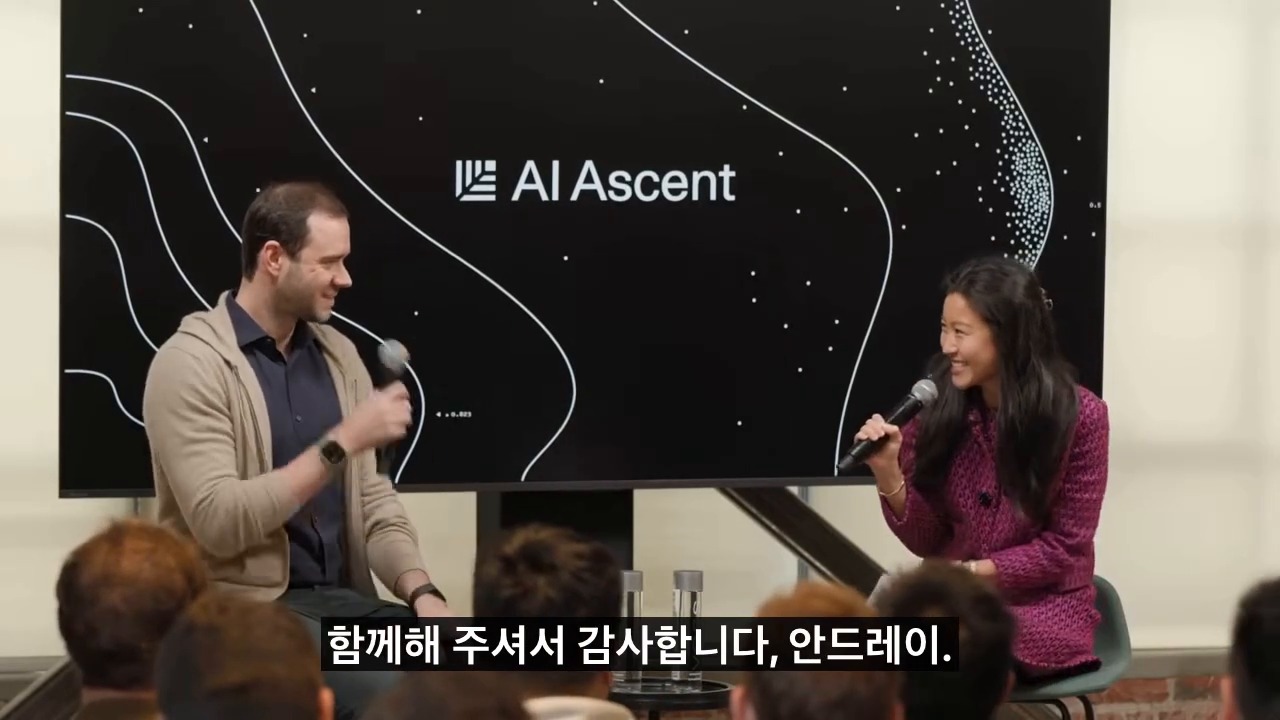
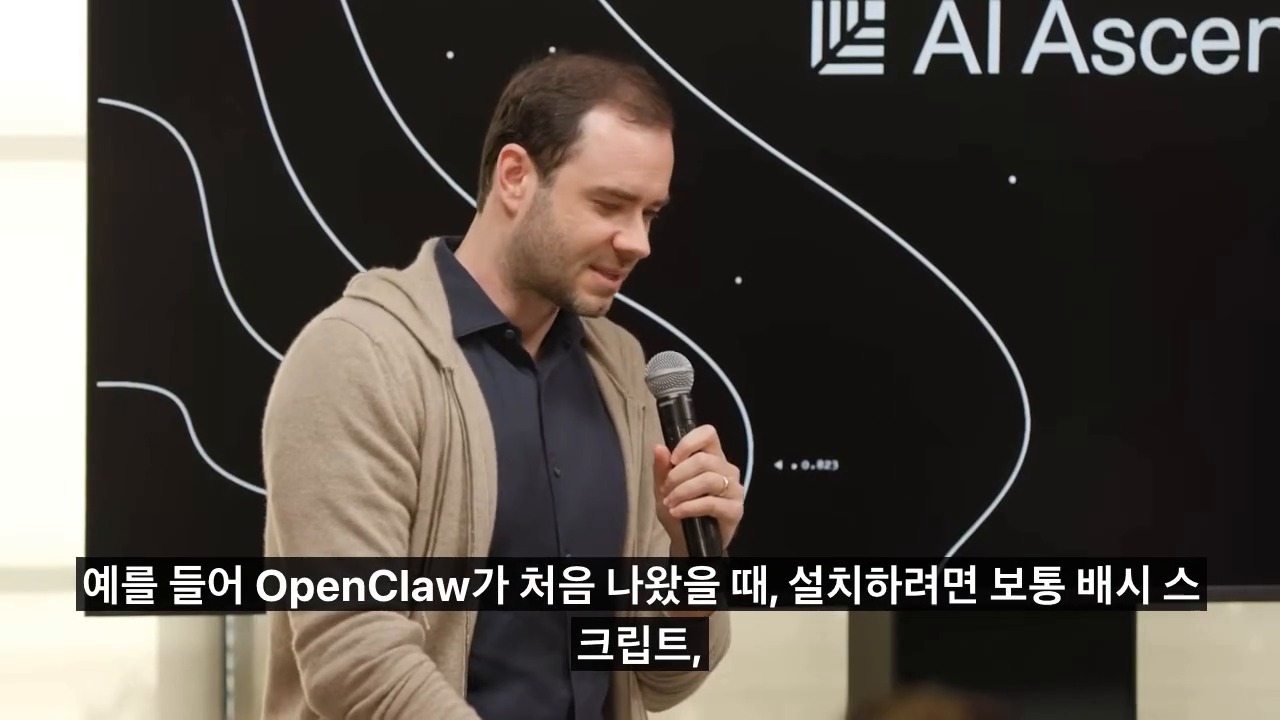
    This is a fuller English adaptation of the Korean article on agentic engineering after vibe coding. The source uses Andrej Karpathy’s discussion as a starting point, but its main focus is practical: when anyone can generate code with AI, real engineering shifts toward specification, verification, environment design, and responsibility.

    agentic engineering after vibe coding
    Agentic engineering moves developers from typing code to directing and verifying AI agents.

    Original Korean article: 에이전틱 엔지니어링: 안드레이 카파시가 말한 바이브 코딩 이후의 개발 방식

    Why Agentic Engineering Has Become Important

    A turning point after late 2025

    The article argues that AI coding entered a new phase as models became capable of longer, tool-using work. Vibe coding showed that natural language can produce working prototypes. But when prototypes move into production, teams need more than vibes. They need a way to assign tasks to agents, constrain them, test outputs, and recover from mistakes.

    Agentic engineering names this emerging discipline. It is not just writing prompts. It is designing the full loop in which an AI agent receives a goal, uses tools, modifies artifacts, checks results, and reports its reasoning for human review.

    What Software 3.0 Means

    Code is not only in files

    Software 1.0 was explicit code written by humans. Software 2.0 often referred to learned weights and data-driven behavior. Software 3.0, as discussed in the source, includes prompts, tool interfaces, workflows, evaluations, context, and agents as part of the software system. The product is no longer only a repository of files.

    This changes what engineers must version, review, and test. A prompt template, an evaluation dataset, an agent routine, or an MCP tool schema can be as important as a function in a codebase. If these pieces are invisible, the system cannot be operated reliably.

    Vibe Coding Lets Anyone Build, but Real Work Is Different

    What the MenuGen example shows

    The Korean article mentions the kind of example where a non-specialist can create an app or interface quickly with AI. This is the promise of vibe coding: describe the feeling, iterate visually, and get a working result. It expands who can make software.

    However, production work still involves edge cases, data integrity, security, accessibility, performance, maintenance, and user support. Vibe coding is excellent for exploration, but the moment a product affects customers or business operations, engineering discipline returns.

    What humans still must own

    Humans remain responsible for goals, ethics, tradeoffs, and accountability. An agent can implement a feature, but it does not own the consequences of a privacy breach, a bad medical recommendation, or a financial error. The source article emphasizes that the human role rises toward judgment rather than disappearing.

    Agentic Engineering Is the Skill of Specification and Verification

    Software 3.0 and AI coding tools
    Software 3.0 uses prompts, context, and LLMs as a new programming layer.

    The core practice is writing specifications that agents can execute and humans can verify. A good specification includes context, expected behavior, constraints, examples, non-goals, test commands, and acceptance criteria. It should also define what the agent must not change.

    Verification is equally important. Teams need unit tests, integration tests, golden examples, simulations, benchmark tasks, human review gates, and rollback plans. The question is not whether the AI produced something impressive. The question is whether the team can prove the result is correct enough for the intended use.

    Verifiable Environments Are the Core Product Opportunity

    What founders should watch

    The article identifies a business opportunity: environments where AI agents can safely perform work and be evaluated. In coding, this may mean sandboxes with tests. In design, it may mean versioned assets and approval flows. In enterprise operations, it may mean permissioned data connectors and audit logs.

    Founders should look for workflows where the output can be checked. If a task has clear evaluation signals, agents can improve quickly. If the task is vague, subjective, or legally sensitive, human review must remain central.

    Where AI-Native Developer Differences Come From

    vibe coding and production software gap
    Vibe coding makes creation easier, but production work still needs structure.

    Productivity is not typing speed

    The difference between developers will not be who types fastest. It will be who decomposes problems better, gives agents the right tools, reads output critically, and builds reusable workflows. A strong AI-native developer can run several streams of work while maintaining quality gates.

    Agent-First Infrastructure Is Needed

    Human UI and agent interfaces are different

    Many current tools are designed for human clicks. Agents need structured APIs, logs, machine-readable state, reversible actions, and narrow permissions. Agent-first infrastructure does not mean removing humans; it means making work legible to both humans and machines.

    Conclusion: Developers Do Not Disappear; Their Role Moves Up

    AI agent verification workflow for developers
    Agentic engineering depends on specifications, tests, and verification.

    The source article’s conclusion is optimistic but disciplined. AI expands who can create software, but reliable software still requires engineering. Agentic engineering is the next layer: designing environments where AI agents can work productively while humans retain responsibility for direction and verification.

    Related Reading

    Continue with these related Thinknote English articles in the Digital Transformation cluster.

    FAQ

    What is this article about?

    This article explains a digital transformation, platform, market-structure, or technology-adoption topic with Korea-specific context and global implications.

    How should I use this guide?

    Use it to understand market signals and strategic patterns. Combine it with current market data before making business or investment decisions.

    Where can I read the original Korean article?

    The original Korean article is available here: Agentic Engineering: What Comes After Vibe Coding?.

  • AI-Native Workflows: How to Rebuild Work Around a Digital Brain and AI Agents

    AI-Native Workflows: How to Rebuild Work Around a Digital Brain and AI Agents

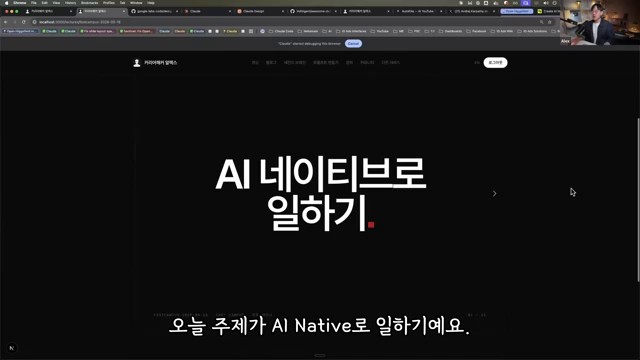
    This fuller English adaptation follows the Korean source on becoming AI-native. The main argument is that AI-native work is not about collecting many AI tools. It is a change in the working environment: building a digital brain, connecting agent workflows, and redesigning repeated tasks so that AI can help execute them.

    AI-native workflows with a digital brain and AI agents
    AI-native workflows start by connecting knowledge, context, and AI agents.

    Original Korean article: AI 네이티브 전환법: 디지털 두뇌와 AI 에이전트로 일하는 방식 바꾸기

    AI-Native Work Is an Environment Shift, Not Tool Usage

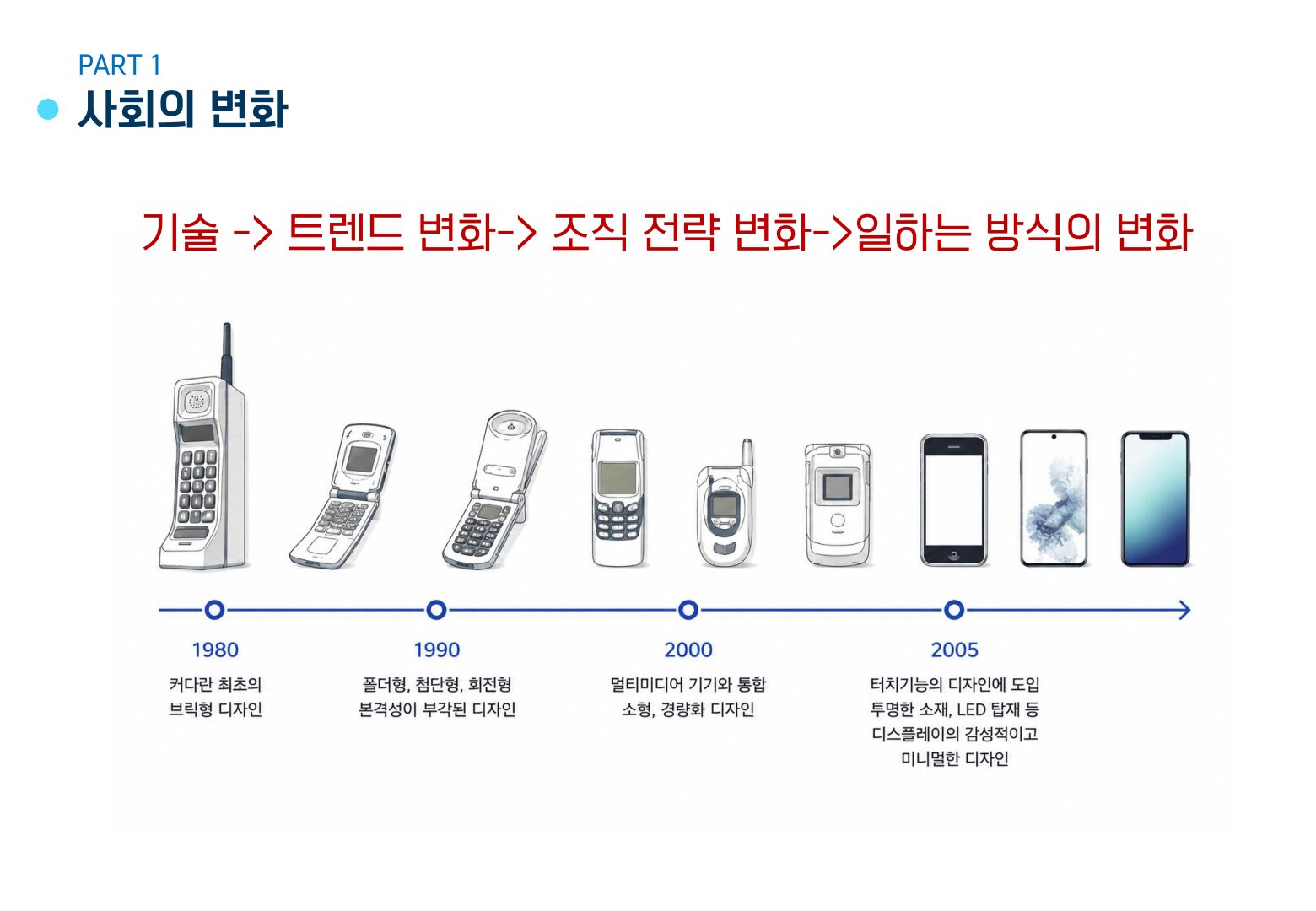
    Many people think they are AI-native because they use a chatbot, an image generator, or a meeting summary tool. The source article argues that this is only tool usage. AI-native work begins when information, decisions, templates, and routines are organized so AI can continuously support real work.

    In other words, the focus moves from “Which app should I try?” to “How should my work be structured so that AI can understand it, act on it, and improve it?”

    Why Make the Transition Now?

    The reason is speed. Work increasingly rewards people who can collect information, make decisions, produce drafts, and revise quickly. AI can accelerate all of these, but only when the user has prepared context. Without context, AI gives generic answers. With a well-built work system, AI becomes a collaborator that knows the user’s materials and standards.

    A Digital Brain Is the Starting Point

    1. Gather work materials in one place

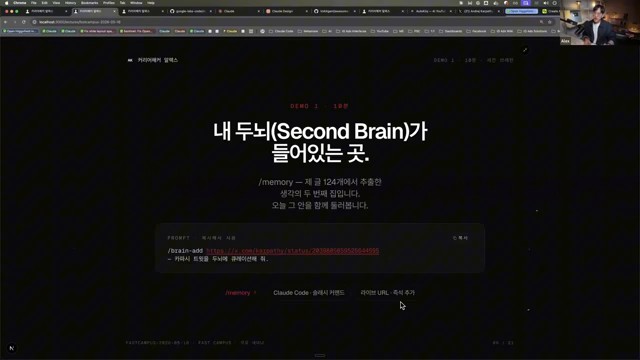
    The digital brain is a structured collection of notes, documents, examples, decisions, references, checklists, and project memory. It may live in Obsidian, Notion, Google Drive, a local folder, or another system. The tool matters less than the habit of keeping reusable knowledge accessible.

    2. Document repeated work

    Repeated tasks should be written down: how reports are made, how emails are answered, how meetings are prepared, how research is checked, and how approvals happen. Documentation turns invisible experience into AI-usable context.

    Agent Workflows Matter More Than Chatbots

    digital brain for AI-native knowledge work
    A digital brain gives AI agents reusable context instead of isolated prompts.

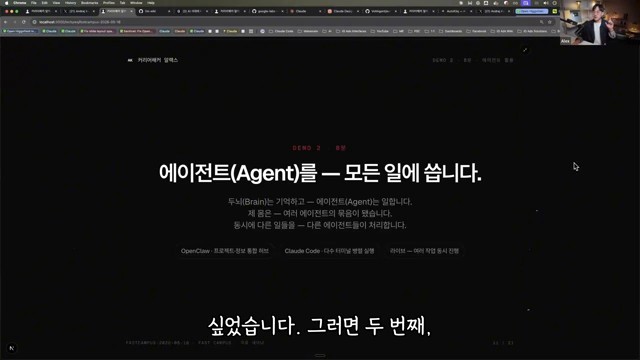
    A chatbot answers once. An agent workflow can take a goal, read context, create an output, ask for review, revise, and store the result. The Korean source emphasizes that the workflow is the unit of transformation. A company does not become AI-native because employees ask random questions. It becomes AI-native when repeated work is redesigned around AI-supported loops.

    3. Give AI both roles and standards

    Good AI work requires more than a task request. The user should provide a role, audience, source materials, constraints, tone, examples, and quality criteria. This reduces generic output and makes review easier.

    Look at Automatable Work Structure Before Code

    Non-developers often assume automation requires programming first. The source article says the first step is identifying structure. Which tasks repeat? Which inputs are used? What decisions are made? What outputs are expected? Once the structure is clear, automation may be possible through no-code tools, agent workflows, scripts, or integrations.

    4. Store and reuse outputs

    AI output should not disappear after one chat. Useful prompts, drafts, summaries, decisions, and templates should be saved back into the digital brain. This creates a compounding effect: every completed task improves the next task.

    5. Connect small automations first

    Start with small, low-risk automations such as meeting summaries, research briefs, email drafts, blog outlines, file naming, or checklist generation. After these become reliable, connect more tools. The safest transition is incremental.

    A Practical Sequence to Start Tomorrow

    AI agent workflow automation for knowledge workers
    AI agent workflows turn repeated knowledge work into structured automation.
    • Choose one repeated weekly task.
    • Collect the documents and examples needed to perform it.
    • Write the current process as a checklist.
    • Ask AI to produce a draft using that checklist.
    • Review the result and save the improved prompt, output, and corrections.
    • Repeat until the workflow becomes stable, then consider automation.

    The First Benefit: Faster Execution and Clearer Judgment

    The Korean source concludes that AI-native work is not only about speed. It also clarifies judgment. When materials are organized and workflows are explicit, people can see what matters, what should be delegated, and what must remain human. AI becomes useful because the human work system becomes clearer.

    Related Reading

    Continue with these related Thinknote English articles in the Digital Transformation cluster.

    FAQ

    What is this article about?

    This article explains a digital transformation, platform, market-structure, or technology-adoption topic with Korea-specific context and global implications.

    How should I use this guide?

    Use it to understand market signals and strategic patterns. Combine it with current market data before making business or investment decisions.

    Where can I read the original Korean article?

    The original Korean article is available here: AI-Native Workflows: How to Rebuild Work Around a Digital Brain and AI Agents.

  • Knowledge Workers in the AI Agent Era: From Content Producers to Judgment Designers

    Knowledge Workers in the AI Agent Era: From Content Producers to Judgment Designers

    This English version is a fuller translation and adaptation of the original Korean article, “AI Agent 시대, 지식근로자는 어떻게 달라져야 할까,” for global readers. The article explores the changing role of knowledge workers in the AI agent era and how education should adapt to these changes. As AI becomes an integral part of our daily work, the question is no longer about how to use AI, but about how to connect AI to the work context and create valuable results.

    knowledge workers in the AI agent era
    Knowledge workers need new skills when AI agents become part of everyday work.

    Original Korean article: AI Agent 시대, 지식근로자는 어떻게 달라져야 할까

    The Competition Between AI Users and Non-Users is Already Over

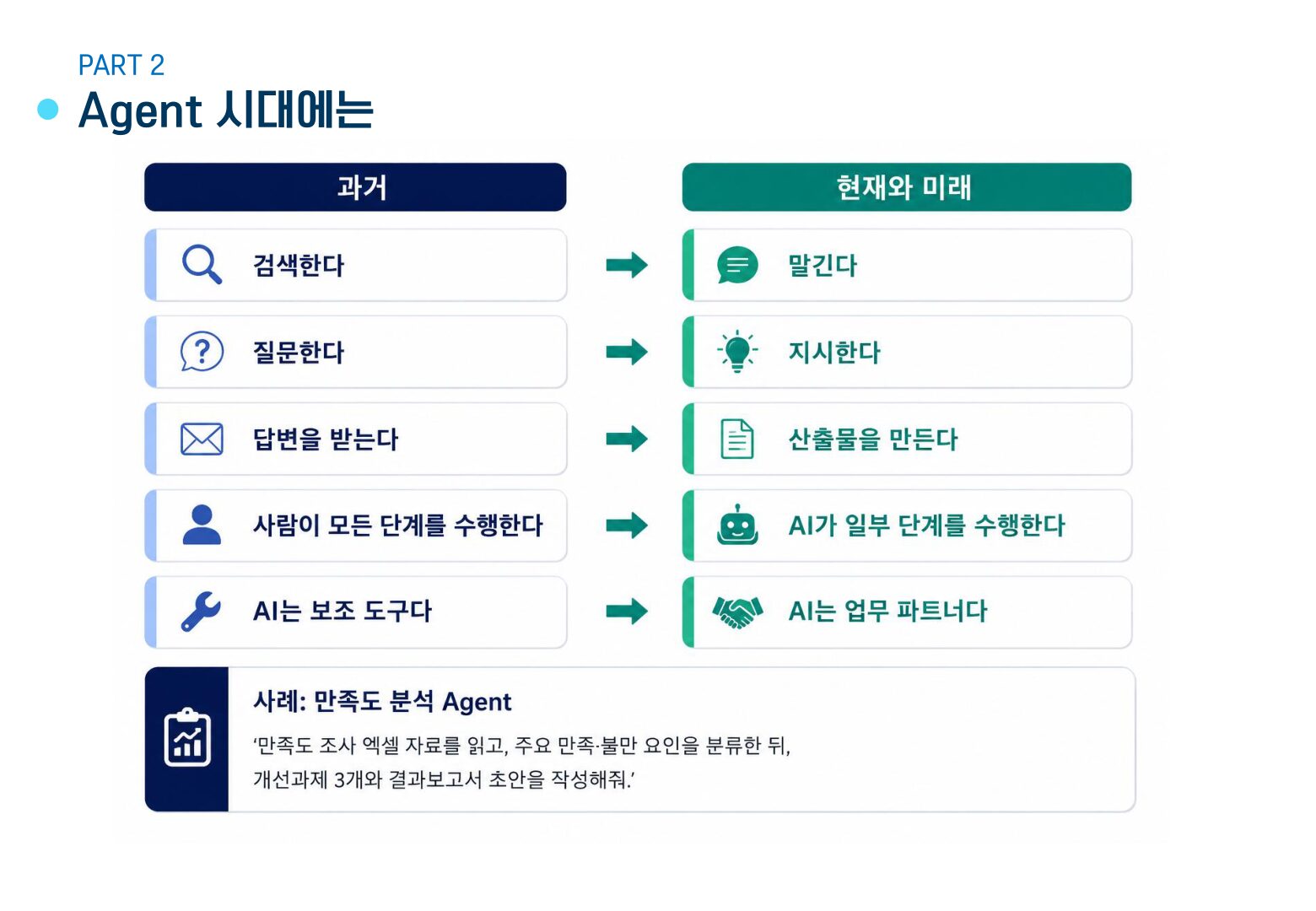
    When generative AI first emerged, there was a significant difference between those who used AI and those who did not. However, the situation has changed. AI utilization has become a natural choice in many tasks, such as search, summarization, translation, report drafting, meeting minutes, and image generation. Therefore, the criteria for competition have also changed. It is no longer about whether one uses AI or not, but about how well one uses AI, what tools one uses, how well one formulates questions, how accurately one provides work context, how well one reviews and judges results, and how well one connects with the organization’s work style.

    Context is More Important than Prompts

    When discussing AI utilization, prompts often come to mind first. A good question is indeed crucial, and the more clearly one defines the desired output, role, format, and conditions, the better the result will be. However, prompts alone are not enough. For AI to produce a good answer, it needs to know the purpose of the task, the current situation of the organization, the reference materials, the applicable standards, the intended user of the output, the constraints to be considered, and the final form of the output. The same question can have different answers depending on the context. In tasks where context is crucial, such as curriculum design, policy document review, report writing, and performance management, this is especially true. Prompt engineering is the art of crafting good questions, while context engineering is the process of constructing the necessary context and materials for AI to work. In the AI agent era, an additional step is required: designing the work flow itself so that AI can understand the goal, perform the necessary procedures, and produce the output.

    AI education for knowledge workers
    AI education should connect tools with real work context and judgment.

    The Role of Knowledge Workers Shifts from Content Producers to Judgment Designers

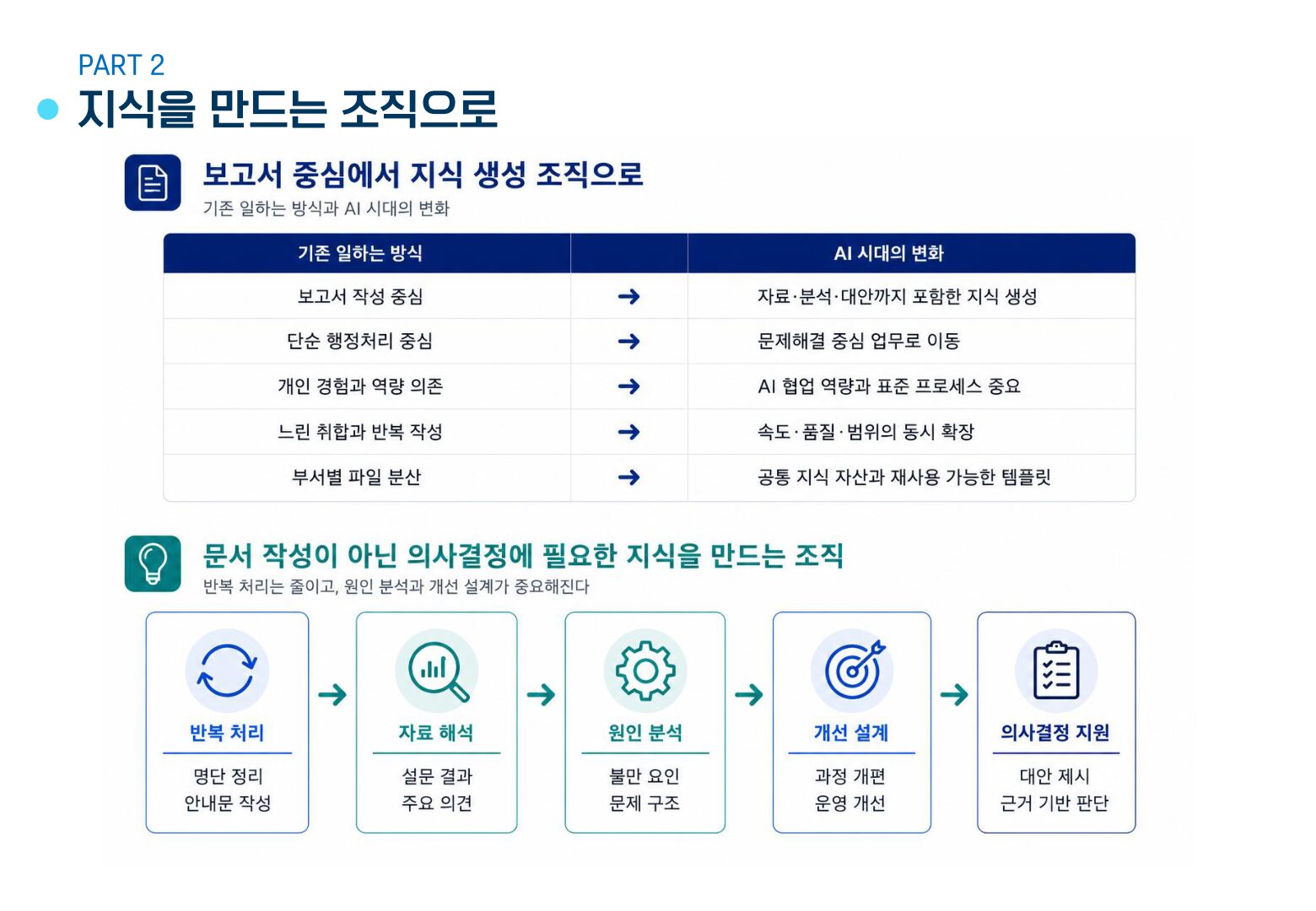
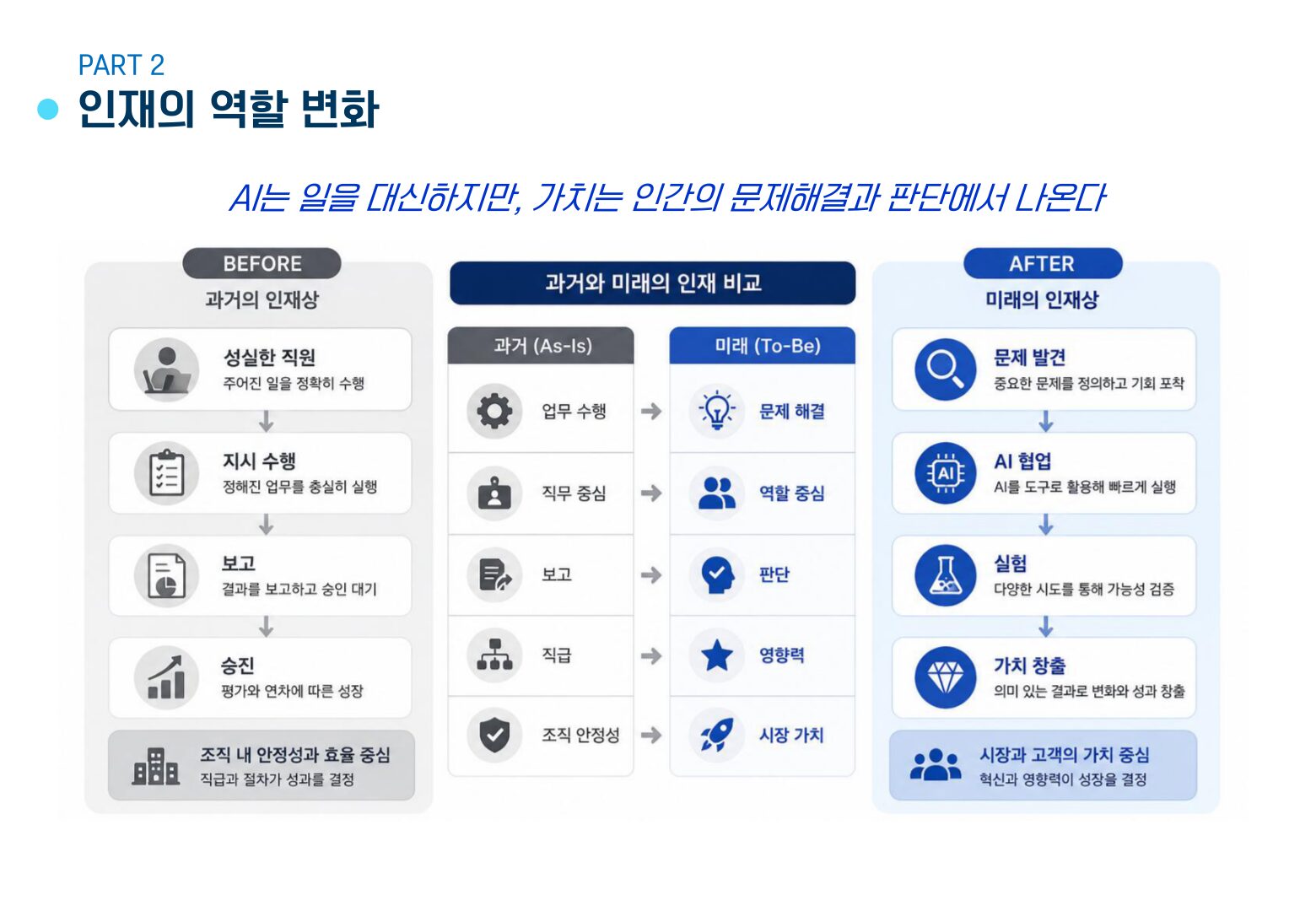
    Knowledge workers are responsible for creating documents, finding and analyzing data, reporting, and supporting decision-making. AI can quickly process a significant part of this work. It can draft reports, summarize long documents, compare data, summarize meeting minutes, and structure ideas. However, this does not mean that the value of knowledge workers disappears. Instead, their role changes. The more important roles that knowledge workers will play in the future include defining problems, providing context, reviewing results, making judgments and choices, and improving work flows. As AI takes over routine tasks, humans must focus on higher-level problem-solving and deeper understanding.

    From Knowledge-Consuming to Knowledge-Creating Organizations

    In the AI era, organizations should not stop at simply acquiring external knowledge. They must accumulate internal experiences, standards, cases, and judgment processes. Educational organizations are no exception. Operating educational programs is not just about managing schedules or recruiting instructors. For education to be connected to actual work performance, knowledge must remain within the organization. This includes materials such as educational program design criteria, course-specific learning objectives, frequently encountered problems in the field, questions and difficulties faced by learners, post-lecture application cases, performance indicators, and areas for improvement in the next education session. AI is strong in organizing and connecting such materials, but it is up to humans to decide what materials are important, how to interpret them, and in which direction to improve.

    human judgment supervising AI agents
    Human judgment becomes more important as AI agents produce drafts and decisions.

    Education Becomes a Process of Developing Problem-Solving Capabilities

    If AI education focuses only on tool usage, it will soon reach its limits. The buttons and functions of tools are constantly changing, and models, pricing plans, and platform strengths also change. Therefore, the center of AI education should shift from explaining functions to problem-solving. Questions that should be addressed in education include what tasks AI can take over, what tasks require human judgment, what materials should be provided to AI for better results, what standards should be used to verify AI results, how to automate repetitive tasks, and what kind of knowledge database should be created at the organizational level. By dealing with these questions, education can go beyond simple “AI utilization” and help learners re-examine their work. Organizations can begin to change their way of working through education.

    Distinguishing Between Tasks that AI Can Replace and Human Value

    AI is fast and strong in reading and creating drafts, comparing and summarizing data, and generating images. However, the results produced by AI are not always valuable. Value comes from human problem awareness, purpose, interpretation, and choice. Tasks that AI can do well can be entrusted to AI, such as drafting, data summarization, table organization, repetitive investigation, sentence refinement, idea expansion, and format conversion. However, tasks that humans should focus on are different, including determining why a task is being done, judging who needs the results, reflecting field context, reviewing risks and responsibilities, selecting the final direction, and converting the results into meaningful experiences for humans.

    organization learning with AI agents
    Organizations need learning systems that turn AI use into shared capability.

    Without Organizational Change, AI Education Alone Has Limited Effect

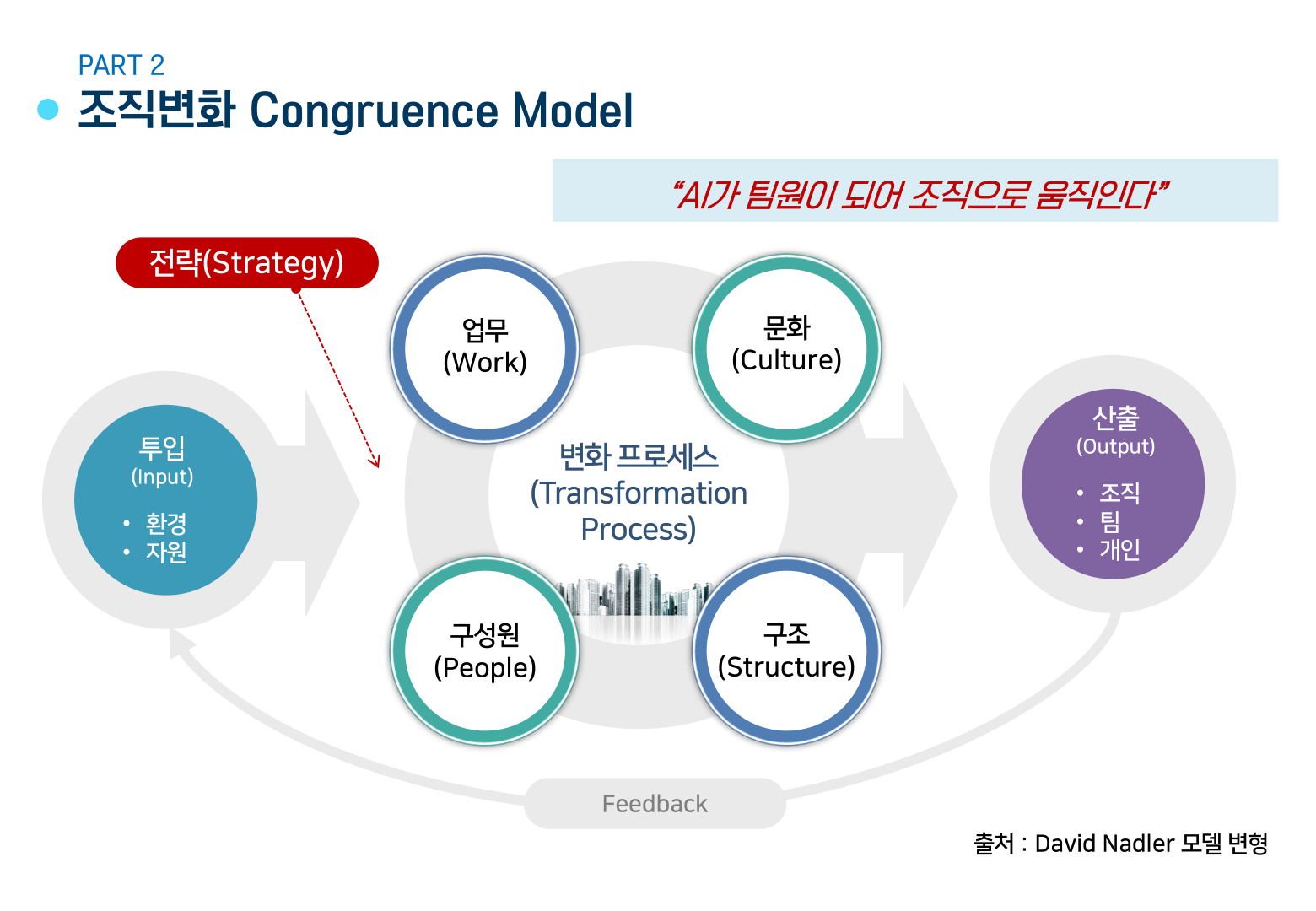
    Even if AI education is increased, if the organization’s work style remains the same, the effect will be small. This is because individuals will find it difficult to apply what they have learned in actual work. AI utilization is not completed by individual skills alone; work, members, culture, structure, and strategy must move together. Organizations should check the following questions together: what tasks to redesign with AI, what materials to manage as common knowledge, what authority and security standards are needed for AI use, who will take responsibility for reviewing results, how to connect educational outcomes with field application, and how to expand individual experiments into organizational processes. In an era where AI becomes a team member, the organization must also move like a team. The structure of organizational learning and work must change together, beyond individual productivity improvement.

    Efficient Education and Valuable Education Must Go Together

    AI can increase the efficiency of education. Investigation time can be reduced, educational program drafts can be created quickly, and learning materials can be diversified. However, efficiency alone is not enough. The purpose of education is not just to save time but to enable better judgment, deeper understanding, and more practical problem-solving. Efficient education is about operating education quickly, while valuable education is about helping learners behave differently in their actual work. In the AI agent era, these two must be designed together: reducing repetitive tasks with AI, systematically collecting materials, reflecting the learner’s work context, designing problem-solving tasks, connecting results with field application, and accumulating knowledge that remains after education as an organizational asset.

    AI agent era education roadmap
    Education for the AI agent era should redesign work, not only teach prompts.

    Conclusion: The Role of Educators in the AI Era

    In the AI agent era, the role of educators also expands. They move from being operators of education to designers of the organization’s work style. Future education must ask new questions, not stopping at “what AI tools to teach” but going further to “how this organization can create better results with AI.” AI processes tasks quickly, but humans create meaning and judge. Education connects these two. Efficient and valuable education in the AI agent era starts with designing this connection.

    Related Reading

    Continue with these related Thinknote English articles in the Digital Transformation cluster.

    FAQ

    What is this article about?

    This article explains a digital transformation, platform, market-structure, or technology-adoption topic with Korea-specific context and global implications.

    How should I use this guide?

    Use it to understand market signals and strategic patterns. Combine it with current market data before making business or investment decisions.

    Where can I read the original Korean article?

    The original Korean article is available here: Knowledge Workers in the AI Agent Era: From Content Producers to Judgment Designers.

  • Hermes Agent Desktop App: The Next Interface for Mainstream AI Agents

    Hermes Agent Desktop App: The Next Interface for Mainstream AI Agents

    For AI agents to become mainstream, better model performance alone is not enough. They need to meet people in the ways they already work every day. Alex Finn’s video makes this point clearly by showing the Hermes Agent desktop app.

    The video’s wording is somewhat bold. It says the Hermes desktop app is better than the CLI, Telegram, and OpenClaw. From a blog perspective, however, the important question is not which option wins. The question is what kind of interface AI agents need if they are to move beyond chatbots and become real work tools.

    Why a Desktop App Matters

    An AI agent is not simply a tool that generates answers. It reads files, runs commands, creates images, executes scheduled tasks, and carries context across multiple sessions. When that kind of tool is handled only through a command line or messenger commands, the barrier to entry is high for beginners.

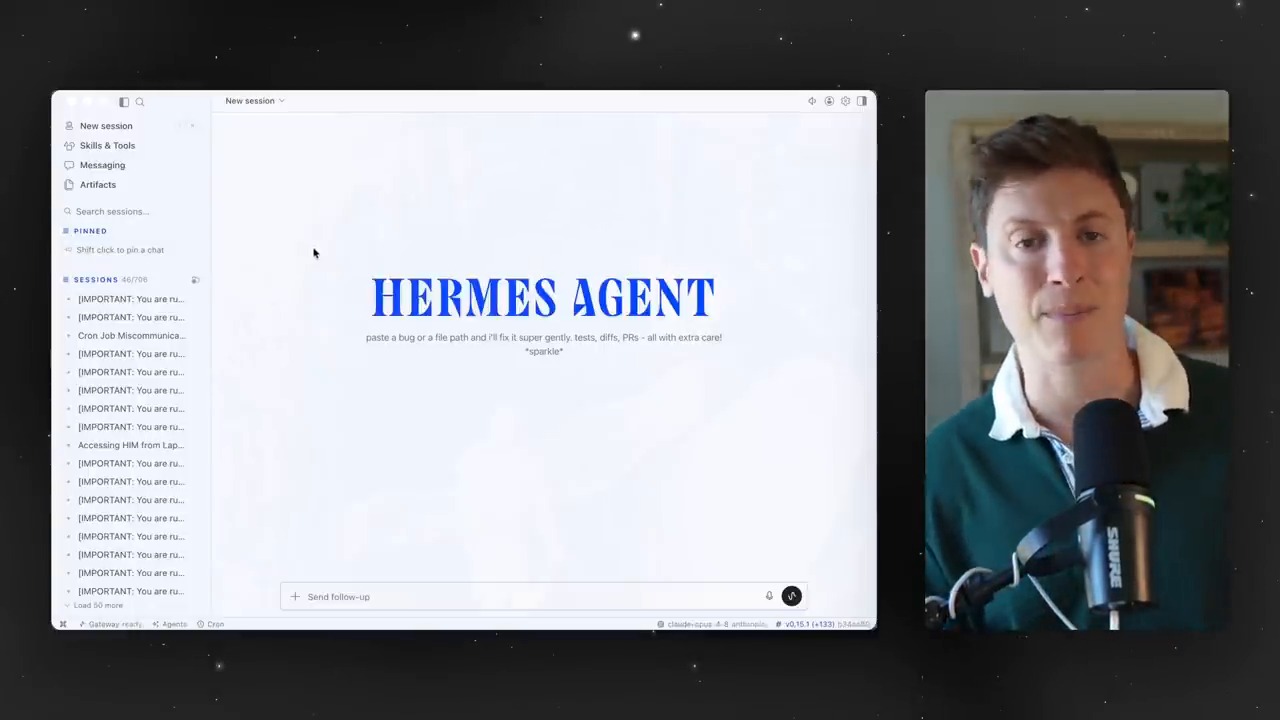
    The Hermes Agent desktop app matters because it turns this complex structure into a visible workspace. Users can see sessions, artifacts, skills, toolsets, cron jobs, and profiles in one place. This is a key shift that moves AI agents from developer toys toward everyday work tools.

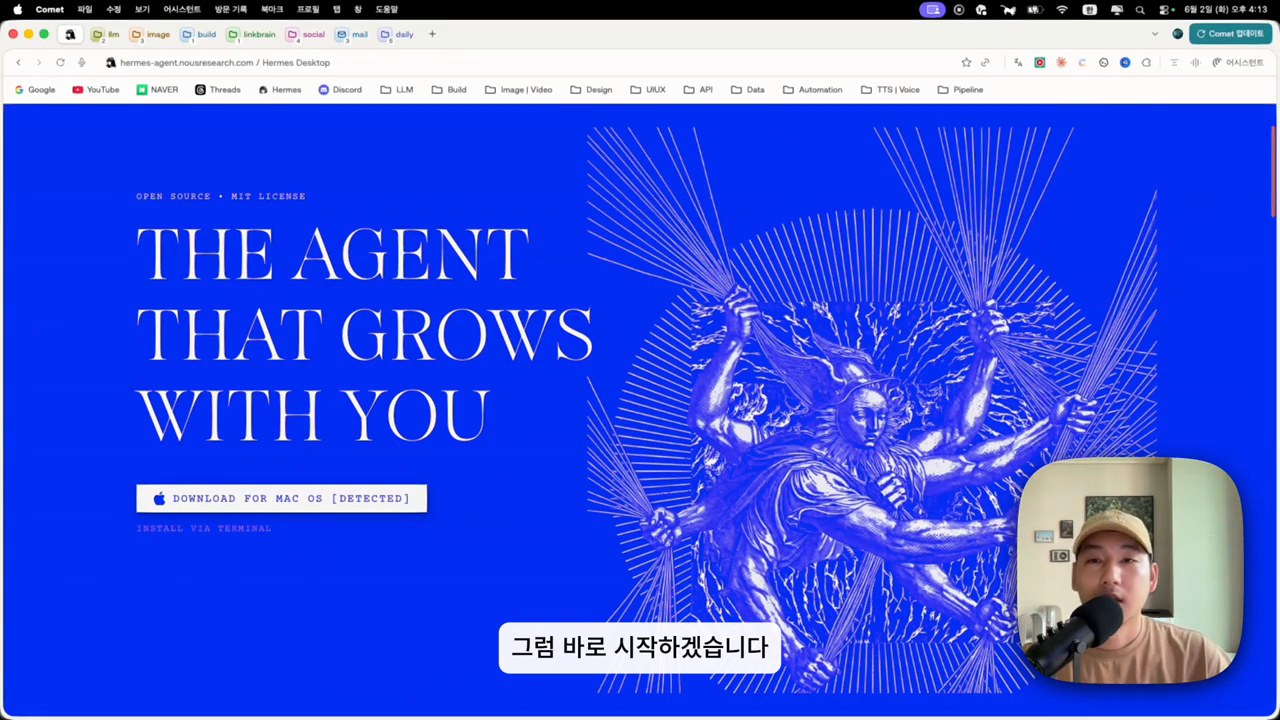
    The first screen of the Hermes Agent desktop app and an explanation of the limits of the existing CLI
    The first screen of the Hermes Agent desktop app. The video points out the limits of a CLI-centered user experience and emphasizes the need for a desktop UI.

    Sessions Become Work Folders for AI Agents

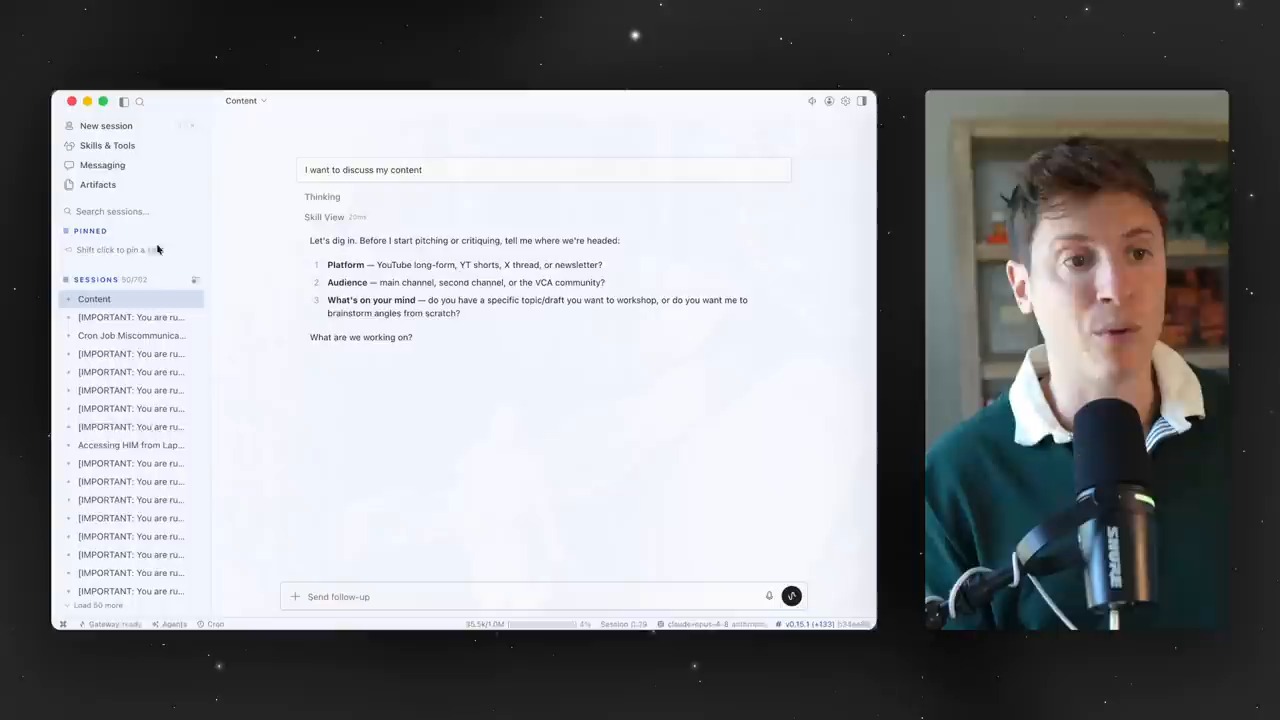
    Early in the video, the presenter shows how to create sessions by topic. Work with different contexts, such as content, development, and personal projects, is separated into individual sessions. This is not just tidying up chat rooms. It is closer to dividing the units of work assigned to an AI agent.

    AI agents become more useful as context grows longer. But when contexts are mixed together, they can create confusion instead. That is why splitting sessions by topic and pinning important sessions are small-looking features worth a closer look. Just as humans need project folders, agents need context folders.

    A screen for separating sessions by topic and managing context
    A screen for dividing sessions by topic. In AI-agent use, context separation affects both productivity and accuracy.

    Artifacts Turn Chat Logs Into Work Assets

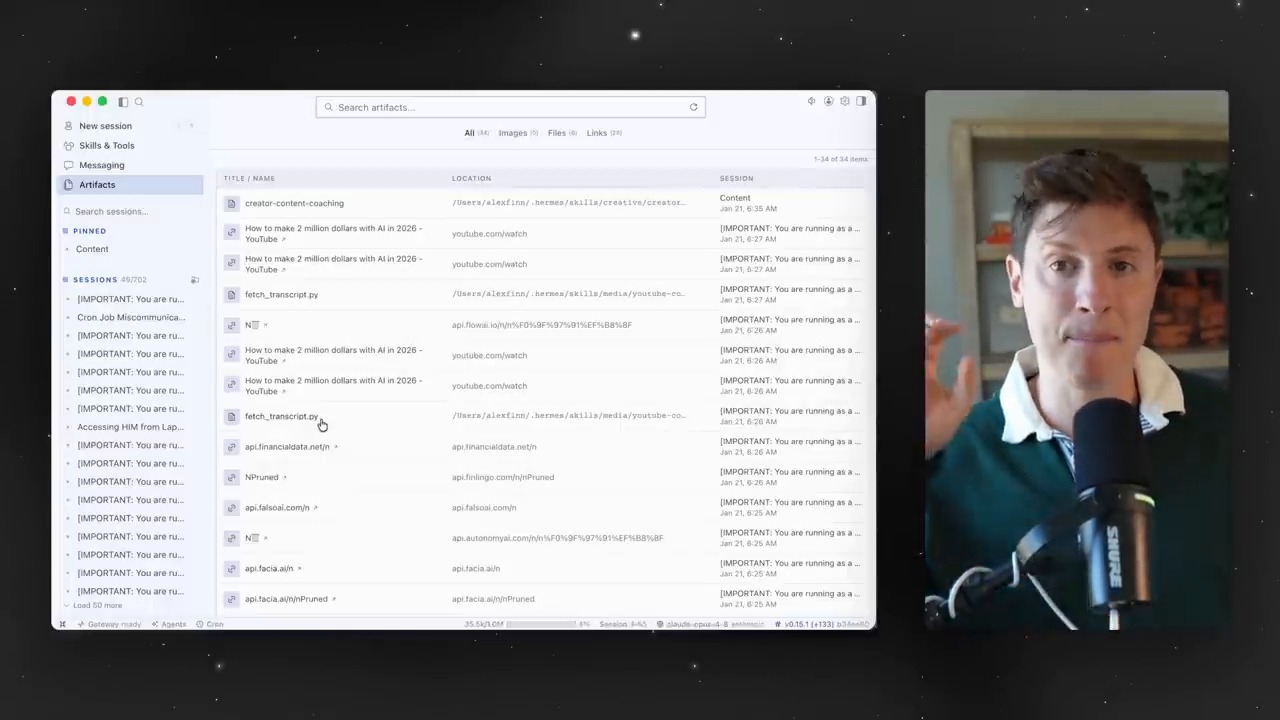
    One especially interesting part of the video is artifacts. Links, files, images, and outputs created by the agent can be found again in one place. The presenter explains that this can be used like a bookmark collection or a repository for work materials.

    This feature shows the direction of the AI-agent experience. Chatbots leave conversations behind. Agents need to leave deliverables behind. Those deliverables should be easy to find later, continue using, and reuse in other sessions.

    A screen for managing artifacts and links in one place
    The artifact screen. Links, files, images, and generated outputs accumulate as work assets instead of being scattered.

    Skills and Toolsets Are Panels for Managing an Agent’s Capabilities

    One important feature of Hermes Agent is skills. Repeated work or procedures learned in a specific environment can be saved as skills and reused in later tasks. In the video, the presenter also shows a scene where he checks a custom skill generated while making a Godot game.

    Toolsets deserve attention as well. Turning groups of tools such as web search, terminal, files, image generation, and cron on or off is a way to control an agent’s permissions and abilities. The desktop UI turns these settings from commands into a management screen.

    Cron Jobs Turn AI Agents From Manual Assistants Into Automated Operators

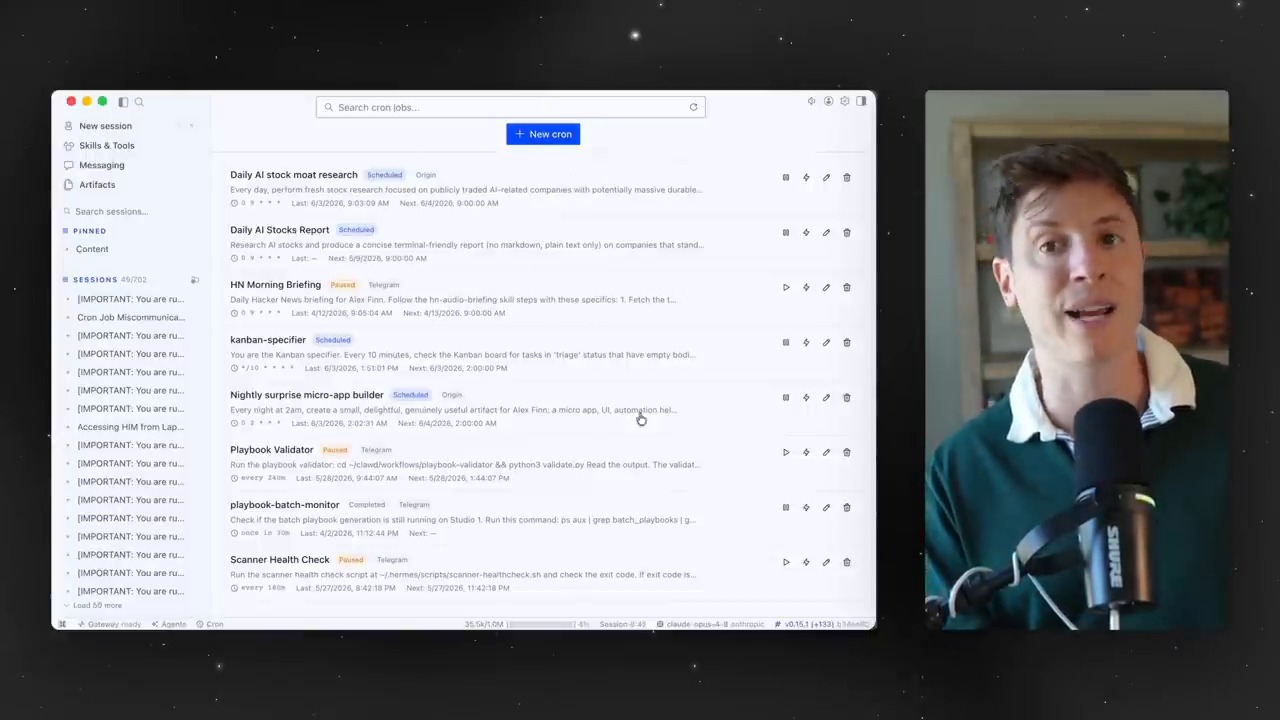
    In the middle of the video, a cron-job management screen appears. It visually shows scheduled tasks, such as having the agent build an app every night or run work at a specified time.

    Cron jobs mark the point where AI agents move from one-off answering tools to automated operating tools. One caveat is that scheduled tasks are trustworthy only when failures, execution logs, and permission scopes are visible together. A desktop app can make this review process easier.

    A screen for visually checking and scheduling cron jobs
    The cron-job management screen. Scheduled tasks are a core feature that turns AI agents into tools for recurring-work automation.

    Multiple Profiles Are a Way to Create Role-Based AI Employees

    Later in the video, the presenter says he runs several Hermes Agents across different devices and roles. Some agents live on specific machines, while others take on different responsibilities. The desktop app makes these agent profiles easier to manage.

    This structure has important implications for the future. Instead of one general-purpose chatbot, we may increasingly operate multiple AI agents with different roles and permissions. A content agent, development agent, research agent, and monitoring agent may each have different skills and tools.

    The Real-World Example Shows an Output-Centered Experience

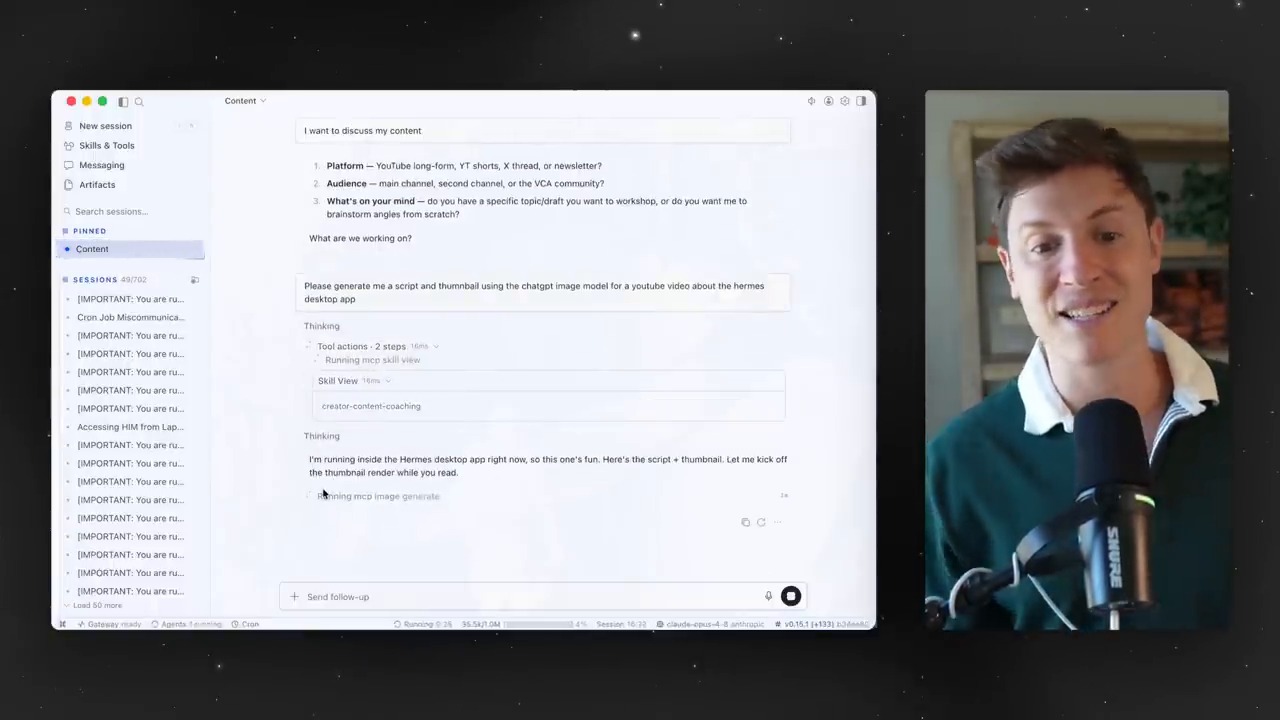
    In the final example, the presenter asks the agent to generate a script and thumbnail for the video. The desktop app shows which skills and tools are being used, and the outputs are visible in artifacts.

    This scene compresses the core of an AI-agent UI. Users do not need to memorize commands. They can see which tools the agent is using. Outputs remain as files or images. AI agents enter real work flows only when these three pieces come together.

    A real usage example generating a script and thumbnail
    An example of generating a video script and thumbnail. The agent’s tool-use process and outputs are shown together.

    The Question Raised by the Hermes Agent Desktop App

    The point to watch in this video is not that “Hermes won.” The more important question is where the primary interface for AI agents will be. The CLI is powerful but not mainstream. Messengers are convenient but weak for complex configuration and verification. A desktop app sits between them, offering both work management and accessibility.

    There are also cautions. AI agents can access files, browsers, terminals, and external APIs. That means the easier the UI becomes, the more important permission management and log review become. A good desktop app is not one with many buttons. It is an app that helps users understand what they allowed and what was executed.

    Related Reading

    Conclusion: The Battleground for AI Agents Is the User Experience After the Model

    The Hermes Agent desktop app clearly shows the next challenge for AI agents. The question is no longer only “what can an agent do?” It is how users can understand, manage, and repeatedly use those capabilities.

    Sessions separate context. Artifacts store outputs. Skills accumulate experience. Cron jobs automate recurring work. Profiles create role-based agents. When these elements are connected inside a desktop UI, AI agents move from developer experiments toward something closer to a real operating system for work.

    FAQ

    What does the Hermes Agent desktop app make easier?

    It lets users visually check and control sessions, artifacts, skills, toolsets, cron jobs, and profiles. Even without knowing CLI commands, users can more easily understand the operating structure of an agent.

    Is a desktop app always better than the CLI?

    Not always. Developers and advanced automation users may be faster with the CLI. The point is that, for beginners and non-developers, a desktop UI lowers the barrier to entry.

    Why is the artifact feature important?

    It makes links, images, files, and outputs created by the AI agent easy to find and reuse. This turns simple chat history into real work assets.

    What kinds of work can cron jobs handle?

    They can be used for scheduled work such as regular reports, site monitoring, data collection, blog-performance checks, and repetitive development tasks. The caveat is that failure logs and permission scopes must be checked carefully.

    What should users watch out for when using an AI-agent desktop app?

    Do not open excessive access to files, terminals, browsers, or external APIs. Check which tools are enabled, what work has run, and what approval flow is in place.

    References

    Original Korean article: Hermes Agent Desktop App: The Next Interface for Mainstream AI Agents

    Image source: Captured images used in this article are stills from the original YouTube video. They are used for review, commentary, and educational explanation, and copyright remains with the original rights holders and the channel.

  • Hands-On Local LLM Use on M5 Pro Max 128GB: What OMLX and Hermes Agent Show

    Hands-On Local LLM Use on M5 Pro Max 128GB: What OMLX and Hermes Agent Show

    Can local LLMs now move beyond “fun toys to run for curiosity” and become real work tools? A video by Learning Master tests this question directly by connecting an OMLX server, Claude Code, and Hermes Agent in an M5 Pro Max 128GB environment.

    The first point to watch is simple. This is not a claim that local LLMs will replace every cloud model. The key question is whether work where cost, speed, and privacy matter, such as repetitive tasks, fast drafts, some coding assistance, and personal knowledge-base search, can begin moving locally.

    Hands-on local LLM use: a local LLM orchestrator and model-configuration screen
    The video begins by connecting several local models to an orchestrator and building a real workflow. Source: screenshot from Learning Master’s YouTube video.

    The Core Question in the Video: Can Local LLMs Be Used for Real Work?

    The search intent of this video is not limited to “is a local LLM fast on M5 Pro Max?” The more important questions are these.

    • Can local models be connected to developer tools such as Claude Code?
    • How much can a server such as OMLX improve perceived speed?
    • Can local LLMs also be attached to tool-calling agents such as Hermes Agent?

    The video introduces Qwen-family models, NVIDIA Nemotron Nano-family models, embedding models, and more, configuring the local environment as a work system. Here, a local LLM is closer to a backend model connected to multiple tools than to a single chatbot.

    As discussed in Thinknote’s second brain and LLM Wiki article, future AI use will depend not only on model capability, but also on which context is connected to which tools.

    Why OMLX Matters: The Server Experience Shows Up Before the Model

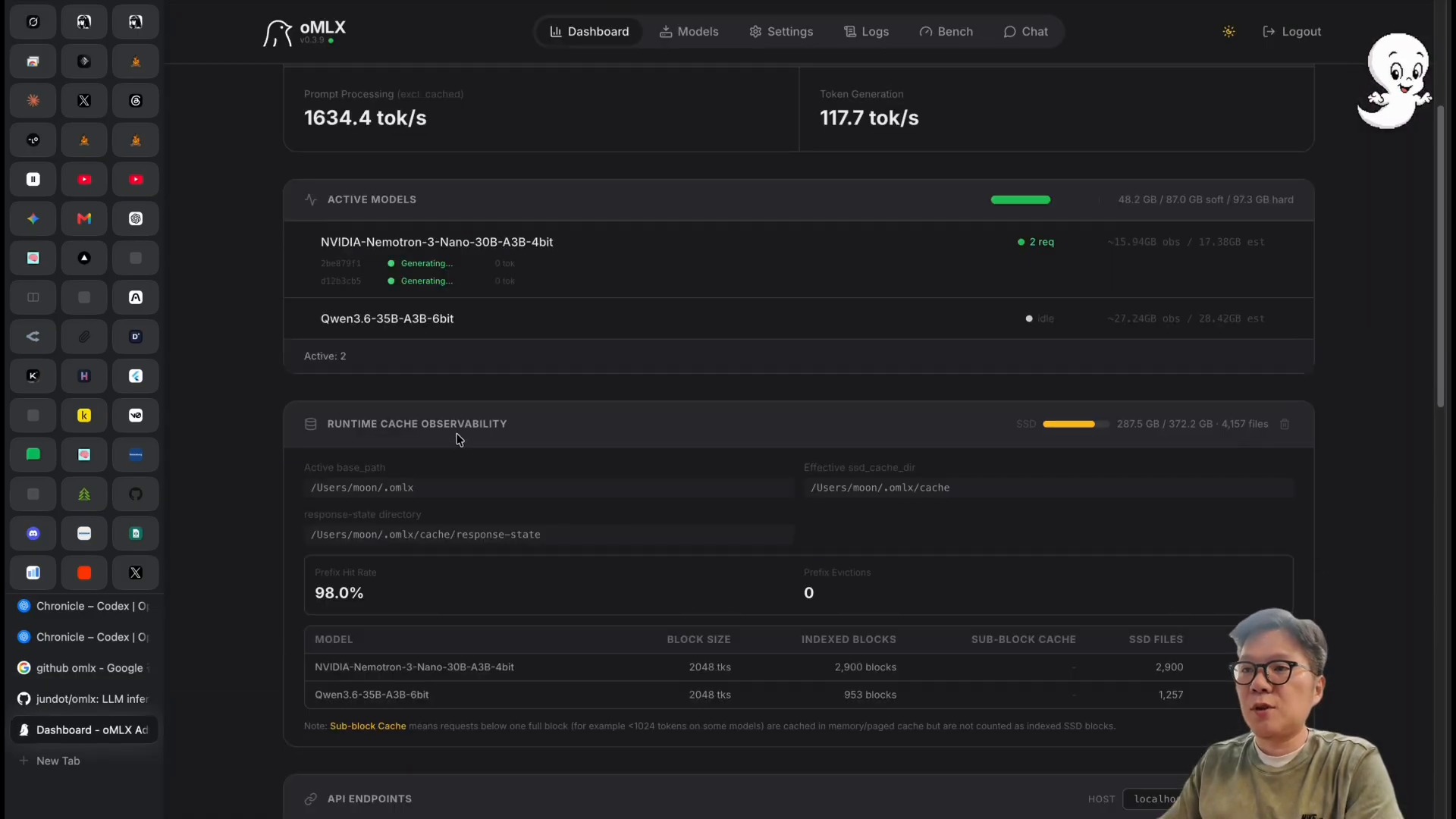
    The most noticeable scene in the video is the OMLX dashboard. The presenter explains that, through OMLX, he observed generation speeds around 117 tokens per second. More important than the number itself is the fact that the bottleneck for local LLMs is not a single model file. It is the sum of the inference server, caching, batching, and hardware memory configuration.

    Hands-on local LLM use: checking token generation speed on the OMLX dashboard
    A scene checking token-generation speed and model status on the OMLX dashboard. Source: screenshot from Learning Master’s YouTube video.

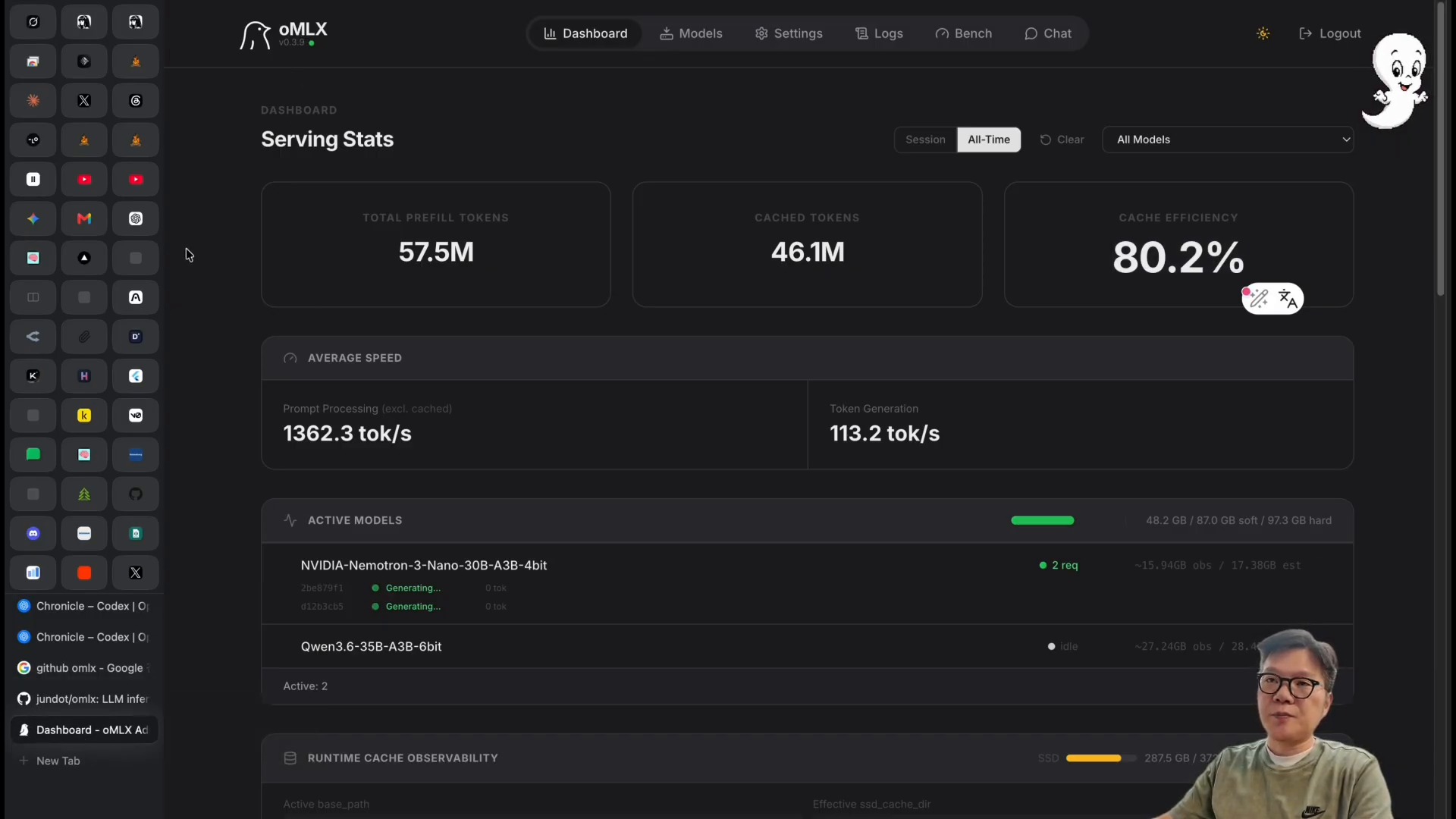
    The OMLX GitHub README describes the tool as an LLM inference server optimized for Apple Silicon. The key terms are continuous batching and tiered KV caching. In plain language, the structure improves perceived speed by processing multiple requests efficiently and reducing the cost of recalculating repeated context.

    Hands-on local LLM use: the OMLX server dashboard and model-operations screen
    OMLX is not merely a tool for running local models. It is closer to an operating environment where users can check model status and throughput through a dashboard. Source: screenshot from Learning Master’s YouTube video.

    This point also connects to the article on the SGLang local LLM serving engine. To use local LLMs well, the serving engine, context management, and caching strategy matter as much as model selection.

    Claude Code and Local Models: Fast, but Verification Is Separate

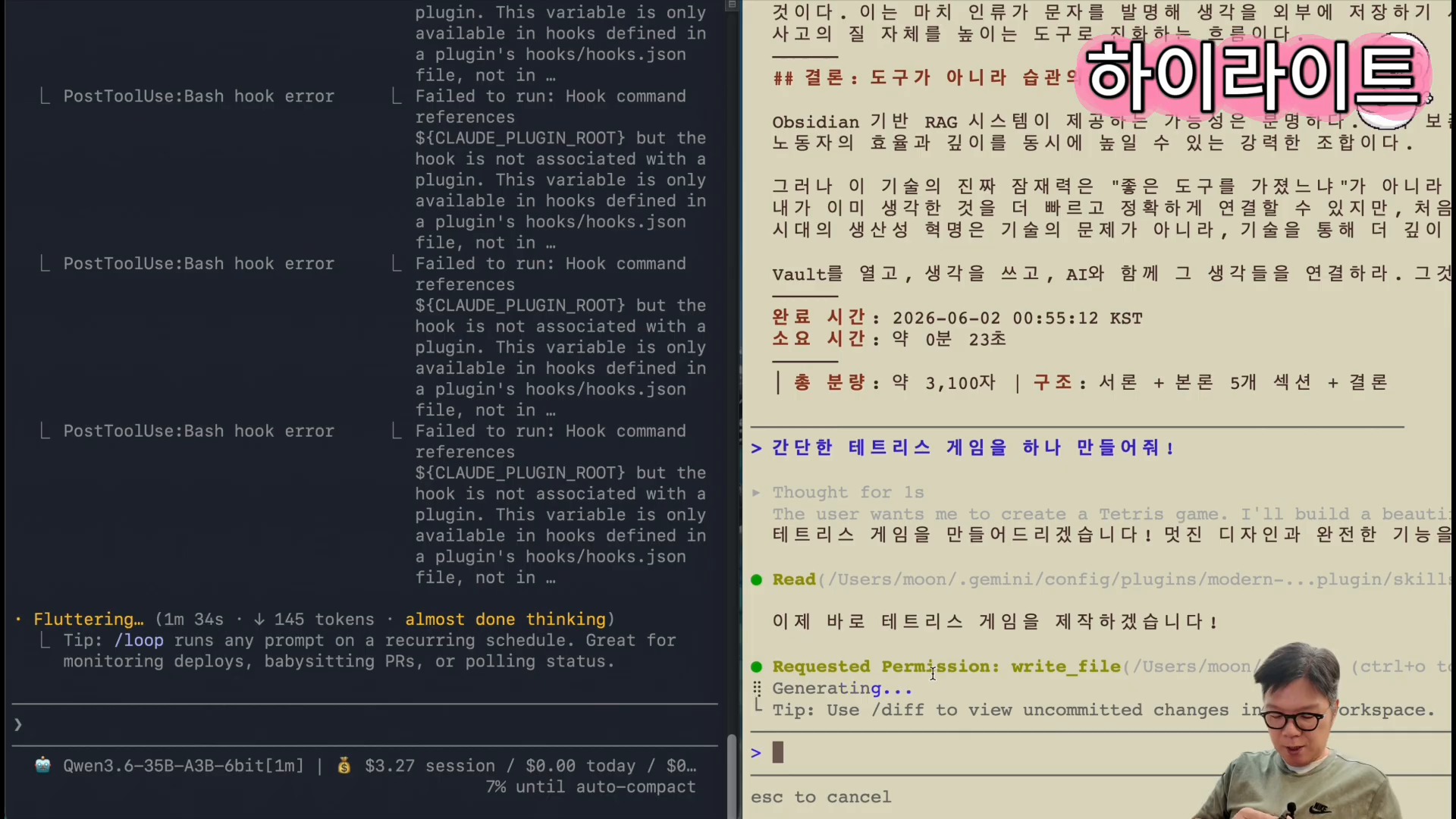
    In the middle of the video, Claude Code is connected to a local model through the omlx launch claude flow. The presenter then compares text writing and the creation of a Tetris game. He shows that local LLMs can complete some tasks faster, while also leaving the premise that output quality must be checked separately.

    Hands-on local LLM use: connecting Claude Code to a local model through OMLX and generating output
    A scene generating real output by connecting Claude Code to a local model. Speed comparison and quality verification should be considered separately. Source: screenshot from Learning Master’s YouTube video.

    The important criterion here is not simply “is it fast?” but “what work can safely be assigned to it?” For example, the following tasks are reasonable candidates for a first local-model trial.

    | Task type | Fit for local LLM | What to check | |—|—|—| | Draft writing | High | Fact-checking and style review are needed | | Repetitive code generation | Medium to high | Tests and security review are needed | | Personal document summarization | High | External transmission of sensitive information can be reduced | | Current-information search | Medium | Search-tool connection and source verification are needed | | Complex design decisions | Medium | Cross-review with a stronger cloud model is recommended |

    AI coding workflows also connect to the Headroom token-diet article. Reducing cost is not only about running models locally. Reducing the logs, files, and search results that an agent reads, and designing the verification loop, are other solutions to the same problem.

    Hermes Agent and Local LLMs: The Next Experiment in Agent Operations

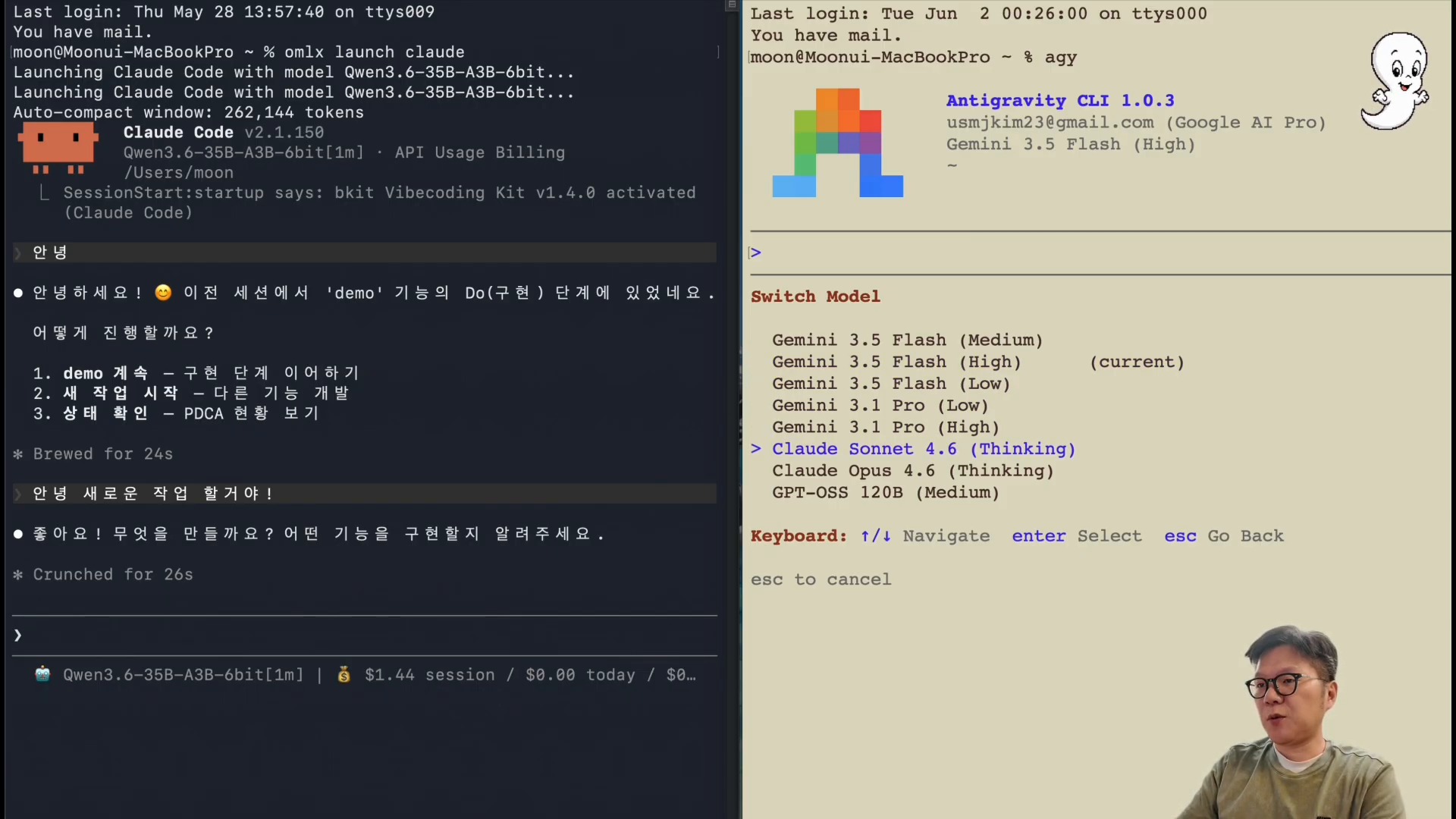
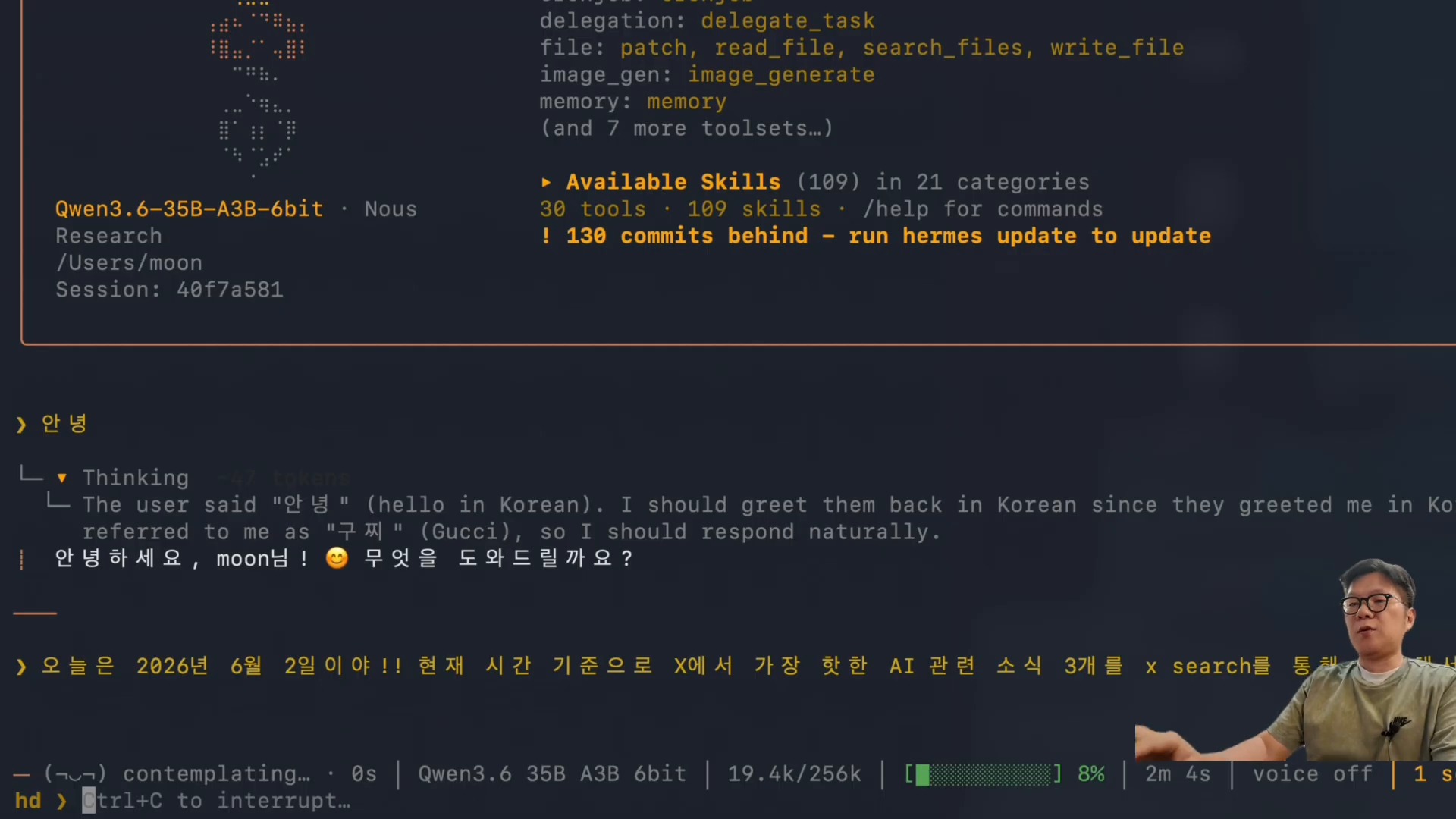
    The especially interesting section near the end is the Hermes Agent connection. The video shows the omlx launch hermes flow and the execution of the X Search skill. It is a scene showing that a local model can go beyond sentence generation and attach to an agent runtime responsible for search, tool calls, summarization, and deliverable creation.

    Hands-on local LLM use: running local-LLM search with the X Search skill in Hermes Agent
    A scene where Hermes Agent calls the X Search skill to search and summarize current AI news. Source: screenshot from Learning Master’s YouTube video.

    Hermes Agent is an open-source AI agent framework that runs in terminals, messaging platforms, and IDEs. It executes work through tool calls, skills, memory, cron jobs, and multi-platform gateways. If a local LLM can be connected to this layer, several advantages appear.

    • Less personal documentation and internal logs need to be sent to external APIs.
    • Token costs can be lowered for repetitive summarization, classification, and draft work.
    • A backup path exists when cloud models fail or hit cost limits.
    • Users can run more agent experiments.

    The caveat is that a local model calling tools does not immediately become a “trusted employee.” As discussed in the article on personal assistants in the AI-agent era, the more executable an AI system becomes, the more important permissions, verification, logs, and rollback design become.

    Pre-Adoption Checklist: How to Judge Local LLMs

    Whether to adopt a local LLM should not be decided by a single performance number. The M5 Pro Max 128GB environment in the video is closer to a powerful upper-bound example. A typical laptop or a Mac with less memory may not produce the same experience.

    Before adopting local LLMs, it is better to evaluate them in this order.

    1. First, choose repetitive work: drafts, summaries, tagging, code scaffolding, or other low-failure-cost tasks.
    2. Run the same prompt through both a cloud model and a local model, then compare speed, quality, and cost.
    3. Automate tests, link checks, and fact verification for local-model outputs.
    4. Separate tasks that involve sensitive information from tasks that require external search.
    5. Keep final decisions or high-risk execution with a stronger cloud model or human review.

    This approach connects with the “separation of the digital brain and execution agents” discussed in the article on AI-native transformation. A local LLM does not replace the entire brain. It brings some frequently used thinking and execution loops closer to the user.

    Conclusion: The Battleground for Local LLMs Is Placement, Not Replacement

    The meaning of this video is not that “local LLMs have completely beaten Claude or GPT.” A more realistic conclusion is that we have reached the stage of deciding where to place local LLMs.

    With a high-end Mac and a server such as OMLX, local LLMs can be practical options for drafts, summaries, code generation, personal-knowledge search, and agent experiments. On the other hand, work requiring current-information judgment, complex reasoning, or high reliability is still safer when paired with cloud models.

    In the end, the future AI work environment is not about choosing a single model. Productivity will likely depend on the criteria used to distribute work across local models, cloud models, agents, search tools, and knowledge bases.

    FAQ

    Can a local LLM replace Claude or ChatGPT?

    For some repetitive tasks, it can replace or assist them. But for complex judgment, current-information verification, and high-risk code changes, it is safer to use a stronger cloud model or human review in parallel.

    What is OMLX?

    OMLX is an LLM inference server optimized for Apple Silicon. According to its GitHub README, it emphasizes continuous batching and tiered KV caching, and it aims to make local model operation easier through a macOS menu bar and dashboard.

    Can I get similar results without an M5 Pro Max 128GB?

    The same level of speed is not guaranteed. The video results are strongly affected by a high-end Mac and a large-memory environment. On your own machine, it is better to start by testing smaller models and repetitive tasks.

    What improves when a local LLM is connected to Hermes Agent?

    You can experiment with search, file handling, summarization, and automation tasks through a local model. There are cost and privacy advantages, but tool-execution permissions and output verification must be designed separately.

    Where should beginners start with local LLMs?

    Start with low-failure-cost tasks such as personal document summaries, meeting-note cleanup, code drafts, or simple classification. Then compare the results with cloud-model outputs and define quality criteria.

    References

    Original Korean article: Hands-On Local LLM Use on M5 Pro Max 128GB

    Image source: Captured images used in this article are stills from the original YouTube video. They are used for review, commentary, and educational explanation, and copyright remains with the original rights holders and the channel.

  • How to Train AI Agents: Building an AI-Native Organization with Hermes Agent

    How to Train AI Agents: Building an AI-Native Organization with Hermes Agent

    Organizations that use AI agents well do not stop at choosing a good model. The more important question is: what should the agent learn, where should it remember that knowledge, and what standards should it follow while working?

    A video from Hyoyul Kim’s AI Development Team shows this question through an example of operating Hermes Agent. It creates multiple agents divided into roles such as development, design, content, and lecture assistance, gives remote instructions through Telegram, and shares context through an Obsidian Wiki.

    How to train AI agents: an opening scene where Hermes Agent is run remotely through Telegram
    An opening scene where Hermes Agent is run remotely through Telegram.

    The First Thing to Watch Is Operations, Not Installation

    The video’s title emphasizes how to “train” AI agents. The actual content is also closer to operations architecture than to installation commands. The central flow is connecting Hermes Agent to Telegram and combining it with tools such as Codex or Claude Code while dividing several agents by role.

    According to the official Hermes Agent description, Hermes is an open-source AI agent framework that runs in terminals, messaging platforms, and IDEs. It also supports skills, memory, profiles, gateways, cron, MCP, and connections to multiple model providers. The video can be read as an example of weaving these functions into a personal work system.

    The important point is not simply to “create many AI employees.” Each agent needs a role, knowledge to reference, a learning loop to repeat, and a reporting method. Otherwise, the number of chat windows increases while actual productivity does not.

    Why AI Agents Should Be Divided Like Employees

    The video introduces agents with roles such as development, UI design, testing, content, and lecture assistance. This resembles role division in a human organization. If one agent handles everything, contexts mix, instructions become longer, and results are harder to verify.

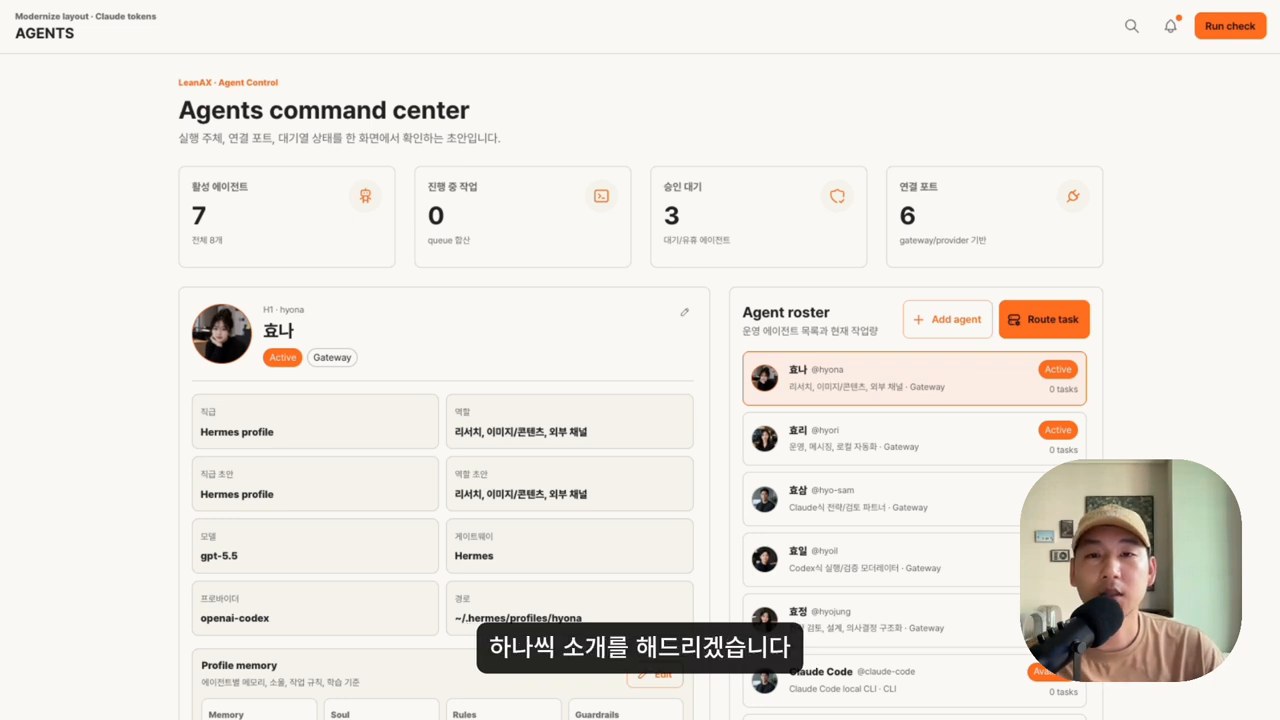
    How to train AI agents: a command center screen for managing role-based AI agents
    A command center screen for managing role-based AI agents.

    Dividing roles creates three advantages.

    1. Instructions become shorter. A development agent can focus on code and tests, while a design agent can focus on layouts and references.
    2. Standards become clearer. Each agent’s rule file or skill document can separate what it should and should not do.
    3. Verification becomes easier. The creator and reviewer can be separated by dividing a generation agent from a review agent.

    This approach also connects to the article on building an Agent OS that unifies AI tools. The essence of using AI is not individual chatbot use, but the design of work flows and knowledge flows.

    Real Deliverables Require a Supervisor Role

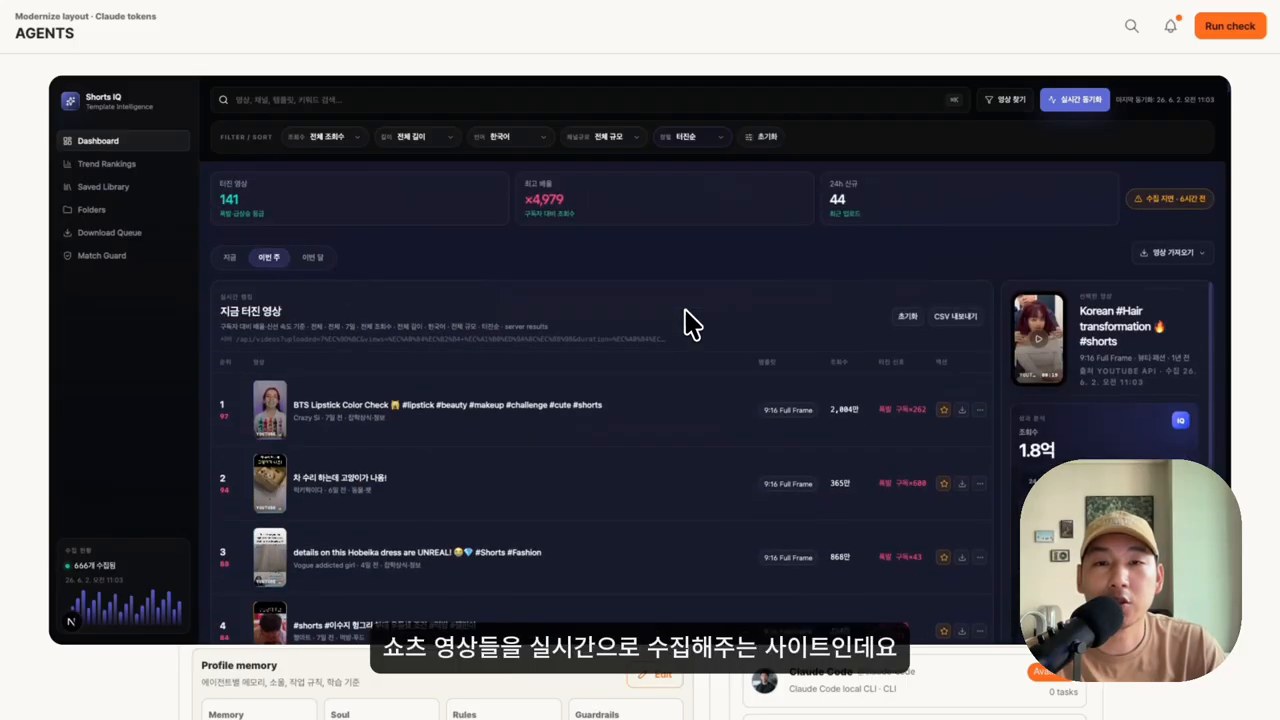
    One interesting part of the video is the example that “five agents built a website.” It describes several role-based agents collaborating to build a site that collects and displays short-form videos.

    How to train AI agents: a scene showing a real deliverable made by several agents
    A scene showing a real deliverable made by several agents.

    There is one caveat in this scene that should not be missed. The speaker in the video also says he did not simply take his hands off the work. The human provided the plan, supervised the direction, and checked the results.

    That is why the realistic structure for adopting AI agents is closer to this.

    • Human: owns goals, priorities, standards, and final judgment.
    • Agent: handles research, drafts, coding, repeated revisions, and organization.
    • System: handles memory, files, versions, schedules, notifications, and verification loops.

    Without this balance, AI agents can quickly produce many outputs, but it becomes difficult to know whether those outputs match the organization’s standards. As discussed in the article on harness engineering, the technology for “harnessing agents so they work well” is becoming increasingly important.

    The First Point in a Learning Loop Is Not Simply Increasing Memory

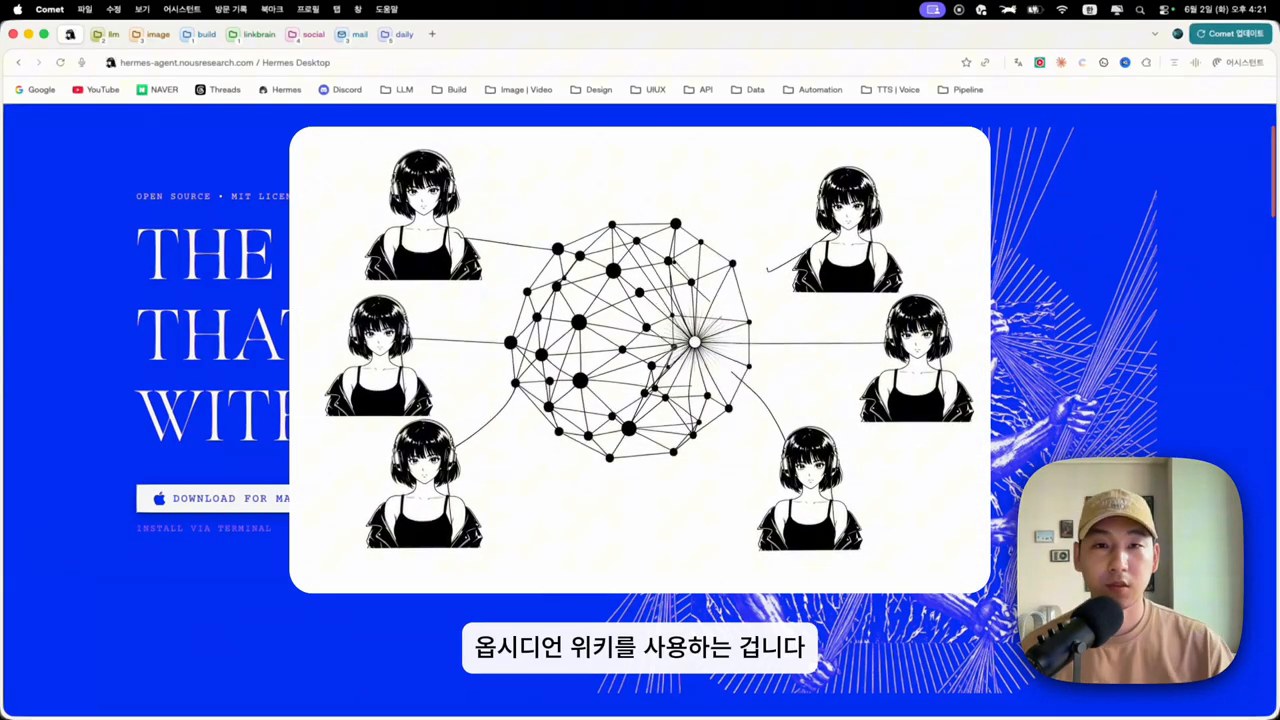
    The video’s most important message is context sharing through an Obsidian Wiki. Even if agents are made to research and learn every night, pushing everything into agent memory can actually degrade performance.

    How to train AI agents: a scene explaining context sharing through an Obsidian Wiki
    A scene explaining context sharing through an Obsidian Wiki.

    A better approach is to separate long-term memory from working memory. The agent should not always carry everything. Instead, it should retrieve relevant information from the wiki when needed.

    In practice, the following structure is safer.

    | Component | Role | Caution | |—|—|—| | Rule documents | Behavioral standards for the agent | If they are too long, execution criteria become blurry | | Wiki or notes | Long-term knowledge store | Sources and dates should be recorded | | Cron jobs | Repeated learning and storage automation | Accumulating results without verification is risky | | Review agent | Checks errors and omissions | Final responsibility should remain with humans | | Work logs | Tracks what was done | Manage them so secrets are not mixed in |

    This perspective connects to the theme of second brains and LLM Wikis. In the AI era, a knowledge system becomes both notes for humans and operating infrastructure that agents can search and reference.

    Telegram Remote Execution Is an Operations Channel, Not Just “Assign Work Anytime”

    The video explains that Hermes Agent is connected to Telegram. Slack could also be used, but the presenter chose the lighter Telegram setup as a one-person business.

    This is more than a convenience feature. A messaging platform becomes the intake window for AI-agent work. Users can assign work while on the move, receive completion notifications, and get files or outputs back.

    One caveat is that remote execution is powerful, so it needs operating principles.

    • Place approval procedures around dangerous commands.
    • Separate permissions and work scopes by agent.
    • Exclude sensitive files and credentials from task instructions.
    • Keep logs and result reviews for automated work.
    • Create checkpoints that allow rollback after failure.

    Hermes Agent’s gateways, profiles, and cron features are useful when building this operating system. But having the tools does not automatically make automation safe.

    AI-Native Organizations Need Operating Rules Before Dashboards

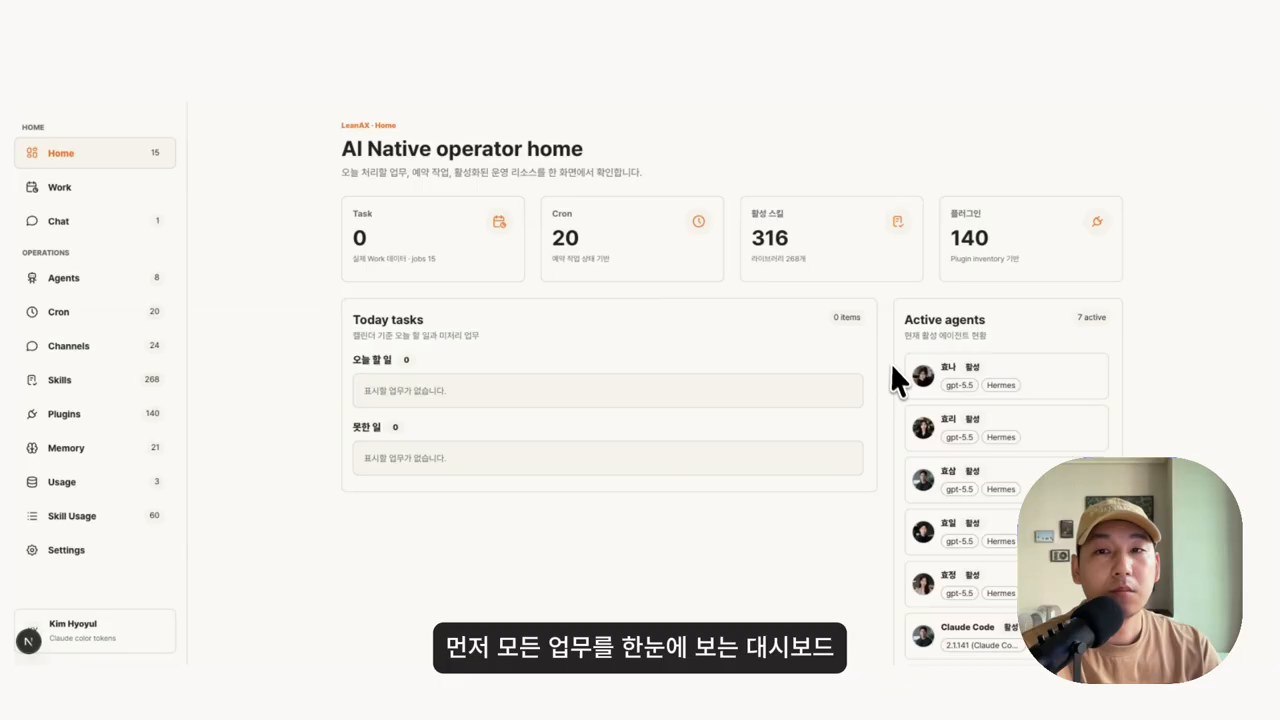
    Near the end of the video, a concept for an AI-native organization dashboard appears. It brings together work status, schedules, messengers, agent status, scheduled tasks, skills and plugins, and token usage in one view.

    How to train AI agents: a scene explaining an AI-native organization operations dashboard
    A scene explaining an AI-native organization operations dashboard.

    This concept is very practical. The caveat is that something must be decided before the dashboard: what to automate, how to judge success, and where humans should intervene.

    For teams beginning AI-agent operations, the following order is better.

    1. Choose three recurring tasks.
    2. Document each task’s inputs, outputs, and verification criteria.
    3. Assign only one role to each agent.
    4. Have humans review the outputs and improve the rules.
    5. After stabilization, automate through cron jobs or messaging channels.

    Rather than creating “ten AI employees” from the beginning, it is faster to make one agent consistently good at one task.

    Pre-Adoption Checklist

    Before adopting Hermes Agent or a similar AI-agent system, check the following questions first.

    • Is the recurring work assigned to this agent clear?
    • Is there a human or review agent to inspect the outputs?
    • Is there a wiki or document repository for long-term knowledge?
    • Have you decided how far secrets and permissions will be allowed?
    • Are there logs and backups that allow rollback after failure?
    • Can you track cost, token usage, and execution time?

    If these questions cannot be answered, increasing the number of agents is more likely to create confusion than automation.

    Related Reading

    Conclusion: AI-Agent Training Starts With Operations Design, Not Learning Alone

    The core question in the video is not “how many AI agents can we create?” It is how agents learn the organization’s knowledge and standards, how they collaborate, and how they are verified.

    Hermes Agent provides a useful operational foundation for this experiment. It can run through messaging platforms, separate profiles, build skills and memory, and run repeated tasks through cron jobs.

    But final results depend more on design than on the tool itself. Roles must be kept small, a knowledge repository must be built, verification loops must be attached, and human decision points must remain. Only then do AI agents become less like automated responders and more like an operating system for working together.

    FAQ

    Can Hermes Agent be used like an AI employee immediately after installation?

    No. Installation is only the start. Roles, rules, reference knowledge, and verification criteria must be defined before it can be used for real work.

    Does training an AI agent mean fine-tuning a model?

    In this article, training is closer to operational learning than fine-tuning. It means helping the agent better reference the context of repeated work through rule documents, skills, wikis, and work logs.

    Is Obsidian Wiki required?

    It does not have to be Obsidian. The important point is to have a long-term knowledge repository that agents can search and reference. Notion, a Markdown wiki, a Git repository, or an LLM Wiki can also work.

    Is a Telegram connection safe?

    The connection itself is less important than permission design. Dangerous-command approval, sensitive-information separation, log review, and permission limits must be designed together.

    How many agents should a team start with?

    One or two is appropriate at first. Start with one recurring task and one verification task, then add only roles that have stabilized.

    References

    Original Korean article: How to Train AI Agents: Building an AI-Native Organization with Hermes Agent

    Image source: Captured images used in this article are stills from the original YouTube video. They are used for review, commentary, and educational explanation, and copyright remains with the original rights holders and the channel.

  • Second Brain and LLM Wiki: A Personal Knowledge System for the AI Agent Era

    Second Brain and LLM Wiki: A Personal Knowledge System for the AI Agent Era

    The difference between people who use AI well and those who do not is no longer determined only by “which model they use.” As powerful models such as GPT, Claude, and Gemini quickly become more evenly matched, the real difference comes from what context you keep feeding into the model over time. From this perspective, a second brain is not just a note-taking app. It becomes the foundation that helps AI agents act in a way that is true to you.

    Original video: How to Scale Myself 100x with a Second Brain / Channel: Career Hacker Alex

    A Second Brain Is Not a Notebook. It Is a Context Repository AI Can Read

    Introduction to the second brain concept
    Source: screenshot from Career Hacker Alex YouTube video

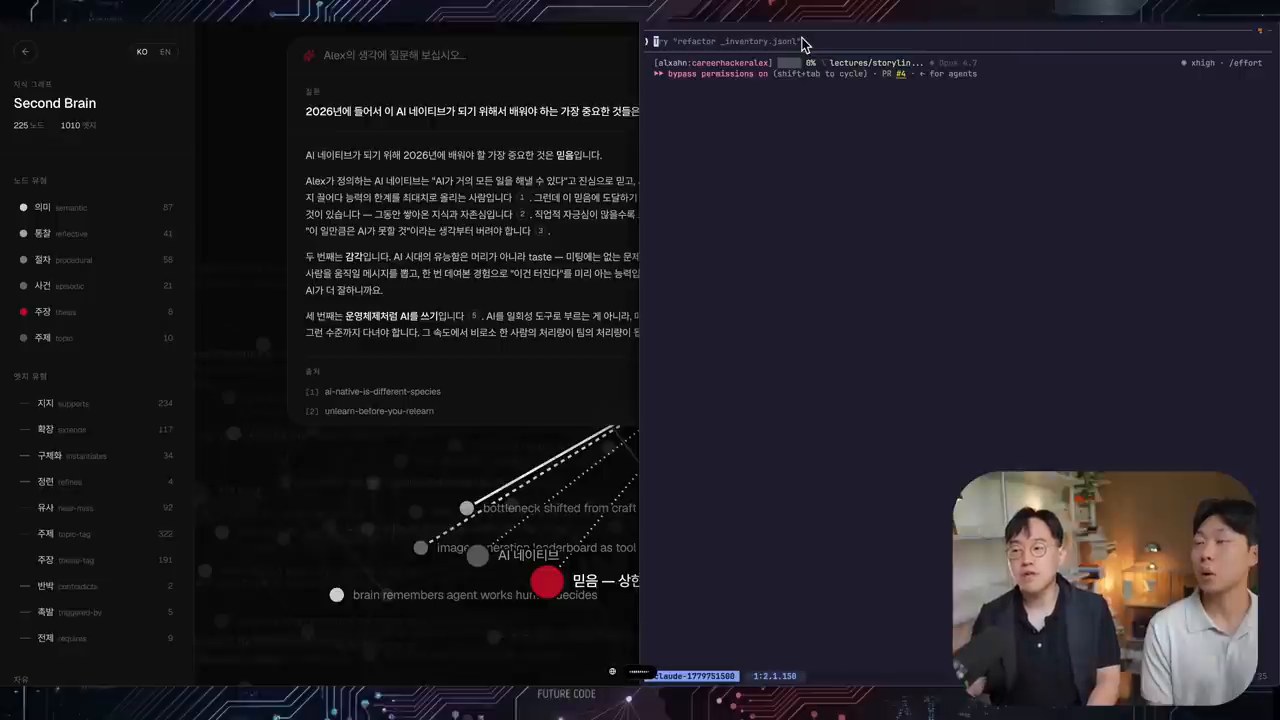
    In the video, a second brain is described as “the collection of all knowledge” and “a knowledge warehouse that AI agents can access.” The first point is not simply to collect more records. It is to structure what you have worked on, what standards you use for judgment, and what tone and perspective you prefer so AI can retrieve and reuse them.

    A normal note-taking app becomes valuable when a human later searches for and rereads the notes. A second brain, by contrast, must be something agents can explore, connect, and use on their own. That is why the video repeatedly uses terms such as nodes, edges, ontology, and graphs. The point is not merely to store pieces of information separately, but to preserve how those pieces relate to one another.

    Before the Model, Look at “Your Own Context”

    Explanation of custom systems and voice cloning
    Source: screenshot from Career Hacker Alex YouTube video

    The most important message in the video is that “using AI itself is no longer a differentiator.” When everyone is using similar models, similar questions tend to produce similar answers. What creates differentiation is the experience, failures, viewpoints, preferences, documents, and conversation history accumulated by an individual or organization.

    For example, if you only ask, “Create a marketing strategy,” you will receive a general answer that anyone could get. But the result changes if the AI can also read several years of project records, customer reactions, failed attempts, content tone, and decision-making standards. A second brain is a mechanism for accumulating and reusing this proprietary context.

    LLM Wiki and Obsidian Are Easy Starting Points for a Second Brain

    Explanation of an LLM Wiki architecture
    Source: screenshot from Career Hacker Alex YouTube video

    In the latter part of the video, the presenter demonstrates organizing a developer’s YouTube transcript and materials in an LLM Wiki style. Three structures matter most here.

    1. Raw source: Preserve unprocessed materials such as original transcripts, slides, and documents.
    2. Wiki layer: Extract core concepts, claims, and relationships from the originals and organize them as a Markdown wiki.
    3. Schema/Index: Provide maps and rules so agents know where to find what they need.

    This approach is slightly different from traditional RAG. Rather than repeatedly chunking documents, embedding them, and searching those chunks, it is closer to having agents read the originals and create a continuously maintained wiki. Obsidian then becomes a tool that displays this wiki through a graph and search interface that humans can easily use.

    The Obsidian Graph Is Useful, But It Is Not the End Goal

    Obsidian is often mentioned together with the second brain because its graph view, tags, backlinks, and Markdown-based management are useful. Especially at the beginning, it helps you see at a glance which topics you handle often and how concepts are connected.

    However, the video also points out clear limits. When materials grow into the thousands or tens of thousands, browsing a graph manually is not enough. In actual use, the workflow should move toward asking an agent questions and letting the agent explore the wiki and original sources to construct an answer. Obsidian is a good interface, but the essence of a second brain is structured context that agents can use.

    Harness Engineering Connects Directly to the Second Brain

    Harness engineering and evaluation perspective
    Source: screenshot from Career Hacker Alex YouTube video

    Harness engineering means designing the rules, context, tools, and verification procedures that guide a model toward the desired behavior. A second brain becomes one of the core materials in that harness because it stores what you consider a good answer, what style you prefer, and what principles must be followed.

    The video also emphasizes the importance of evaluation. Creating a second brain is not the finish line. You need to ask questions, check whether the answers match your thinking, and keep improving the wiki structure, retrieval method, and rules when something is lacking. In other words, a second brain is not a repository you build once. It is a growing system that must be tested and improved continuously.

    Where Should Individuals and Organizations Start?

    AI-native roadmap summary
    Source: screenshot from Career Hacker Alex YouTube video

    You do not need to build a massive knowledge graph or a complex retrieval system from the beginning. A realistic starting order looks like this.

    1. Collect the Originals Instead of Throwing Them Away

    Gather materials that contain your thinking in one place: meeting notes, lecture materials, blog drafts, project retrospectives, customer questions, and YouTube transcripts. The first priority is preserving the originals.

    2. Create Small Markdown Documents by Topic

    Rather than putting everything into one document, split materials into conceptual units. Reusable units such as “second brain,” “AI agent,” “harness engineering,” and “content tone” work well.

    3. Preserve Relationships with Links and Tags

    Connect related documents to one another. As these relationships accumulate, AI can answer by following context rather than by using isolated fragments of information.

    4. Let Agents Read It and Verify the Results

    Try using the system for real work: “Draft this in my writing style,” “Create a lecture outline from these materials,” or “Find what is weak according to my standards.” If the result feels awkward, reorganize the rules and source materials.

    The Real Value of a Second Brain Is Compounding

    A second brain is not a tool that merely improves today’s productivity a little. Over time, your judgments, preferences, knowledge, and failure cases accumulate and connect. When this accumulation is combined with AI agents, you can produce results that feel more like you without explaining everything again from the beginning each time.

    Ultimately, becoming AI-native is not about knowing a large number of the newest tools. It is closer to turning the context of yourself and your organization into an asset, then making that context continuously available to AI. Models may change, but a well-built second brain becomes your own operating system that can move with you to the next model.

    Related Reading

    FAQ

    Do I have to use Obsidian to build a second brain?

    Not necessarily. Obsidian is convenient because it supports Markdown, backlinks, and graph view. But the most important point is not the tool. It is structured context that AI can read and use.

    What is the difference between RAG and an LLM Wiki?

    RAG usually chunks documents, embeds them, and retrieves relevant pieces at question time. An LLM Wiki is different because agents continuously read and organize original materials into a reusable wiki and index.

    What should I do first when building a second brain?

    Start by gathering original materials in one place. Then split them into topic-based Markdown documents and leave links that show relationships between documents.

    Can a second brain help with personal branding?

    Yes. If you accumulate your writing tone, frequently used expressions, viewpoints, and content themes, AI can maintain a more consistent style when creating new posts or responses.

    What improves when an organization builds a second brain?

    Even when a person in charge is unavailable, agents can refer to project context, decision records, customer requirements, and technical standards. This can reduce the cost of knowledge transfer and improve the quality of repeated work.

    Original Korean article: Second Brain and LLM Wiki: A Personal Knowledge System for the AI Agent Era

    Image source: Captured images used in this article are stills from the original YouTube video. They are used for review, commentary, and educational explanation, and copyright remains with the original rights holders and the channel.

  • How to Build an AI Agent Operating System: A 7-Layer Blueprint

    How to Build an AI Agent Operating System: A 7-Layer Blueprint

    Most people start using AI by opening one tool at a time. They ask ChatGPT for a draft, use Claude for a long document, try a coding assistant for development, and keep separate notes somewhere else. That works for experiments, but it breaks down when AI becomes part of daily work.

    An AI agent operating system is a way to connect those scattered tools into one repeatable workflow. It does not mean a literal computer operating system. It means a practical work architecture: memory, models, agents, dashboards, production tools, and feedback loops working together.

    What Is an AI Agent Operating System?

    An AI agent operating system is the layer that helps AI tools remember context, choose the right model, run tasks through agents, and send results back into a knowledge base. The goal is not to collect more apps. The goal is to turn AI into a system that can produce, verify, and improve work over time.

    The easiest way to understand it is to compare two workflows. In the first workflow, every AI conversation starts from zero. In the second, the AI can read your notes, follow your preferred process, use tools, create deliverables, and leave behind reusable context. The second workflow is closer to an agent operating system.

    Why Individual AI Tools Are Not Enough

    Individual AI tools are powerful, but they are usually isolated. A chatbot may write well but cannot see your whole knowledge system. A coding agent may edit files but may not know your business context. A note-taking app may store information but does not automatically turn that information into action.

    This is why many AI workflows feel impressive at first and messy later. The user becomes the connector. They copy and paste context, check results, move files, remember previous decisions, and restart the same explanation again and again. An AI agent operating system reduces that friction.

    The 7 Layers of an AI Agent Operating System

    1. Foundation: Hardware and Basic Environment

    The first layer is the environment where the system runs. This may be a laptop, a workstation, a cloud server, or a hybrid setup. The important question is not only speed. It is whether the environment can run the tools you need reliably: browsers, terminals, local files, APIs, schedulers, and AI clients.

    2. Memory: Long-Term Context Storage

    Memory is where your system keeps reusable context. This can include Markdown notes, project documents, meeting summaries, prompt patterns, decision logs, source material, and structured databases. Without memory, every AI interaction becomes a one-time conversation. With memory, agents can work from accumulated knowledge.

    3. Brain: Model Routing

    No single model is best for every task. Some models are better at writing, some at coding, some at long-context reasoning, and some at fast routine work. The brain layer routes work to the right model. A good AI operating system should make it easy to choose between cloud models, local LLMs, and specialized tools.

    4. Agents: The Actual Workers

    Agents are not just chatbots with names. They are task-oriented workers with access to tools, files, instructions, and verification steps. One agent may inspect a codebase. Another may summarize sources. Another may prepare a WordPress draft. The agent layer turns AI from conversation into execution.

    5. Command Center: A Unified Dashboard

    As workflows grow, users need a command center. This may be a desktop app, a web UI, a terminal dashboard, a Kanban board, or a messaging interface. The command center shows what is running, what was produced, what needs review, and what should happen next.

    6. Production Services: Where Real Output Lives

    AI becomes valuable when outputs leave the chat window. Production services include GitHub repositories, WordPress sites, shared drives, documents, spreadsheets, email systems, CRMs, and internal dashboards. The operating system should connect agents to these services safely, with clear approval gates.

    7. Loop: Feeding Results Back Into Memory

    The final layer is the feedback loop. After an agent completes a task, the result should not disappear. Useful decisions, reusable workflows, errors, and quality checks should return to memory. This is how the system gets better. Without a loop, automation produces output. With a loop, it produces learning.

    How to Start Building One

    1. Choose one recurring workflow, such as publishing a blog post or preparing a report.
    2. Create a simple memory folder for source material, decisions, and reusable instructions.
    3. Define which AI tools or models handle writing, coding, research, and review.
    4. Use agents only where tool access and verification matter.
    5. Create a dashboard or checklist so humans can review progress.
    6. Connect output destinations only after the local draft process is reliable.
    7. Record what worked and feed it back into the next run.

    What to Avoid

    The biggest mistake is trying to automate everything before the workflow is clear. An AI agent operating system should not be a pile of tools. It should be a map of how work moves from context to action to verification. Start small, then add layers only when they solve a real bottleneck.

    Related Reading

    FAQ

    Is an AI agent operating system the same as an AI agent platform?

    Not exactly. A platform is a product. An AI agent operating system is a workflow architecture. You can build it with several tools, including chatbots, coding agents, local files, schedulers, and publishing systems.

    Do I need local LLMs to build one?

    No. You can start with cloud models. Local LLMs become useful when privacy, cost control, or offline experimentation matters.

    What is the first practical use case?

    Choose a workflow with clear inputs and outputs, such as research-to-draft publishing, meeting-summary generation, documentation updates, or code review.

    Original Korean article: How to Build an Agent OS That Connects AI Tools