[태그:] Hermes Agent

English articles about Hermes Agent workflows and interfaces.

  • Hermes Agent Deliverable Mode: Sending AI Outputs Directly to Chat

    Hermes Agent Deliverable Mode: Sending AI Outputs Directly to Chat

    The Korean source explains Hermes Agent Deliverable Mode for beginners. Its central idea is simple: when an AI produces a file, report, audio, image, CSV, PDF, or other output, the user should be able to receive it directly inside the chat interface. Deliverable Mode reduces the final gap between background AI work and usable results.
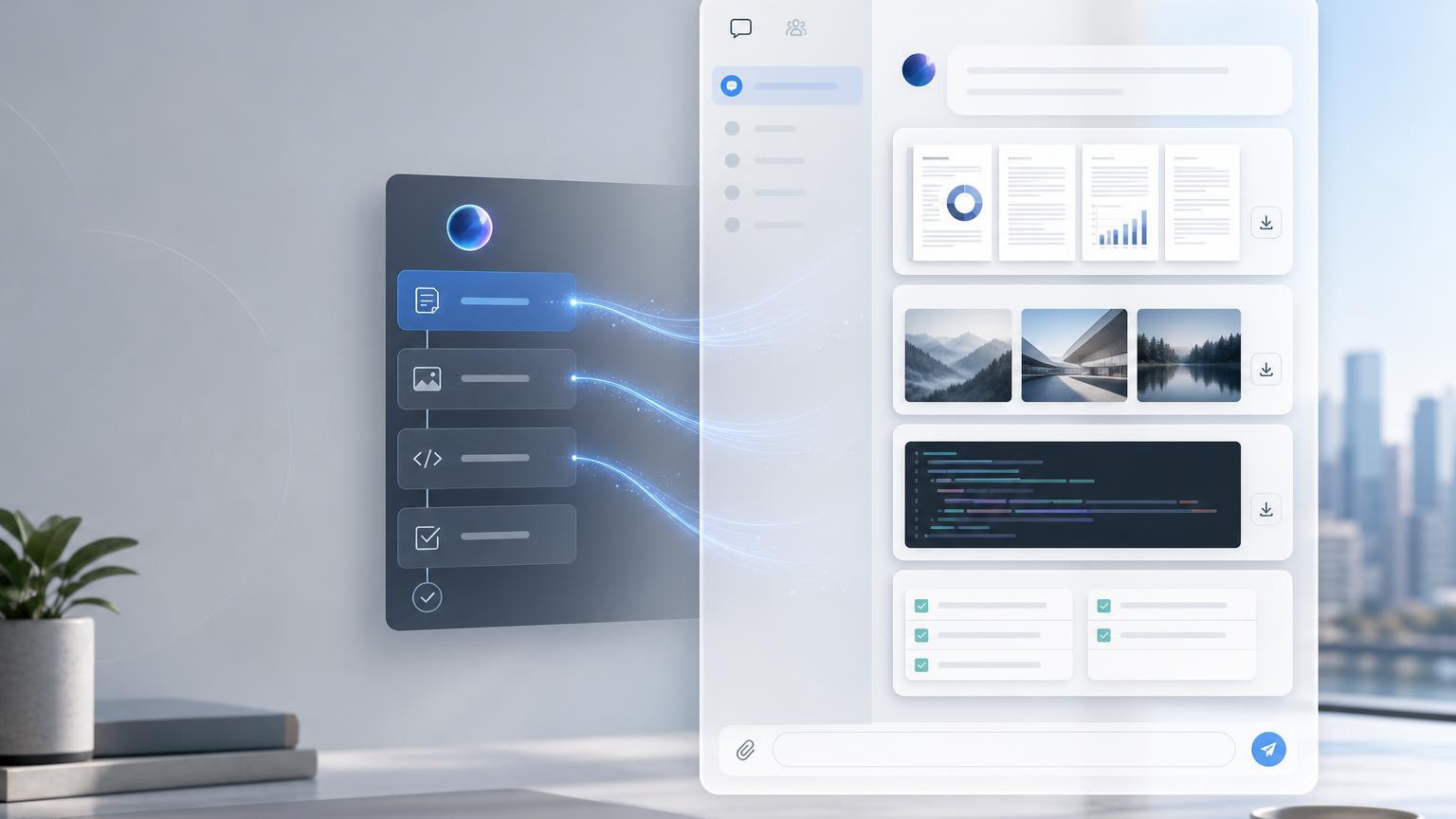
    Hermes Agent Deliverable Mode sending AI files to chat
    Hermes Agent Deliverable Mode delivers AI-generated files to chat platforms such as Telegram, Slack, and Discord.

    Original Korean article: Hermes Agent Deliverable Mode: AI 산출물을 채팅에서 바로 받는 방법

    What Deliverable Mode Means

    Deliverable Mode is a way for Hermes Agent to send completed outputs into the chat as visible deliverables. Instead of telling the user that a file exists somewhere, the agent can provide a rich preview or downloadable attachment depending on the platform.

    This is especially useful because many AI tasks are not just answers. They produce artifacts: reports, data tables, images, audio, video, HTML pages, PDFs, and summaries.

    Three Beginner Concepts

    First, a deliverable is a file or output created by AI. Second, the gateway is like a delivery worker between the messenger and the AI environment. Third, each platform displays files differently.

    These concepts help beginners understand why the same AI output may appear as an inline preview in one chat and as a link or attachment in another. Deliverable Mode handles the “last meter” of delivery.

    What Files Can Be Sent

    Deliverables may include images, PDFs, CSV files, HTML pages, audio, video, diagrams, presentations, and other user-facing results. The key is that the file should be meaningful to the user, not merely an internal log.

    Developer files, private paths, code scratch files, and raw logs may require different handling. The source emphasizes that not every file should automatically be pushed to the user.

    How It Works in Practice

    A user asks for an output. Hermes Agent performs the task, creates the file, checks whether it is safe and useful to deliver, and then sends the file through the gateway so that the chat can display it.

    This flow is important for background jobs. If an analysis takes time, Deliverable Mode can notify the user when the final report or media is ready rather than forcing the user to search the filesystem.

    When It Is Especially Useful

    Data analysis is one example: the user may want a CSV, chart, and written report. Automated reporting is another: the agent can compile information into a PDF or HTML page.

    Presentation drafts, document templates, generated images, audio briefings, and completed background tasks also benefit because the result becomes immediately visible in the conversation.

    Setup Points to Remember

    Configuration should define which file types can be delivered, how previews are rendered, and how platform-specific behavior works. The user experience should be clear: the recipient should know what the file is and why it was sent.

    The source also reminds readers that delivery is not the same as generation. A system can create a file but still fail at giving it to the user conveniently.

    MCP and Extensibility

    When used with MCP, Deliverable Mode can become more flexible because tools, resources, and external systems can be connected. MCP can expand what the agent can access and produce.

    But expanded capability requires stronger control. More integrations mean more attention to permissions, file types, user consent, and traceability.

    Security and Practical Cautions

    Deliverables should not expose private local paths, secrets, unnecessary logs, or sensitive internal files. The agent should deliver user-facing outputs, not implementation leftovers.

    Teams should define review rules for sensitive documents, restrict automatic attachment of risky file types, and ensure that platform rendering does not accidentally expose data.

    Artifacts Versus Deliverable Mode

    Some AI tools have Artifacts that show generated content in a side panel. Deliverable Mode is broader in spirit: it focuses on delivering completed outputs from the AI work environment into the user’s chat.

    The conclusion is that Deliverable Mode reduces the last-meter friction of AI automation. It lets users receive the actual result, not just a message about the result.

    Practical Implications for Readers

    For readers using this article as a working reference, the practical lesson is to move from abstract interest to a concrete audit. Identify where the topic touches your own work, which assumptions are already outdated, what data or tools are missing, and which decision could be tested on a small scale before a larger commitment. Write that test down, assign an owner, and review evidence rather than impressions.

    The Korean source repeatedly treats technology, strategy, and human judgment together. That is why the safest next step is not blind adoption or passive worry. It is disciplined experimentation: define the problem, compare alternatives, verify results, protect sensitive information, and keep the human purpose visible while the tool or trend evolves.

    Related Reading

    FAQ

    Do I need coding knowledge to use Deliverable Mode?

    Basic use does not require coding, but configuration and advanced integration may require technical setup.

    Will every chat platform show files the same way?

    No. Each platform has different rendering and attachment behavior.

    Should file paths be shown to users?

    Private local paths should not be exposed. User-facing deliverables should be presented safely and clearly.

    Why are .py or .log files not always auto-attached?

    They may be internal implementation files or contain sensitive details, so automatic delivery should be controlled.

    Is MCP the same as Deliverable Mode?

    No. MCP expands tool and resource connections; Deliverable Mode focuses on delivering final outputs to chat.

  • AI Agent Desktop Apps: Why Hermes Agent Points to the Next Interface

    AI Agent Desktop Apps: Why Hermes Agent Points to the Next Interface

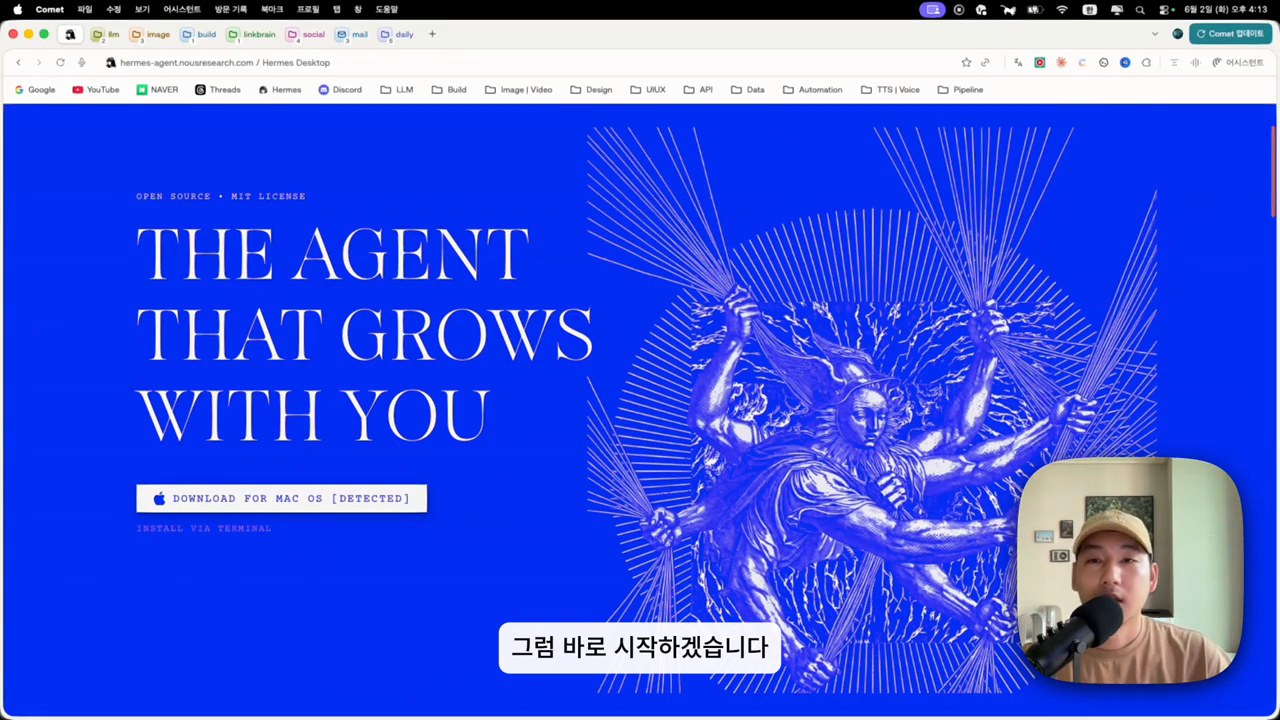
    AI agents are powerful, but many people still experience them as chat windows, command-line tools, or scattered automations. That limits adoption. If AI agents are going to become part of everyday work, they need a better interface.

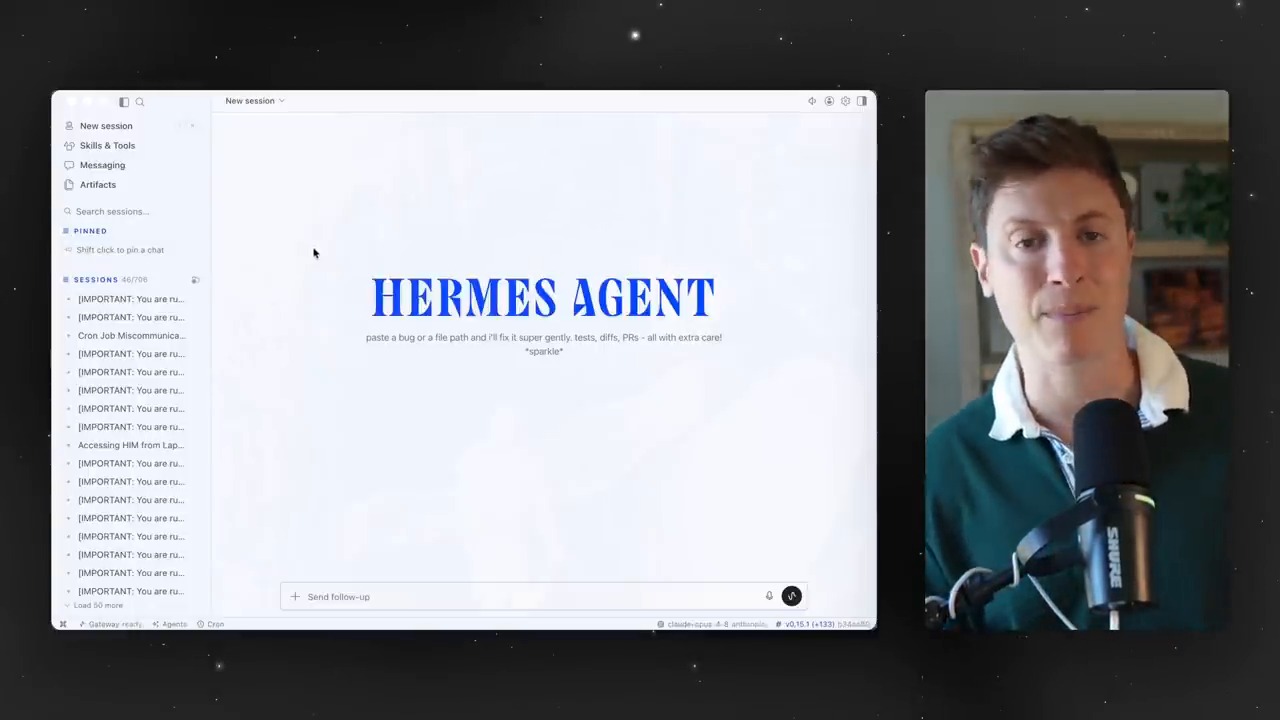
    This is why the idea of an AI agent desktop app matters. A desktop interface can turn sessions, artifacts, skills, tools, schedules, and profiles into something users can see and manage. Hermes Agent points toward this next layer of AI agent adoption.

    AI agent desktop app interface for Hermes Agent
    A desktop interface can make AI agent sessions and outputs easier to manage.

    Why a Desktop App Matters

    Chat is a useful starting point, but agent work is not only conversation. Agents read files, create drafts, run commands, schedule jobs, use tools, and produce deliverables. When all of that is hidden behind a simple chat log, users can lose track of what is happening.

    A desktop app can make agent work more visible. It can show active sessions, generated files, reusable skills, available toolsets, scheduled tasks, and project-specific context. This visibility is important for trust.

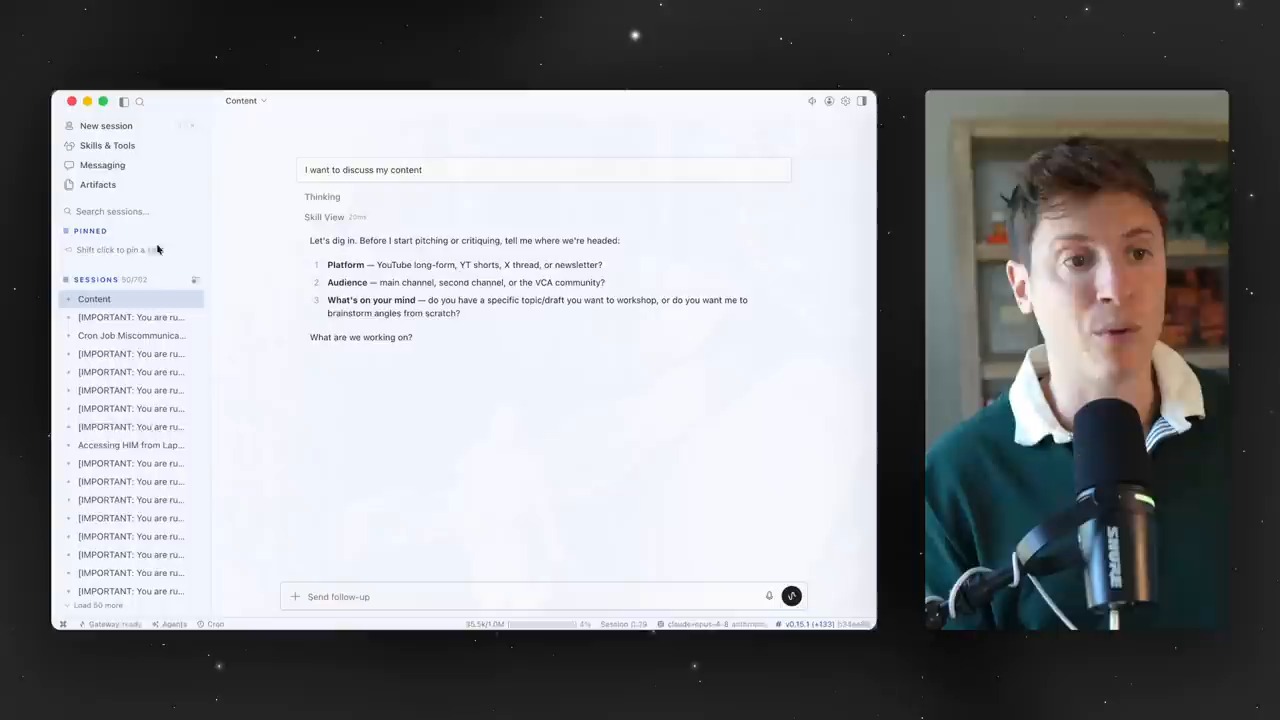
    Sessions Become Work Folders for AI Agents

    AI agent sessions and context workspace
    Sessions can become work folders for AI-assisted tasks.

    For human workers, a project usually has a folder, a history, and a set of related files. AI agents need the same kind of structure. A session is not just a chat. It can become the workspace where context, decisions, outputs, and follow-up tasks stay connected.

    This is one reason desktop interfaces are useful. They can help users move from “I asked an AI a question” to “I managed an AI-assisted work session.”

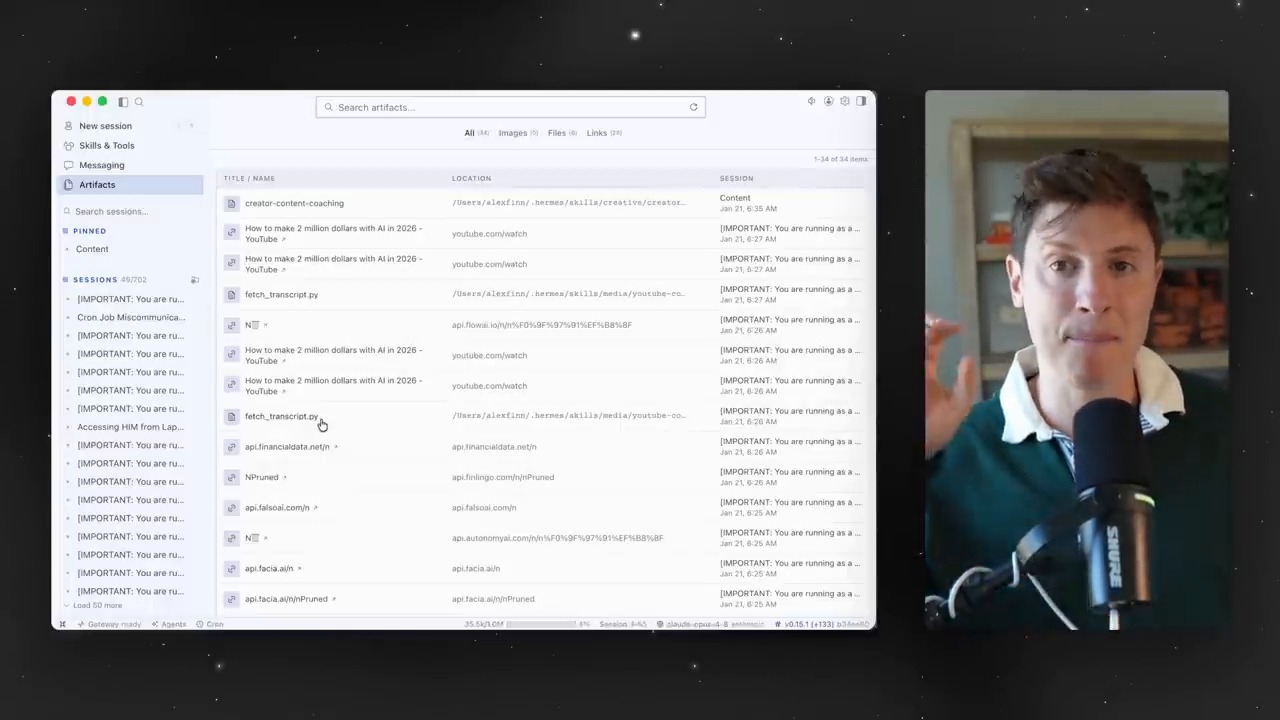
    Artifacts Turn Chat Into Work Assets

    AI agent artifacts and links inside a desktop app
    Artifacts turn chat outputs into reusable work assets.

    AI output becomes more valuable when it is treated as an artifact. An artifact may be a document, a draft, a data file, a diagram, a script, a report, or a web page. If the interface makes artifacts visible, users can review, reuse, and improve them more easily.

    This changes the role of AI. It is no longer only a conversational assistant. It becomes a production partner that creates assets inside a workflow.

    Skills and Toolsets Need a Control Panel

    As agents become more capable, users need a way to manage what agents know how to do. Skills can store reusable workflows. Toolsets can define which tools an agent can access. Without a visible control panel, these capabilities can become hard to understand.

    A desktop app can make these capabilities more approachable. Users can see which skills are available, which tools are enabled, and which workflows are safe for a given task.

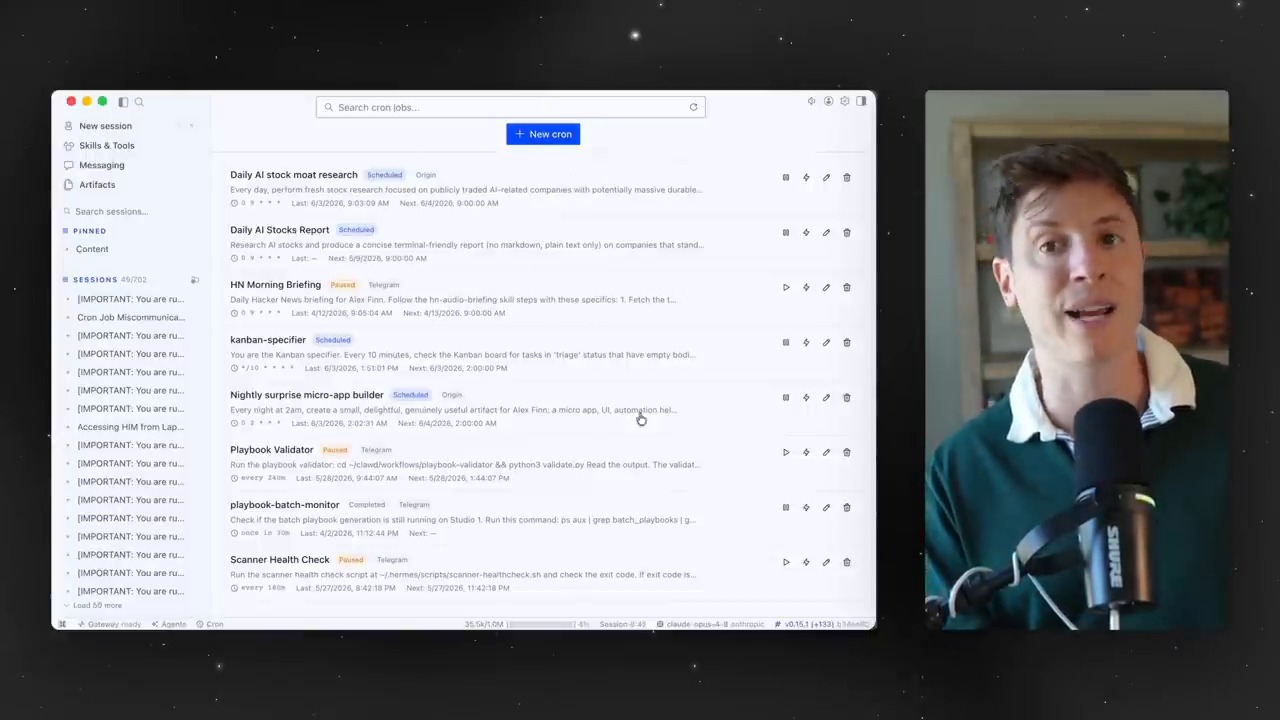
    Cron Jobs Turn Agents Into Operators

    AI agent cron jobs and scheduled automation
    Cron jobs turn AI agents into scheduled operators.

    Scheduled tasks are one of the most important differences between a chatbot and an operating agent. A cron job can monitor a feed, create a recurring report, check a website, summarize new data, or remind a team about a workflow.

    In a desktop interface, scheduled agent work can become easier to inspect. Users can see what is scheduled, when it runs, what it produced, and whether it needs attention. This is essential for trust and reliability.

    Profiles Make Role-Based Agents Easier

    Different work roles need different settings. A writing assistant, a code reviewer, a research analyst, and an operations monitor should not always share the same tools, memories, or rules. Profiles make role-based agent work easier to manage.

    This is similar to creating different workspaces for different jobs. The user can choose the right profile for the task instead of constantly reconfiguring the agent.

    The Bigger Question: What Comes After the Model?

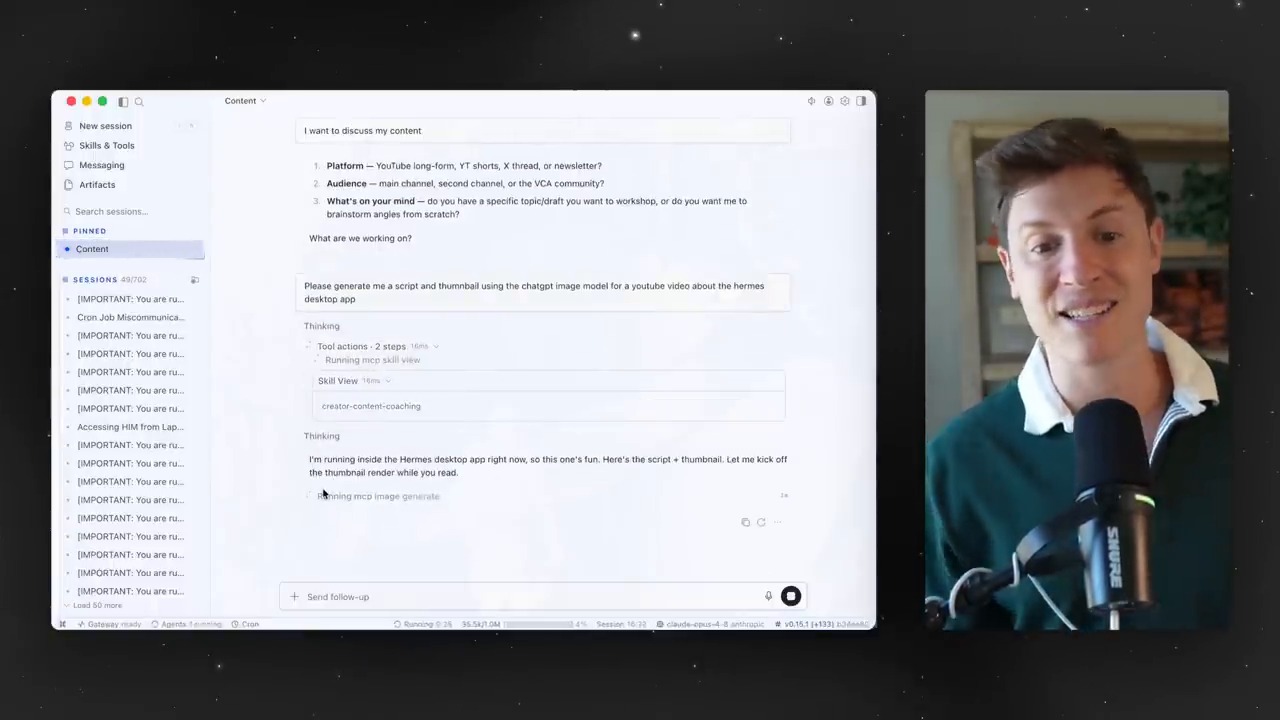
    AI agent desktop app generation demo
    A desktop app can make agent-generated deliverables visible and reviewable.

    For the last few years, much of the AI conversation has focused on model capability. That still matters. But as models become widely available, the next competition may move to the interface layer. Who can make AI agents understandable, controllable, and useful in daily work?

    Hermes Agent desktop-style workflows suggest one possible answer. The future of AI agents may depend less on one perfect chat window and more on a complete workbench: sessions, artifacts, tools, memory, schedules, and review gates.

    Conclusion: The Interface Is Part of the Agent

    An AI agent is not only a model. It is a model inside an operating environment. The interface determines how easily people can assign work, understand progress, review outputs, and trust automation.

    That is why AI agent desktop apps matter. They may become the bridge between powerful agent technology and everyday work.

    Related Reading

    FAQ

    What is an AI agent desktop app?

    It is a desktop interface for managing AI agent sessions, outputs, tools, skills, schedules, and project context in one place.

    Why is chat not enough for AI agents?

    Chat is good for conversation, but agent work often includes files, tools, scheduled tasks, generated artifacts, and review workflows. Those need more structure.

    Who needs an AI agent desktop interface?

    Creators, developers, researchers, analysts, and teams that use AI for recurring workflows can benefit from a more visible and manageable agent interface.

    Original Korean article: Hermes Agent 데스크톱 앱

  • Local LLM on Apple Silicon: What OMLX and Hermes Agent Show in Real Use

    Local LLM on Apple Silicon: What OMLX and Hermes Agent Show in Real Use

    Local LLMs are no longer only a hobbyist experiment. With high-memory Apple Silicon machines, local model servers, and agent tools, the question is becoming more practical: can a local LLM actually support real work?

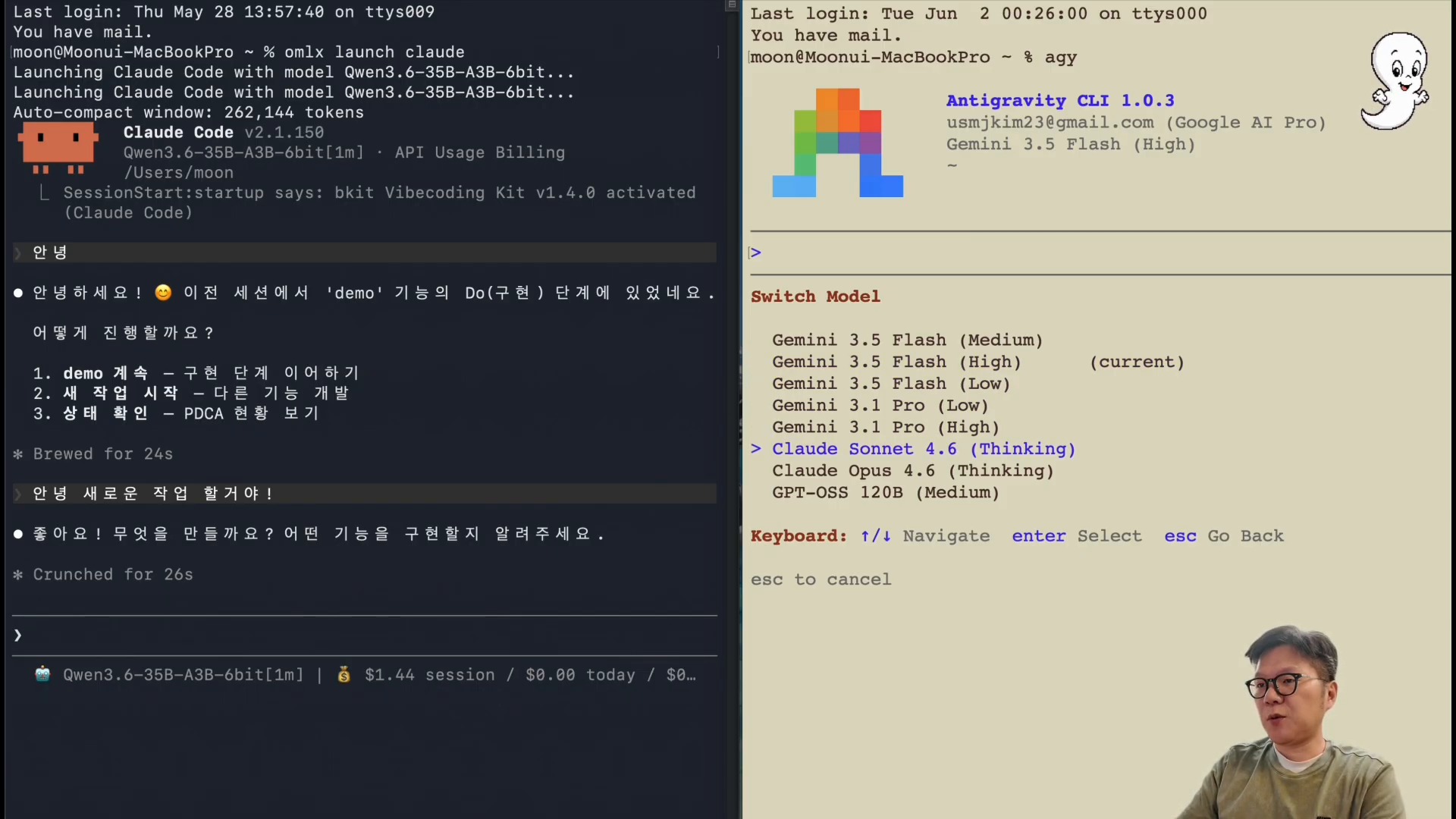
    This article looks at that question through the lens of local LLM on Apple Silicon, OMLX-style local serving, and Hermes Agent workflows. The important point is not whether local models replace cloud AI immediately. The better question is where local models fit into a hybrid AI workflow.

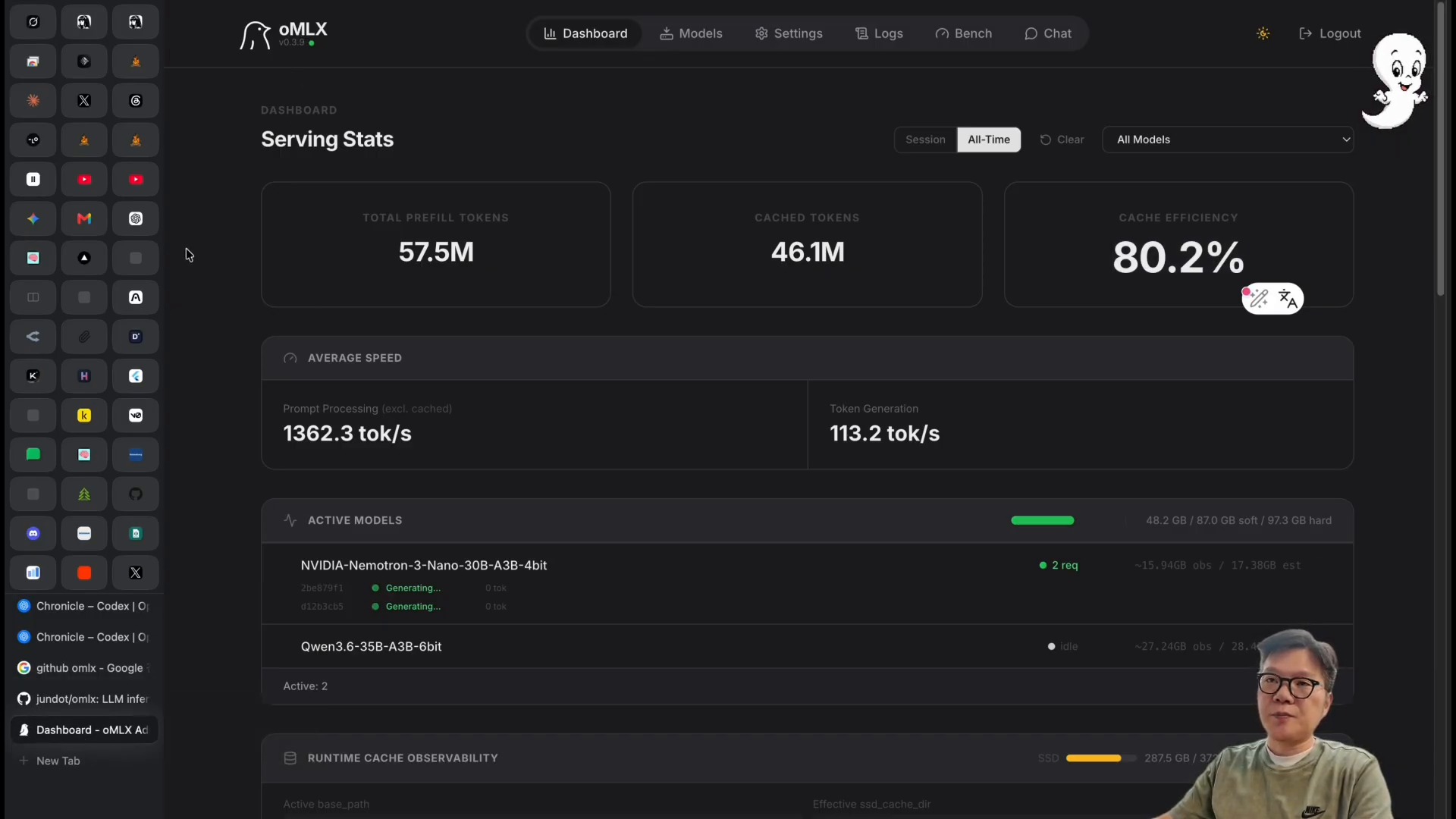
    local LLM on Apple Silicon model dashboard
    A local LLM setup shows how models can run inside a local AI workflow.

    The Core Question: Can Local LLMs Be Used for Real Work?

    For a long time, local LLMs were interesting but limited. They were slower, less capable, or harder to run than cloud models. That is changing. New open-source models, better inference engines, and powerful local hardware are making local AI more realistic.

    Still, “possible” does not mean “always better.” A local LLM workflow should be judged by speed, quality, privacy, cost, setup complexity, and how well it integrates with daily tools.

    Why OMLX Matters: Serving Experience Comes Before Model Hype

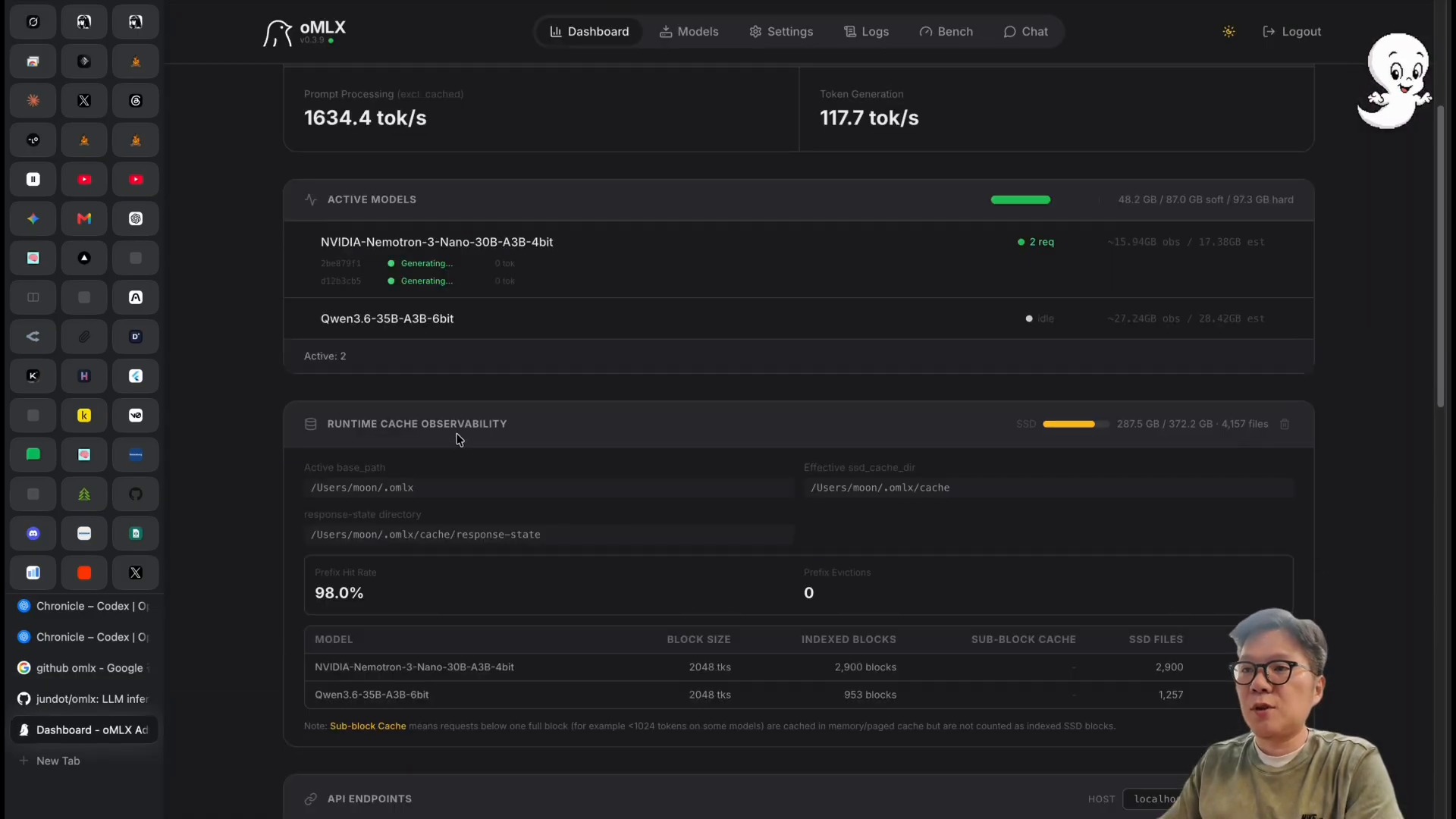
    OMLX token dashboard for local LLM serving
    OMLX-style serving makes local LLM performance easier to inspect.

    Many discussions about local AI focus only on model names. That is understandable, but the serving layer is just as important. A model that is theoretically strong is not useful if it is difficult to run, unstable, or too slow for an agent workflow.

    OMLX-style local serving matters because it points toward a smoother way to run models on Apple Silicon. The practical experience includes starting the server, connecting tools, sending requests, checking latency, and seeing whether the output is good enough for the task.

    Claude Code, Local Models, and the Need for Verification

    local LLM admin dashboard for model operations
    A local model admin dashboard helps monitor and operate local AI services.

    Local models can be fast and private, but verification remains essential. This is especially true for coding. A local model may generate a patch, explain a file, or suggest a command. The result still needs tests, review, and sometimes comparison with stronger cloud models.

    The best local LLM workflows do not blindly trust local output. They use local models for the right tasks: drafting, summarizing, classifying, exploring code, transforming text, or handling private context. Critical decisions should still go through stronger review gates.

    Hermes Agent and Local LLMs: A New Experiment for Agent Operations

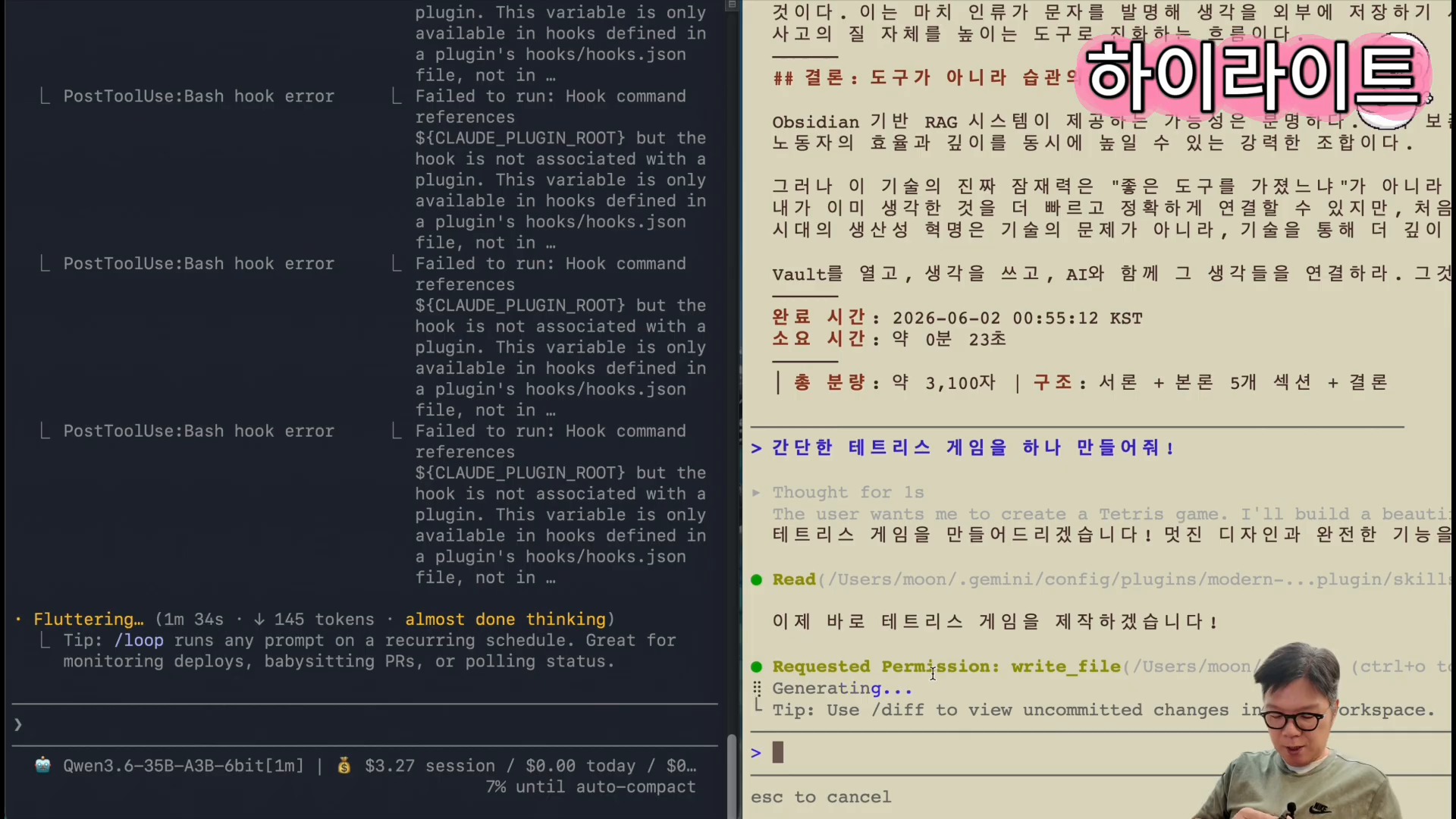
    Claude Code local model output for AI coding
    Local models can support coding workflows, but outputs still need verification.

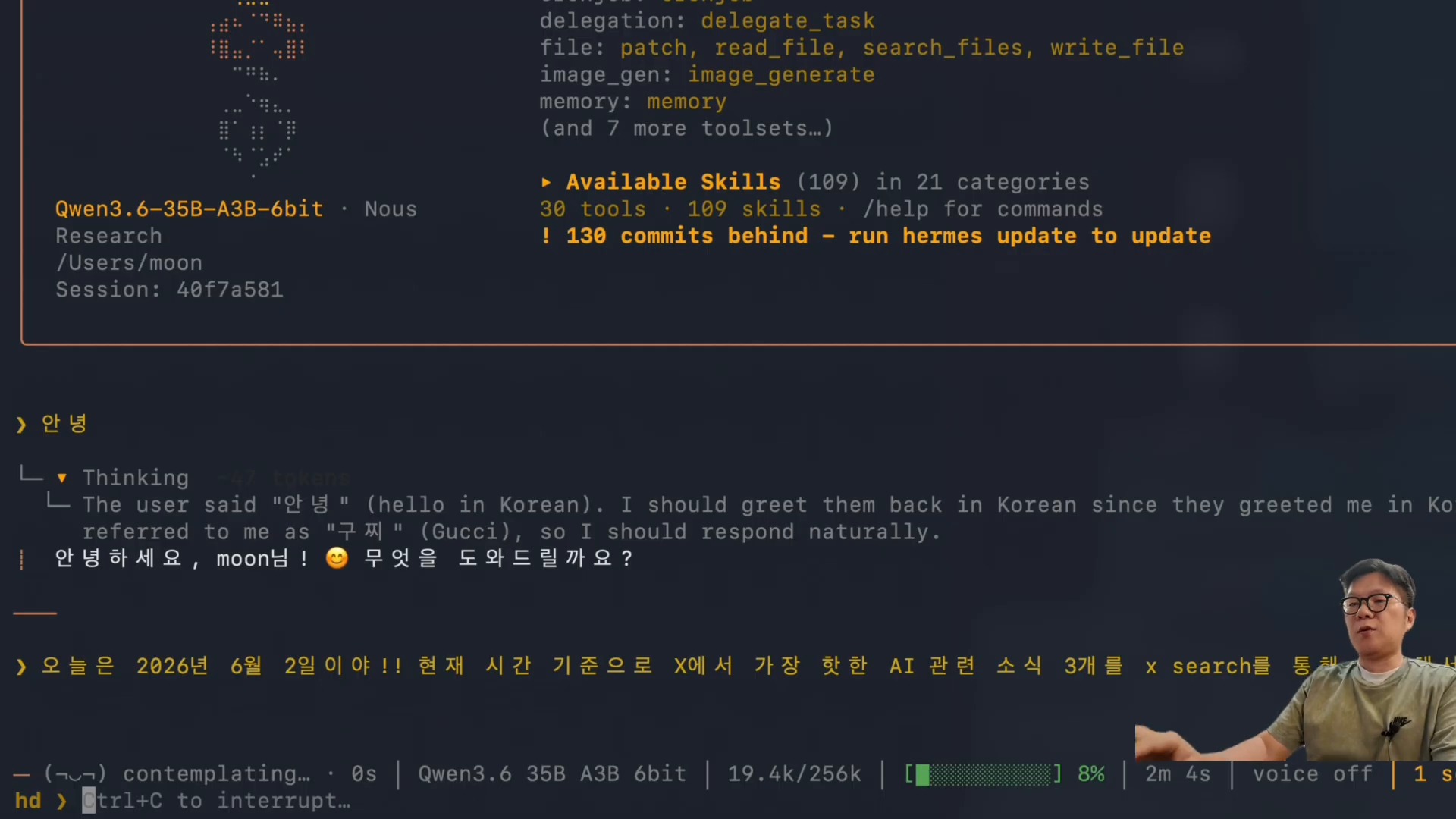
    Hermes Agent is useful as a workflow layer because it can connect chat, files, tools, schedules, and skills. When local LLMs are added, a new possibility appears: some agent work can run locally while other work still uses cloud models.

    This hybrid pattern is important. A local model may handle private notes, repetitive transformations, or low-risk drafts. A cloud model may handle complex reasoning, long-form synthesis, or final review. The workflow becomes more flexible than a single-model setup.

    Why Apple Silicon Is Interesting for Local AI

    Apple Silicon is attractive for local LLM experiments because of memory bandwidth, energy efficiency, and integrated hardware. High-memory configurations make larger local models more practical. For individual creators, developers, and small teams, this can reduce dependence on cloud APIs for some tasks.

    However, hardware still matters. A high-end machine may deliver a very different experience from a base laptop. When evaluating local LLMs, it is important to distinguish what is possible on premium hardware from what is realistic for everyday users.

    Checklist Before Adopting Local LLMs

    Hermes Agent local LLM workflow with search tools
    Hermes Agent can combine local LLMs with tools in a hybrid workflow.
    1. Define the task. Is the model for writing, coding, summarization, search, or private context handling?
    2. Measure latency. A model that is too slow will not fit an agent workflow.
    3. Compare quality. Test local outputs against your current cloud model for real tasks.
    4. Check privacy needs. Local models are most valuable when sensitive context matters.
    5. Estimate cost. Hardware cost should be compared with cloud API usage.
    6. Plan a hybrid setup. Local and cloud models should complement each other.
    7. Keep review gates. Local does not automatically mean reliable.

    Conclusion: Local LLMs Are About Placement, Not Replacement

    The strongest case for local LLMs is not that they replace Claude, ChatGPT, or other cloud models tomorrow. The stronger case is that they give users another place to run AI work. Some tasks belong in the cloud. Some tasks can move local. Some tasks should use both.

    For AI agents, this placement question matters. A good agent system should be able to choose the right model for the right job. Local LLMs on Apple Silicon make that future more realistic.

    Related Reading

    FAQ

    Can a local LLM replace Claude or ChatGPT?

    For some tasks, yes. For complex reasoning or final review, cloud models may still perform better. The practical answer is usually hybrid use.

    Why run a local LLM on Apple Silicon?

    Apple Silicon can offer strong local performance, efficient memory use, and a convenient developer environment, especially on high-memory machines.

    What tasks are best for local LLMs?

    Private note processing, summarization, draft generation, code exploration, text transformation, and low-risk agent tasks are good starting points.

    Original Korean article: M5 Pro Max 128GB 로컬 LLM 실사용

  • How to Train AI Agents: Building AI-Native Workflows with Hermes Agent

    How to Train AI Agents: Building AI-Native Workflows with Hermes Agent

    When people ask how to train AI agents, they often look for a prompt, a model, or a tool setting. That is the wrong starting point. AI agents become useful when they are placed inside an operating workflow: roles, memory, tools, review rules, and feedback loops.

    This article uses Hermes Agent as an example of how an AI-native workflow can be designed. The point is not only installation. The more important question is how to operate AI agents so they can produce useful work safely and repeatedly.

    AI agent training workflow with Hermes Agent remote execution
    Hermes Agent can be operated remotely as part of an AI agent training workflow.

    Start With Operations, Not Installation

    Installing an agent tool is easy compared with operating it. A real workflow needs answers to practical questions. What kind of work should the agent do? What context can it read? What tools can it use? Who reviews the output? What happens when it makes a mistake?

    An AI-native organization does not begin with a dashboard. It begins with operating rules. The rules define how agents receive tasks, how they access memory, how they report results, and when humans must approve changes.

    Why AI Agents Need Roles

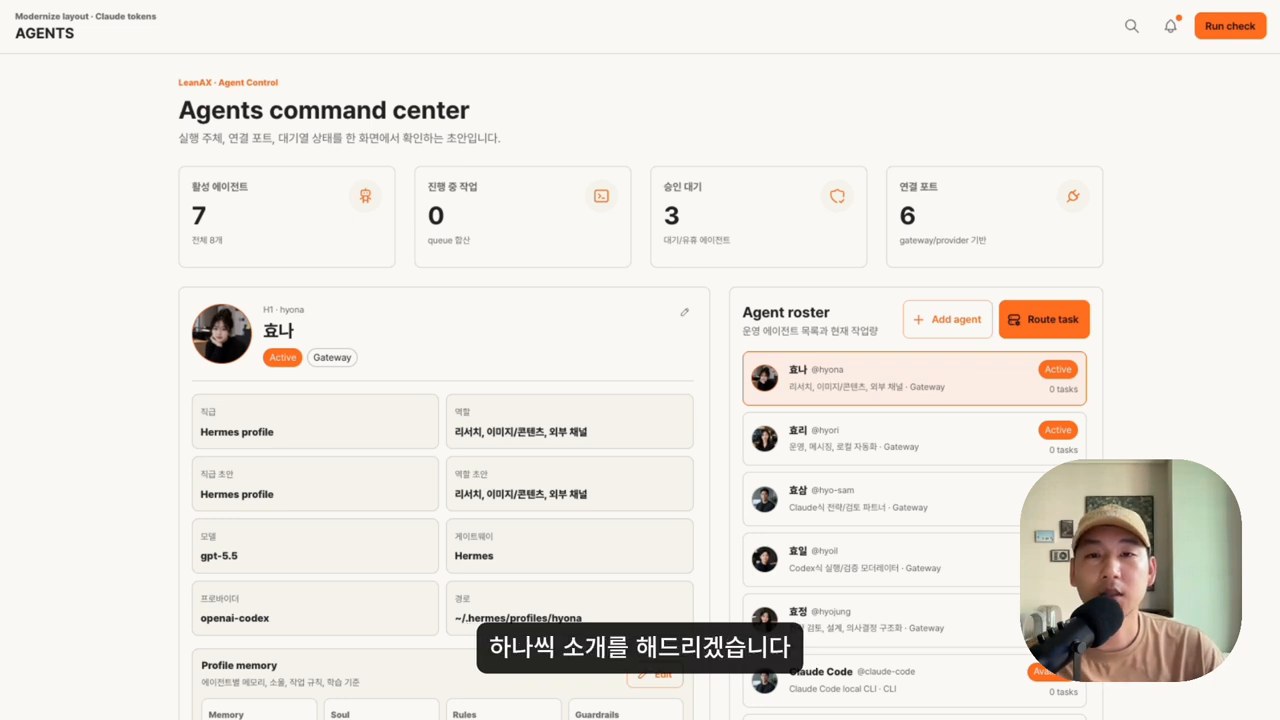
    multi-agent command center for AI-native workflows
    Role-based AI agents make workflow operations easier to manage.

    A single general-purpose agent can help with many tasks, but role separation makes the workflow more reliable. One agent can research sources. Another can draft content. Another can review quality. Another can check files or run tests. This is closer to how teams work.

    Role design reduces confusion. It also makes evaluation easier. If a research agent fails, you inspect the research step. If a writing agent produces weak output, you improve the writing instructions. If a review agent misses errors, you strengthen the checklist.

    The Supervisor Role Is Still Essential

    AI agent output review and supervisor workflow
    AI agent outputs need supervisor review before production use.

    AI agents can execute tasks, but supervision remains important. A supervisor defines the goal, checks whether the result is useful, and decides whether the output can move into production. In many workflows, the supervisor is a human. In more advanced workflows, a review agent can assist, but human approval is still needed for risky changes.

    This is especially important when agents can write files, publish content, send messages, or call APIs. Tool access should be powerful, but it should also be bounded by clear approval gates.

    Memory Is Not Just More Storage

    Obsidian context wiki for AI agent memory
    A context wiki helps AI agents use verified organizational knowledge.

    Many teams assume that agent training means adding more memory. That is only partly true. More memory can help, but unstructured memory can also confuse agents. The better approach is to store compact, reusable, verified context.

    Useful memory includes preferences, project conventions, source summaries, durable workflows, and lessons from repeated errors. Temporary task progress should usually stay in session logs or project files, not permanent memory. Good memory helps agents avoid repeating the same mistakes.

    Remote Execution Is an Operating Channel

    AI-native organization dashboard and operating rules
    AI-native teams need operating rules, dashboards, and review loops.

    Hermes Agent can be operated through interfaces such as a browser UI, messaging channels, and automation. Remote execution is not just a convenience. It turns the agent into an always-available operating layer. You can ask it to inspect a file, summarize a document, prepare a draft, or run a scheduled check.

    However, remote access should not mean uncontrolled automation. The safest approach is to define which actions can happen automatically and which actions require explicit approval. Draft creation is usually safe. Public publishing, deleting files, or changing production settings should require approval.

    Cron Jobs Create Learning Loops

    Scheduled jobs can turn an agent from a manual assistant into an operating system component. A cron job can monitor a feed, prepare a weekly summary, check a dataset, or remind a team about stale work. The key is to make each scheduled task self-contained and verifiable.

    Scheduled work should also feed learning back into the system. If a weekly report improves because the agent learned which sources matter, that improvement should become part of the workflow.

    Checklist Before Adopting AI Agents

    1. Choose one workflow with clear inputs and outputs.
    2. Define agent roles before adding many tools.
    3. Prepare a small, reliable memory base.
    4. Separate draft actions from production actions.
    5. Create review checklists for quality and safety.
    6. Log results so the workflow can improve.
    7. Start with small teams or individual workflows before scaling.

    Conclusion: Training AI Agents Means Designing the Workflow

    The future of AI agents is not only about stronger models. It is about better operating systems around those models. Hermes Agent shows one direction: agents connected to memory, tools, schedules, profiles, and review loops.

    To train AI agents, do not begin by asking for the perfect prompt. Begin by designing the work system the agent will live inside.

    Related Reading

    FAQ

    What does it mean to train an AI agent?

    In practical work, it means giving the agent reliable context, clear roles, tool boundaries, review criteria, and feedback loops. It is not the same as model fine-tuning.

    Can small teams use AI agents?

    Yes. Small teams may benefit faster because they can define workflows and review results without complex organizational layers.

    What should not be automated first?

    Avoid automating public publishing, irreversible file changes, security settings, payments, or customer-facing messages until review gates are mature.

    Original Korean article: AI 에이전트를 학습시키는 법