
How does asking AI to write a report in one request differ from assigning research, analysis, and writing separately? Adding more agents does not automatically improve the result. Division of labor matters only when you define who uses which tools, what they produce, and what they hand off.
CampusX’s CrewAI masterclass is an extensive introductory course covering agent fundamentals through multi-agent projects. Drawing on the course and its public examples, this guide explains how to distinguish Agent, Task, and Crew, the basic structure for producing reports and blogs, and how to expand into market research projects. Installation steps are compared with current official documentation to distinguish them from the file structure shown in the video.
What does CrewAI help organize?
CrewAI is a Python-based framework for configuring multiple AI agents to share work by role. It is not a model itself. It is closer to an execution system connecting agents that use models and tools to complete tasks.
You could put all research, judgment, and writing instructions into one large prompt. As work becomes more complex, however, missing evidence and the role output requiring revision become harder to identify. CrewAI lets you separate roles and tasks and specify execution order and the context to pass along.
Not every job needs multiple agents. One model call may be simpler for a basic summary or a short sentence edit. Consider dividing work when the tools, information, and judgment criteria genuinely differ between roles.
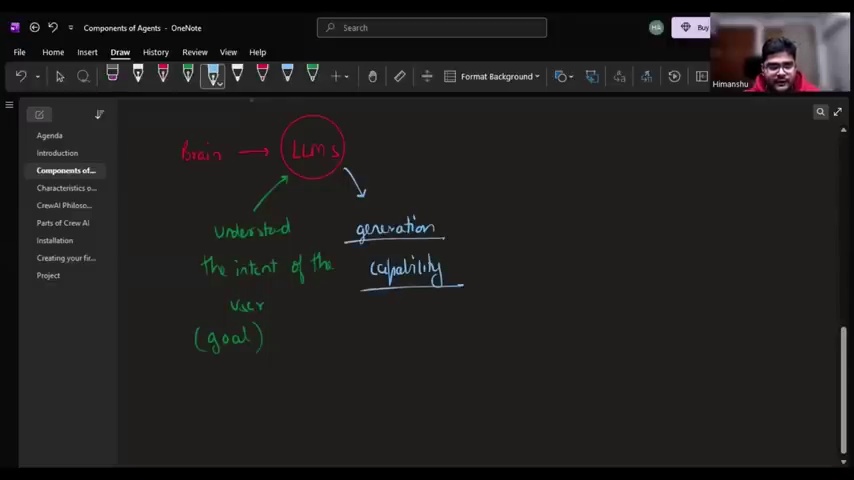
Three concepts beginners should distinguish first: Agent, Task, and Crew
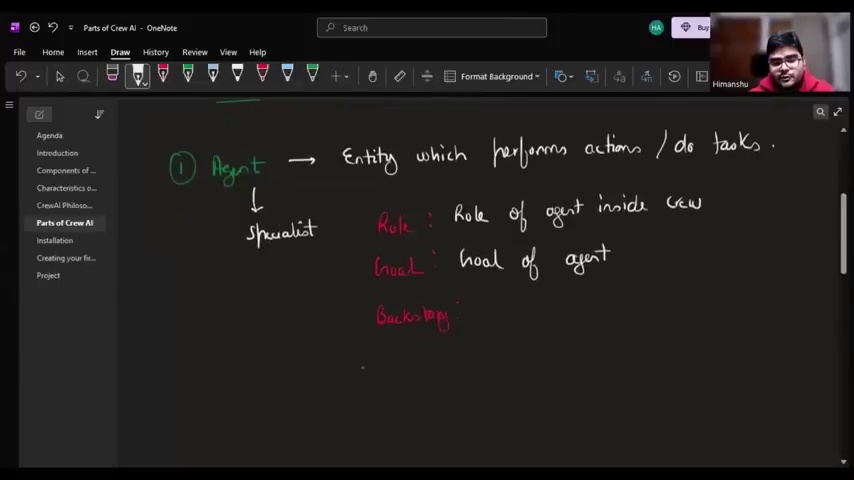
Agent means ‘who does the work’
An Agent defines a role, goal, backstory, and other attributes. You can also specify its model and tools as needed. A researcher might focus on search and source collection. A writer might focus on explanations and structure suited to the audience.
Describing expert experience in a backstory is a setting that guides the role. It does not mean an expert with that experience reviewed the work, nor does it guarantee factual results.
Task means ‘what must be completed’
A Task includes a description and an expected_output. It can also connect the assigned agent, previous task results to consult, and output files.
Specific research scope, reference dates, required items, sources, and uncertainties support later review better than a request to ‘research thoroughly.’ Defining expected output clarifies completion criteria. It does not guarantee that the model will meet them.
Crew means ‘how the work runs together’
A Crew groups agents and Tasks and determines how they execute. Start with sequential execution when the order is clear. A hierarchical setup coordinated by a manager role is another option, but adds separate judgment and delegation steps.
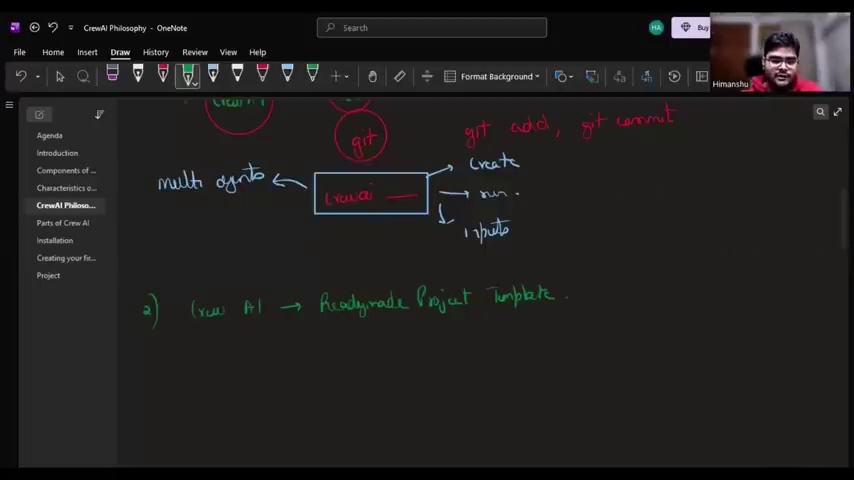
For beginners, rather than creating many job titles, it helps to first sketch the connections on paper: input → responsible role → deliverable → next task.
First example: separate report writing from blog writing
The public repository’s research_and_blog_crew uses two roles. A report-writing agent organizes information on a topic, and a blog-writing agent turns it into readable prose.
The YAML settings target about 2,000 words for the report and about 500 words for the blog. These are requested lengths, not evidence of automatic length or content verification. The Python code uses Process.sequential to execute the work and configures the blog output to be saved to blogs/blog.md.
One detail is easy to miss. The agents in this basic example have no web search tools connected. Asking for ‘the latest facts’ in a prompt does not mean current sources were actually collected from the web. For work requiring search, configure tools and access permissions separately.
Saving text to a file is also different from completing public publication. The output file setting in this example does not itself publish to WordPress. If external publication is needed, design separate review, approval, and publishing steps.
To apply this example at work, strengthen the deliverable requirements as follows. These are practical suggestions, not settings reproduced verbatim from the course code.
- In the report, distinguish verified facts, original sources, reference dates, and items not yet verified.
- The blog writer must not arbitrarily add figures or examples absent from the report.
- In the final review, check quotations, links, and whether claims match their supporting evidence.
- Keep external publishing permissions separate from draft generation, and use them only after approval.
Expanded example: divide market research into five roles
The public repository’s market_research_crew demonstrates a more complex division of labor.
- Market researcher: Researches market size, growth trends, and the industry environment.
- Competitive intelligence analyst: Examines competitors, alternatives, and opportunities for differentiation.
- Customer insights specialist: Organizes customer segments’ problems, needs, and purchasing hypotheses.
- Product strategist: Proposes feature priorities and development direction based on the preceding findings.
- Business analyst: Integrates the research findings into a business report.
In the final exercise, the video inputs a product idea: a tool that summarizes YouTube videos and posts to multiple social platforms. It then generates and examines a related business report. The result is a market and business viability analysis of that product. It is not a working service that summarizes videos or posts to social media.
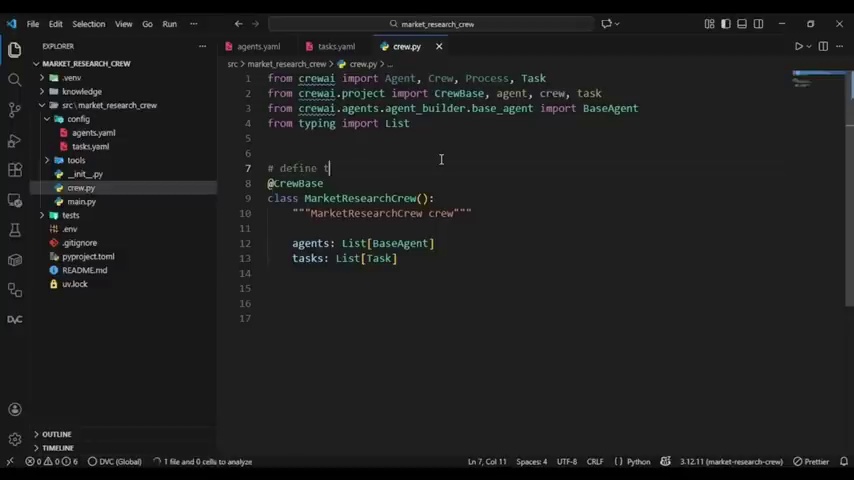
The code connects later Tasks to earlier results through context. For example, the product strategy Task receives market, competitor, and customer research findings. The final business analysis Task brings several results together and saves them to reports/report.md.
This example connects search and webpage collection tools. Unlike the basic report and blog example, its configuration lets agents retrieve external information. However, obtaining search results does not automatically guarantee the validity of market figures or business forecasts.
In particular, an AI-generated customer persona is not an actual customer interview. Separate observations confirmed through research from hypotheses generated by the model. Another agent summarizing the same model’s output does not constitute independent verification either.
Before installation: today’s default structure differs from the course’s YAML structure
The course examples use crew.py, config/agents.yaml, config/tasks.yaml to configure roles and tasks. However, the official installation documentation checked while preparing this guide says default projects are generated with a JSON-centered structure. Agent definitions go in agents/*.jsonc, while Task and Crew settings go in crew.jsonc.
A different file structure in your current CLI does not necessarily mean installation failed. To learn with the video’s Python/YAML structure, check the officially documented --classic option.
For an environment with uv available, the creation procedure is as follows. These installation commands are learning examples based on official documentation. Check your environment against the CrewAI version and model provider settings you plan to use.
uv tool install crewai
crewai create crew research_and_blog --classic
cd research_and_blog
Read the generated project’s instructions and configure your chosen model and tools. Manage secrets such as API keys through environment variables or .env, and do not commit them to a repository. Once configured, install dependencies and run the project from its root directory.
crewai install
crewai run
Also distinguish a free course from execution costs. Even if viewing the course is free, your chosen model, search API, and external services may incur charges or usage limits. Check key issuance, billing, and request limits before learning.
Sequential execution, hierarchical execution, and Flow are not equivalent options
Sequential execution follows a predefined Task order. It is easy to understand and trace when dependencies are clear, such as research before writing.
In hierarchical execution, a manager role coordinates the work. Consider it when delegation must adapt to circumstances. However, the manager’s judgments also involve model calls and possible errors. More agents or an added manager do not themselves prove better performance.
Flow is a separate concept for connecting processing steps, state, and conditional branches through code. For example, you could validate input, run a research Crew, and route insufficient findings to a supplementary research path. This illustrates a practical application of official concepts. It does not mean the course’s market research project implements such branching.
An approachable starting sequence is a small sequential Crew → deliverable verification → necessary branching . Clear rules can be handled in ordinary code, rather than assigning agents work that needs no dynamic judgment.
Define operating criteria before deciding the number of agents
Using multi-agent systems at work requires operating conditions as well as role names. Check the following when adapting an introductory example to real work.
- Tools and permissions: Specify which actions are permitted: reading, searching, saving files, and external transmission.
- Handoff information: Define the evidence, sources, and unverified items that the next Task must receive.
- Verification: Check required fields, formats, and supporting references separately. Passing a format check does not make the facts correct.
- Retries and cost: Instead of unlimited loops, define stopping and retry criteria after failure and set cost limits.
- Publication approval: Separate automatic generation and saving from customer delivery and public publication.
These boundaries matter more than labeling a role as an expert. Track which Task went wrong and prevent unverified results from passing unchanged into the next stage.
A beginner’s first goal is to explain a small Crew
When learning CrewAI, start with a small, two-role task rather than a large organizational chart. With the same input, check what information it receives, where it might fail, and what it leaves as the final deliverable.
The CampusX course helps connect agent fundamentals and role division to actual project structures. However, an example running successfully differs from achieving quality ready for immediate use at work. This guide compares the course, public code, and official documentation. It does not claim that the example Crew was run separately to reproduce the same deliverables.
Getting started with CrewAI is not about memorizing tool names. The key is to clarify who does what, on what evidence, and who checks the result.
Related reading
- Working Environments to Check When Comparing AI Agent Tools
- Verification Boundaries for Multi-Agent Deliverables: The REA Case
- Kim Kyung-il on Using AI: Why Verification and Collaboration Matter More Than Speed
FAQ
Do I need to know Python to use CrewAI?
This course covers both Python code and YAML settings. Understanding agent concepts differs from modifying and running examples. Learning code structure and the basics of packages and environment variables helps.
Why does the generated project’s file structure differ from the course?
The current official installation documentation presents JSON-centered projects as the default. To follow the video’s Python/YAML structure, check the crewai create crew project-name --classic option. Also consult the documentation matching your installed version.
Does CrewAI automatically search for current information?
Not always. The public basic report and blog example has no search tools connected. For current external information, separately configure search and collection tools, authentication, and result verification.
Does adding more agents improve accuracy?
Agent count alone cannot guarantee accuracy. Unclear differences between roles may only increase handoff costs and complexity. First clarify why the work needs dividing, which tools are required, and which deliverables must be verified.
References
- CampusX, source CrewAI beginner masterclass video
- CampusX official course materials and example repository
- CrewAI official installation documentation
- CrewAI official Crew concept documentation
- CrewAI official Task concept documentation
- CrewAI official Flow concept documentation
The images are screenshots quoted from the source course to explain concepts and project structure. The video’s explanations are distinguished from configurations in the public code, current official guidance, and practical application suggestions.