The Korean article discusses small language models, open source AI, and whether they can weaken the winner-take-all structure of Big Tech. Its message is not that small models will replace frontier models in every task. Rather, Korea and many organizations need to look beyond GPU scale and ask where direction, specialization, physical AI, and the ability to make AI locally can create strategic advantage.
The AI industry has moved from pure excitement to a more sober phase. Users now ask what models can do reliably, how much they cost, where data goes, and whether adoption creates real productivity.
This reality check is healthy. It forces organizations to distinguish between impressive demonstrations and deployable systems.
Why Unpopular Choices Matter
physical AI as a strategic opportunity.
The source highlights the importance of choices that others are not making. Competing head-on with the largest companies on model size, data centers, and GPU budgets can be unrealistic for smaller countries or firms.
Strategic advantage may come from specialization, timing, integration, local needs, or physical-world domains where domain knowledge matters more than leaderboard scale.
Large Model Competition Is Not Enough
local AI and specialized models.
Frontier models are powerful, but a strategy based only on bigger models can deepen dependence on Big Tech. Cost, latency, data governance, and vendor lock-in become structural problems.
Small language models can be tuned for specific tasks, run closer to the user, and operate with lower cost. They are not universal replacements, but they can be the right tool when the task is narrow and the context is controlled.
Korea’s AI Strategy Is Not Only About GPUs
AI leadership skills for organizations.
GPU infrastructure matters, but the source argues that Korea must also think about data, applications, talent, manufacturing, robotics, and industry-specific use cases.
If the whole strategy becomes “buy more GPUs,” Korea may still remain dependent on external platforms. A stronger strategy connects compute with local industries and real deployment.
Physical AI as a Strategic Area
Physical AI connects models with robots, devices, factories, vehicles, logistics, healthcare, and manufacturing sites. Korea has strengths in hardware, manufacturing, semiconductors, and industrial systems, so this area may be strategically meaningful.
In physical AI, success depends on sensors, control, safety, reliability, and domain integration. That creates opportunities beyond pure language model scale.
AI Democratization Means Making, Not Only Using
AI democratization is often described as everyone being able to use AI. The source pushes it further: democratization means more people and organizations can make, adapt, and deploy AI systems.
Open source models and small models matter because they allow inspection, customization, education, and local experimentation. They reduce the distance between user and builder.
Where Small Language Models Are Strong
Small models are useful for internal search, classification, device-side assistance, document workflows, domain-specific support, privacy-sensitive tasks, and low-latency services.
Their strength is focus. If the task is well-defined and the data environment is known, a smaller specialized model may be cheaper, faster, and easier to govern than a general frontier model.
Capabilities Leaders Need
AI-era leaders need more than technical vocabulary. They need strategic judgment: where to use large models, where to use small models, where open source is acceptable, and where safety or privacy requires stricter control.
For individuals and organizations, the checklist is to define the real problem, choose model size by task, build internal data capability, test open source responsibly, and look for areas where direction matters more than size.
Practical Implications for Readers
For readers using this article as a working reference, the practical lesson is to move from abstract interest to a concrete audit. Identify where the topic touches your own work, which assumptions are already outdated, what data or tools are missing, and which decision could be tested on a small scale before a larger commitment. Write that test down, assign an owner, and review evidence rather than impressions.
The Korean source repeatedly treats technology, strategy, and human judgment together. That is why the safest next step is not blind adoption or passive worry. It is disciplined experimentation: define the problem, compare alternatives, verify results, protect sensitive information, and keep the human purpose visible while the tool or trend evolves.
Related Reading
Continue with these related Thinknote English articles in the Digital Transformation cluster.
This article explains a digital transformation, platform, market-structure, or technology-adoption topic with Korea-specific context and global implications.
How should I use this guide?
Use it to understand market signals and strategic patterns. Combine it with current market data before making business or investment decisions.
The Korean source organizes Choi Tae-won’s comments around future talent, agentic AI, AI factories, and Korea’s AI nation strategy. Its key message is that the unit of production is shifting from goods to intelligence. Therefore, future talent must combine thinking power, adaptability, empathy, and body skills while Korea builds systems that let society actually use AI.
The Production Unit Changes From Products to Intelligence
AI factory and agentic AI strategy.
In the industrial era, production was measured through goods, factories, and physical output. In the AI era, intelligence itself becomes a production unit. Models, agents, data, and compute create decisions, services, and automation.
This is why AI factories matter. They are not only data centers; they are infrastructure for producing usable intelligence at scale.
Future Talent Becomes More Generalist
thinking power and adaptability.
The source argues that future talent is not only a narrow specialist. AI can support specialized tasks, so people must connect fields, ask larger questions, and coordinate multiple capabilities.
A generalist in this sense is not shallow. It is someone who can combine domain knowledge, AI tools, human context, and strategic judgment across boundaries.
Four Capabilities Individuals Need
empathy and body skills in the AI era.
The first is thinking power: the ability to define problems, question assumptions, and decide what matters. The second is adaptability: learning new tools and changing methods without losing direction.
The third is empathy, because AI may handle information but humans still need trust, care, negotiation, and social understanding. The fourth is body skill: the ability to work in the physical world, sense context, and connect digital intelligence with real action.
Korea’s AI Strategy: Speed, Scale, and Safety
Korea AI nation strategy.
The source summarizes AI nation strategy through speed, scale, and safety. Speed matters because AI adoption compounds. Scale matters because data, compute, talent, and applications need national coordination.
Safety matters because uncontrolled adoption can create privacy, bias, security, and social risks. A serious AI nation strategy must move fast without treating safety as an afterthought.
The Missing Piece: A Social System That Uses AI
Korea should not focus only on owning models. The more important question is whether schools, companies, public agencies, small businesses, and individuals can use AI in daily systems.
That requires training, workflows, procurement, data standards, infrastructure, and trust. AI becomes national capability only when it changes how society solves problems.
What Individuals and Organizations Should Start With
Individuals can begin by using AI for summarizing, drafting, coding, research, and planning, but they should also practice verifying outputs and asking better questions.
Organizations should identify repeated work, redesign processes, prepare data, create internal rules, and train people. AI adoption is not installing a tool; it is changing the operating method.
Key Takeaway
Future talent is not defined by memorizing more than AI. It is defined by thinking with AI, adapting faster, understanding people, and connecting intelligence to real work.
Korea’s AI nation strategy should therefore combine infrastructure with education, safety, and practical use across industries.
Practical Implications for Readers
For readers using this article as a working reference, the practical lesson is to move from abstract interest to a concrete audit. Identify where the topic touches your own work, which assumptions are already outdated, what data or tools are missing, and which decision could be tested on a small scale before a larger commitment. Write that test down, assign an owner, and review evidence rather than impressions.
The Korean source repeatedly treats technology, strategy, and human judgment together. That is why the safest next step is not blind adoption or passive worry. It is disciplined experimentation: define the problem, compare alternatives, verify results, protect sensitive information, and keep the human purpose visible while the tool or trend evolves.
Related Reading
Continue with these related Thinknote English articles in the Digital Transformation cluster.
This article explains a digital transformation, platform, market-structure, or technology-adoption topic with Korea-specific context and global implications.
How should I use this guide?
Use it to understand market signals and strategic patterns. Combine it with current market data before making business or investment decisions.
The Korean source uses Demis Hassabis’s interviews and the history of AlphaGo and AlphaFold to think about learning in the AI era. Its main lesson is that students and workers should not stop learning fundamentals. AI makes math, science, experimentation, and problem definition more important because people must know how to use powerful agents wisely.
AlphaGo was not important only because it beat a human Go champion. It showed that AI could discover strategies that surprised experts and changed how people thought about intelligence.
The source treats AlphaGo as a symbolic moment: machines could now explore complex decision spaces in ways that humans had not fully anticipated.
Games Were Training Grounds, Not Toys
AlphaFold and science with AI.
Hassabis’s background in games matters because games provide rules, feedback, goals, and environments for learning. They are useful laboratories for AI research.
This teaches a broader learning principle. Good practice environments give clear feedback and allow repeated experimentation, whether the subject is coding, science, design, or business.
AlphaFold Showed AI as a Scientific Tool
STEM foundations in the AI era.
AlphaFold demonstrated that AI could contribute to science by predicting protein structures and accelerating biological research. This moved AI from game achievement to scientific infrastructure.
The implication is that AI-era learning should connect computation with real domains. The most powerful applications may appear when AI meets biology, physics, chemistry, medicine, and engineering.
Math and Science Still Matter
AI agents and CEO-like thinking.
The source rejects the idea that AI makes fundamentals unnecessary. If anything, math and science become more important because they help people understand problems, evaluate outputs, and work with advanced tools.
People who rely only on AI answers without conceptual grounding may become faster but not wiser. Fundamentals protect judgment.
Children Should Use AI, Not Only Study About It
Students should not learn AI only as abstract theory. They should experiment with tools, ask questions, build small projects, and observe where AI helps or fails.
Hands-on use creates intuition. It teaches prompting, verification, iteration, and the limits of automation.
Think Like a CEO in the Agent Era
The source says a future skill is the ability to think like a CEO. This does not mean everyone becomes an executive. It means people must define goals, delegate tasks to agents, evaluate results, allocate resources, and take responsibility.
As AI agents handle more execution, human value moves toward orchestration: deciding what should be done, in what order, by which tool, and with what standard.
Essential Skills Checklist
Key skills include math and science foundations, coding or computational thinking, AI literacy, problem definition, experimentation, communication, ethics, and the ability to learn continuously.
For workers, the first step is to use AI on a real task, verify the result, and then ask what part of the workflow can be redesigned.
Conclusion: Study Moves Toward Problem Definition
The conclusion is that AI-era study is not memorization versus AI. It is learning how to define problems that are worth solving and how to use AI as a partner in solving them.
Hassabis’s examples show that deep fundamentals and bold tool use belong together. The future favors people who can connect both.
Practical Implications for Readers
For readers using this article as a working reference, the practical lesson is to move from abstract interest to a concrete audit. Identify where the topic touches your own work, which assumptions are already outdated, what data or tools are missing, and which decision could be tested on a small scale before a larger commitment. Write that test down, assign an owner, and review evidence rather than impressions.
The Korean source repeatedly treats technology, strategy, and human judgment together. That is why the safest next step is not blind adoption or passive worry. It is disciplined experimentation: define the problem, compare alternatives, verify results, protect sensitive information, and keep the human purpose visible while the tool or trend evolves.
Related Reading
Continue with these related Thinknote English articles in the Digital Transformation cluster.
This article explains a digital transformation, platform, market-structure, or technology-adoption topic with Korea-specific context and global implications.
How should I use this guide?
Use it to understand market signals and strategic patterns. Combine it with current market data before making business or investment decisions.
The Korean source interprets AI not as a temporary tool trend but as a civilization-level shift. In the Plus Human framing, people are not simply replaced by AI; they are pushed to combine with it. Work changes because knowledge becomes cheaper, understanding becomes more valuable, and tasks inside jobs are reorganized one by one.
AI is compared to electricity because it can enter every industry and everyday routine. It is not one app or one device. It becomes a general-purpose capability that changes how work is produced.
This framing helps explain why people feel both excitement and fear. When a technology becomes infrastructure, every job must ask how it will connect to that infrastructure.
Different From the Internet and SNS
understanding becomes more valuable than knowledge.
The internet changed information access and SNS changed communication. AI enters the way people earn money more directly because it can draft, analyze, translate, code, design, summarize, and serve customers.
That means adoption is not optional for many workers. Even if a person does not love AI, their workplace may begin measuring speed, quality, and cost with AI-assisted workflows in mind.
AI lowers the cost of obtaining information and producing first drafts. But understanding the user, context, emotion, risk, and business situation becomes more valuable.
The source distinguishes thinking from understanding. Mere thinking can become mechanical problem-solving; understanding includes context, empathy, motive, and judgment.
Job Risk Arrives by Task, Not All at Once
plus human working with AI.
The article avoids a simplistic “all jobs disappear” claim. Work is made of tasks, and AI enters tasks unevenly. Repetitive writing, summary, search, reporting, and analysis may change quickly; human-facing judgment may change differently.
Therefore the practical question is: which parts of my job can AI do, which parts require human review, and which parts become more important because AI handles the rest?
Look at Opening Doors, Not Only Closing Doors
Some doors will close, but new roles appear around AI operation, review, integration, data preparation, training, content strategy, and human-centered service.
The Plus Human attitude is to search for combinations. A person who knows a domain and learns AI can often create more value than either pure technology knowledge or old experience alone.
Immediate AI Adaptation Checklist
Find repetitive organizing tasks. Design questions instead of only searching. Reduce first-draft time and increase review time. List the tasks you can delegate to AI. Train understanding that only humans can provide.
This checklist turns anxiety into action. The goal is not to become an AI engineer overnight; it is to redesign one’s own work with AI as a partner.
Plus Human Means Combining With AI
A Plus Human is not someone who passively waits to be replaced. It is a person who adds AI to their thinking, production, communication, and learning while keeping human judgment.
This requires humility and agency at the same time: humility to learn new tools, agency to decide how those tools serve real human goals.
Conclusion: Learn AI for Possibility, Not Only Fear
The source concludes that learning AI should not be driven only by anxiety. It can also expand what individuals can create, learn, and offer.
The better question is not “Will AI take my job?” but “Which part of my work can be amplified, and what human understanding should I strengthen because AI is here?”
Practical Implications for Readers
For readers using this article as a working reference, the practical lesson is to move from abstract interest to a concrete audit. Identify where the topic touches your own work, which assumptions are already outdated, what data or tools are missing, and which decision could be tested on a small scale before a larger commitment. Write that test down, assign an owner, and review evidence rather than impressions.
The Korean source repeatedly treats technology, strategy, and human judgment together. That is why the safest next step is not blind adoption or passive worry. It is disciplined experimentation: define the problem, compare alternatives, verify results, protect sensitive information, and keep the human purpose visible while the tool or trend evolves.
Related Reading
Continue with these related Thinknote English articles in the Digital Transformation cluster.
This article explains a digital transformation, platform, market-structure, or technology-adoption topic with Korea-specific context and global implications.
How should I use this guide?
Use it to understand market signals and strategic patterns. Combine it with current market data before making business or investment decisions.
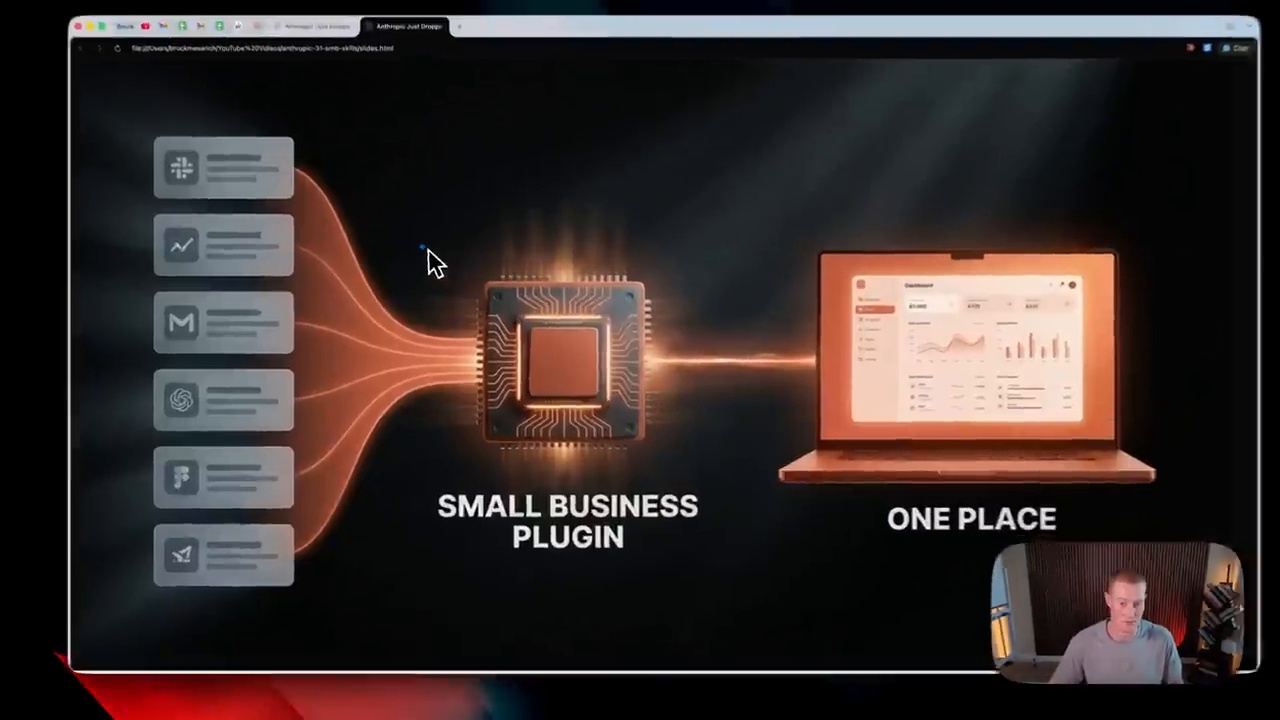
This fuller English adaptation follows the Korean source on Claude Skills for small businesses. The key claim is that a Skill is not just a smarter chatbot prompt. It can package repeatable work, connect data, and help small teams automate routines that normally consume the owner’s morning and attention.
Small businesses often do not have dedicated operations teams. The owner or manager checks sales, messages, invoices, appointments, hiring, inventory, and customer issues personally. A general chatbot can answer questions, but it does not automatically know the business context or the repeated format of work.
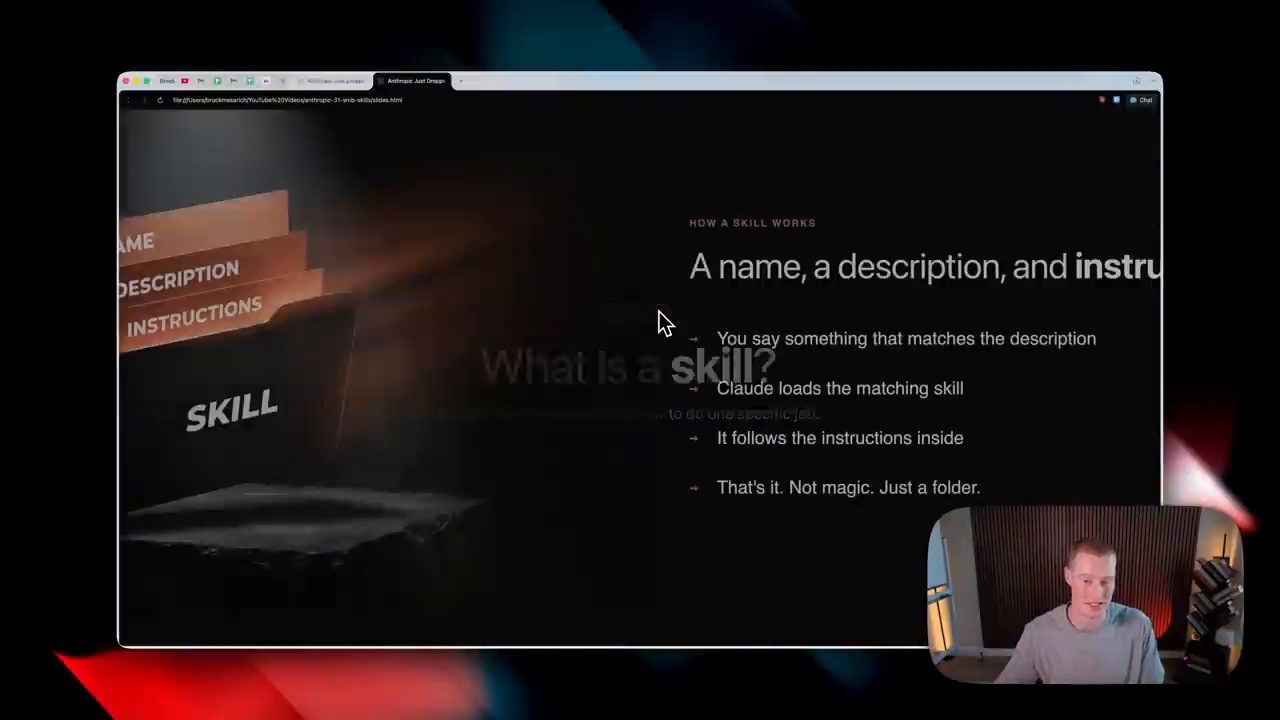
A Claude Skill can bundle instructions, templates, files, and workflow logic so that the AI performs a specific job more consistently. That is why the source article describes the shift from chatbot to workflow automation.
Business Pulse: Turning the Day Into One Briefing
Reducing the morning check burden
Business Pulse represents a daily briefing workflow. Instead of opening multiple apps to check orders, calendar items, reviews, messages, and urgent tasks, the owner receives a summarized snapshot. The value is not only speed; it is attention management. A clear briefing helps the owner decide what must be handled first.
For a small shop, salon, restaurant, agency, or local service business, this can reduce the feeling of being scattered across tools. The Skill becomes a morning operations packet that organizes signals into actions.
Invoice Chase: Where Receivables Management Becomes Automated
Data connection matters more than automatic email
Invoice Chase shows why connected data matters. Sending a reminder email is easy; knowing which invoice is overdue, who has already replied, what tone is appropriate, and whether the customer is important requires context. A Skill can combine invoice data, customer history, and approved message templates.
The Korean source highlights that automation should not mean careless pressure. Human review may remain important for sensitive customers, disputes, or large balances. But routine follow-ups can be standardized so that cash flow does not depend on memory.
Job Post Builder: Hiring Work Becomes a Packet
small business daily briefing automation.
Improving consistency in hiring documents
Small businesses hire part-time staff, service workers, assistants, or specialists without a formal HR department. Job Post Builder can turn a role description into a consistent posting with responsibilities, requirements, schedule, compensation details, and evaluation criteria.
This helps avoid vague hiring posts. It also lets the business reuse successful templates. Over time, the hiring process becomes a packet: job definition, posting, screening questions, interview guide, and follow-up message.
App Connectors and MCP Create Executable AI
The article connects Claude Skills with app connectors and MCP because execution requires access to real systems. A Skill becomes more useful when it can read approved documents, calendars, invoices, or CRM data. MCP-style connections can make that access more structured and permissioned.
The practical lesson is that workflow automation needs both intelligence and connection. Without data, the AI guesses. With uncontrolled data, the AI becomes risky. The correct middle is permissioned access to the minimum information needed for the task.
Security and Permissions Before Adoption
invoice and email workflow automation.
Tasks where human review must remain
Small businesses should not automate everything blindly. Payments, legal messages, hiring decisions, customer refunds, medical or financial advice, and public posts should keep human review. Credentials should never be pasted into chats. Access should be limited, logged, and revoked when no longer needed.
Practical Benefits for Small Business Owners
The benefits are concrete: fewer repetitive checks, faster document creation, more consistent customer communication, better receivables follow-up, and less dependence on the owner’s memory. The deeper benefit is that small businesses can operate with a level of process discipline that previously required larger teams.
A useful way to start is to choose one daily pain point rather than automate the whole business at once. If the owner spends thirty minutes every morning checking messages and unpaid invoices, that is a good first workflow. If hiring posts are inconsistent, Job Post Builder is a better starting point. Small wins build trust and reveal where data connections are still weak.
Related Reading
Continue with these related Thinknote English articles in the Digital Transformation cluster.
This article explains a digital transformation, platform, market-structure, or technology-adoption topic with Korea-specific context and global implications.
How should I use this guide?
Use it to understand market signals and strategic patterns. Combine it with current market data before making business or investment decisions.
This English version is a fuller translation and adaptation of the original Korean article, “AI 시대의 승자는 무엇을 준비할까? 세바시 강연 6편에서 뽑은 핵심,” for global readers. The article explores the essential skills and mindset required to thrive in the AI era, based on a collection of lectures by six experts. As AI becomes a fundamental tool for work, study, and creativity, the true difference lies in the ability to read the changing flow, redefine problems, and create value that resonates with people.
Winners in the AI Era Read the Structure of Change
According to Jang Dong-seon, change is not just about the emergence of new products, but about altering people’s behavior, relationships, and social systems. The true power of change lies in its ability to transform these fundamental aspects of human society. In the context of AI, it’s essential to look beyond the surface level of new tools and technologies and understand the underlying structure of change.
Direction of Change is More Important than Tool Names
The names of AI tools are constantly changing, and what’s trendy today may become a basic function tomorrow. Instead of asking “which tool should I learn,” it’s more important to ask: What behavior does this technology make easier? Why do people choose this technology? What assumptions in my work are being challenged? What new expectations will customers, colleagues, and organizations have as a result of this change? Winners in the AI era focus on understanding the structure of change rather than just following new features.
AI literacy and future scenarios.
In an Uncertain Future, Multiple Scenarios are Necessary
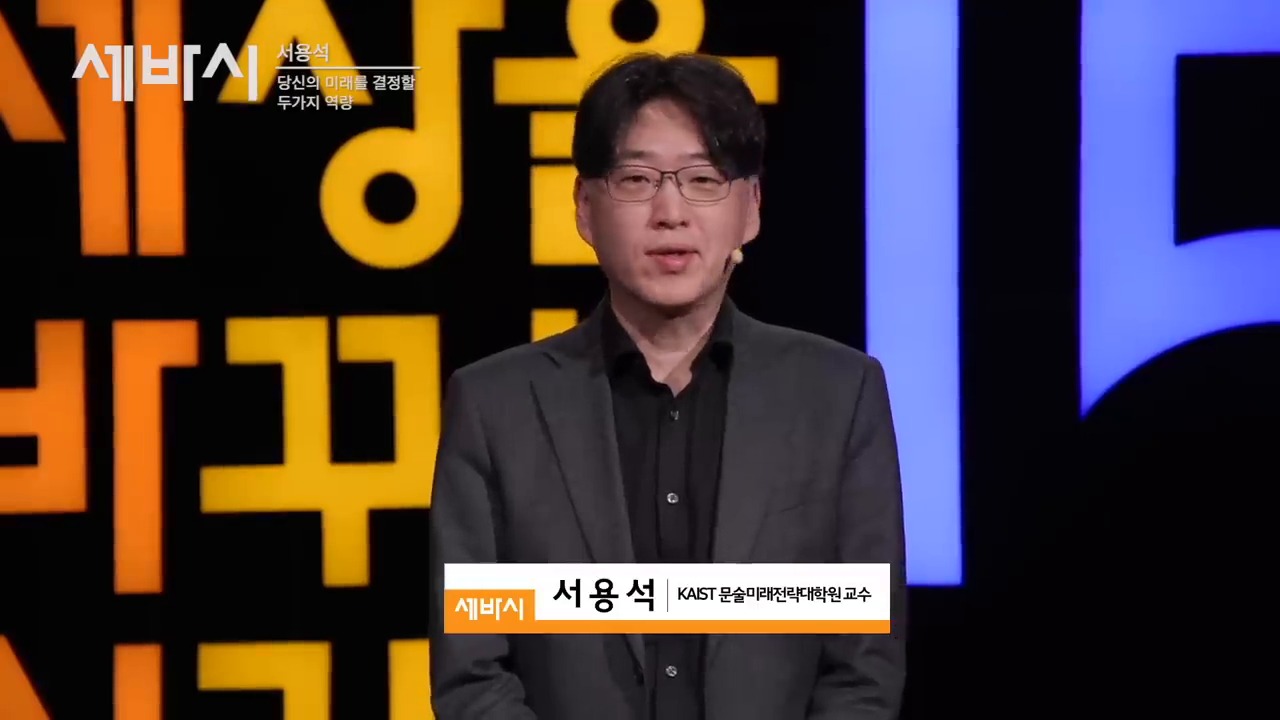
Seo Yong-seok describes the current era as one of “super uncertainty,” characterized by climate crises, geopolitical conflicts, technological shocks, and economic changes. In such an environment, making definitive predictions about the future can be hazardous. Instead, it’s essential to develop the ability to imagine multiple possible futures and prepare for various scenarios.
Future Literacy is the Ability to Reduce Shock
Future literacy is not about predicting the future accurately but about being able to imagine multiple possible futures and prepare for them. This ability is crucial for individuals and organizations to navigate the complexities of the AI era. By developing future literacy, we can reduce the shock of unexpected events and create a more resilient and adaptable mindset.
human relationships in the AI era.
AI Proximity Increases the Importance of Human Relationship Safety Nets
Kim Sang-gyun highlights the potential for people to become emotionally dependent on AI characters and conversational technologies. As AI becomes more natural and responsive, we may start to see it as a relationship partner rather than just a machine. However, this can lead to a weakening of human relationships if we rely too heavily on AI for emotional support.
AI Utilization Ability Includes Boundary Sense
While AI can be useful for providing comfort, advice, and conversation, it’s essential to maintain a sense of boundaries and not rely solely on AI for emotional support. In the workplace, AI can assist with tasks, but human judgment, responsibility, and trust-building are still essential. A strong safety net in the AI era requires a combination of technological proficiency, boundary sense, and human relationships.
problem solving with AI tools.
Literacy is the Basic Fitness for the AI Era
Lee Jung-mo emphasizes that literacy is not just about reading texts but about understanding information, connecting contexts, and evaluating the validity of explanations. In an era where AI can generate answers quickly, literacy is more crucial than ever. It’s essential to develop the ability to critically evaluate AI-generated content and ask questions like: What is the basis for this answer? Are there any missing conditions? Are there alternative interpretations?
Answer-Receiving Ability is Less Important than Answer-Judging Ability
AI can produce plausible sentences rapidly, but that doesn’t mean they are always accurate or relevant. It’s essential to develop the ability to judge answers critically, considering factors like context, assumptions, and potential biases. By doing so, we can use AI-generated content as a starting point for further inquiry and exploration.
AI era checklist for work and learning.
AI is a Problem-Solving Tool, Not a Technology for Show
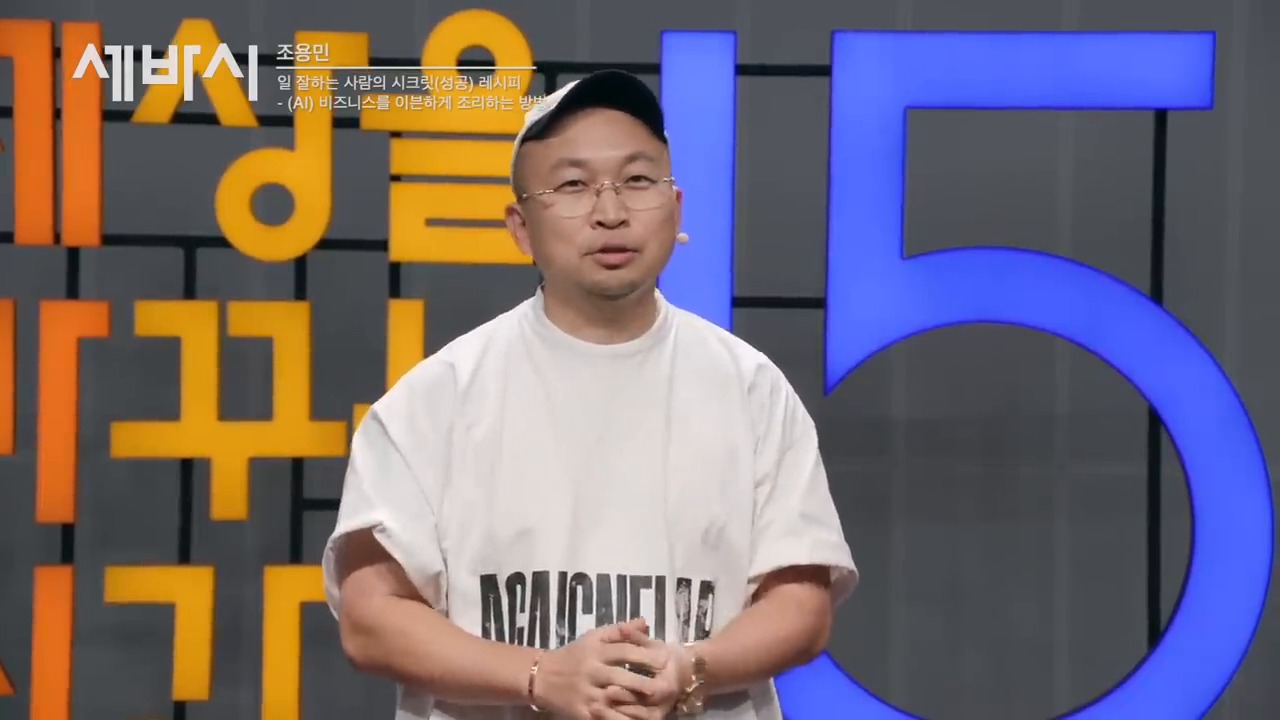
Jo Yong-min cautions against adopting AI as a trendy technology without a clear understanding of its purpose. True utilization of AI begins when we accurately identify the problems we want to solve. It’s essential to define problems clearly, break them down into smaller parts, and distinguish between tasks that AI can handle and those that require human judgment.
Good AI Utilization Starts with Problem Definition
Instead of asking “should we use AI,” it’s more important to ask “what problem do we want to solve with AI?” By focusing on problem definition, we can use AI as a tool to enhance productivity and creativity, rather than just as a means to showcase technology.
Ultimately, Human-Selected Value is the Survival Strategy
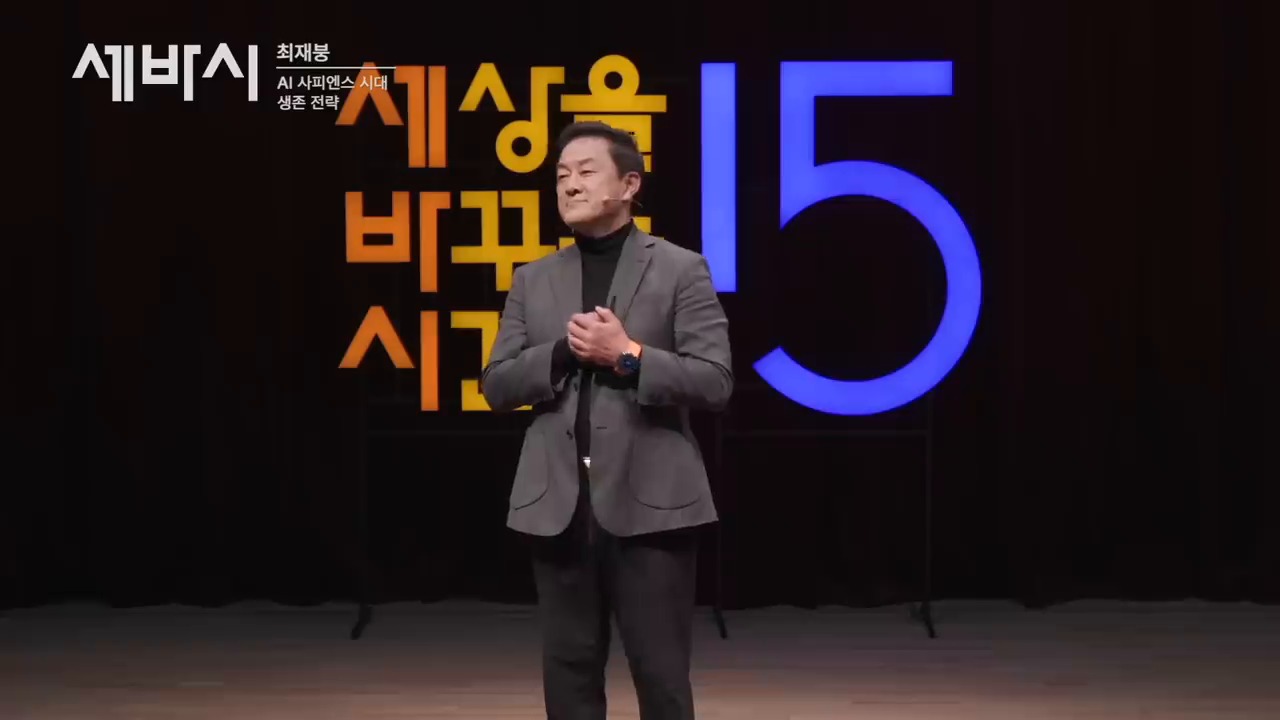
Choi Jae-bung emphasizes that while AI can accelerate production and reduce costs, the ultimate value lies in being chosen by people. Whether it’s a product, service, or idea, its value is determined by the people who use it, interact with it, and recommend it to others. In the AI era, it’s essential to develop the ability to understand human problems, design better experiences, and build trust.
Subscriptions and Likes are Not Just Simple Buttons
Subscriptions and likes are digital signals of human selection. People invest time in things that are helpful, enjoyable, trustworthy, and meaningful to them. Companies and individuals who fail to receive these signals may struggle to survive, even with advanced AI capabilities. Therefore, preparation for the AI era requires a combination of technological proficiency, human understanding, and trust-building abilities.
Practical Checklist for Winners in the AI Era
To prepare for the AI era, it’s essential to start with small, practical steps. Here’s a checklist to get you started: Measure the time saved by using AI for one task per week, review AI-generated content for accuracy and context, distinguish between repetitive and judgment-based tasks, record customer or colleague pain points, and manage human relationships, trust, and communication alongside AI utilization. Remember, the key is not just about knowing AI but about using it to solve problems, create value, and build meaningful relationships.
Related Reading
Continue with these related Thinknote English articles in the Digital Transformation cluster.
This article explains a digital transformation, platform, market-structure, or technology-adoption topic with Korea-specific context and global implications.
How should I use this guide?
Use it to understand market signals and strategic patterns. Combine it with current market data before making business or investment decisions.
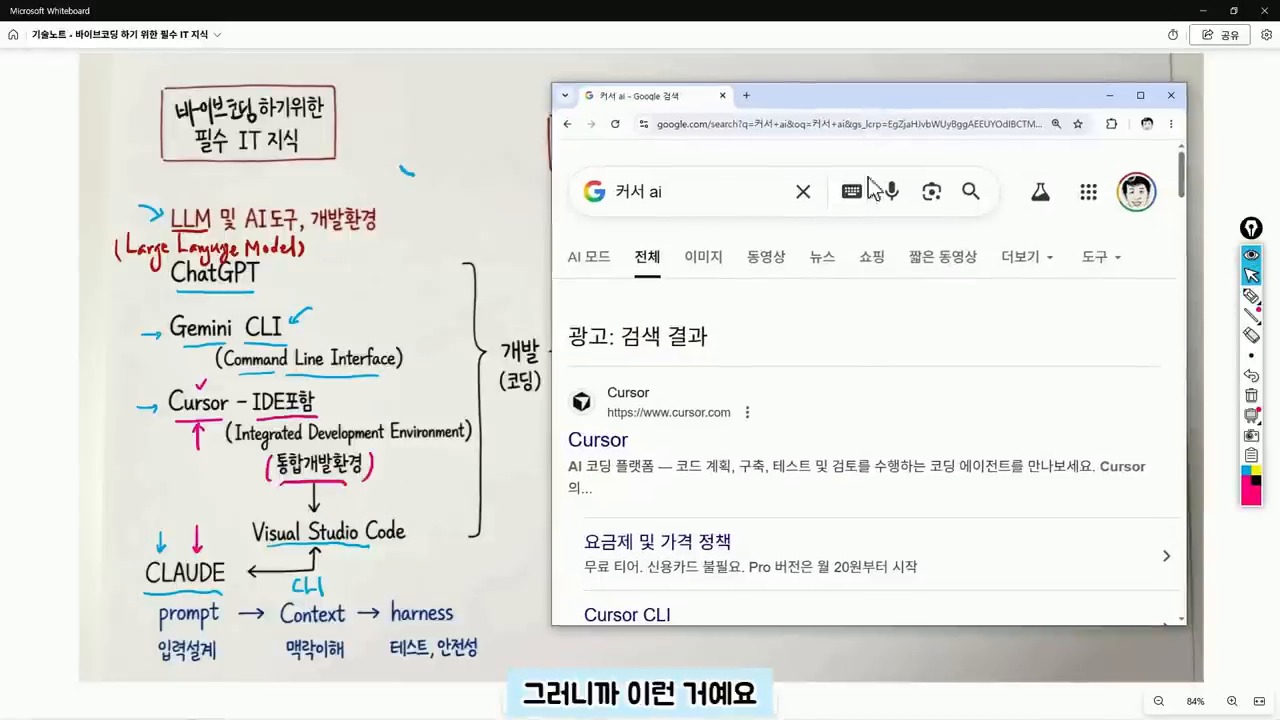
This English version is a fuller translation and adaptation of the original Korean article, “바이브 코딩 입문자가 막히는 이유, 코딩보다 먼저 알아야 할 IT 지도,” for global readers. The article discusses the importance of understanding the basics of IT and coding before diving into vibe coding, a new way of coding that utilizes AI tools to generate code quickly. However, the article highlights that relying solely on AI tools can lead to confusion and frustration when dealing with errors and understanding the underlying structure of the code.
Understanding the Structure is More Important than the Tool
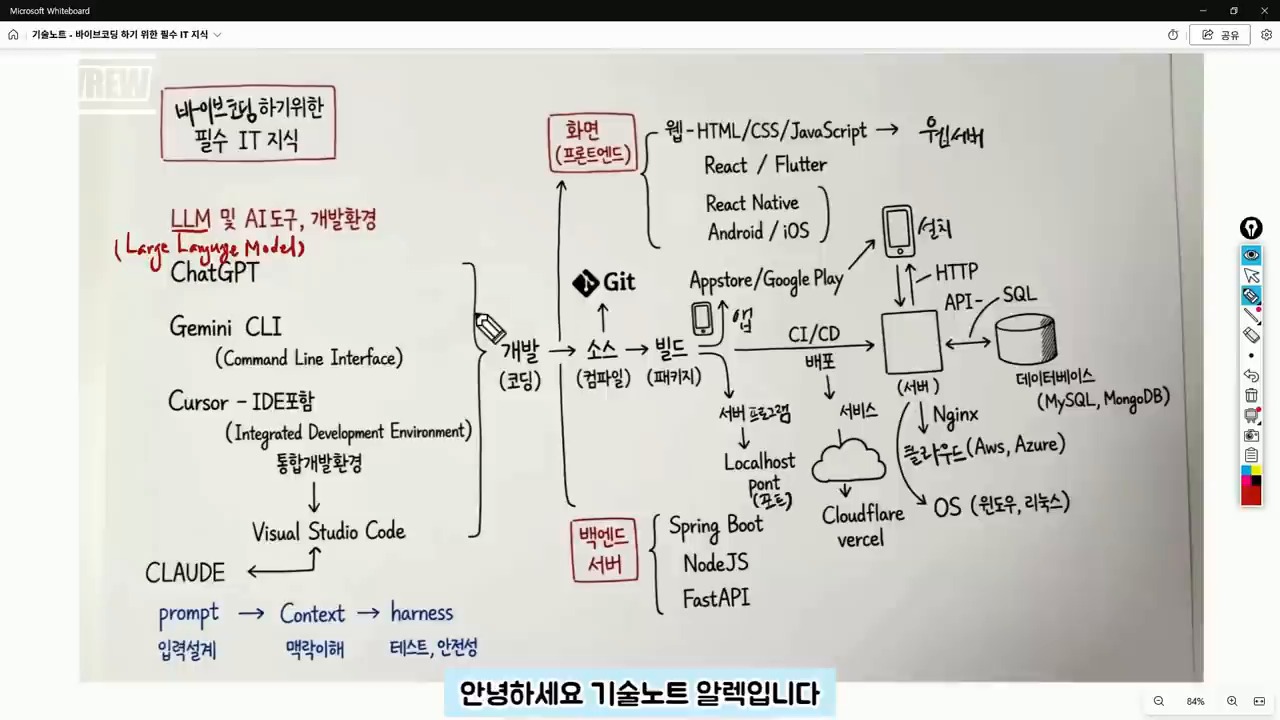
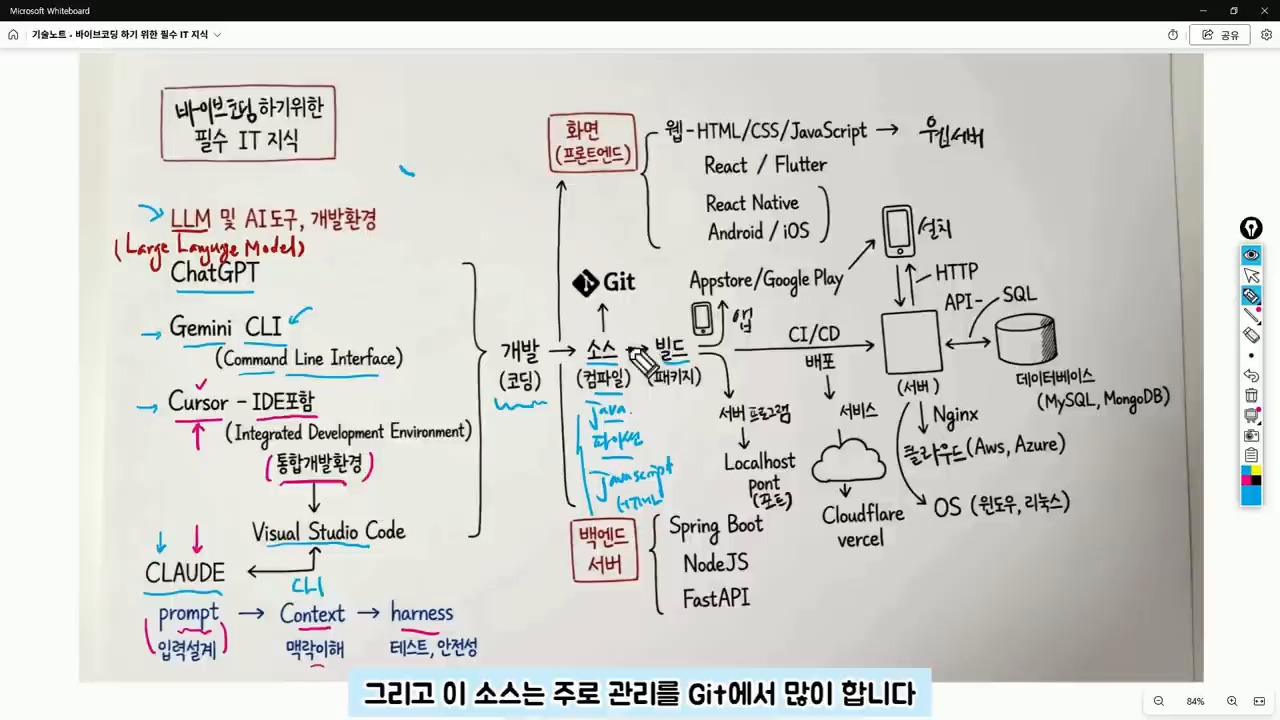
Even in an era where AI can write code for us, the fundamental structure of development remains the same. In fact, beginners need to have a broader understanding of the IT map to navigate and modify the code generated by AI tools. This includes understanding the difference between frontend and backend code, identifying errors, and knowing how to deploy the code to a server or cloud.
Judgment is Still a Human Responsibility
While AI can generate code quickly, it’s essential to remember that the user is still responsible for making judgments about the code. This includes answering questions such as: Is this code for the frontend or backend? Is the error due to an execution environment issue or a syntax problem? Will the result be deployed to the internet or only viewed on my local computer? What type of data storage will be used? By answering these questions, users can provide more specific instructions to the AI tool and get more accurate results.
AI coding tools and IDE basics.
ChatGPT, Claude, and Cursor are Not the Same
ChatGPT and Gemini are conversational AI tools that can be used to ask questions and receive answers. On the other hand, Cursor is a code editor that combines AI and development environment, making it closer to an integrated development environment (IDE). Claude is also a development assistant tool that can be used in conjunction with code editors. Understanding the differences between these tools is essential to choose the right one for the task at hand.
IDE is a Workshop for Handling Code
An IDE is a workshop where code is written, managed, and executed. It’s a development environment that connects coding, file management, and execution. Visual Studio Code and Cursor are examples of IDEs. When starting with vibe coding, it’s essential to separate the task of choosing an AI tool from understanding the development environment. Regardless of the AI tool used, the code is still stored in files and modified within the development environment.
Git and GitHub for beginners.
Context is More Important than Prompt
Initially, AI utilization focused on crafting the perfect prompt. However, now it’s more important to provide context to the AI tool. Context refers to the surrounding circumstances that the AI needs to make a judgment. By providing information such as project purpose, current file structure, error messages, and desired output format, the AI can provide more accurate answers. For example, instead of saying “create a login feature,” it’s better to say “I have a React frontend and a FastAPI backend, and I want to implement a login feature using JWT. I’m currently getting a 401 error.”
Source Code and GitHub are Essential
The result of AI-generated code is still source code, which is a file written in a programming language such as Java, Python, or JavaScript. It’s essential to manage these files and track changes using a version control system like Git. GitHub is a service that stores and manages code repositories, making it possible to collaborate with others and track changes.
frontend backend API and server basics.
Git is a Tool for Managing Change History
Git is a tool that manages the change history of code. GitHub is a service that stores and manages code repositories. While Git may seem challenging at first, understanding the basic concepts of repositories, commits, branches, and pushes is essential. In vibe coding, GitHub is crucial because it allows users to revert to previous versions of the code, work on the same project from different computers, and collaborate with others.
Build and Execution are the Processes of Turning Code into a Service
Source code is not the final product. Depending on the language and environment, the code may need to be compiled or built before it can be executed. In web projects, libraries and configuration files are bundled together to create a deployable result. When the AI tool reports a “build error,” it’s not just a syntax problem. The issue could be related to library versions, environment variables, execution commands, or folder locations. Therefore, vibe coding beginners need to develop the ability to read code and understand project structure.
deployment and database concepts for AI coding.
Distinguishing Between Frontend and Backend Reduces Errors
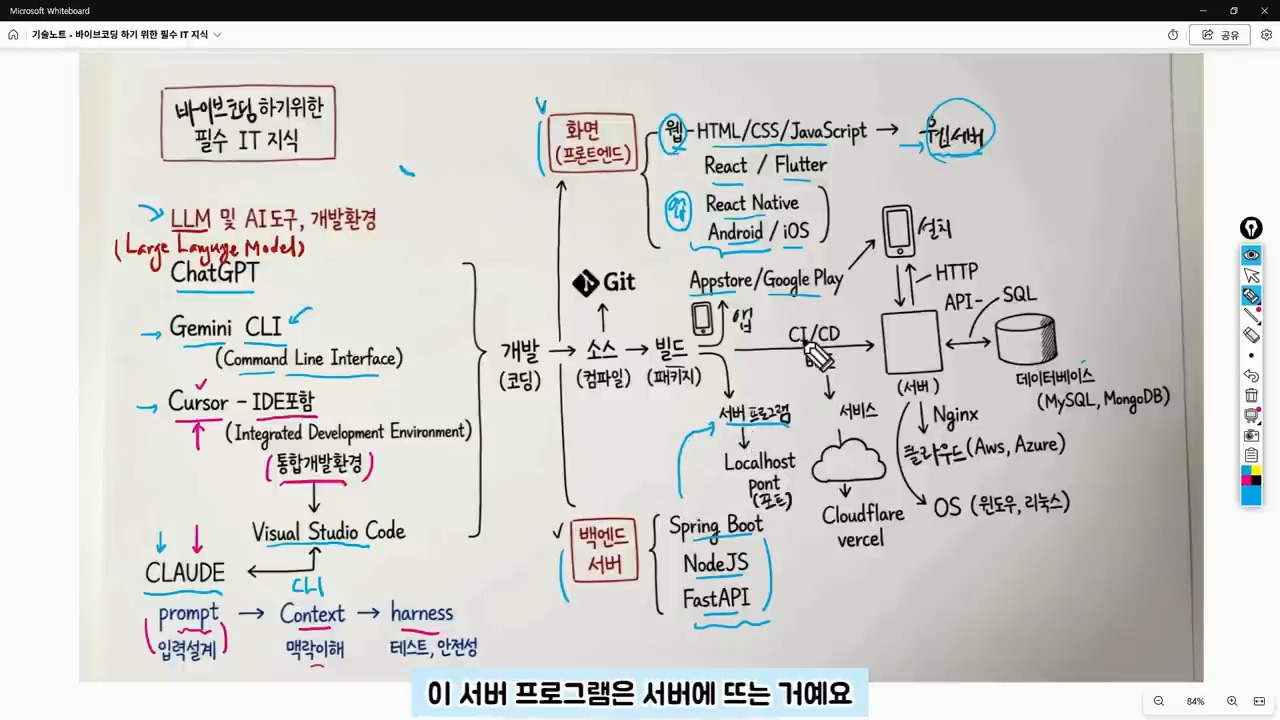
The frontend refers to the area responsible for creating the user interface, including web screens, app screens, buttons, input fields, lists, and designs. React, React Native, and Flutter are popular tools for frontend development. The backend, on the other hand, refers to the server-side program that handles data processing, login, posting, payment processing, and data retrieval. Spring Boot, Node.js, and FastAPI are popular frameworks for backend development.
Backend Handles Data Processing Behind the Scenes
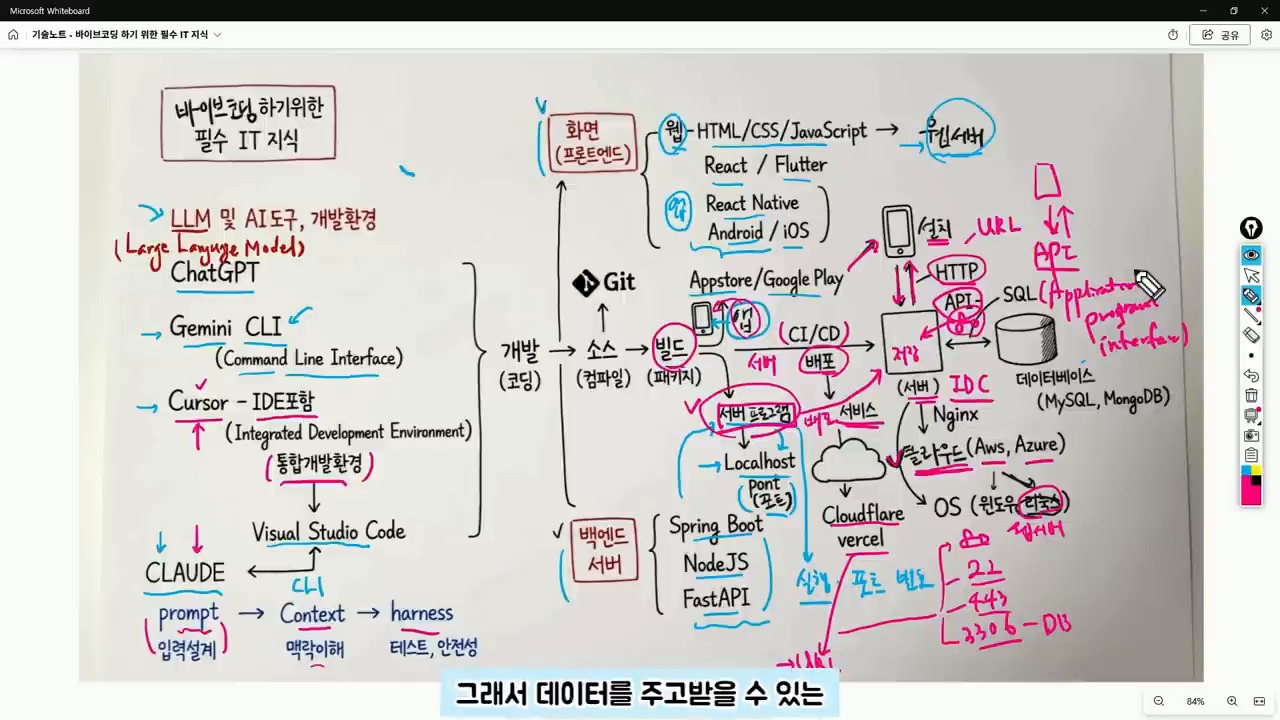
When creating an app using vibe coding, if the screen is visible but data is not being saved, it’s not just a frontend issue. The backend API, server execution status, and database connection also need to be checked. Understanding the structure of the web and app, including the client-server relationship, makes it easier to identify and solve problems.
Server, Port, API, and Database are Essential Concepts After Deployment
A server program runs on a specific port. Web servers often run on ports 80 or 443. During development, ports 3000, 5000, or 8000 are commonly used. Understanding the concepts of URL, HTTP, and API is essential for deploying and managing web services. When encountering errors such as “CORS error,” “404,” “500,” or “connection refused,” it’s essential to understand the underlying causes, which often relate to address, port, server execution, API path, or permission issues.
API is the Channel for Client-Server Communication
An API is an agreement between the client and server for exchanging data. GET is used for retrieving data, POST for sending new data, PUT for modifying data, and DELETE for deleting data. JSON is a common format for API responses. A database is a space for storing actual data, and SQL is a language for querying or modifying data in the database.
A Suggested Order for Learning
It’s not necessary to learn all the technologies at once. Instead, following a suggested order can help reduce confusion and errors. By understanding the basics of IT and coding, including the concepts of frontend, backend, server, API, and database, users can ask more specific questions to the AI tool and get more accurate results.
Related Reading
Continue with these related Thinknote English articles in the Digital Transformation cluster.
This article explains a digital transformation, platform, market-structure, or technology-adoption topic with Korea-specific context and global implications.
How should I use this guide?
Use it to understand market signals and strategic patterns. Combine it with current market data before making business or investment decisions.
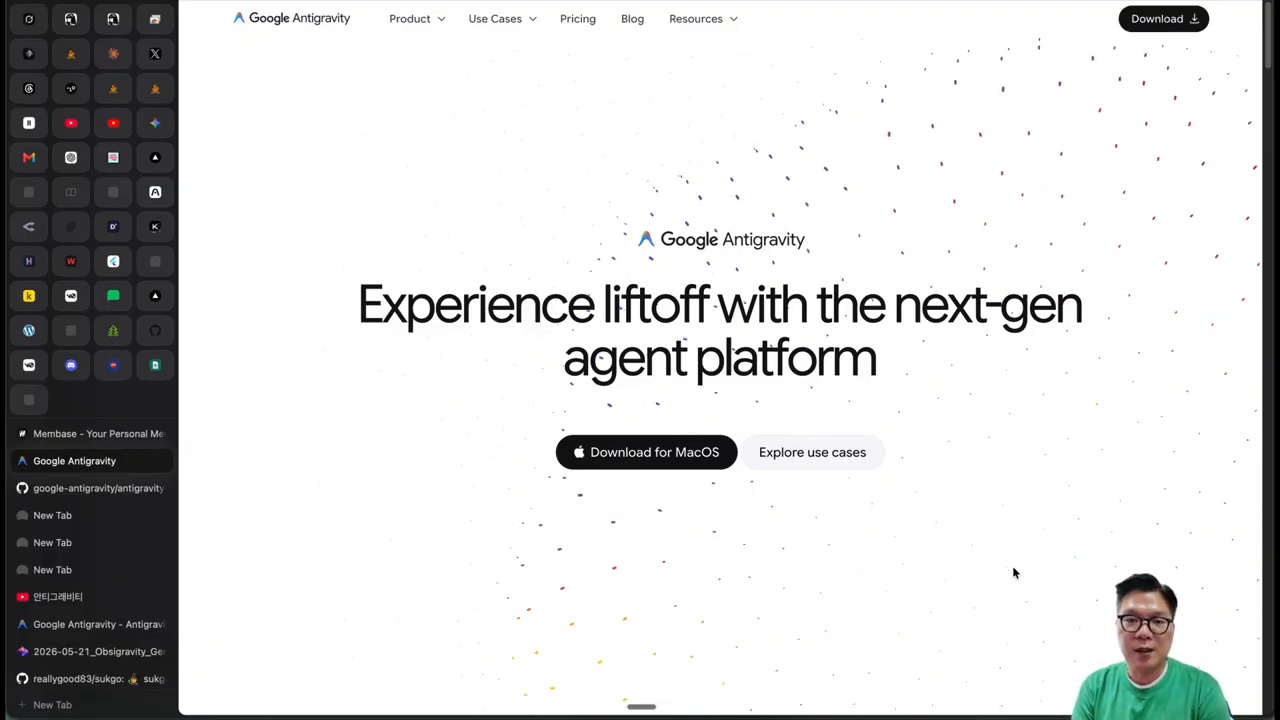
This fuller English adaptation follows the Korean source on Antigravity CLI, Obsidian, and OpsiGravity. The important point is that the combination should not be seen as “just another note app setup.” It points to a workflow where notes, images, search, and external AI tools become one operational knowledge hub.
Why the Antigravity CLI and Obsidian Combination Matters
Look first at the work hub, not the note app
Obsidian is powerful because it stores knowledge in local Markdown files and lets users build links between ideas. Antigravity CLI adds a command-line AI layer. OpsiGravity connects these into a workflow where notes can become prompts, image inputs, research seeds, and reusable knowledge units.
The Korean source argues that the key is not the novelty of a plugin. It is the change in work structure. A note is no longer a passive archive. It becomes an input that can trigger generation, search, rewriting, splitting, and connection.
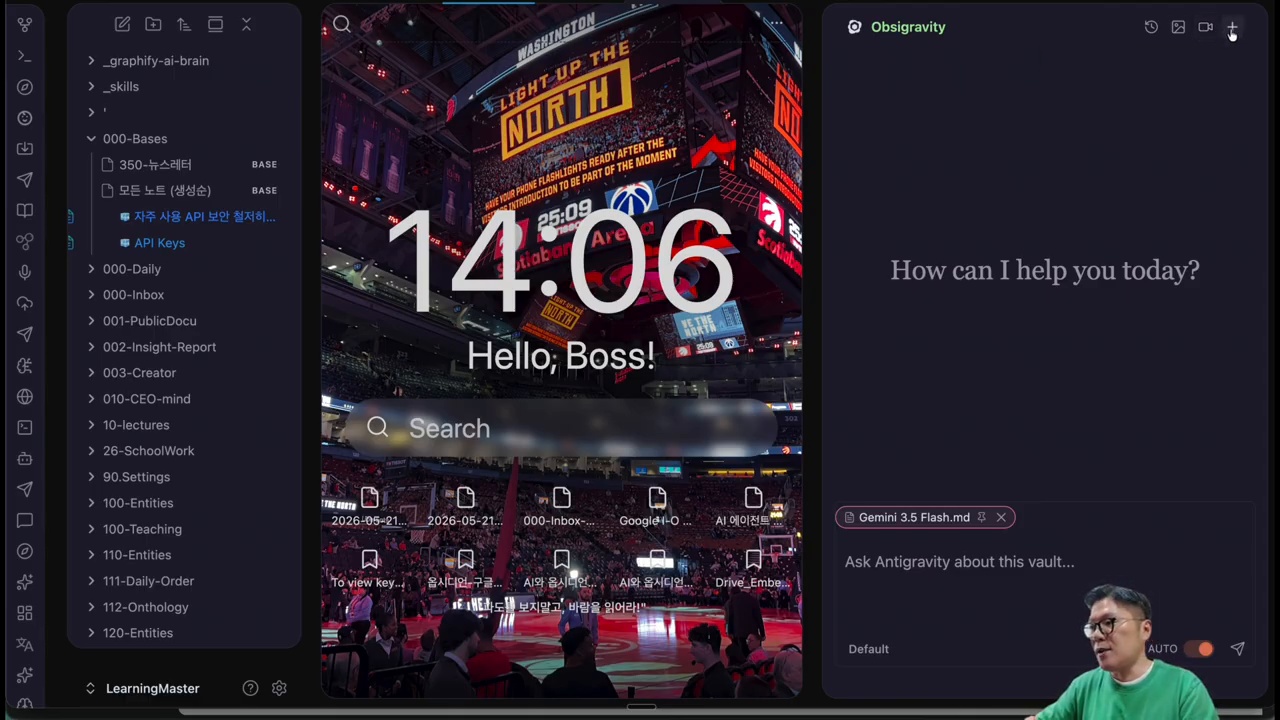
What Is OpsiGravity?
Main features shown in OpsiGravity
OpsiGravity is presented as an automation layer that links Obsidian notes with Antigravity CLI and related tools. It can use the content of a note as context, support image generation flows, help restructure long documents, and connect to external search or build tools. For knowledge workers, this means the same note can support writing, research, visual ideation, and task execution.
The source is careful not to treat it as magic. The quality of output depends on the quality of notes, prompts, files, and review. But when the workflow is organized, the user can reduce context switching between note app, browser, AI chat, image tool, and terminal.
Creating Note-Based Images With Antigravity CLI
Advantages and limits of image generation
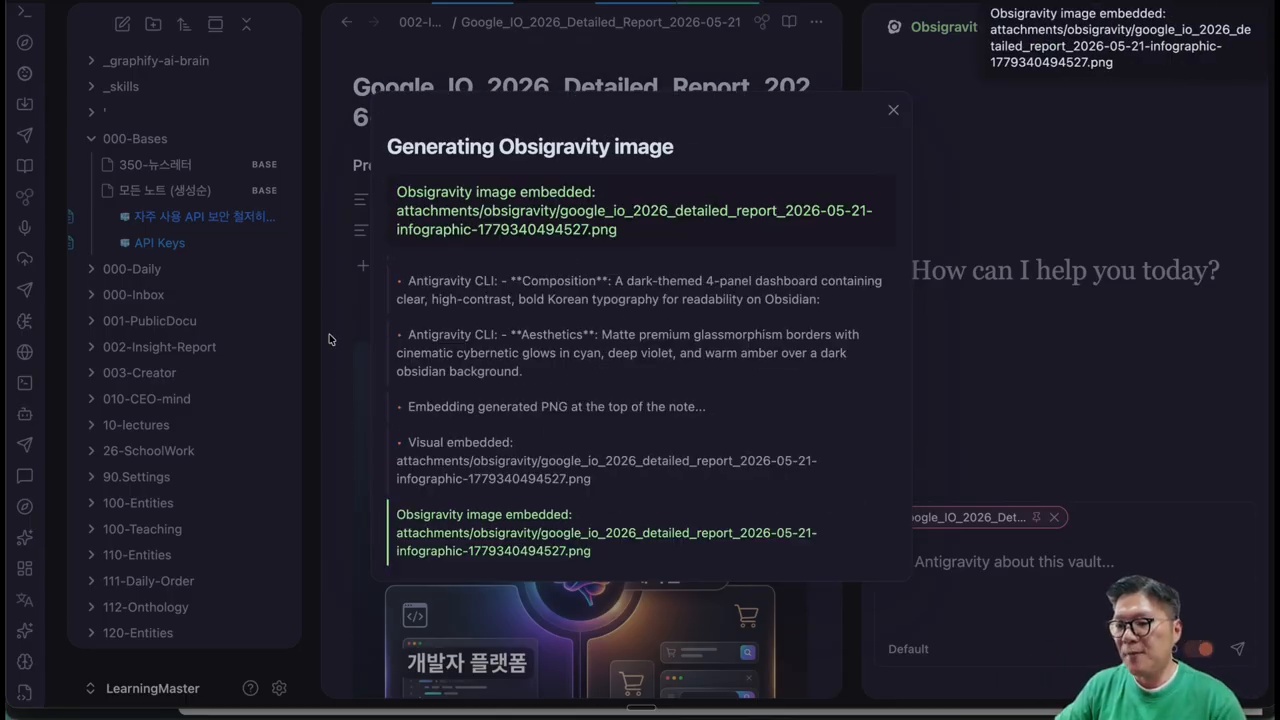
One practical flow is turning a note into an image prompt. A user may write a concept, brand direction, scene description, or article outline in Obsidian, then ask the CLI workflow to generate an image based on that note. This is useful for blog thumbnails, presentation visuals, mood boards, and ideation.
However, image generation still needs human taste. The model may misunderstand tone, produce visual artifacts, or miss brand consistency. The source article’s practical view is that AI images are helpful drafts, not automatic final assets. Users should keep prompts, outputs, and revisions together so the process improves over time.
Note Surgeon and Atomic Split for Knowledge Management
Obsidian as an AI work hub with OpsiGravity.
Turning long reports into reusable notes
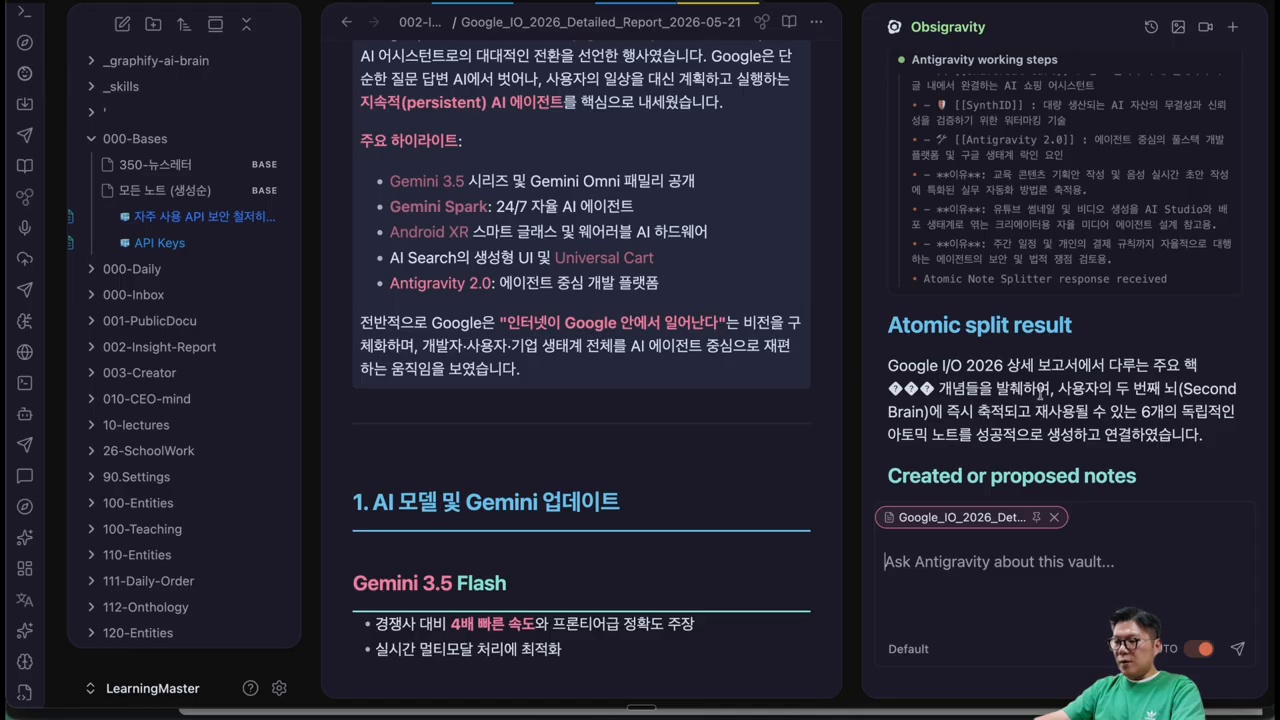
Long documents are difficult to reuse. Note Surgeon and Atomic Split represent the idea of cutting a long report into smaller, linked notes. Each atomic note can contain one claim, one concept, one example, or one action item. This makes future writing and research easier.
The value is not only tidiness. Atomic notes give AI cleaner context. Instead of feeding an entire messy document into a model, the user can provide focused notes with clear titles and links. This improves retrieval, summarization, and recombination.
Why Connect Grok Build and X-Search?
The meaning of external CLI connectors
The source article discusses connecting external tools such as Grok Build and X-search because knowledge work often requires fresh information and executable steps. Notes contain internal knowledge; search brings outside signals; CLI tools turn ideas into actions. A connected workflow lets the user move from “I wrote this down” to “I researched, generated, revised, and executed it.”
This kind of connector also raises responsibility. Search results may be noisy, APIs may change, and generated outputs require review. The workflow should store sources, dates, and decisions so the user can audit what happened later.
Installation and Basic Setup
AI image generation from Obsidian notes.
Setup checklist
Confirm that Obsidian vault files are backed up before automation.
Install and test the required CLI tools in a controlled folder.
Create a small sample vault before running workflows on important notes.
Define folders for prompts, generated images, research notes, and outputs.
Keep API keys and credentials outside notes and never commit them to a public repository.
Questions to Check Before Adoption
Before using this workflow seriously, ask what data will be sent to external models, whether private notes are included, how outputs are stored, and whether the process can be reproduced. The source article’s practical warning is that automation should increase control, not create hidden risk.
A safe vault structure matters
A practical setup separates private journals, credentials, published materials, research notes, and generated outputs. This prevents an automation command from accidentally sending sensitive personal information into an external model or overwriting important notes.
One-line summary
The workflow is valuable when it helps a user move from captured knowledge to reviewed output without losing sources, context, or control.
Conclusion: Notes Become an AI Work Hub
Note Surgeon and Atomic Split for knowledge management.
The one-line summary is that Antigravity CLI plus Obsidian turns notes into a work hub. The best use case is not random experimentation, but a repeatable system where ideas, sources, images, search, and execution remain connected.
Related Reading
Continue with these related Thinknote English articles in the Digital Transformation cluster.
This article explains a digital transformation, platform, market-structure, or technology-adoption topic with Korea-specific context and global implications.
How should I use this guide?
Use it to understand market signals and strategic patterns. Combine it with current market data before making business or investment decisions.
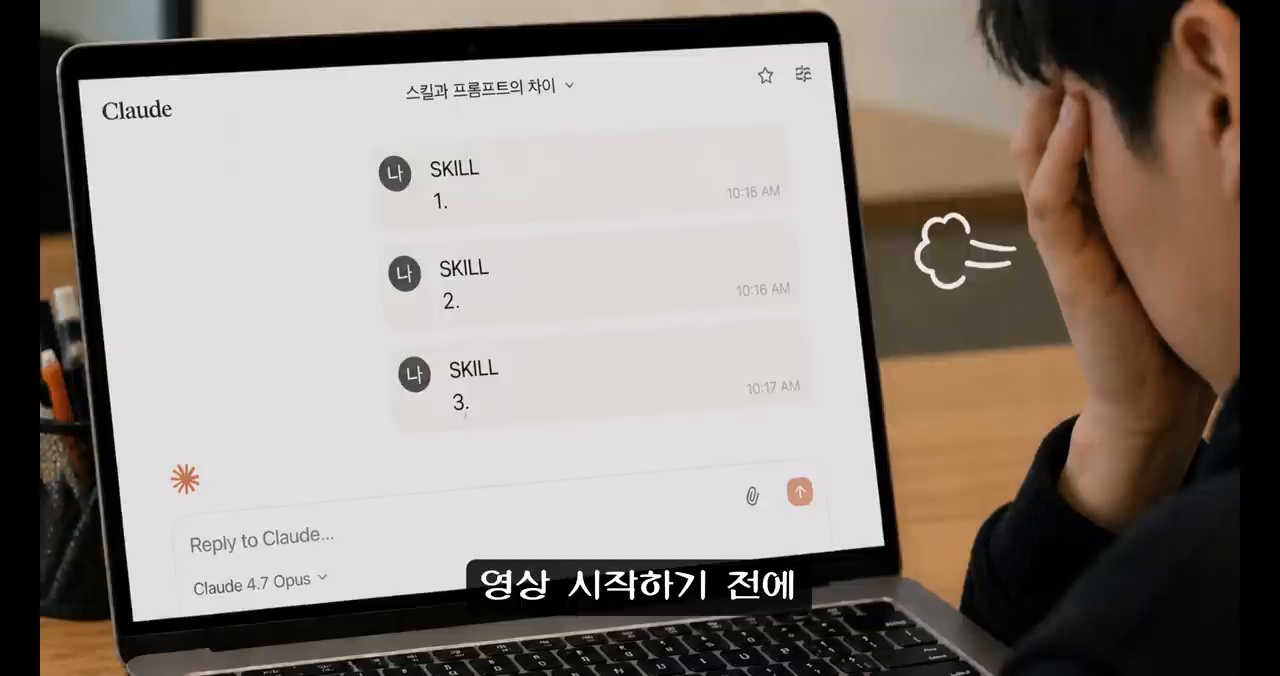
This English version is a fuller translation and adaptation of the original Korean article, “AI 스킬 만들기, 파일 3개로 시작하는 Claude·GPT 업무 자동화,” for global readers. The article discusses the importance of creating AI skills, which involves turning prompts into reusable work automation. It highlights the difference between project instructions and skills, and how skills can be used to automate repetitive tasks. The article also provides a step-by-step guide on how to create AI skills using Claude and GPT/Codex, and offers tips on how to review and refine the skills.
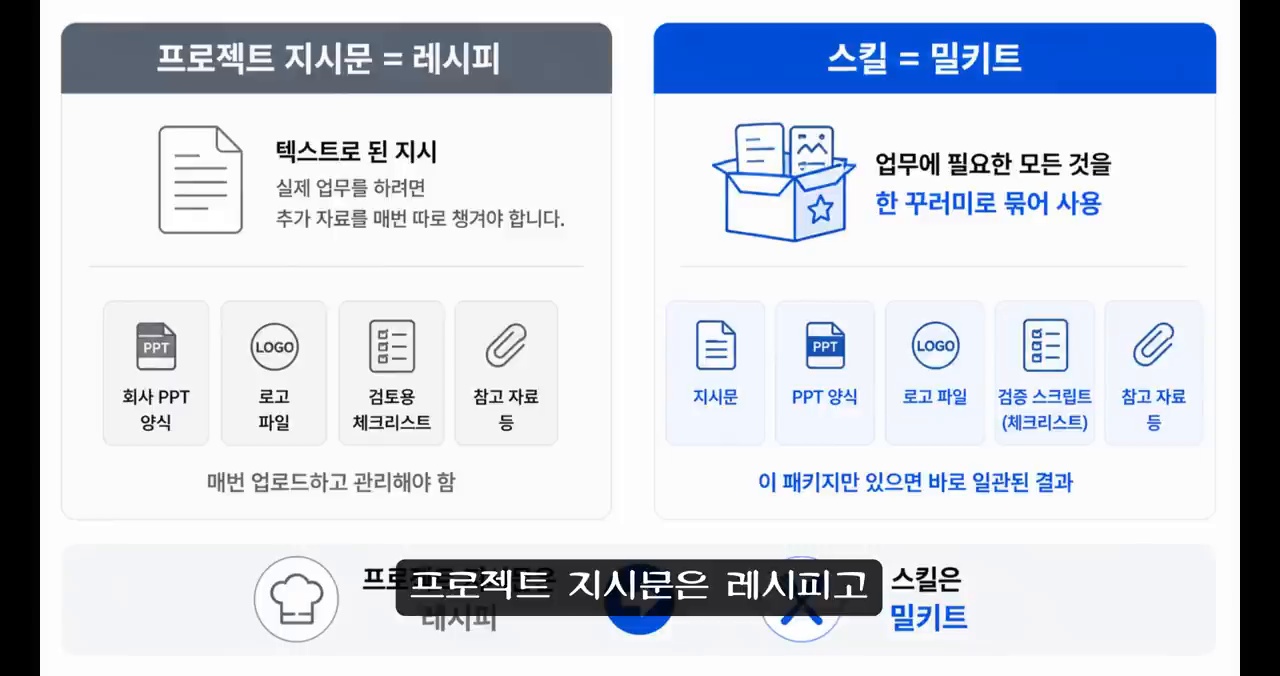
The process of creating AI skills involves turning prompts into reusable work automation. This means that instead of writing a new prompt every time, you can create a skill that can be reused multiple times. The article uses the analogy of a recipe and a meal kit to explain the difference between project instructions and skills. Just as a recipe provides a set of instructions for cooking a meal, a skill provides a set of instructions for completing a task.
Difference between Project Instructions and Skills
Project instructions are specific to a particular project and provide a set of rules for completing a task. Skills, on the other hand, are more general and can be applied to multiple projects. Skills can include not only the instructions for completing a task but also the necessary materials, tools, and standards. This means that skills can be used to automate repetitive tasks and improve efficiency.
AI skill package structure.
Why AI Skills are Important Now
AI skills are important now because they can be used to automate repetitive tasks and improve efficiency. The article highlights the difference between early AI systems, which were limited to answering simple questions, and modern AI systems, which can perform complex tasks and make decisions. The article also discusses the role of prompt engineering in creating AI skills, and how it has changed over time.
Role of Prompt Engineering
Prompt engineering involves designing and optimizing prompts to get the best results from an AI system. The article highlights the importance of structuring prompts to get the best results, and how this can be used to create AI skills. The article also provides examples of how prompt engineering can be used to create AI skills, such as creating a skill for generating reports or creating a skill for automating data entry.
SKILL.md as an execution guide.
Basic Structure of AI Skills
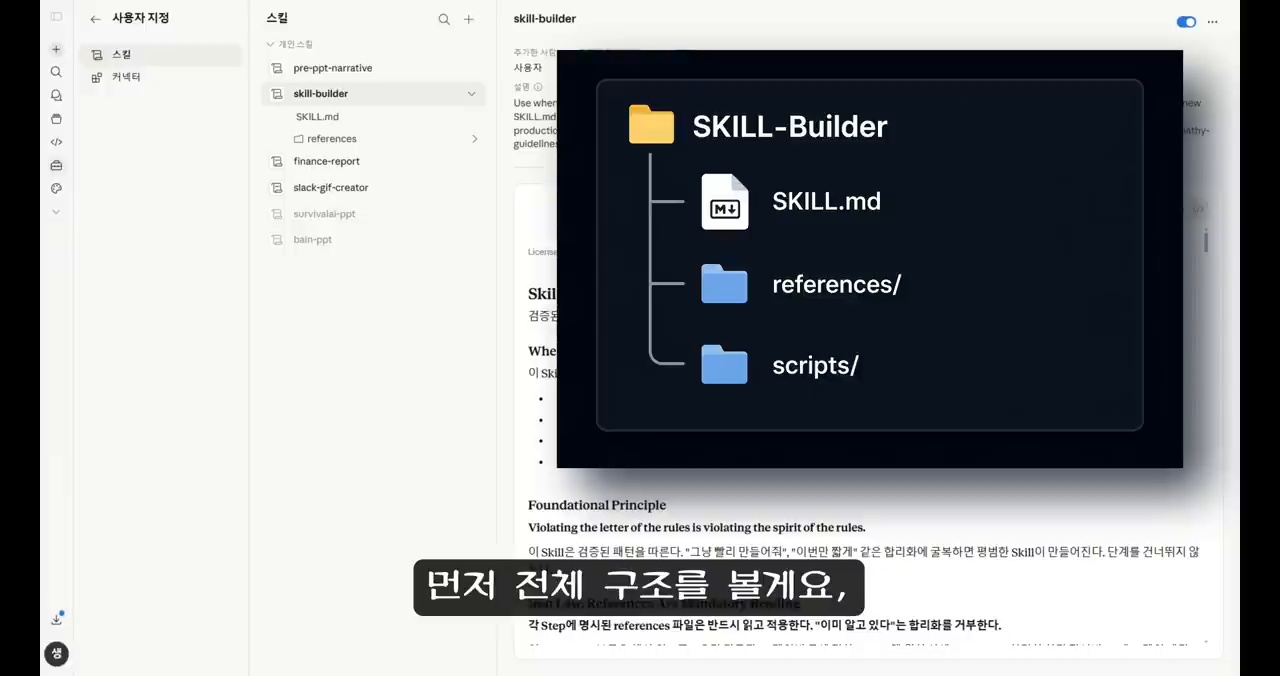
The basic structure of AI skills involves creating a set of instructions and materials that can be used to complete a task. The article highlights the importance of creating a clear and concise set of instructions, and how this can be used to create AI skills. The article also discusses the role of references and scripts in creating AI skills, and how these can be used to improve efficiency and accuracy.
SKILL.md: The Execution Manual
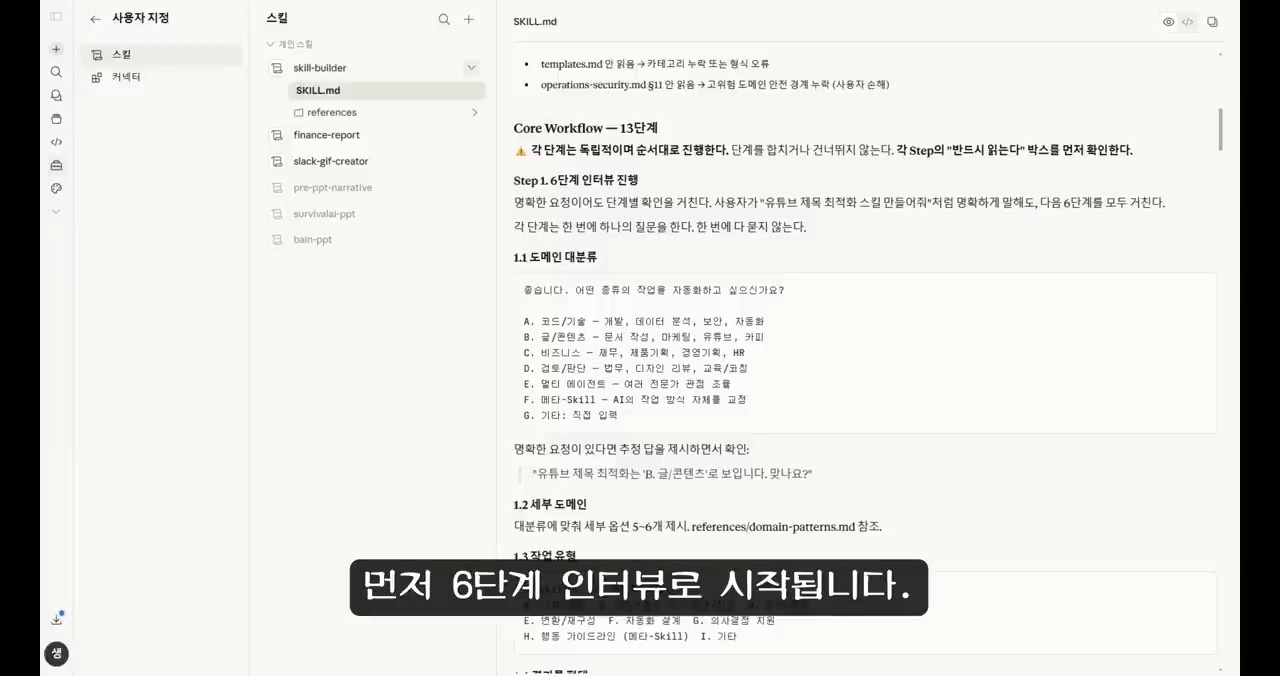
SKILL.md is the execution manual for an AI skill. It provides a set of instructions for completing a task, and can include information such as the materials and tools needed, the steps to follow, and the standards to meet. The article highlights the importance of creating a clear and concise SKILL.md, and how this can be used to create AI skills.
references and scripts for AI automation.
References: The Knowledge Base
References are the knowledge base for an AI skill. They provide additional information and materials that can be used to complete a task, such as documents, templates, and scripts. The article highlights the importance of creating a clear and concise set of references, and how these can be used to improve efficiency and accuracy.
Scripts: The Automation Tool
Scripts are the automation tool for an AI skill. They provide a set of instructions that can be used to automate repetitive tasks, such as data entry or report generation. The article highlights the importance of creating clear and concise scripts, and how these can be used to improve efficiency and accuracy.
Claude and GPT workflow automation.
Creating AI Skills: A Step-by-Step Guide
Creating AI skills involves a step-by-step process that includes defining the task, creating the SKILL.md, references, and scripts, and testing and refining the skill. The article provides a detailed guide on how to create AI skills using Claude and GPT/Codex, and offers tips on how to review and refine the skills.
Conclusion: AI Skills are the Assets of the AI Era
AI skills are the assets of the AI era. They can be used to automate repetitive tasks, improve efficiency, and enhance productivity. The article highlights the importance of creating AI skills, and how these can be used to improve business outcomes. The article also provides a checklist for creating AI skills, and offers tips on how to get started.
Related Reading
Continue with these related Thinknote English articles in the Digital Transformation cluster.
This article explains a digital transformation, platform, market-structure, or technology-adoption topic with Korea-specific context and global implications.
How should I use this guide?
Use it to understand market signals and strategic patterns. Combine it with current market data before making business or investment decisions.
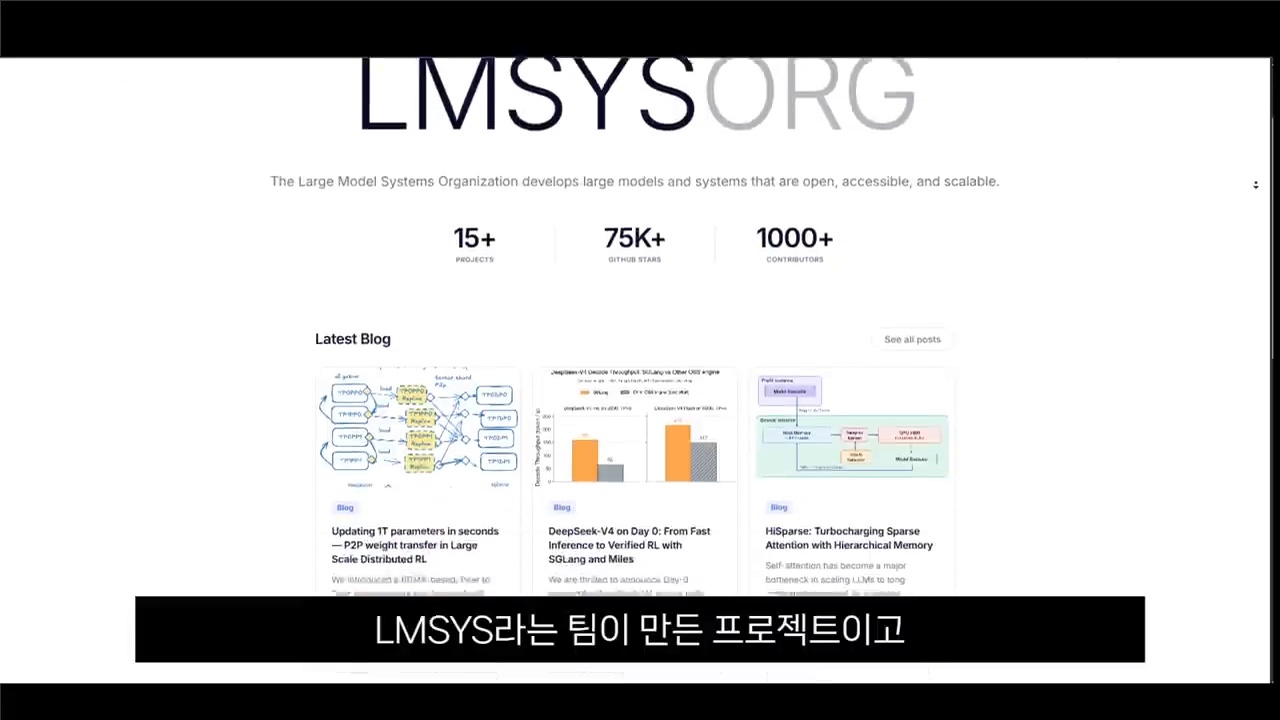
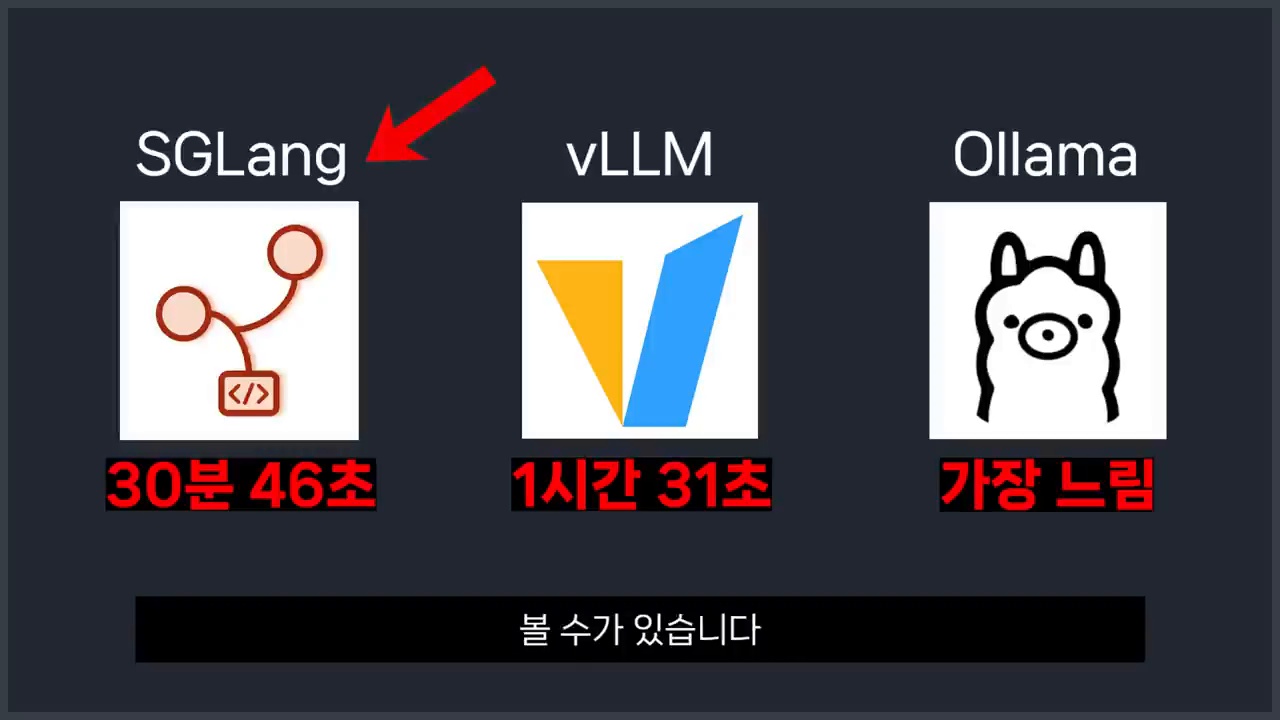
This fuller English adaptation follows the Korean source on SGLang as a local LLM serving engine. The article’s question is practical: after trying Ollama for easy local use and vLLM for high-throughput serving, when should teams consider SGLang?
SGLang is a local LLM serving engine built for high-throughput inference.
Why SGLang Is Getting Attention as a Local LLM Serving Engine
Closer to a service engine than a simple runner
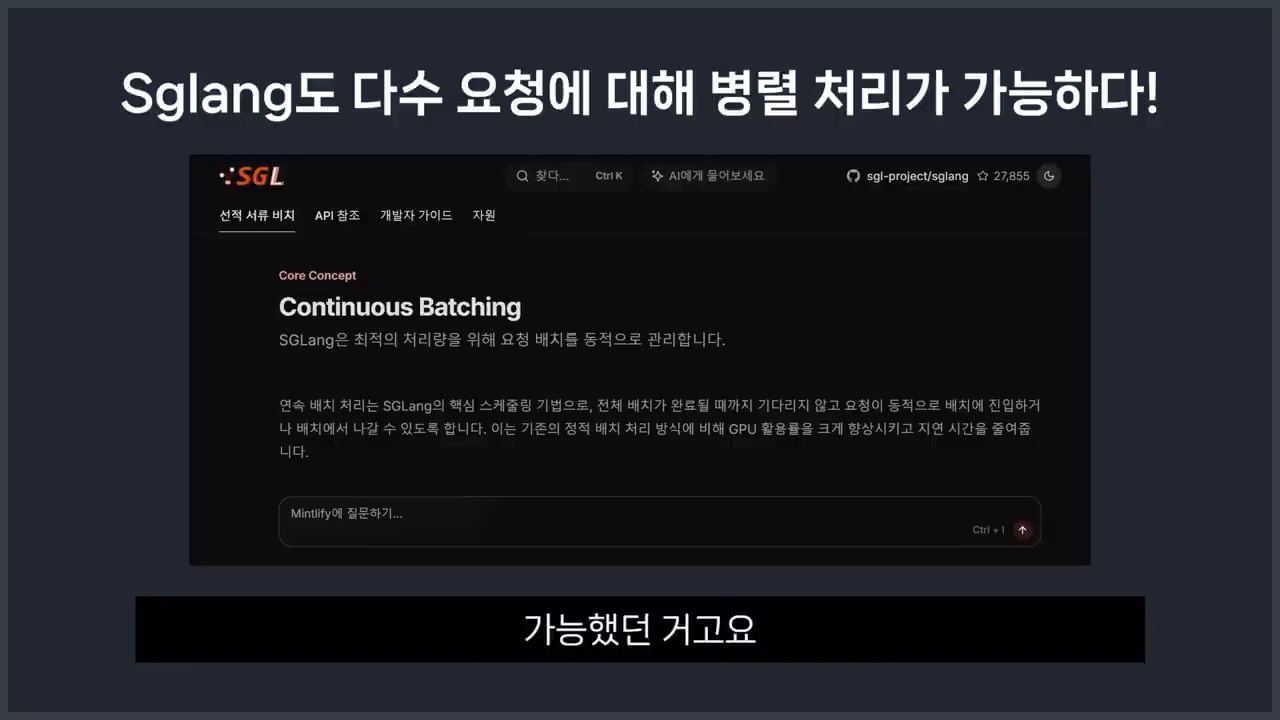
Ollama made local model testing convenient. But production-like serving has different requirements: concurrency, latency, throughput, batching, caching, observability, and API stability. SGLang belongs to this service-oriented conversation. It is designed for structured generation workflows and efficient serving rather than only one-person experimentation.
Ecosystem signals are hard to ignore
The source article notes that ecosystem momentum matters. GitHub activity, benchmark discussions, model support, developer adoption, and integration examples all influence whether a serving engine becomes a serious option. SGLang is drawing attention because it addresses real bottlenecks in repeated LLM requests.
Core Principle: What RadixAttention Reduces
Common prompts do not need to be recalculated
RadixAttention is the key concept highlighted in the Korean article. Many LLM services repeatedly send prompts that share the same prefix: system instructions, policy text, examples, retrieved documents, tool descriptions, or conversation history. If the engine can reuse shared computation, it can reduce waste.
Why this matters for RAG and agent services
In RAG systems and agent workflows, repeated context is common. Many users may ask different questions over the same documents, or an agent may run multiple steps with the same tool instructions. Prefix reuse can improve throughput and latency when the workload matches the pattern.
How to Read Ollama, vLLM, and SGLang Comparisons
Benchmarks are strong, but conditions matter
The source article warns against reading benchmark numbers blindly. Performance depends on model size, GPU type, batch size, context length, request pattern, quantization, and serving configuration. A chart that favors one engine under one workload may not apply to another team’s service.
vLLM’s strengths remain important
vLLM remains a powerful and widely adopted serving option. Its ecosystem, PagedAttention, OpenAI-compatible APIs, and production experience make it a default candidate for many teams. SGLang should be evaluated against vLLM using the team’s own traffic pattern, not only public claims.
Decision Criteria by Situation
Ollama, vLLM, and SGLang fit different local LLM serving needs.
For personal tests, Ollama is still convenient
If the goal is to download a model and test prompts locally, Ollama remains the easiest starting point. It is simple, friendly, and good for learning. A developer experimenting on a laptop may not need a full serving engine.
For general service serving, start by reviewing vLLM
If the goal is a service API with multiple users, vLLM is often the first serious option to evaluate because of its maturity and ecosystem. Teams should measure throughput, latency, memory use, and operational complexity.
For repeated-context high-volume requests, evaluate SGLang
SGLang becomes especially interesting when requests share long prefixes or when agent/RAG workflows repeatedly reuse context. In those cases, RadixAttention and structured generation features may provide meaningful advantages.
Pre-Adoption Checklist
Look at tail latency, not only averages
Average latency can hide user pain. Teams should measure p95 and p99 latency, cold starts, long-context behavior, concurrency, error recovery, logging, deployment complexity, and compatibility with existing clients.
Test with your own prompts, documents, and traffic shape.
Compare GPU memory use under realistic concurrency.
Check model support and OpenAI-compatible API behavior.
Monitor tail latency and failed generations.
Plan rollback to a known engine if production behavior differs from tests.
Conclusion: SGLang Is a Candidate for Service-Style Local LLMs
RadixAttention can reduce repeated computation for shared prompt prefixes.
The article’s conclusion is balanced. SGLang is not automatically the replacement for Ollama or vLLM. It is a strong candidate when local LLM work moves from simple testing to repeated, service-style generation where caching and structured workflows matter.
For many teams, the best decision is staged. Use Ollama to learn the model, test vLLM when service traffic appears, and benchmark SGLang when repeated context, RAG, or agent chains become a real cost. The right engine is the one that fits the workload you can measure.
Related Reading
Continue with these related Thinknote English articles in the Digital Transformation cluster.
This article explains a digital transformation, platform, market-structure, or technology-adoption topic with Korea-specific context and global implications.
How should I use this guide?
Use it to understand market signals and strategic patterns. Combine it with current market data before making business or investment decisions.
This English version of the article is a fuller translation and adaptation of the original Korean article, AI와 일의 미래: 사라지는 직업보다 먼저 봐야 할 ‘일의 의미’, for global readers. The original article explores the impact of AI on the future of work, emphasizing that the focus should be on the meaning of work rather than just job loss predictions. As we delve into the discussion of AI and the future of work, many people’s initial concern is, “Will my job disappear?” However, the SK YouTube series (AI 이후 우리는) EP.1 “AI와 일” poses a different question, highlighting that the crucial aspect is not just about which jobs will remain or disappear, but rather what meaning work holds for humans and how that meaning will change in the AI era.
AI and the future of work is about redefining roles, careers, and meaning.
AI and the Future of Work: Redefining Rather Than Replacing
The video features a publisher marketer, HR specialist, writer, and a creator who combines cleaning and art. Although their experiences differ, the common message is clear: the changes brought about by the AI era are not just about simple job replacement, but also about how we work, the structure of organizations, and the criteria for careers. The article will cover the main arguments, including how AI changes the structure of work, the evolving roles of administrators and team leaders, the required talent and career strategies for the future, human strengths that AI cannot replicate, and the checklist for individuals and organizations to prepare for the AI-driven work environment.
What This Article Will Cover
The main points to be discussed include the fact that AI changes the structure of work, not just job titles; the shifting roles of administrators and team leaders; the necessary talent and career strategies for the future; human strengths that AI cannot replicate; and the checklist for individuals and organizations to prepare for the AI-driven work environment. The article will also explore how AI is redefining work, making it more about solving problems and creating value rather than just performing tasks.
AI Redefines Work: From Job Titles to Problem-Solving
In the video, the panelists ask, “What is work?” rather than “Which jobs will disappear?” HR specialist Professor Hwang Seong-hyun explains that work is about solving specific problems in one’s position. This perspective is especially important in the AI era. Job titles may change, but organizations and markets still have problems that need to be solved. Ultimately, the focus shifts from “What is my job title?” to “What problems can I solve?”
AI can increase productivity while also creating new expectations and burdens.
Logic and Analysis: No Longer Exclusive to Humans
Traditionally, companies have valued logic, analysis, and diligence when hiring and training employees. However, the video points out that AI is rapidly replacing humans in the front end of logic and analysis. AI can already handle tasks such as drafting reports, market research, coding feedback, and data summarization. This does not mean that human roles become obsolete; instead, the questions become more challenging. Humans need to determine how to connect AI-analyzed results to specific goals and contexts, make responsible decisions, and create new value.
AI Can Increase Work, Not Just Reduce It
An interesting point is that while AI may seem to reduce work, it can also lead to an increase in work. The publisher marketer in the video uses AI as a personal assistant and notes that “I end up doing more work because I can do things I previously put off.” In the past, many tasks were abandoned due to lack of resources, manpower, or technology. Now, with AI tools, non-developers can automate simple tasks or conduct experimental planning. Marketers can analyze data, planners can create prototypes, and one-person teams can work with multiple agents, making these scenarios a reality.
AI may flatten organizations and change the role of managers.
The Hidden Burden Behind Increased Productivity
AI saves time but also raises expectations. When people say, “Now that we have AI, can’t you do that?” an individual’s workload expands. Therefore, preparing for the future of work with AI is not just about learning how to use tools; it’s about redefining what needs to be done and what doesn’t. This requires the ability to distinguish between tasks that are necessary and those that are not, in the context of AI-driven work environments.
Organizations Become Flatter, and Administrators’ Roles Change
One of the most impressive topics in the video is the change in organizational structure. In the past, organizations operated with frontline workers creating data, middle managers reviewing it, and executives making decisions. However, as AI takes over data investigation, organization, feedback, and part of goal setting, the significance of the middle layer weakens. This change is not just about reducing the number of team leaders; it’s about administrators’ roles shifting from being transmitters and reviewers to becoming value designers, context providers, and responsible decision-makers.
Career strategy moves from fixed jobs to creating valuable work.
Team Leaders Without Team Members, Managers Without Subordinates
The video mentions expressions like “team leaders without team members” and “managers without subordinates.” As organizations downsize and structures that work with AI agents increase, having many people under one’s management may no longer be the core indicator of leadership. Future leaders will be evaluated not by how many people they manage, but by their ability to define problems, combine AI, people, and processes to achieve results, and demonstrate the value they add.
What Makes a Person Excel in the AI Era?
In the past, individuals who diligently performed their assigned tasks received good evaluations. While diligence is still important, the video suggests that the era where one can survive with diligence alone is coming to an end. The person who excels in the AI era is someone who, even in situations without clear answers, maintains curiosity, creates their own manual, and takes responsibility for projects from start to finish. In simpler terms, having a “sense of ownership” is becoming crucial again.
Those Who Can Leave Are More Likely to Stay
A phrase that strongly resonates from the video is, “Those who can leave are likely to stay, and those who want to stay may find it difficult.” The ability to leave does not mean taking the company lightly; it means having problem-solving skills that are valued in the market and having one’s unique work. The security that relies solely on organizational protection may weaken. In contrast, individuals who can create value anywhere are more likely to be needed within organizations for a longer period.
From Entrepreneurship to Creating One’s Own Job
The video takes the notion of “finding one’s work” a step further, suggesting that one must “create their own job.” Creating one’s job means defining one’s unique work. For example, instead of simply saying, “I’m a marketer,” one could define themselves as “a person who uses AI tools to quickly design content experiments and customer response analysis for small brands.” Similarly, instead of saying, “I’m an HR person,” one could say, “I’m a person who redesigns roles in the AI era and creates talent growth systems.”
Meaning becomes important when AI changes what work looks like.
Companies Become Learning Platforms
The publisher marketer in the video describes a company as a place where individuals can experiment with small projects. The company’s resources are utilized to try new things, and those experiences become part of the individual’s capabilities. This perspective is important. In the AI era, the workplace may become more like a project space where people come together to solve bigger problems rather than a lifelong enclosure. Organizations should tell individuals, “Grow here, and become strong enough to leave,” rather than “Stay with us forever.”
What Can Humans Do Better Than AI?
In the final part of the video, author Kim Ye-ji explains human strengths as “a sense of ownership” and “the ability to go beyond prompts.” AI performs well on tasks it is given, but humans can identify problems that were not asked. For instance, while cleaning, a human might notice and remove a spider web that the customer didn’t mention. This illustrates the human role in the AI era: not just as executors, but as individuals who read context, look beyond requests, and propose better outcomes responsibly.
Ask What You Can Take Responsibility For, Not What AI Can’t Do
Many people seek to find tasks that AI can never do. However, following the video’s narrative, this question may not be sustainable. Today, creative work might seem safe, but tomorrow, AI for generating art might emerge. Blue-collar jobs might seem secure, but then humanoid robots could appear. A more realistic question is, “What can I take responsibility for on top of what AI does?” Individuals who can answer this question will be better prepared for the future of work with AI.
Checklist for Individuals and Organizations
Accepting the future of work with AI with vague anxiety can lead to delayed responses. Using the following checklist, one can examine their current work and organization. This preparation is crucial for navigating the changes brought about by AI in the workplace.
FAQ: Frequently Asked Questions About AI and the Future of Work
Will AI Really Replace All Jobs?
It’s unlikely that all jobs will disappear at once. The key point is that repetitive, analytical, and review tasks within jobs are likely to change rapidly. It’s more realistic to look at changes in terms of task units rather than job titles.
Is It Still Meaningful to Join a Company in the AI Era?
Yes, it is. The important point is that the meaning of joining a company may shift from lifelong security to project experiences, resource utilization, and collaborative learning. A good company should be a place where individuals can solve bigger problems and grow.
What Are the Most Important Skills for the Future?
Based on the video’s core message, problem definition, sense of ownership, curiosity, responsible decision-making, and AI utilization skills are crucial. Especially, the ability to create one’s own criteria and take responsibility for outcomes in situations without clear answers is essential.
Will Administrators Become Obsolete?
It’s not that the role of administrators will completely disappear, but their roles are likely to change. Administrators focused on data transmission, simple review, and schedule management may become less important, while leaders who design goals, combine people and AI to achieve results, and make responsible decisions will become more crucial.
Conclusion: The Future of Work with AI is About Working Differently, Not Less
The final message of the video is neither simplistic optimism nor fear. AI will undoubtedly change many aspects of work. However, for humans, work is not likely to disappear completely; instead, its form and meaning will change. The best way to prepare for the future of work with AI is not to focus solely on the question, “Will AI take my job?” but to redefine the problems one solves, embrace AI as a tool, and create one’s unique value within and outside organizations.
The crucial question is, “What judgments and responsibilities can I add on top of what AI can do?” Individuals who can answer this question will be better prepared to thrive in the future work environment and the market beyond their current organizations.
References
– (SK YouTube – “AI will earn your salary, you just play” 5 years later, a world where you don’t have to work to eat has arrived? | AI 이후 우리는) EP.1 “AI와 일”
Related Reading
Continue with these related Thinknote English articles in the Digital Transformation cluster.
This article explains a digital transformation, platform, market-structure, or technology-adoption topic with Korea-specific context and global implications.
How should I use this guide?
Use it to understand market signals and strategic patterns. Combine it with current market data before making business or investment decisions.
Image source: Captured images used in this article are stills from the original YouTube video. They are used for review, commentary, and educational explanation, and copyright remains with the original rights holders and the channel.
This is a fuller English adaptation of the Korean article on agentic engineering after vibe coding. The source uses Andrej Karpathy’s discussion as a starting point, but its main focus is practical: when anyone can generate code with AI, real engineering shifts toward specification, verification, environment design, and responsibility.
Agentic engineering moves developers from typing code to directing and verifying AI agents.
The article argues that AI coding entered a new phase as models became capable of longer, tool-using work. Vibe coding showed that natural language can produce working prototypes. But when prototypes move into production, teams need more than vibes. They need a way to assign tasks to agents, constrain them, test outputs, and recover from mistakes.
Agentic engineering names this emerging discipline. It is not just writing prompts. It is designing the full loop in which an AI agent receives a goal, uses tools, modifies artifacts, checks results, and reports its reasoning for human review.
What Software 3.0 Means
Code is not only in files
Software 1.0 was explicit code written by humans. Software 2.0 often referred to learned weights and data-driven behavior. Software 3.0, as discussed in the source, includes prompts, tool interfaces, workflows, evaluations, context, and agents as part of the software system. The product is no longer only a repository of files.
This changes what engineers must version, review, and test. A prompt template, an evaluation dataset, an agent routine, or an MCP tool schema can be as important as a function in a codebase. If these pieces are invisible, the system cannot be operated reliably.
Vibe Coding Lets Anyone Build, but Real Work Is Different
What the MenuGen example shows
The Korean article mentions the kind of example where a non-specialist can create an app or interface quickly with AI. This is the promise of vibe coding: describe the feeling, iterate visually, and get a working result. It expands who can make software.
However, production work still involves edge cases, data integrity, security, accessibility, performance, maintenance, and user support. Vibe coding is excellent for exploration, but the moment a product affects customers or business operations, engineering discipline returns.
What humans still must own
Humans remain responsible for goals, ethics, tradeoffs, and accountability. An agent can implement a feature, but it does not own the consequences of a privacy breach, a bad medical recommendation, or a financial error. The source article emphasizes that the human role rises toward judgment rather than disappearing.
Agentic Engineering Is the Skill of Specification and Verification
Software 3.0 uses prompts, context, and LLMs as a new programming layer.
The core practice is writing specifications that agents can execute and humans can verify. A good specification includes context, expected behavior, constraints, examples, non-goals, test commands, and acceptance criteria. It should also define what the agent must not change.
Verification is equally important. Teams need unit tests, integration tests, golden examples, simulations, benchmark tasks, human review gates, and rollback plans. The question is not whether the AI produced something impressive. The question is whether the team can prove the result is correct enough for the intended use.
Verifiable Environments Are the Core Product Opportunity
What founders should watch
The article identifies a business opportunity: environments where AI agents can safely perform work and be evaluated. In coding, this may mean sandboxes with tests. In design, it may mean versioned assets and approval flows. In enterprise operations, it may mean permissioned data connectors and audit logs.
Founders should look for workflows where the output can be checked. If a task has clear evaluation signals, agents can improve quickly. If the task is vague, subjective, or legally sensitive, human review must remain central.
Where AI-Native Developer Differences Come From
Vibe coding makes creation easier, but production work still needs structure.
Productivity is not typing speed
The difference between developers will not be who types fastest. It will be who decomposes problems better, gives agents the right tools, reads output critically, and builds reusable workflows. A strong AI-native developer can run several streams of work while maintaining quality gates.
Agent-First Infrastructure Is Needed
Human UI and agent interfaces are different
Many current tools are designed for human clicks. Agents need structured APIs, logs, machine-readable state, reversible actions, and narrow permissions. Agent-first infrastructure does not mean removing humans; it means making work legible to both humans and machines.
Conclusion: Developers Do Not Disappear; Their Role Moves Up
Agentic engineering depends on specifications, tests, and verification.
The source article’s conclusion is optimistic but disciplined. AI expands who can create software, but reliable software still requires engineering. Agentic engineering is the next layer: designing environments where AI agents can work productively while humans retain responsibility for direction and verification.
Related Reading
Continue with these related Thinknote English articles in the Digital Transformation cluster.
This article explains a digital transformation, platform, market-structure, or technology-adoption topic with Korea-specific context and global implications.
How should I use this guide?
Use it to understand market signals and strategic patterns. Combine it with current market data before making business or investment decisions.