[카테고리:] AI & Technology

English articles about AI agents, LLMs, automation, developer tools, and technology trends.

  • The End of Unlimited AI Subscriptions: What Claude Pricing Teaches Developers

    The End of Unlimited AI Subscriptions: What Claude Pricing Teaches Developers

    This English version is a fuller translation and adaptation of the original Korean article, 클로드를 떠나는 개발자들: AI 무제한 구독 시대가 끝나고 있다, for global readers. The recent controversy surrounding Claude has sparked a heated debate among developers, and it’s not just about the reputation of one service. The underlying issue is the sustainability of unlimited AI subscriptions, which have been the norm until now. With the rise of AI technology, developers and users alike have grown accustomed to paying a monthly fee for unlimited access to AI capabilities. However, this premise is being shaken, and the change is first being felt by developers, but soon, ordinary users will also be affected.

    unlimited AI subscriptions and Claude pricing
    Unlimited AI subscriptions are becoming harder to sustain as usage patterns diverge.

    Original Korean article: 클로드를 떠나는 개발자들: AI 무제한 구독 시대가 끝나고 있다

    The Claude Controversy: Looking Beyond Performance

    The controversy surrounding Claude is not just about its performance, but about the underlying issues of dependency and trust. Claude has been praised for its coding capabilities, making it a popular choice among developers. However, some developers are now looking for alternative tools due to concerns over pricing policies, terms of service, and restrictions on external tools. This is not just a matter of switching services; it’s a signal that developers are wary of becoming too dependent on one company.

    Sudden Billing and External Tool Restrictions

    The controversy was sparked by unexpected billing cases, where developers were charged extra for using certain file names in their work memos. The problem was not just the amount, but the lack of transparency in understanding why the fees were incurred. This has led to a sense of unease among developers, who are now more cautious about using AI services.

    AI tool cost dashboard for developers
    Developers need to understand AI tool costs, limits, and pricing models.

    AI Pricing: A Complex Structure

    The pricing structure of AI services is complex, involving tokens, call volumes, model types, and external tool connections. Developers are more sensitive to this structure, as they use AI tools for automation and coding. The lack of visibility in usage can lead to anxiety, and small setting differences can result in significant cost issues.

    The Difference Between Subscription and API

    To understand the controversy, it’s essential to know the difference between subscription and API. Ordinary users typically pay a monthly fee and interact with the AI through a chat interface. In contrast, API is a channel for other programs to automatically call the AI, without direct user input. The problem arises when developers use cheap subscription accounts and connect them to external automation tools, resulting in higher usage costs.

    Claude pricing and developer workflow dependency
    Pricing changes reveal how dependent developer workflows can become on one AI vendor.

    Why Unlimited AI Subscriptions Are Shaking

    The primary reason for the instability of unlimited AI subscriptions is cost. Generative AI requires massive computations for each question, and as the number of users grows, so does the company’s burden. Initially, AI services offered cheap subscription models to attract users quickly. However, this model is not sustainable, and companies are now adjusting their pricing to reflect the actual costs.

    The Future of AI Pricing

    In the future, basic subscription fees and additional usage-based billing may become more separated. Light users may still enjoy affordable prices, while heavy users, such as those who engage in extensive coding or automation, may need to pay more. This change is similar to telecommunications, where there is a basic fee and higher rates for excessive data usage.

    open source AI as an alternative to vendor lock-in
    Open source AI becomes attractive when subscription platforms feel unpredictable.

    Claude Is Not the Only One

    This controversy is not unique to Claude. Other AI coding services, such as Cursor, have faced similar pricing disputes. OpenAI is not an exception, and the entire AI industry is grappling with massive infrastructure costs. The difference lies in how smoothly companies can transition to new pricing models and how transparently they explain the changes to users.

    Developers’ Search for Open-Source Alternatives

    Developers are looking for open-source tools not just because they are free, but because they offer more control and flexibility. The concept of vendor lock-in, where a company becomes too dependent on one service, is a significant concern. In the AI era, vendor lock-in can become even more pronounced, as AI tools become deeply integrated into workflows.

    Preparing for Change

    This story started with developers, but ordinary users should also be aware of the upcoming changes. As AI usage and features become more diverse, pricing differences may become more pronounced. Users who frequently use AI for tasks like document writing, image creation, coding, or data analysis should be prepared for potential changes in pricing models.

    Checklist for Users

    • Check the pricing model and usage limits of your primary AI service.
    • Avoid relying on a single service for critical tasks.
    • Familiarize yourself with the pros and cons of various AI tools, such as ChatGPT, Claude, and Gemini.
    • Store prompts and work results in personal storage or documents.
    • If using automation tools, regularly check expected costs and call volumes.

    Conclusion: The Normalization of AI Pricing

    The Claude controversy is not just a temporary issue; it marks the beginning of AI pricing normalization. Service prices are being adjusted to reflect actual costs. While unlimited AI subscriptions are attractive to users, they may not be sustainable for companies. In the future, basic subscriptions, credits, and usage-based billing may become more common.

    Related Reading

    Continue with these related Thinknote English articles in the Digital Transformation cluster.

    FAQ

    What is this article about?

    This article explains a digital transformation, platform, market-structure, or technology-adoption topic with Korea-specific context and global implications.

    How should I use this guide?

    Use it to understand market signals and strategic patterns. Combine it with current market data before making business or investment decisions.

    Where can I read the original Korean article?

    The original Korean article is available here: The End of Unlimited AI Subscriptions: What Claude Pricing Teaches Developers.


  • Human Value in the Age of AI: What Cannot Be Replaced Easily?

    Human Value in the Age of AI: What Cannot Be Replaced Easily?

    The Korean article argues that human value in the age of AI cannot be explained only as a competition of skills. AI is changing from a tool into a collaborator and, through physical AI, into systems that can affect the material world. In that setting, what remains valuable is not merely usefulness but judgment, meaning, desire, relationship, and interpretation of life.

    human value in the age of AI
    Human value in the age of AI depends on judgment, creativity, and meaning.

    Original Korean article: AI 시대 인간의 가치: 대체되지 않는 사람은 무엇을 준비해야 할까

    Why Human Value Feels Unstable

    AI and human judgment at work
    Human judgment remains essential when AI produces fast outputs.

    AI now writes, codes, analyzes, draws, speaks, and plans. The anxiety comes from the sense that many abilities once considered uniquely human are becoming available through machines.

    The source adds that physical AI expands the change into reality. Robots, vehicles, devices, and embodied systems may make AI visible in workplaces, homes, factories, and care settings, not only on screens.

    What Separates Humans and AI

    human creativity and AI-generated content
    AI-generated content changes creative work but does not remove human meaning.

    Intelligence alone cannot fully explain humans. AI may imitate language, reasoning, and style, but the source points to selfhood, consciousness, desire, embodiment, and life as deeper boundaries.

    A system may say “I want,” but human desire is tied to body, memory, vulnerability, mortality, and relationships. That does not make humans superior in every task, but it does make human life more than output production.

    AI Creation and Human Creation

    relationships and responsibility in AI era
    Relationships and responsibility are difficult to automate.

    AI-generated work forces us to ask what creativity means. If we judge only the final image, paragraph, or song, AI can appear to replace much of creation.

    The source argues that this sees only half the process. Human creation includes why something was made, what pain or question it responded to, how it connects to a life, and what responsibility the creator takes for it. The standard of creativity may shift from “what was produced” to “why it was made.”

    Human Value Moves From Labor to Meaning

    future skills for humans in the age of AI
    People need to prepare skills that are hard to replace with automation.

    If AI reduces some forms of labor, the remaining question is not simply what job humans will do. It is what kind of life humans will interpret and design.

    Even if productivity rises, boredom, loneliness, purpose, play, and meaning remain human problems. The source suggests that the AI age makes these questions more visible rather than less important.

    Conditions of People Who Are Hard to Replace

    The first condition is the ability to change the question. AI can answer many prompts, but people decide which problem matters and what frame should be used.

    The second is connecting meaning. People who link technology, emotion, context, ethics, and community create value that is not captured by task execution alone. The third is reflecting on desire: knowing what should be wanted, not only how to get it. The fourth is knowing how to play and cooperate with others.
    Education Must Be More Than Job Training

    The source warns that education focused only on technical job training is insufficient. We should learn technology, but we should not forget language, humanities, art, ethics, and relationships.

    People may increasingly work alone with AI tools, but they cannot live alone. Communication, empathy, interpretation, and shared play are not decorative extras; they are part of how humans remain human.

    Practical Preparation Now

    Individuals can practice better questions, read beyond their field, use AI as a thinking partner, keep a notebook of interpretations, and deliberately build projects that connect personal interest with social meaning.

    They should also examine their desires. Do I want speed because it serves a purpose, or because I am afraid of being left behind? This kind of reflection becomes a practical survival skill in the AI age.

    Conclusion: Human Value Is Life Interpretation

    The source’s conclusion is that human value is not reducible to usefulness. If AI performs more useful tasks, humans must not define themselves only by tasks.

    The more important human capability is interpreting life: choosing questions, giving meaning, caring for others, creating reasons, and deciding how technology should enter human life.

    Practical Implications for Readers

    For readers using this article as a working reference, the practical lesson is to move from abstract interest to a concrete audit. Identify where the topic touches your own work, which assumptions are already outdated, what data or tools are missing, and which decision could be tested on a small scale before a larger commitment. Write that test down, assign an owner, and review evidence rather than impressions.

    The Korean source repeatedly treats technology, strategy, and human judgment together. That is why the safest next step is not blind adoption or passive worry. It is disciplined experimentation: define the problem, compare alternatives, verify results, protect sensitive information, and keep the human purpose visible while the tool or trend evolves.

    Related Reading

    Continue with these related Thinknote English articles in the Digital Transformation cluster.

    FAQ

    What is this article about?

    This article explains a digital transformation, platform, market-structure, or technology-adoption topic with Korea-specific context and global implications.

    How should I use this guide?

    Use it to understand market signals and strategic patterns. Combine it with current market data before making business or investment decisions.

    Where can I read the original Korean article?

    The original Korean article is available here: Human Value in the Age of AI: What Cannot Be Replaced Easily?.

  • AI-Native Workflows: How to Rebuild Work Around a Digital Brain and AI Agents

    AI-Native Workflows: How to Rebuild Work Around a Digital Brain and AI Agents

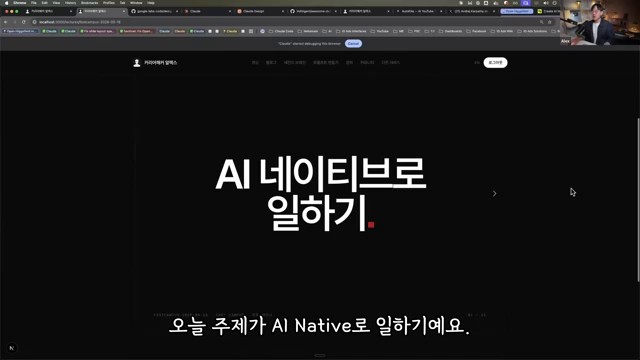
    This fuller English adaptation follows the Korean source on becoming AI-native. The main argument is that AI-native work is not about collecting many AI tools. It is a change in the working environment: building a digital brain, connecting agent workflows, and redesigning repeated tasks so that AI can help execute them.

    AI-native workflows with a digital brain and AI agents
    AI-native workflows start by connecting knowledge, context, and AI agents.

    Original Korean article: AI 네이티브 전환법: 디지털 두뇌와 AI 에이전트로 일하는 방식 바꾸기

    AI-Native Work Is an Environment Shift, Not Tool Usage

    Many people think they are AI-native because they use a chatbot, an image generator, or a meeting summary tool. The source article argues that this is only tool usage. AI-native work begins when information, decisions, templates, and routines are organized so AI can continuously support real work.

    In other words, the focus moves from “Which app should I try?” to “How should my work be structured so that AI can understand it, act on it, and improve it?”

    Why Make the Transition Now?

    The reason is speed. Work increasingly rewards people who can collect information, make decisions, produce drafts, and revise quickly. AI can accelerate all of these, but only when the user has prepared context. Without context, AI gives generic answers. With a well-built work system, AI becomes a collaborator that knows the user’s materials and standards.
    A Digital Brain Is the Starting Point

    1. Gather work materials in one place
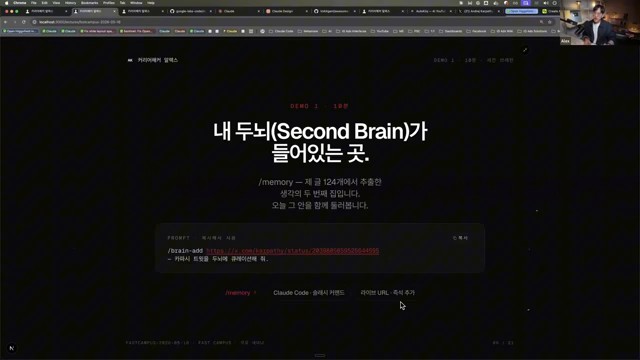
    The digital brain is a structured collection of notes, documents, examples, decisions, references, checklists, and project memory. It may live in Obsidian, Notion, Google Drive, a local folder, or another system. The tool matters less than the habit of keeping reusable knowledge accessible.

    2. Document repeated work

    Repeated tasks should be written down: how reports are made, how emails are answered, how meetings are prepared, how research is checked, and how approvals happen. Documentation turns invisible experience into AI-usable context.

    Agent Workflows Matter More Than Chatbots

    digital brain for AI-native knowledge work
    A digital brain gives AI agents reusable context instead of isolated prompts.

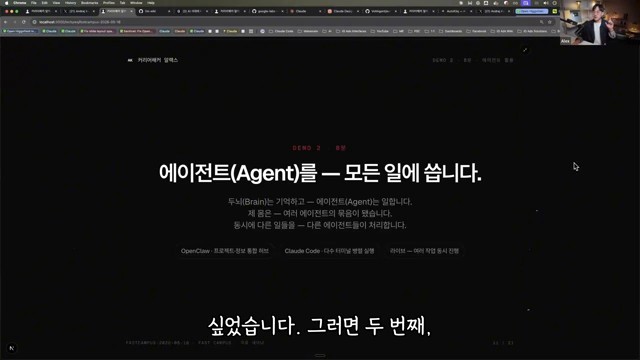
    A chatbot answers once. An agent workflow can take a goal, read context, create an output, ask for review, revise, and store the result. The Korean source emphasizes that the workflow is the unit of transformation. A company does not become AI-native because employees ask random questions. It becomes AI-native when repeated work is redesigned around AI-supported loops.

    3. Give AI both roles and standards

    Good AI work requires more than a task request. The user should provide a role, audience, source materials, constraints, tone, examples, and quality criteria. This reduces generic output and makes review easier.

    Look at Automatable Work Structure Before Code

    Non-developers often assume automation requires programming first. The source article says the first step is identifying structure. Which tasks repeat? Which inputs are used? What decisions are made? What outputs are expected? Once the structure is clear, automation may be possible through no-code tools, agent workflows, scripts, or integrations.

    4. Store and reuse outputs

    AI output should not disappear after one chat. Useful prompts, drafts, summaries, decisions, and templates should be saved back into the digital brain. This creates a compounding effect: every completed task improves the next task.

    5. Connect small automations first

    Start with small, low-risk automations such as meeting summaries, research briefs, email drafts, blog outlines, file naming, or checklist generation. After these become reliable, connect more tools. The safest transition is incremental.

    A Practical Sequence to Start Tomorrow

    AI agent workflow automation for knowledge workers
    AI agent workflows turn repeated knowledge work into structured automation.
    • Choose one repeated weekly task.
    • Collect the documents and examples needed to perform it.
    • Write the current process as a checklist.
    • Ask AI to produce a draft using that checklist.
    • Review the result and save the improved prompt, output, and corrections.
    • Repeat until the workflow becomes stable, then consider automation.

    The First Benefit: Faster Execution and Clearer Judgment

    The Korean source concludes that AI-native work is not only about speed. It also clarifies judgment. When materials are organized and workflows are explicit, people can see what matters, what should be delegated, and what must remain human. AI becomes useful because the human work system becomes clearer.

    Related Reading

    Continue with these related Thinknote English articles in the Digital Transformation cluster.

    FAQ

    What is this article about?

    This article explains a digital transformation, platform, market-structure, or technology-adoption topic with Korea-specific context and global implications.

    How should I use this guide?

    Use it to understand market signals and strategic patterns. Combine it with current market data before making business or investment decisions.

    Where can I read the original Korean article?

    The original Korean article is available here: AI-Native Workflows: How to Rebuild Work Around a Digital Brain and AI Agents.

  • Knowledge Workers in the AI Agent Era: From Content Producers to Judgment Designers

    Knowledge Workers in the AI Agent Era: From Content Producers to Judgment Designers

    This English version is a fuller translation and adaptation of the original Korean article, “AI Agent 시대, 지식근로자는 어떻게 달라져야 할까,” for global readers. The article explores the changing role of knowledge workers in the AI agent era and how education should adapt to these changes. As AI becomes an integral part of our daily work, the question is no longer about how to use AI, but about how to connect AI to the work context and create valuable results.

    knowledge workers in the AI agent era
    Knowledge workers need new skills when AI agents become part of everyday work.

    Original Korean article: AI Agent 시대, 지식근로자는 어떻게 달라져야 할까

    The Competition Between AI Users and Non-Users is Already Over

    When generative AI first emerged, there was a significant difference between those who used AI and those who did not. However, the situation has changed. AI utilization has become a natural choice in many tasks, such as search, summarization, translation, report drafting, meeting minutes, and image generation. Therefore, the criteria for competition have also changed. It is no longer about whether one uses AI or not, but about how well one uses AI, what tools one uses, how well one formulates questions, how accurately one provides work context, how well one reviews and judges results, and how well one connects with the organization’s work style.

    Context is More Important than Prompts

    When discussing AI utilization, prompts often come to mind first. A good question is indeed crucial, and the more clearly one defines the desired output, role, format, and conditions, the better the result will be. However, prompts alone are not enough. For AI to produce a good answer, it needs to know the purpose of the task, the current situation of the organization, the reference materials, the applicable standards, the intended user of the output, the constraints to be considered, and the final form of the output. The same question can have different answers depending on the context. In tasks where context is crucial, such as curriculum design, policy document review, report writing, and performance management, this is especially true. Prompt engineering is the art of crafting good questions, while context engineering is the process of constructing the necessary context and materials for AI to work. In the AI agent era, an additional step is required: designing the work flow itself so that AI can understand the goal, perform the necessary procedures, and produce the output.

    AI education for knowledge workers
    AI education should connect tools with real work context and judgment.

    The Role of Knowledge Workers Shifts from Content Producers to Judgment Designers

    Knowledge workers are responsible for creating documents, finding and analyzing data, reporting, and supporting decision-making. AI can quickly process a significant part of this work. It can draft reports, summarize long documents, compare data, summarize meeting minutes, and structure ideas. However, this does not mean that the value of knowledge workers disappears. Instead, their role changes. The more important roles that knowledge workers will play in the future include defining problems, providing context, reviewing results, making judgments and choices, and improving work flows. As AI takes over routine tasks, humans must focus on higher-level problem-solving and deeper understanding.

    From Knowledge-Consuming to Knowledge-Creating Organizations

    In the AI era, organizations should not stop at simply acquiring external knowledge. They must accumulate internal experiences, standards, cases, and judgment processes. Educational organizations are no exception. Operating educational programs is not just about managing schedules or recruiting instructors. For education to be connected to actual work performance, knowledge must remain within the organization. This includes materials such as educational program design criteria, course-specific learning objectives, frequently encountered problems in the field, questions and difficulties faced by learners, post-lecture application cases, performance indicators, and areas for improvement in the next education session. AI is strong in organizing and connecting such materials, but it is up to humans to decide what materials are important, how to interpret them, and in which direction to improve.

    human judgment supervising AI agents
    Human judgment becomes more important as AI agents produce drafts and decisions.

    Education Becomes a Process of Developing Problem-Solving Capabilities

    If AI education focuses only on tool usage, it will soon reach its limits. The buttons and functions of tools are constantly changing, and models, pricing plans, and platform strengths also change. Therefore, the center of AI education should shift from explaining functions to problem-solving. Questions that should be addressed in education include what tasks AI can take over, what tasks require human judgment, what materials should be provided to AI for better results, what standards should be used to verify AI results, how to automate repetitive tasks, and what kind of knowledge database should be created at the organizational level. By dealing with these questions, education can go beyond simple “AI utilization” and help learners re-examine their work. Organizations can begin to change their way of working through education.

    Distinguishing Between Tasks that AI Can Replace and Human Value

    AI is fast and strong in reading and creating drafts, comparing and summarizing data, and generating images. However, the results produced by AI are not always valuable. Value comes from human problem awareness, purpose, interpretation, and choice. Tasks that AI can do well can be entrusted to AI, such as drafting, data summarization, table organization, repetitive investigation, sentence refinement, idea expansion, and format conversion. However, tasks that humans should focus on are different, including determining why a task is being done, judging who needs the results, reflecting field context, reviewing risks and responsibilities, selecting the final direction, and converting the results into meaningful experiences for humans.

    organization learning with AI agents
    Organizations need learning systems that turn AI use into shared capability.

    Without Organizational Change, AI Education Alone Has Limited Effect

    Even if AI education is increased, if the organization’s work style remains the same, the effect will be small. This is because individuals will find it difficult to apply what they have learned in actual work. AI utilization is not completed by individual skills alone; work, members, culture, structure, and strategy must move together. Organizations should check the following questions together: what tasks to redesign with AI, what materials to manage as common knowledge, what authority and security standards are needed for AI use, who will take responsibility for reviewing results, how to connect educational outcomes with field application, and how to expand individual experiments into organizational processes. In an era where AI becomes a team member, the organization must also move like a team. The structure of organizational learning and work must change together, beyond individual productivity improvement.

    Efficient Education and Valuable Education Must Go Together

    AI can increase the efficiency of education. Investigation time can be reduced, educational program drafts can be created quickly, and learning materials can be diversified. However, efficiency alone is not enough. The purpose of education is not just to save time but to enable better judgment, deeper understanding, and more practical problem-solving. Efficient education is about operating education quickly, while valuable education is about helping learners behave differently in their actual work. In the AI agent era, these two must be designed together: reducing repetitive tasks with AI, systematically collecting materials, reflecting the learner’s work context, designing problem-solving tasks, connecting results with field application, and accumulating knowledge that remains after education as an organizational asset.

    AI agent era education roadmap
    Education for the AI agent era should redesign work, not only teach prompts.

    Conclusion: The Role of Educators in the AI Era

    In the AI agent era, the role of educators also expands. They move from being operators of education to designers of the organization’s work style. Future education must ask new questions, not stopping at “what AI tools to teach” but going further to “how this organization can create better results with AI.” AI processes tasks quickly, but humans create meaning and judge. Education connects these two. Efficient and valuable education in the AI agent era starts with designing this connection.

    Related Reading

    Continue with these related Thinknote English articles in the Digital Transformation cluster.

    FAQ

    What is this article about?

    This article explains a digital transformation, platform, market-structure, or technology-adoption topic with Korea-specific context and global implications.

    How should I use this guide?

    Use it to understand market signals and strategic patterns. Combine it with current market data before making business or investment decisions.

    Where can I read the original Korean article?

    The original Korean article is available here: Knowledge Workers in the AI Agent Era: From Content Producers to Judgment Designers.

  • Hermes Agent Deliverable Mode: Sending AI Outputs Directly to Chat

    Hermes Agent Deliverable Mode: Sending AI Outputs Directly to Chat

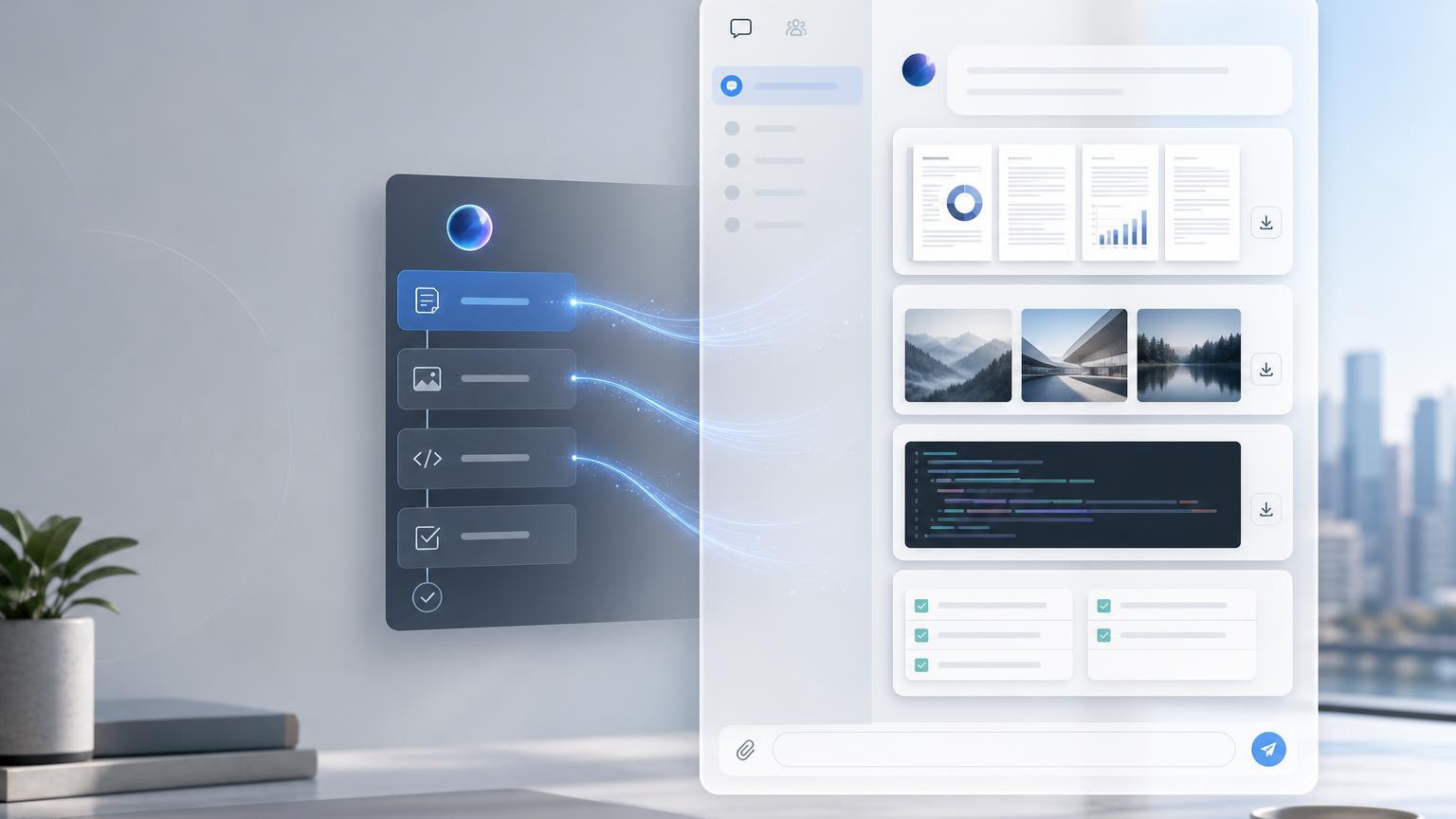
    The Korean source explains Hermes Agent Deliverable Mode for beginners. Its central idea is simple: when an AI produces a file, report, audio, image, CSV, PDF, or other output, the user should be able to receive it directly inside the chat interface. Deliverable Mode reduces the final gap between background AI work and usable results.

    AI 에이전트 산출물이 채팅 화면으로 전달되는 워크플로우 이미지
    AI 에이전트가 문서, 이미지, 코드 등 산출물을 채팅으로 전달하는 과정을 시각화한 이미지

    Original Korean article: Hermes Agent Deliverable Mode: AI 산출물을 채팅에서 바로 받는 방법

    What Deliverable Mode Means

    Deliverable Mode is a way for Hermes Agent to send completed outputs into the chat as visible deliverables. Instead of telling the user that a file exists somewhere, the agent can provide a rich preview or downloadable attachment depending on the platform.

    This is especially useful because many AI tasks are not just answers. They produce artifacts: reports, data tables, images, audio, video, HTML pages, PDFs, and summaries.

    Three Beginner Concepts

    First, a deliverable is a file or output created by AI. Second, the gateway is like a delivery worker between the messenger and the AI environment. Third, each platform displays files differently.

    These concepts help beginners understand why the same AI output may appear as an inline preview in one chat and as a link or attachment in another. Deliverable Mode handles the “last meter” of delivery.

    What Files Can Be Sent

    Deliverables may include images, PDFs, CSV files, HTML pages, audio, video, diagrams, presentations, and other user-facing results. The key is that the file should be meaningful to the user, not merely an internal log.

    Developer files, private paths, code scratch files, and raw logs may require different handling. The source emphasizes that not every file should automatically be pushed to the user.

    How It Works in Practice

    A user asks for an output. Hermes Agent performs the task, creates the file, checks whether it is safe and useful to deliver, and then sends the file through the gateway so that the chat can display it.

    This flow is important for background jobs. If an analysis takes time, Deliverable Mode can notify the user when the final report or media is ready rather than forcing the user to search the filesystem.

    When It Is Especially Useful

    Data analysis is one example: the user may want a CSV, chart, and written report. Automated reporting is another: the agent can compile information into a PDF or HTML page.

    Presentation drafts, document templates, generated images, audio briefings, and completed background tasks also benefit because the result becomes immediately visible in the conversation.

    Setup Points to Remember

    Configuration should define which file types can be delivered, how previews are rendered, and how platform-specific behavior works. The user experience should be clear: the recipient should know what the file is and why it was sent.

    The source also reminds readers that delivery is not the same as generation. A system can create a file but still fail at giving it to the user conveniently.

    MCP and Extensibility

    When used with MCP, Deliverable Mode can become more flexible because tools, resources, and external systems can be connected. MCP can expand what the agent can access and produce.

    But expanded capability requires stronger control. More integrations mean more attention to permissions, file types, user consent, and traceability.

    Security and Practical Cautions

    Deliverables should not expose private local paths, secrets, unnecessary logs, or sensitive internal files. The agent should deliver user-facing outputs, not implementation leftovers.

    Teams should define review rules for sensitive documents, restrict automatic attachment of risky file types, and ensure that platform rendering does not accidentally expose data.

    Artifacts Versus Deliverable Mode

    Some AI tools have Artifacts that show generated content in a side panel. Deliverable Mode is broader in spirit: it focuses on delivering completed outputs from the AI work environment into the user’s chat.

    The conclusion is that Deliverable Mode reduces the last-meter friction of AI automation. It lets users receive the actual result, not just a message about the result.

    Practical Implications for Readers

    For readers using this article as a working reference, the practical lesson is to move from abstract interest to a concrete audit. Identify where the topic touches your own work, which assumptions are already outdated, what data or tools are missing, and which decision could be tested on a small scale before a larger commitment. Write that test down, assign an owner, and review evidence rather than impressions.

    The Korean source repeatedly treats technology, strategy, and human judgment together. That is why the safest next step is not blind adoption or passive worry. It is disciplined experimentation: define the problem, compare alternatives, verify results, protect sensitive information, and keep the human purpose visible while the tool or trend evolves.

    Related Reading

    Continue with these related Thinknote English articles in the Digital Transformation cluster.

    FAQ

    What is this article about?

    This article explains a digital transformation, platform, market-structure, or technology-adoption topic with Korea-specific context and global implications.

    How should I use this guide?

    Use it to understand market signals and strategic patterns. Combine it with current market data before making business or investment decisions.

    Where can I read the original Korean article?

    The original Korean article is available here: Hermes Agent Deliverable Mode: Sending AI Outputs Directly to Chat.

  • AI Personal Assistants: How Much Should We Trust AI Agents?

    AI Personal Assistants: How Much Should We Trust AI Agents?

    This fuller English adaptation follows the Korean source on AI agents as personal assistants. The article asks a practical question: when AI can schedule, compare, book, pay, and communicate, how much trust should we give it?

    AI personal assistant and AI agent workflow
    AI personal assistants can reduce work, but trust depends on boundaries and verification.

    Original Korean article: AI 에이전트 시대, 나의 완벽한 비서는 어디까지 믿을 수 있을까

    What Makes AI Agents Different?

    How are AI agents different from ChatGPT?

    A normal chatbot mainly answers inside a conversation. An AI agent can pursue a goal through tools: search the web, read a calendar, draft an email, compare prices, fill a form, or prepare a reservation. The difference is not intelligence alone; it is execution authority.

    The Korean source frames this as the arrival of a “perfect assistant” that may feel helpful precisely because it removes small burdens. But every removed burden also shifts responsibility. If the assistant acts, the user must decide where the boundary of trust should be.

    Scenes Where Work Decreases and Results Increase

    The article describes everyday situations where agents become useful: organizing schedules, summarizing documents, preparing travel options, comparing products, writing replies, collecting meeting notes, or managing routine requests. These tasks do not always require deep creativity, but they consume attention.

    For individuals, the immediate benefit is less context switching. For organizations, the benefit is workflow compression: a task that passed through several apps and people can become a supervised agent run with a clear output.

    AI as a Personal Assistant: What Can We Delegate?

    Can we delegate payments or reservations?

    The source article’s answer is cautious. Low-risk preparation can be delegated earlier than final execution. An agent can compare hotels, draft a reservation request, or prepare a payment screen. But actually paying money, accepting terms, signing contracts, deleting data, or sending sensitive messages should require explicit confirmation.

    Delegation should be layered. Start with information gathering, then drafting, then controlled actions, and only later allow limited autonomous execution for low-risk repeated tasks. Trust should be earned through logs and successful experience, not granted all at once.

    What improves first for individuals?

    The first improvement is usually not a dramatic replacement of work. It is the removal of small coordination costs: comparing options, gathering links, turning a vague plan into a checklist, and preparing a message that the user can approve.

    The Biggest Risk Comes From Execution Authority

    AI agent helping with work automation
    AI agents can handle repeated tasks when permissions and goals are clear.

    A wrong answer is annoying. A wrong action can be costly. If an agent books the wrong flight, sends a message to the wrong person, buys the wrong product, or exposes private data, the damage is real. This is why execution authority is the central risk.

    The article emphasizes permissions. Agents should not have unlimited access to email, banking, company systems, or customer records. They should operate under least privilege, with approval steps for irreversible actions.

    The more connected the agent is, the narrower its permissions should be

    A disconnected assistant can mostly make textual mistakes. A connected assistant can create operational mistakes. Therefore the safest design is paradoxical: the more tools an agent can use, the more specific and limited each permission should become.

    Human Judgment Becomes More Important

    AI agents may reduce repetitive labor, but they increase the value of human judgment. Users must define goals, choose tradeoffs, recognize suspicious outputs, and decide whether an action matches their values. The person who delegates poorly may simply automate mistakes.

    In organizations, this means policy is not optional. Teams need rules about who can authorize agents, what data can be accessed, how logs are stored, and which actions require human approval. AI adoption becomes a management issue, not only a tool issue.

    A Practical Checklist for Workers

    personal AI assistant trust and security risk
    The biggest risk appears when AI agents receive execution authority.
    • Classify tasks into read-only, draft-only, confirm-before-action, and autonomous-low-risk categories.
    • Keep payments, legal decisions, HR decisions, medical issues, and public communication under human approval.
    • Use separate accounts or limited tokens for agent access where possible.
    • Review logs regularly to learn where the agent fails.
    • Do not delegate a task you cannot explain or evaluate.

    What to Watch in the Original Video

    The source article points readers to moments where AI assistants move from impressive conversation to actual action. The most important viewing point is not the demo itself, but the hidden assumptions: what data the agent used, what permissions it had, where confirmation occurred, and how errors would be corrected.

    Organizations need policy before scale

    A company should decide in advance which departments can use agents, what records may be accessed, who approves external actions, and how incidents will be handled. If these rules are created only after a mistake, the organization has already delegated too much.

    Personal users need boundaries too

    Individuals should create their own rules: no automatic payment without confirmation, no sensitive documents in unknown tools, no medical or legal decisions without expert review, and no deletion or public posting without a final human check.

    Trust grows through repeated supervised use

    The article’s most practical implication is that trust should be built through repeated supervised use. Let the agent prepare, compare, and draft; inspect the result; then slowly expand the scope only where the agent proves reliable.

    Conclusion: Trust Must Be Designed

    human judgment supervising AI agents
    Human judgment becomes more important when AI agents act on behalf of people.

    The age of AI personal assistants will not be decided only by model capability. It will be decided by trust design. The best assistants will make work easier while keeping the user in control of meaningful decisions. The safest approach is gradual delegation, clear permissions, and visible review.

    Related Reading

    Continue with these related Thinknote English articles in the Digital Transformation cluster.

    FAQ

    What is this article about?

    This article explains a digital transformation, platform, market-structure, or technology-adoption topic with Korea-specific context and global implications.

    How should I use this guide?

    Use it to understand market signals and strategic patterns. Combine it with current market data before making business or investment decisions.

    Where can I read the original Korean article?

    The original Korean article is available here: AI Personal Assistants: How Much Should We Trust AI Agents?.

  • AI Agents and Physical AI: When AI Starts Taking Action

    AI Agents and Physical AI: When AI Starts Taking Action

    This article is a fuller English adaptation of the Korean source about AI agents and physical AI. Its main argument is simple but important: AI is moving from answering questions to taking action. That shift affects software, robots, content creation, healthcare, design, education, and everyday work.

    AI agents and physical AI trend overview
    AI agents and physical AI move artificial intelligence from conversation to action.

    Original Korean article: AI 에이전트와 피지컬 AI, 이제 ‘행동하는 AI’가 온다

    AI Agents Become Assistants That Open and Use Apps for Us

    The source article begins with the difference between a chatbot and an agent. A chatbot replies inside a conversation. An AI agent can understand a goal, open the necessary application, search for information, compare options, write a message, book something, or prepare a file. It behaves less like a search box and more like a digital operator.

    This does not mean the agent is magically independent. It still needs permissions, data access, and clear limits. But once an agent can use tools, the user’s work changes. Instead of copying text between apps, the user can ask for an outcome and supervise the process.

    How are AI agents different from existing chatbots?

    The difference is execution. A chatbot can explain how to reserve a restaurant; an agent may compare restaurants, check availability, prepare a reservation request, and ask for confirmation before sending. That final confirmation is crucial because action creates consequences.

    Physical AI Turns Robots Into Judging Workers

    Physical AI applies the same movement from conversation to action in the physical world. Robots have long existed in factories, but many were limited to repetitive motions. New systems combine vision, language, planning, and motor control, allowing robots to understand a situation and adapt their actions.

    The Korean article describes this as the move from a “tin machine” to a worker that can judge. A humanoid robot that recognizes objects, decides how to pick them up, and adjusts when the environment changes is different from a machine following a fixed path. The near-term impact may appear first in logistics, warehouses, manufacturing, delivery, inspection, and care support.

    Will humanoid robots immediately replace jobs?

    The source is cautious. Robots will not instantly replace all human labor, because real environments are messy and expensive to automate. Yet the direction is clear. As robot bodies, sensors, batteries, and AI models improve together, more physical tasks will become automatable.

    China’s Robot and Video AI Ecosystem Raises the Speed of Competition

    The article pays attention to China because its ecosystem moves quickly. Hardware manufacturing, robot startups, video AI tools, and platform distribution reinforce one another. When a country can prototype devices, train models, create content tools, and push products to users at high speed, other markets feel competitive pressure.

    For global readers, the lesson is not only about China. It is about the new rhythm of AI competition. A feature that looks experimental today can become a consumer product quickly when hardware supply chains and AI software are tightly connected.

    Content Creation Favors People With Ideas, Not Only Technicians

    AI agent controlling apps and devices
    AI agents can operate software tools and digital services on behalf of users.

    AI video, image, music, and editing tools lower the technical barrier to making content. The source article argues that this can favor people with strong ideas. In the past, a person needed cameras, editing skills, design software, and production teams. Now a creator can sketch a concept, generate drafts, iterate quickly, and publish.

    This does not remove human creativity. It changes where creativity matters. Taste, storytelling, direction, judgment, and audience understanding become more valuable. The person who knows what to make and why can use AI tools as production staff.

    Healthcare, Design, and Kitchen Work Expand AI’s Assistant Role

    The article also notes that AI is entering practical professional settings. In healthcare, AI can summarize records, assist diagnosis, guide triage, or help with administrative burden. In design, it can generate alternatives and speed ideation. In kitchens or service work, robots and smart devices can help with repetitive preparation, monitoring, and quality control.

    The common pattern is assistance before full replacement. AI takes over fragments of work: preparation, comparison, monitoring, drafting, and routine execution. Humans remain responsible for safety, taste, empathy, ethics, and final decisions.

    Smart Glasses and AI Cheating Force Education to Change

    physical AI robot with decision-making ability
    Physical AI gives robots more ability to perceive, decide, and act.

    Smart glasses show why education cannot rely only on old testing methods. If students can see answers, translations, or generated explanations in real time, schools must rethink assessment. The source article treats AI cheating not as a small disciplinary issue but as a sign that learning environments must change.

    Education needs more oral defense, process evaluation, project-based work, in-class reasoning, and assignments that require personal interpretation. If information access becomes invisible, the value of education must move toward judgment, problem framing, and authentic understanding.

    Three Changes to Watch Now

    • Whether agents can safely connect to real apps and payment systems.
    • Whether physical AI becomes reliable enough for warehouses, care, delivery, and manufacturing.
    • Whether schools and workplaces redesign tasks around judgment instead of simple answer production.

    The real signal is permission, not novelty

    For teams watching this field, the most important signal is not a spectacular demo. It is whether the AI system can receive limited permission, act inside a real workflow, and leave evidence that a human can inspect. That is the difference between entertainment and infrastructure.

    Conclusion: Surprise Becomes Routine

    AI content creation and smart device workflow
    AI changes content creation, smart devices, healthcare, and education workflows.

    The source article concludes that the surprising demonstrations of today become the normal tools of tomorrow. AI agents and physical AI are not separate trends; both show AI crossing the boundary from language into action. The right response is neither panic nor blind optimism, but careful preparation: define permissions, keep human review, and learn how to work with systems that can act.

    Related Reading

    Continue with these related Thinknote English articles in the Digital Transformation cluster.

    FAQ

    What is this article about?

    This article explains a digital transformation, platform, market-structure, or technology-adoption topic with Korea-specific context and global implications.

    How should I use this guide?

    Use it to understand market signals and strategic patterns. Combine it with current market data before making business or investment decisions.

    Where can I read the original Korean article?

    The original Korean article is available here: AI Agents and Physical AI: When AI Starts Taking Action.

  • Are Development Teams Ready to Operate AI Agents?

    Are Development Teams Ready to Operate AI Agents?

    This fuller English version follows the original Korean article more closely. The central question from Anthropic’s Claude Code London 2026 message is not whether a developer can ask an AI model for code. It is whether a development organization is ready to operate AI agents with goals, tools, security, evaluation, and review loops.

    operate AI agents in a development team dashboard
    A development team needs dashboards, tools, and review loops to operate AI agents.

    Original Korean article: Anthropic이 던진 질문: 당신의 개발 조직은 AI 에이전트를 운영할 준비가 됐나

    The Core Change Announced at Claude Code London 2026

    The keynote framed AI coding as an operational change. The distance from idea to execution is shrinking: a product manager can describe a feature, an engineer can ask an agent to explore a codebase, and the model can draft changes, run checks, and report back. But the original Korean article stresses that this speed only helps when the organization knows how to receive and verify the work.

    From idea to execution

    In the old workflow, an idea moved through tickets, handoffs, coding, review, and deployment. With Claude Code-style agents, some of those steps can happen asynchronously. The agent can investigate files, propose a plan, edit code, and run tests while the human focuses on judgment. The bottleneck moves from typing to task design and validation.

    Linear adoption meets exponential model improvement

    Companies usually adopt new tools slowly: a pilot, a few champions, a security review, and then gradual rollout. Model capability, however, is improving faster than that rhythm. Anthropic’s message is that teams should build the operating foundation now, because the agents of tomorrow will have longer task horizons and higher autonomy than the tools they are testing today.

    Claude Model Roadmap: Longer Tasks and Better Judgment

    Task horizon is expanding

    A key concept in the source article is task horizon: how long a model can keep working toward a goal before it loses context, makes mistakes, or needs human rescue. Earlier coding assistants handled short completions. Newer agents can work across multiple files and longer sequences. The practical implication is that teams must prepare work units that are clear enough for agents to execute but bounded enough for humans to review.

    Less scaffolding, more general tools

    As models become stronger, teams may need less fragile scaffolding around every prompt. Yet this does not mean “no structure.” It means agents should be given clean repositories, reliable commands, clear acceptance criteria, and general tools such as search, tests, documentation, issue trackers, and deployment checks. The better the workbench, the less the team depends on prompt tricks.

    Advisor strategy balances performance and cost

    The article also highlights the need to balance powerful models and cost-efficient models. Not every step requires the most expensive reasoning. Some tasks can be routed to cheaper models, while architecture review, security-sensitive changes, and difficult debugging may require a stronger advisor model. Agent operations therefore become a routing problem as much as a prompting problem.

    Claude Platform: Infrastructure for Product-Grade Agents

    Managed agents, self-hosted sandboxes, and MCP tunnels

    The Claude platform direction points toward agents that can operate in controlled environments. Managed agents reduce setup burden; self-hosted sandboxes give enterprises more control; MCP tunnels connect agents to internal tools without exposing everything blindly. The source article treats these pieces as the infrastructure layer for making AI agents part of real products.

    Asynchronous coding requires verification

    When an agent works in the background, the human does not watch every keystroke. That makes verification more important. Teams need automated tests, linting, reproducible builds, review checklists, and logs that explain what the agent changed. Without this, asynchronous work can become asynchronous risk.

    Routines: Claude prompting Claude Code

    The article’s discussion of routines is important because it shows a recursive pattern: Claude can help write the instructions that Claude Code follows. Instead of every developer inventing prompts from scratch, a team can maintain reusable routines for bug fixes, refactors, dependency updates, documentation, or test generation. This turns good practice into shared organizational memory.

    Claude Code Changes the Developer Role

    Claude Code workflow for AI agent operations
    Claude Code points toward development workflows where agents execute longer tasks.

    Claude Code is not merely a faster autocomplete. It pushes developers toward the role of automation designers. The developer writes specifications, chooses tools, defines the boundary of autonomy, checks tradeoffs, and decides whether the result is safe to merge. In that sense, the developer’s responsibility becomes broader rather than smaller.

    The source article’s warning is practical: organizations should prepare evaluation and architecture before giving agents too much freedom. A model that can modify code at scale can also amplify unclear requirements, weak tests, and insecure defaults. The maturity of the organization determines whether AI agents become leverage or chaos.

    What Developers and Enterprises Should Prepare Now

    Prepare evaluation and architecture first

    Teams should inventory the work they want agents to perform, define success criteria, and build measurable checks. They should document architecture decisions, coding standards, security constraints, and escalation rules. If humans cannot explain the desired outcome, an agent cannot reliably produce it.

    Move from personal productivity to organizational operations

    The biggest shift is from individual productivity to team operations. One developer using an AI tool is useful; a company operating AI agents needs governance. Access control, audit logs, tool permissions, privacy rules, and incident response become part of the AI coding stack.

    Claude Code London 2026 Readiness Checklist

    AI agent task horizon and software automation
    Longer task horizons make agent supervision and verification more important.
    • Define which coding tasks agents may perform and which require human-only judgment.
    • Create reusable routines for common workflows such as bug fixing, test writing, and documentation.
    • Build automated verification before increasing agent autonomy.
    • Separate low-risk tools from sensitive tools and grant permissions gradually.
    • Track cost, latency, model choice, and failure patterns as operational metrics.

    Conclusion: The Next Stage Is Operation, Not Conversation

    The article’s conclusion is that AI development tools are moving beyond chat. The important question is no longer “Can the model answer?” but “Can the organization run the model as a dependable worker inside a controlled system?” Teams that answer this early will be better prepared for the next wave of agentic software development.

    Related Reading

    Continue with these related Thinknote English articles in the Digital Transformation cluster.

    FAQ

    What is this article about?

    This article explains a digital transformation, platform, market-structure, or technology-adoption topic with Korea-specific context and global implications.

    How should I use this guide?

    Use it to understand market signals and strategic patterns. Combine it with current market data before making business or investment decisions.

    Where can I read the original Korean article?

    The original Korean article is available here: Are Development Teams Ready to Operate AI Agents?.

  • Harness Engineering: How to Make AI Agents Work Reliably

    Harness Engineering: How to Make AI Agents Work Reliably

    This fuller English article follows the Korean source on harness engineering. The core idea is that AI agents do not become reliable simply because we write longer prompts. They become reliable when we build a harness: a structured work environment with goals, tools, tests, permissions, feedback, and human review.

    harness engineering workflow for AI agents
    Harness engineering gives AI agents a structured workplace instead of only a prompt.

    Original Korean article: 하네스 엔지니어링이 온다: AI 에이전트를 제대로 일하게 만드는 법

    What Is Harness Engineering?

    Not a request, but a structure

    A harness is the system that holds an AI agent in the right working position. In software development, that may include repository access, test commands, coding standards, file boundaries, issue context, and review criteria. In business operations, it may include approved data sources, templates, workflow steps, and escalation rules.

    The Korean article contrasts this with simply saying “do this for me.” A request gives the agent a desire. A harness gives the agent a safe path for execution. The more consequential the task, the more important the harness becomes.

    Vibe Coding Raises the Floor; Harness Engineering Raises the Ceiling

    Vibe coding made it easier for beginners to create prototypes. This is powerful because it lowers the floor of software creation. But organizations need to raise the ceiling: they need agents that can do complex work reliably, repeatedly, and safely. Harness engineering is the discipline that raises that ceiling.

    Verification is harder than generation

    The source article emphasizes that code generation is no longer the hardest part. Verification is. An AI can produce thousands of lines quickly, but a team still has to know whether the code is correct, secure, maintainable, and aligned with the product. Without verification, speed becomes debt.

    Longer Prompts Are Not Enough

    A good workplace beats a good prompt

    Prompt engineering matters, but it cannot carry the whole burden. If the repository is undocumented, tests are broken, commands are unclear, and acceptance criteria are missing, even a good model will struggle. A clean workplace gives the agent stable ground.

    A good harness includes task templates, examples of correct output, constraints, automated checks, and a way to ask for clarification. It also defines what the agent should not touch. Guardrails are not a sign of weak AI; they are how responsible work is done.

    More Tools Are Not Always Better

    agentic coding environment with tools and checks
    Agentic coding depends on tools, context, and verification loops.

    Give narrow and accurate tools for each task

    The article warns against giving agents every possible tool. Too many tools increase confusion and risk. A refactoring agent may need search, edit, tests, and lint. It does not need production database access. A marketing agent may need approved brand assets and analytics summaries, not unrestricted email sending.

    Tool design should follow least privilege. Start with read-only access, add write access where needed, and require confirmation for external actions. The harness should make the right action easy and the dangerous action difficult.

    Practical Checklist for Harness Engineering

    • Define the task type and expected deliverable before invoking the agent.
    • Provide source-of-truth documents, not scattered context.
    • Limit tools to what the task actually requires.
    • Attach test commands, acceptance criteria, and examples of failure.
    • Keep logs of agent actions and decisions.
    • Require human review for security, money, customer communication, and production changes.

    Developers Become AI Team Leaders

    AI agent verification workflow for software teams
    Verification becomes more important as AI agents generate more code.

    From direct coding to work-environment design

    The developer’s role shifts from writing every line to designing the environment in which agents can write useful lines. That includes preparing tasks, maintaining tests, reviewing diffs, choosing models, and improving routines after failures. The best developers will be those who can multiply their judgment through systems.

    This does not make programming knowledge obsolete. On the contrary, a developer who understands architecture, debugging, security, and user needs is better equipped to supervise agents. A weak human reviewer cannot reliably catch a strong model’s subtle mistakes.

    Conclusion: The Next Step After Saying “Do It”

    The source article concludes that the age of simply asking AI to work is giving way to the age of building systems where AI can work well. Harness engineering is that system-building practice. It turns agents from impressive demos into dependable collaborators.

    Related Reading

    Continue with these related Thinknote English articles in the Digital Transformation cluster.

    FAQ

    What is this article about?

    This article explains a digital transformation, platform, market-structure, or technology-adoption topic with Korea-specific context and global implications.

    How should I use this guide?

    Use it to understand market signals and strategic patterns. Combine it with current market data before making business or investment decisions.

    Where can I read the original Korean article?

    The original Korean article is available here: Harness Engineering: How to Make AI Agents Work Reliably.

  • Hermes Agent Desktop App: The Next Interface for Mainstream AI Agents

    Hermes Agent Desktop App: The Next Interface for Mainstream AI Agents

    For AI agents to become mainstream, better model performance alone is not enough. They need to meet people in the ways they already work every day. Alex Finn’s video makes this point clearly by showing the Hermes Agent desktop app.

    The video’s wording is somewhat bold. It says the Hermes desktop app is better than the CLI, Telegram, and OpenClaw. From a blog perspective, however, the important question is not which option wins. The question is what kind of interface AI agents need if they are to move beyond chatbots and become real work tools.

    Why a Desktop App Matters

    An AI agent is not simply a tool that generates answers. It reads files, runs commands, creates images, executes scheduled tasks, and carries context across multiple sessions. When that kind of tool is handled only through a command line or messenger commands, the barrier to entry is high for beginners.

    The Hermes Agent desktop app matters because it turns this complex structure into a visible workspace. Users can see sessions, artifacts, skills, toolsets, cron jobs, and profiles in one place. This is a key shift that moves AI agents from developer toys toward everyday work tools.

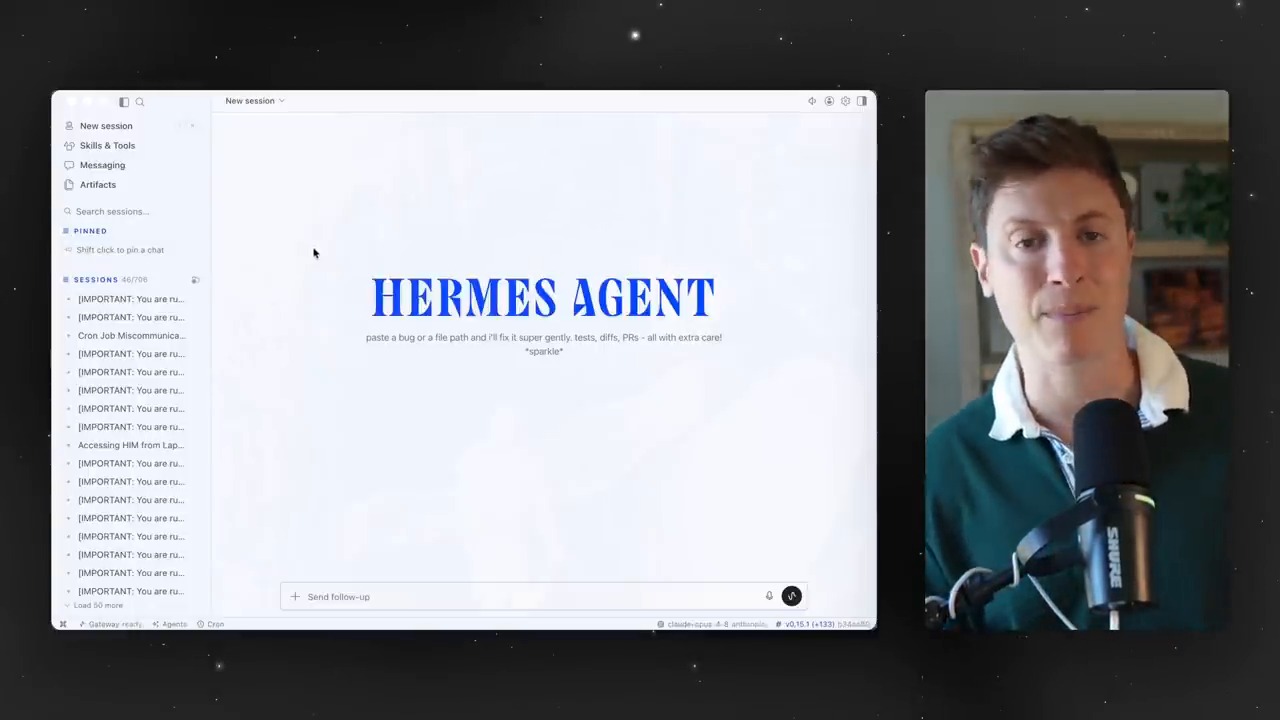
    The first screen of the Hermes Agent desktop app and an explanation of the limits of the existing CLI
    The first screen of the Hermes Agent desktop app. The video points out the limits of a CLI-centered user experience and emphasizes the need for a desktop UI.

    Sessions Become Work Folders for AI Agents

    Early in the video, the presenter shows how to create sessions by topic. Work with different contexts, such as content, development, and personal projects, is separated into individual sessions. This is not just tidying up chat rooms. It is closer to dividing the units of work assigned to an AI agent.

    AI agents become more useful as context grows longer. But when contexts are mixed together, they can create confusion instead. That is why splitting sessions by topic and pinning important sessions are small-looking features worth a closer look. Just as humans need project folders, agents need context folders.

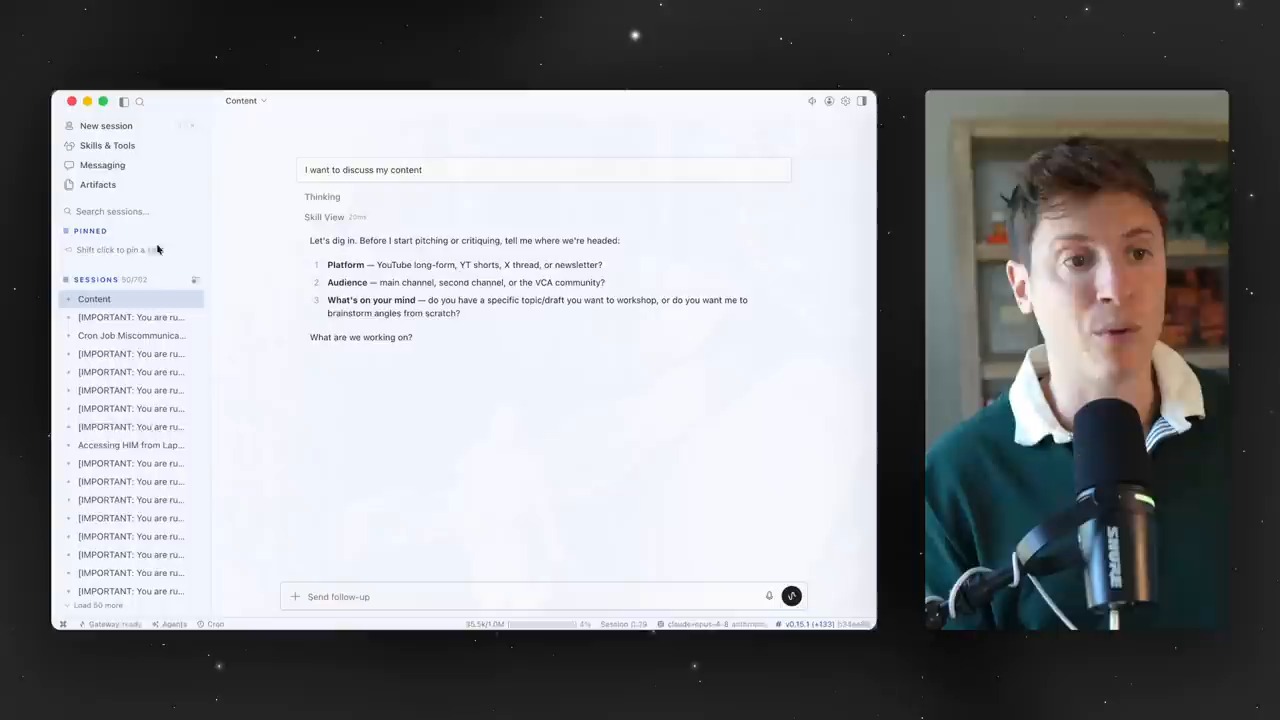
    A screen for separating sessions by topic and managing context
    A screen for dividing sessions by topic. In AI-agent use, context separation affects both productivity and accuracy.

    Artifacts Turn Chat Logs Into Work Assets

    One especially interesting part of the video is artifacts. Links, files, images, and outputs created by the agent can be found again in one place. The presenter explains that this can be used like a bookmark collection or a repository for work materials.

    This feature shows the direction of the AI-agent experience. Chatbots leave conversations behind. Agents need to leave deliverables behind. Those deliverables should be easy to find later, continue using, and reuse in other sessions.

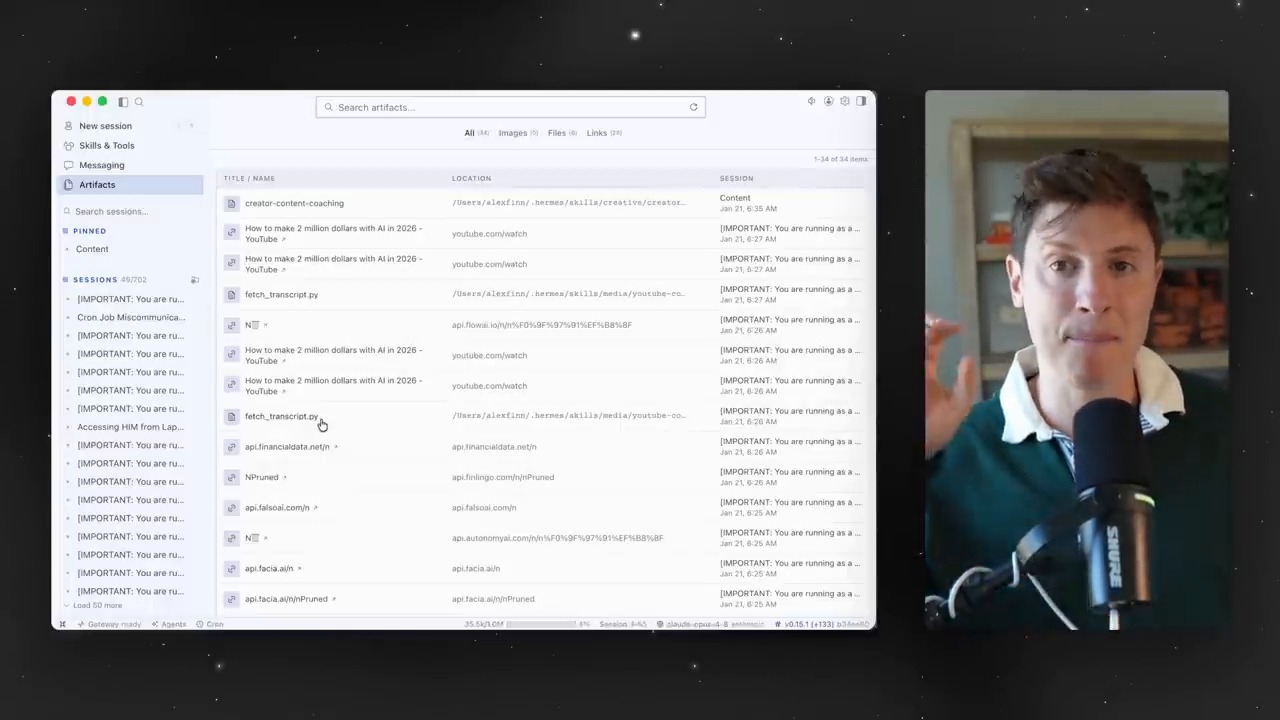
    A screen for managing artifacts and links in one place
    The artifact screen. Links, files, images, and generated outputs accumulate as work assets instead of being scattered.

    Skills and Toolsets Are Panels for Managing an Agent’s Capabilities

    One important feature of Hermes Agent is skills. Repeated work or procedures learned in a specific environment can be saved as skills and reused in later tasks. In the video, the presenter also shows a scene where he checks a custom skill generated while making a Godot game.

    Toolsets deserve attention as well. Turning groups of tools such as web search, terminal, files, image generation, and cron on or off is a way to control an agent’s permissions and abilities. The desktop UI turns these settings from commands into a management screen.

    Cron Jobs Turn AI Agents From Manual Assistants Into Automated Operators

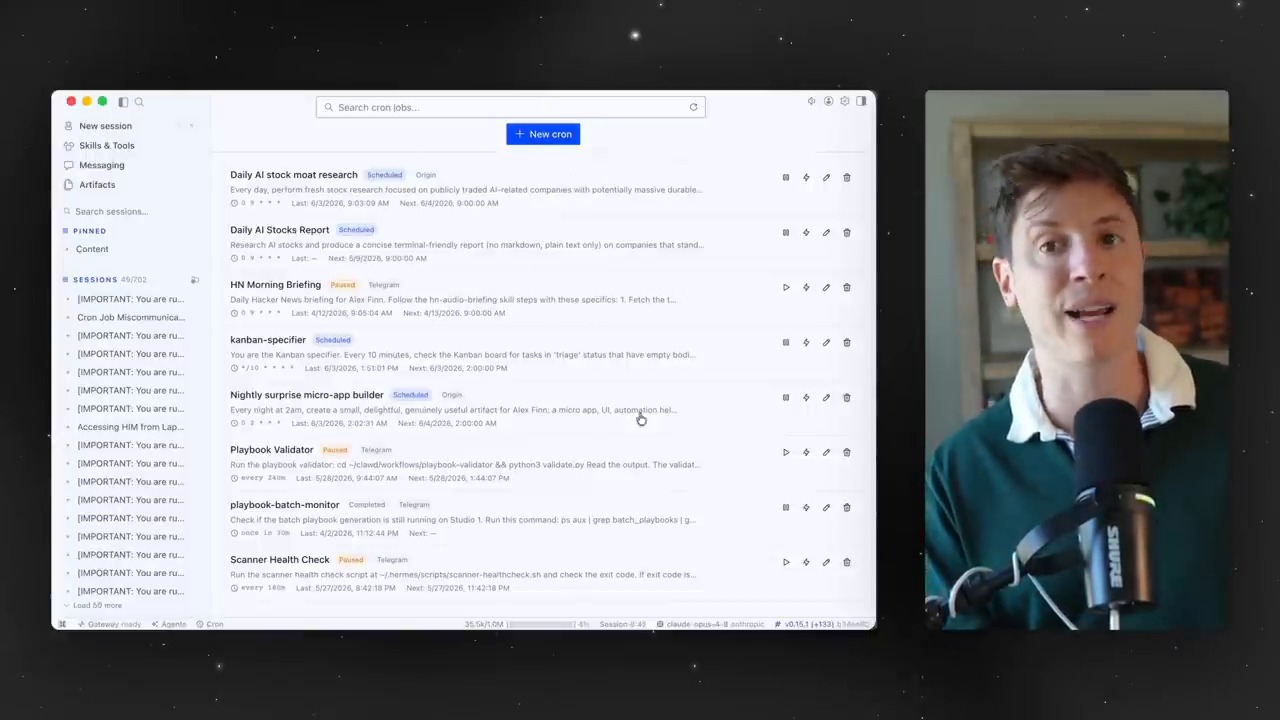
    In the middle of the video, a cron-job management screen appears. It visually shows scheduled tasks, such as having the agent build an app every night or run work at a specified time.

    Cron jobs mark the point where AI agents move from one-off answering tools to automated operating tools. One caveat is that scheduled tasks are trustworthy only when failures, execution logs, and permission scopes are visible together. A desktop app can make this review process easier.

    A screen for visually checking and scheduling cron jobs
    The cron-job management screen. Scheduled tasks are a core feature that turns AI agents into tools for recurring-work automation.

    Multiple Profiles Are a Way to Create Role-Based AI Employees

    Later in the video, the presenter says he runs several Hermes Agents across different devices and roles. Some agents live on specific machines, while others take on different responsibilities. The desktop app makes these agent profiles easier to manage.

    This structure has important implications for the future. Instead of one general-purpose chatbot, we may increasingly operate multiple AI agents with different roles and permissions. A content agent, development agent, research agent, and monitoring agent may each have different skills and tools.

    The Real-World Example Shows an Output-Centered Experience

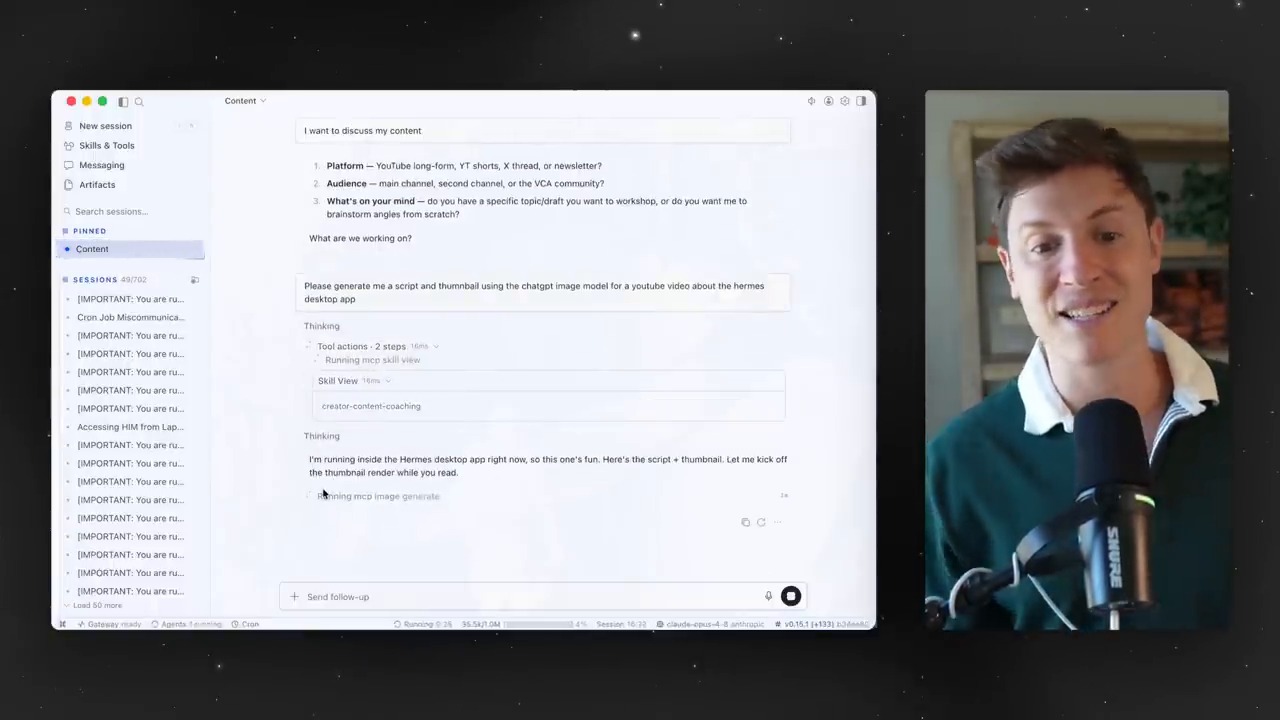
    In the final example, the presenter asks the agent to generate a script and thumbnail for the video. The desktop app shows which skills and tools are being used, and the outputs are visible in artifacts.

    This scene compresses the core of an AI-agent UI. Users do not need to memorize commands. They can see which tools the agent is using. Outputs remain as files or images. AI agents enter real work flows only when these three pieces come together.

    A real usage example generating a script and thumbnail
    An example of generating a video script and thumbnail. The agent’s tool-use process and outputs are shown together.

    The Question Raised by the Hermes Agent Desktop App

    The point to watch in this video is not that “Hermes won.” The more important question is where the primary interface for AI agents will be. The CLI is powerful but not mainstream. Messengers are convenient but weak for complex configuration and verification. A desktop app sits between them, offering both work management and accessibility.

    There are also cautions. AI agents can access files, browsers, terminals, and external APIs. That means the easier the UI becomes, the more important permission management and log review become. A good desktop app is not one with many buttons. It is an app that helps users understand what they allowed and what was executed.

    Related Reading

    Conclusion: The Battleground for AI Agents Is the User Experience After the Model

    The Hermes Agent desktop app clearly shows the next challenge for AI agents. The question is no longer only “what can an agent do?” It is how users can understand, manage, and repeatedly use those capabilities.

    Sessions separate context. Artifacts store outputs. Skills accumulate experience. Cron jobs automate recurring work. Profiles create role-based agents. When these elements are connected inside a desktop UI, AI agents move from developer experiments toward something closer to a real operating system for work.

    FAQ

    What does the Hermes Agent desktop app make easier?

    It lets users visually check and control sessions, artifacts, skills, toolsets, cron jobs, and profiles. Even without knowing CLI commands, users can more easily understand the operating structure of an agent.

    Is a desktop app always better than the CLI?

    Not always. Developers and advanced automation users may be faster with the CLI. The point is that, for beginners and non-developers, a desktop UI lowers the barrier to entry.

    Why is the artifact feature important?

    It makes links, images, files, and outputs created by the AI agent easy to find and reuse. This turns simple chat history into real work assets.

    What kinds of work can cron jobs handle?

    They can be used for scheduled work such as regular reports, site monitoring, data collection, blog-performance checks, and repetitive development tasks. The caveat is that failure logs and permission scopes must be checked carefully.

    What should users watch out for when using an AI-agent desktop app?

    Do not open excessive access to files, terminals, browsers, or external APIs. Check which tools are enabled, what work has run, and what approval flow is in place.

    References

    Original Korean article: Hermes Agent Desktop App: The Next Interface for Mainstream AI Agents

    Image source: Captured images used in this article are stills from the original YouTube video. They are used for review, commentary, and educational explanation, and copyright remains with the original rights holders and the channel.

  • Hands-On Local LLM Use on M5 Pro Max 128GB: What OMLX and Hermes Agent Show

    Hands-On Local LLM Use on M5 Pro Max 128GB: What OMLX and Hermes Agent Show

    Can local LLMs now move beyond “fun toys to run for curiosity” and become real work tools? A video by Learning Master tests this question directly by connecting an OMLX server, Claude Code, and Hermes Agent in an M5 Pro Max 128GB environment.

    The first point to watch is simple. This is not a claim that local LLMs will replace every cloud model. The key question is whether work where cost, speed, and privacy matter, such as repetitive tasks, fast drafts, some coding assistance, and personal knowledge-base search, can begin moving locally.

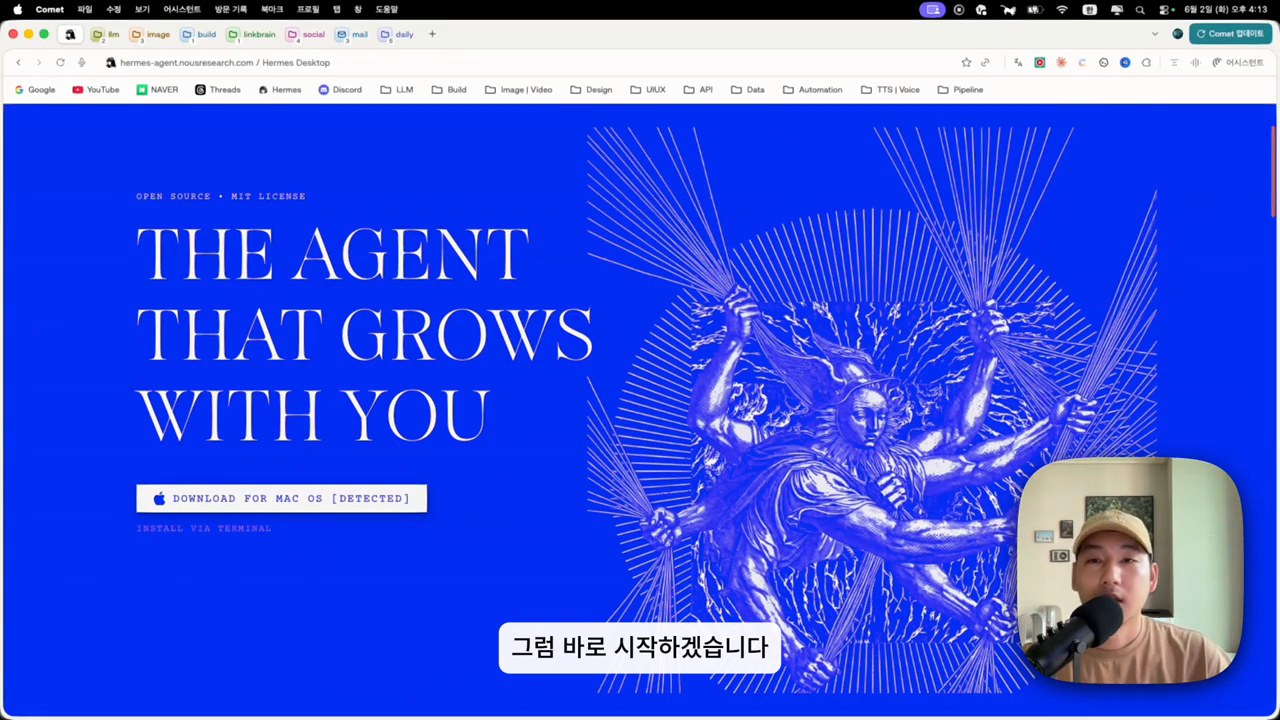
    Hands-on local LLM use: a local LLM orchestrator and model-configuration screen
    The video begins by connecting several local models to an orchestrator and building a real workflow. Source: screenshot from Learning Master’s YouTube video.

    The Core Question in the Video: Can Local LLMs Be Used for Real Work?

    The search intent of this video is not limited to “is a local LLM fast on M5 Pro Max?” The more important questions are these.

    • Can local models be connected to developer tools such as Claude Code?
    • How much can a server such as OMLX improve perceived speed?
    • Can local LLMs also be attached to tool-calling agents such as Hermes Agent?

    The video introduces Qwen-family models, NVIDIA Nemotron Nano-family models, embedding models, and more, configuring the local environment as a work system. Here, a local LLM is closer to a backend model connected to multiple tools than to a single chatbot.

    As discussed in Thinknote’s second brain and LLM Wiki article, future AI use will depend not only on model capability, but also on which context is connected to which tools.

    Why OMLX Matters: The Server Experience Shows Up Before the Model

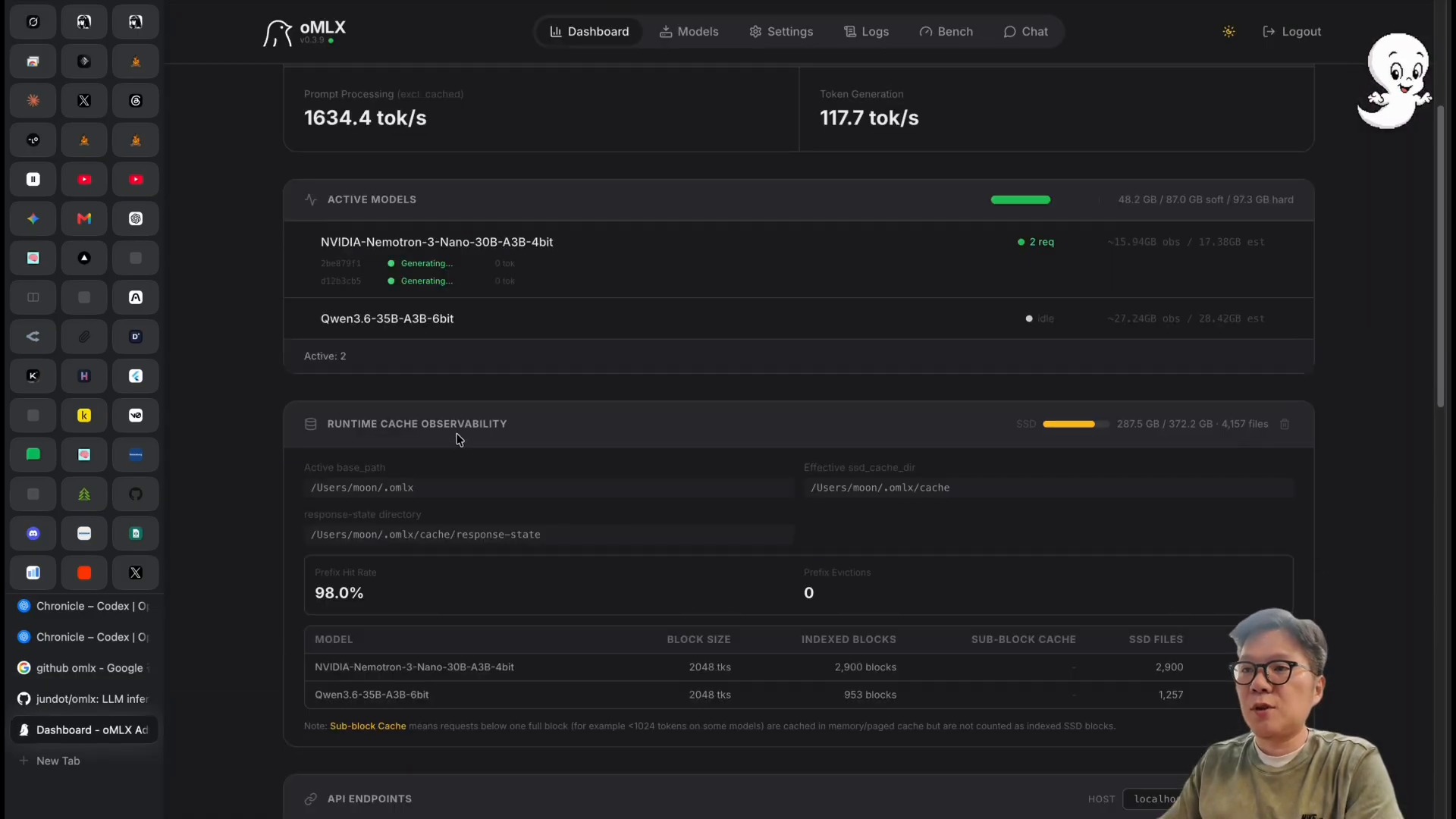
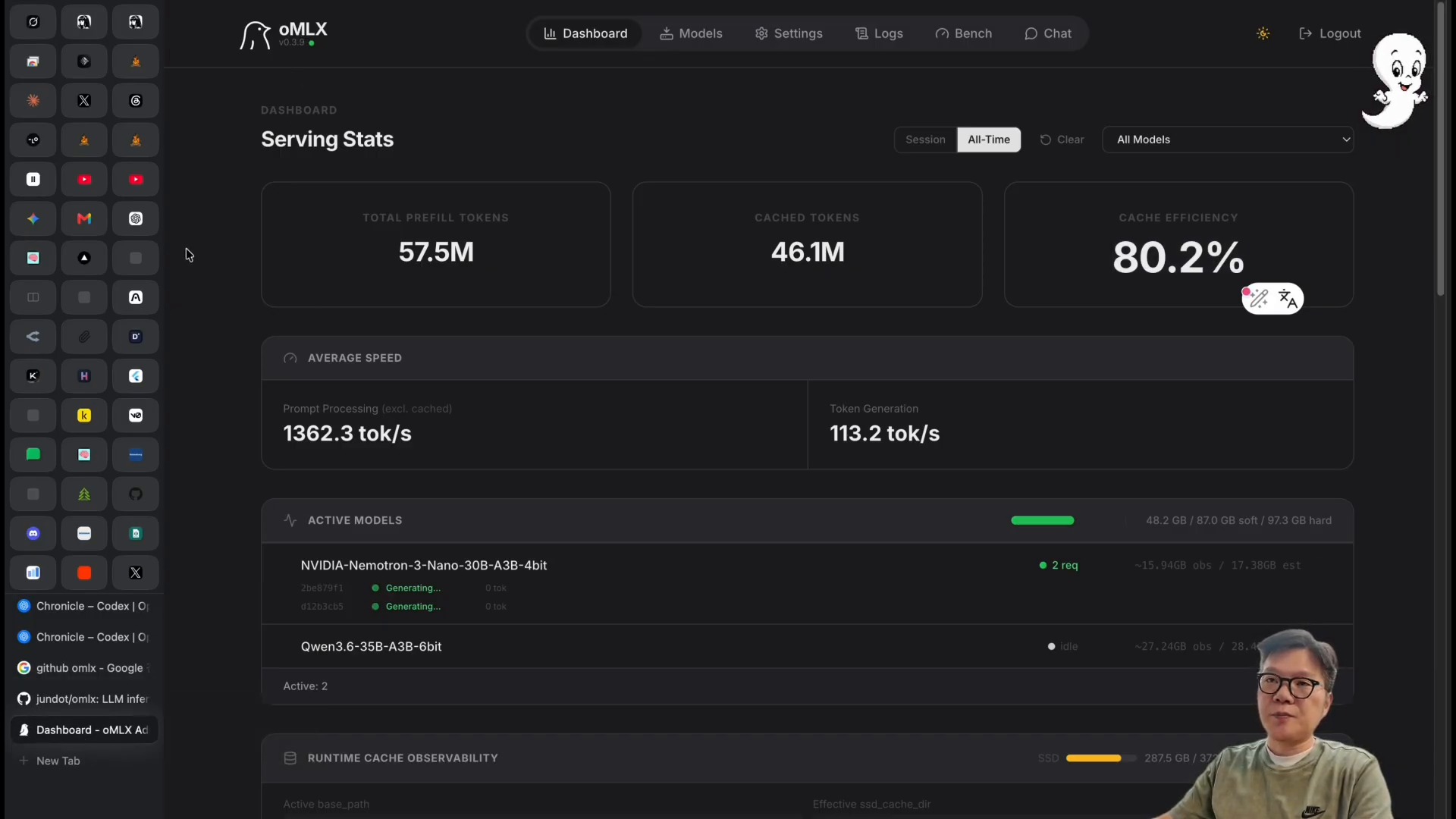
    The most noticeable scene in the video is the OMLX dashboard. The presenter explains that, through OMLX, he observed generation speeds around 117 tokens per second. More important than the number itself is the fact that the bottleneck for local LLMs is not a single model file. It is the sum of the inference server, caching, batching, and hardware memory configuration.

    Hands-on local LLM use: checking token generation speed on the OMLX dashboard
    A scene checking token-generation speed and model status on the OMLX dashboard. Source: screenshot from Learning Master’s YouTube video.

    The OMLX GitHub README describes the tool as an LLM inference server optimized for Apple Silicon. The key terms are continuous batching and tiered KV caching. In plain language, the structure improves perceived speed by processing multiple requests efficiently and reducing the cost of recalculating repeated context.

    Hands-on local LLM use: the OMLX server dashboard and model-operations screen
    OMLX is not merely a tool for running local models. It is closer to an operating environment where users can check model status and throughput through a dashboard. Source: screenshot from Learning Master’s YouTube video.

    This point also connects to the article on the SGLang local LLM serving engine. To use local LLMs well, the serving engine, context management, and caching strategy matter as much as model selection.

    Claude Code and Local Models: Fast, but Verification Is Separate

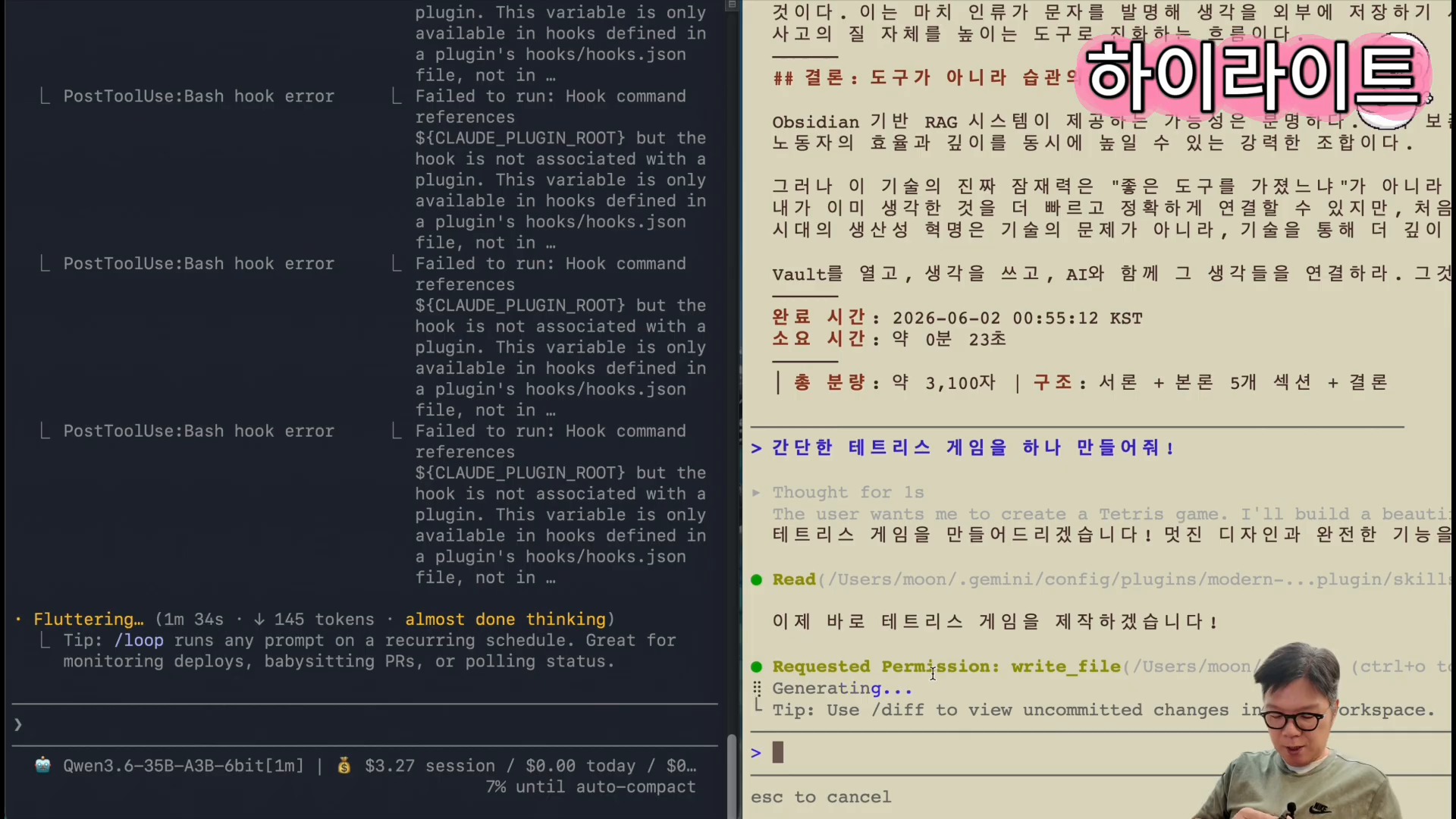
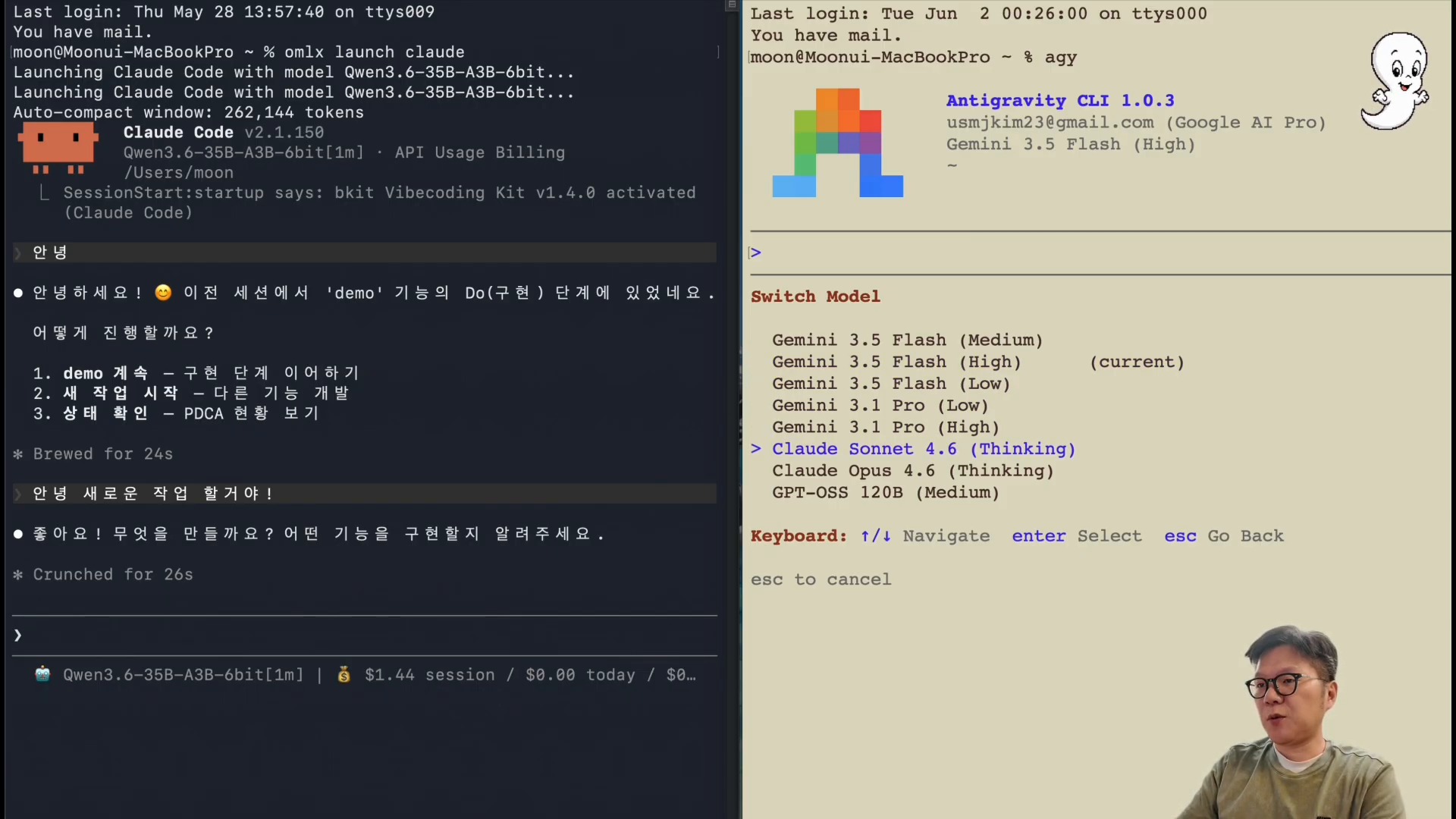
    In the middle of the video, Claude Code is connected to a local model through the omlx launch claude flow. The presenter then compares text writing and the creation of a Tetris game. He shows that local LLMs can complete some tasks faster, while also leaving the premise that output quality must be checked separately.

    Hands-on local LLM use: connecting Claude Code to a local model through OMLX and generating output
    A scene generating real output by connecting Claude Code to a local model. Speed comparison and quality verification should be considered separately. Source: screenshot from Learning Master’s YouTube video.

    The important criterion here is not simply “is it fast?” but “what work can safely be assigned to it?” For example, the following tasks are reasonable candidates for a first local-model trial.

    | Task type | Fit for local LLM | What to check | |—|—|—| | Draft writing | High | Fact-checking and style review are needed | | Repetitive code generation | Medium to high | Tests and security review are needed | | Personal document summarization | High | External transmission of sensitive information can be reduced | | Current-information search | Medium | Search-tool connection and source verification are needed | | Complex design decisions | Medium | Cross-review with a stronger cloud model is recommended |

    AI coding workflows also connect to the Headroom token-diet article. Reducing cost is not only about running models locally. Reducing the logs, files, and search results that an agent reads, and designing the verification loop, are other solutions to the same problem.

    Hermes Agent and Local LLMs: The Next Experiment in Agent Operations

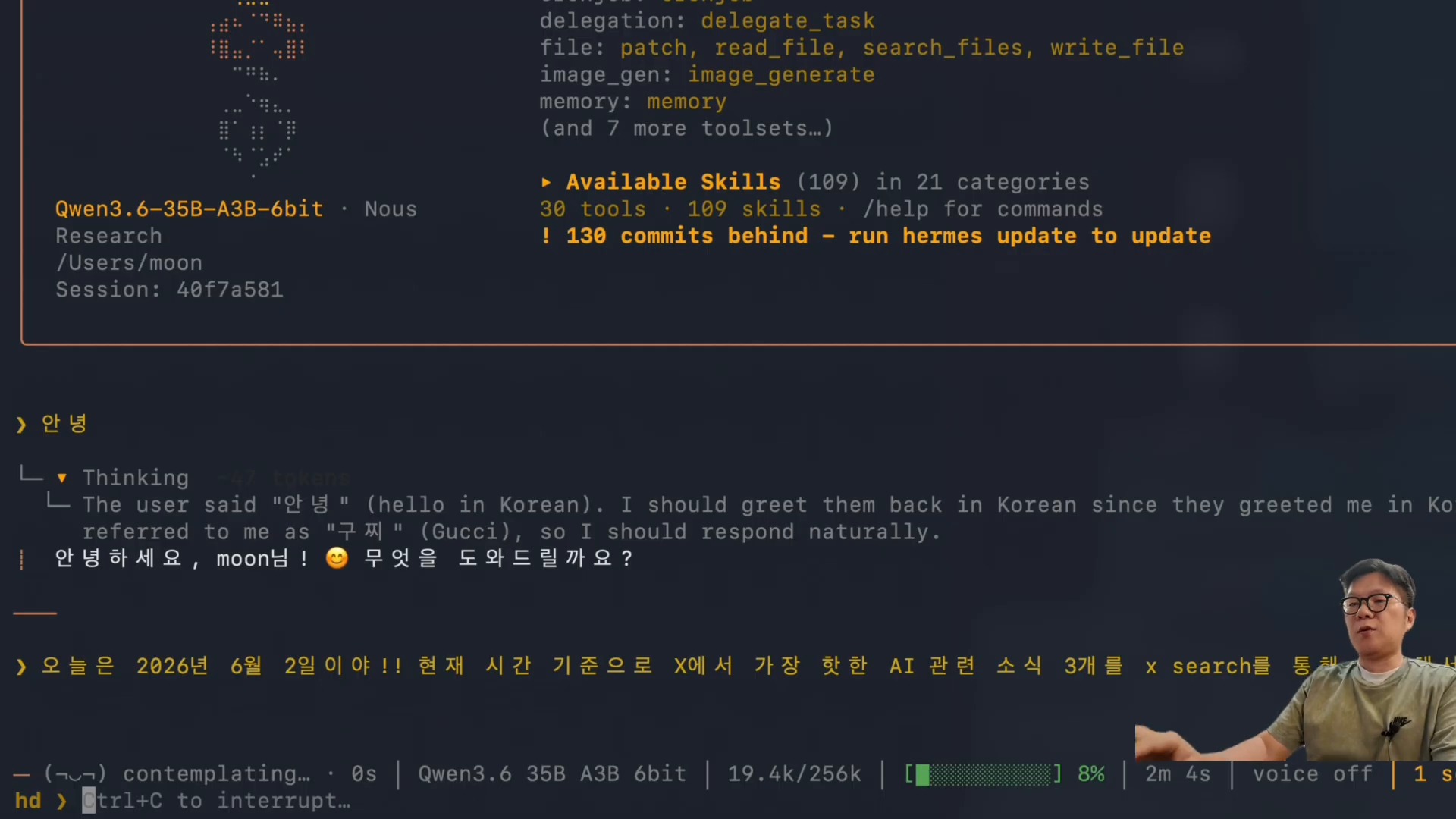
    The especially interesting section near the end is the Hermes Agent connection. The video shows the omlx launch hermes flow and the execution of the X Search skill. It is a scene showing that a local model can go beyond sentence generation and attach to an agent runtime responsible for search, tool calls, summarization, and deliverable creation.

    Hands-on local LLM use: running local-LLM search with the X Search skill in Hermes Agent
    A scene where Hermes Agent calls the X Search skill to search and summarize current AI news. Source: screenshot from Learning Master’s YouTube video.

    Hermes Agent is an open-source AI agent framework that runs in terminals, messaging platforms, and IDEs. It executes work through tool calls, skills, memory, cron jobs, and multi-platform gateways. If a local LLM can be connected to this layer, several advantages appear.

    • Less personal documentation and internal logs need to be sent to external APIs.
    • Token costs can be lowered for repetitive summarization, classification, and draft work.
    • A backup path exists when cloud models fail or hit cost limits.
    • Users can run more agent experiments.

    The caveat is that a local model calling tools does not immediately become a “trusted employee.” As discussed in the article on personal assistants in the AI-agent era, the more executable an AI system becomes, the more important permissions, verification, logs, and rollback design become.

    Pre-Adoption Checklist: How to Judge Local LLMs

    Whether to adopt a local LLM should not be decided by a single performance number. The M5 Pro Max 128GB environment in the video is closer to a powerful upper-bound example. A typical laptop or a Mac with less memory may not produce the same experience.

    Before adopting local LLMs, it is better to evaluate them in this order.

    1. First, choose repetitive work: drafts, summaries, tagging, code scaffolding, or other low-failure-cost tasks.
    2. Run the same prompt through both a cloud model and a local model, then compare speed, quality, and cost.
    3. Automate tests, link checks, and fact verification for local-model outputs.
    4. Separate tasks that involve sensitive information from tasks that require external search.
    5. Keep final decisions or high-risk execution with a stronger cloud model or human review.

    This approach connects with the “separation of the digital brain and execution agents” discussed in the article on AI-native transformation. A local LLM does not replace the entire brain. It brings some frequently used thinking and execution loops closer to the user.

    Conclusion: The Battleground for Local LLMs Is Placement, Not Replacement

    The meaning of this video is not that “local LLMs have completely beaten Claude or GPT.” A more realistic conclusion is that we have reached the stage of deciding where to place local LLMs.

    With a high-end Mac and a server such as OMLX, local LLMs can be practical options for drafts, summaries, code generation, personal-knowledge search, and agent experiments. On the other hand, work requiring current-information judgment, complex reasoning, or high reliability is still safer when paired with cloud models.

    In the end, the future AI work environment is not about choosing a single model. Productivity will likely depend on the criteria used to distribute work across local models, cloud models, agents, search tools, and knowledge bases.

    FAQ

    Can a local LLM replace Claude or ChatGPT?

    For some repetitive tasks, it can replace or assist them. But for complex judgment, current-information verification, and high-risk code changes, it is safer to use a stronger cloud model or human review in parallel.

    What is OMLX?

    OMLX is an LLM inference server optimized for Apple Silicon. According to its GitHub README, it emphasizes continuous batching and tiered KV caching, and it aims to make local model operation easier through a macOS menu bar and dashboard.

    Can I get similar results without an M5 Pro Max 128GB?

    The same level of speed is not guaranteed. The video results are strongly affected by a high-end Mac and a large-memory environment. On your own machine, it is better to start by testing smaller models and repetitive tasks.

    What improves when a local LLM is connected to Hermes Agent?

    You can experiment with search, file handling, summarization, and automation tasks through a local model. There are cost and privacy advantages, but tool-execution permissions and output verification must be designed separately.

    Where should beginners start with local LLMs?

    Start with low-failure-cost tasks such as personal document summaries, meeting-note cleanup, code drafts, or simple classification. Then compare the results with cloud-model outputs and define quality criteria.

    References

    Original Korean article: Hands-On Local LLM Use on M5 Pro Max 128GB

    Image source: Captured images used in this article are stills from the original YouTube video. They are used for review, commentary, and educational explanation, and copyright remains with the original rights holders and the channel.

  • How to Train AI Agents: Building an AI-Native Organization with Hermes Agent

    How to Train AI Agents: Building an AI-Native Organization with Hermes Agent

    Organizations that use AI agents well do not stop at choosing a good model. The more important question is: what should the agent learn, where should it remember that knowledge, and what standards should it follow while working?

    A video from Hyoyul Kim’s AI Development Team shows this question through an example of operating Hermes Agent. It creates multiple agents divided into roles such as development, design, content, and lecture assistance, gives remote instructions through Telegram, and shares context through an Obsidian Wiki.

    How to train AI agents: an opening scene where Hermes Agent is run remotely through Telegram
    An opening scene where Hermes Agent is run remotely through Telegram.

    The First Thing to Watch Is Operations, Not Installation

    The video’s title emphasizes how to “train” AI agents. The actual content is also closer to operations architecture than to installation commands. The central flow is connecting Hermes Agent to Telegram and combining it with tools such as Codex or Claude Code while dividing several agents by role.

    According to the official Hermes Agent description, Hermes is an open-source AI agent framework that runs in terminals, messaging platforms, and IDEs. It also supports skills, memory, profiles, gateways, cron, MCP, and connections to multiple model providers. The video can be read as an example of weaving these functions into a personal work system.

    The important point is not simply to “create many AI employees.” Each agent needs a role, knowledge to reference, a learning loop to repeat, and a reporting method. Otherwise, the number of chat windows increases while actual productivity does not.

    Why AI Agents Should Be Divided Like Employees

    The video introduces agents with roles such as development, UI design, testing, content, and lecture assistance. This resembles role division in a human organization. If one agent handles everything, contexts mix, instructions become longer, and results are harder to verify.

    How to train AI agents: a command center screen for managing role-based AI agents
    A command center screen for managing role-based AI agents.

    Dividing roles creates three advantages.

    1. Instructions become shorter. A development agent can focus on code and tests, while a design agent can focus on layouts and references.
    2. Standards become clearer. Each agent’s rule file or skill document can separate what it should and should not do.
    3. Verification becomes easier. The creator and reviewer can be separated by dividing a generation agent from a review agent.

    This approach also connects to the article on building an Agent OS that unifies AI tools. The essence of using AI is not individual chatbot use, but the design of work flows and knowledge flows.

    Real Deliverables Require a Supervisor Role

    One interesting part of the video is the example that “five agents built a website.” It describes several role-based agents collaborating to build a site that collects and displays short-form videos.

    How to train AI agents: a scene showing a real deliverable made by several agents
    A scene showing a real deliverable made by several agents.

    There is one caveat in this scene that should not be missed. The speaker in the video also says he did not simply take his hands off the work. The human provided the plan, supervised the direction, and checked the results.

    That is why the realistic structure for adopting AI agents is closer to this.

    • Human: owns goals, priorities, standards, and final judgment.
    • Agent: handles research, drafts, coding, repeated revisions, and organization.
    • System: handles memory, files, versions, schedules, notifications, and verification loops.

    Without this balance, AI agents can quickly produce many outputs, but it becomes difficult to know whether those outputs match the organization’s standards. As discussed in the article on harness engineering, the technology for “harnessing agents so they work well” is becoming increasingly important.

    The First Point in a Learning Loop Is Not Simply Increasing Memory

    The video’s most important message is context sharing through an Obsidian Wiki. Even if agents are made to research and learn every night, pushing everything into agent memory can actually degrade performance.

    How to train AI agents: a scene explaining context sharing through an Obsidian Wiki
    A scene explaining context sharing through an Obsidian Wiki.

    A better approach is to separate long-term memory from working memory. The agent should not always carry everything. Instead, it should retrieve relevant information from the wiki when needed.

    In practice, the following structure is safer.

    | Component | Role | Caution | |—|—|—| | Rule documents | Behavioral standards for the agent | If they are too long, execution criteria become blurry | | Wiki or notes | Long-term knowledge store | Sources and dates should be recorded | | Cron jobs | Repeated learning and storage automation | Accumulating results without verification is risky | | Review agent | Checks errors and omissions | Final responsibility should remain with humans | | Work logs | Tracks what was done | Manage them so secrets are not mixed in |

    This perspective connects to the theme of second brains and LLM Wikis. In the AI era, a knowledge system becomes both notes for humans and operating infrastructure that agents can search and reference.

    Telegram Remote Execution Is an Operations Channel, Not Just “Assign Work Anytime”

    The video explains that Hermes Agent is connected to Telegram. Slack could also be used, but the presenter chose the lighter Telegram setup as a one-person business.

    This is more than a convenience feature. A messaging platform becomes the intake window for AI-agent work. Users can assign work while on the move, receive completion notifications, and get files or outputs back.

    One caveat is that remote execution is powerful, so it needs operating principles.

    • Place approval procedures around dangerous commands.
    • Separate permissions and work scopes by agent.
    • Exclude sensitive files and credentials from task instructions.
    • Keep logs and result reviews for automated work.
    • Create checkpoints that allow rollback after failure.

    Hermes Agent’s gateways, profiles, and cron features are useful when building this operating system. But having the tools does not automatically make automation safe.

    AI-Native Organizations Need Operating Rules Before Dashboards

    Near the end of the video, a concept for an AI-native organization dashboard appears. It brings together work status, schedules, messengers, agent status, scheduled tasks, skills and plugins, and token usage in one view.

    How to train AI agents: a scene explaining an AI-native organization operations dashboard
    A scene explaining an AI-native organization operations dashboard.

    This concept is very practical. The caveat is that something must be decided before the dashboard: what to automate, how to judge success, and where humans should intervene.

    For teams beginning AI-agent operations, the following order is better.

    1. Choose three recurring tasks.
    2. Document each task’s inputs, outputs, and verification criteria.
    3. Assign only one role to each agent.
    4. Have humans review the outputs and improve the rules.
    5. After stabilization, automate through cron jobs or messaging channels.

    Rather than creating “ten AI employees” from the beginning, it is faster to make one agent consistently good at one task.

    Pre-Adoption Checklist

    Before adopting Hermes Agent or a similar AI-agent system, check the following questions first.

    • Is the recurring work assigned to this agent clear?
    • Is there a human or review agent to inspect the outputs?
    • Is there a wiki or document repository for long-term knowledge?
    • Have you decided how far secrets and permissions will be allowed?
    • Are there logs and backups that allow rollback after failure?
    • Can you track cost, token usage, and execution time?

    If these questions cannot be answered, increasing the number of agents is more likely to create confusion than automation.

    Related Reading

    Conclusion: AI-Agent Training Starts With Operations Design, Not Learning Alone

    The core question in the video is not “how many AI agents can we create?” It is how agents learn the organization’s knowledge and standards, how they collaborate, and how they are verified.

    Hermes Agent provides a useful operational foundation for this experiment. It can run through messaging platforms, separate profiles, build skills and memory, and run repeated tasks through cron jobs.

    But final results depend more on design than on the tool itself. Roles must be kept small, a knowledge repository must be built, verification loops must be attached, and human decision points must remain. Only then do AI agents become less like automated responders and more like an operating system for working together.

    FAQ

    Can Hermes Agent be used like an AI employee immediately after installation?

    No. Installation is only the start. Roles, rules, reference knowledge, and verification criteria must be defined before it can be used for real work.

    Does training an AI agent mean fine-tuning a model?

    In this article, training is closer to operational learning than fine-tuning. It means helping the agent better reference the context of repeated work through rule documents, skills, wikis, and work logs.

    Is Obsidian Wiki required?

    It does not have to be Obsidian. The important point is to have a long-term knowledge repository that agents can search and reference. Notion, a Markdown wiki, a Git repository, or an LLM Wiki can also work.

    Is a Telegram connection safe?

    The connection itself is less important than permission design. Dangerous-command approval, sensitive-information separation, log review, and permission limits must be designed together.

    How many agents should a team start with?

    One or two is appropriate at first. Start with one recurring task and one verification task, then add only roles that have stabilized.

    References

    Original Korean article: How to Train AI Agents: Building an AI-Native Organization with Hermes Agent

    Image source: Captured images used in this article are stills from the original YouTube video. They are used for review, commentary, and educational explanation, and copyright remains with the original rights holders and the channel.