
1. OpenSSL functions and features
OpenSSL is a collection of libraries and tools that implement encryption and security protocols. It is primarily used on Linux operating systems, but can be used on other operating systems as well. OpenSSL included with Ubuntu Server has the following functions and features:
Original Korean article: Install OpenSSL
- Encryption and hash functions: OpenSSL supports a variety of encryption algorithms (AES, DES, RSA, etc.) and hash functions (MD5, SHA-1, SHA-256, etc.). This allows users to store or transmit data securely to ensure data security.
- SSL/TLS Protocol: OpenSSL is used to implement the Secure Sockets Layer (SSL) and Transport Layer Security (TLS) protocols. It encrypts communications between servers and clients, ensuring the confidentiality and integrity of data and protecting against man-in-the-middle attacks.
- Certificate Management: OpenSSL supports the X.509 certificate format, allowing you to create, manage, and verify public key certificates. It establishes a trust relationship between a server and a client and is used in e-commerce and authentication systems.
- Encryption key and CSR generation: OpenSSL can generate symmetric and asymmetric encryption keys. Additionally, you can generate a certificate signing request (CSR) and send it to the certification authority. CSR is used to request issuance of a server certificate.
- Command-line tools: OpenSSL includes command-line tools, allowing developers and system administrators to perform tasks such as encryption, hashing, certificate management, and more.
- Open Source: OpenSSL is an open source project, with many developers contributing to it. This helps verify source code and strengthen security, and has the advantage of receiving community support and updates.
2. Install OpenSSL
1) Install OpenSSL
OpenSSL on Ubuntu Server is used to implement secure network communication by providing the above functions and features.
sudo apt install openssl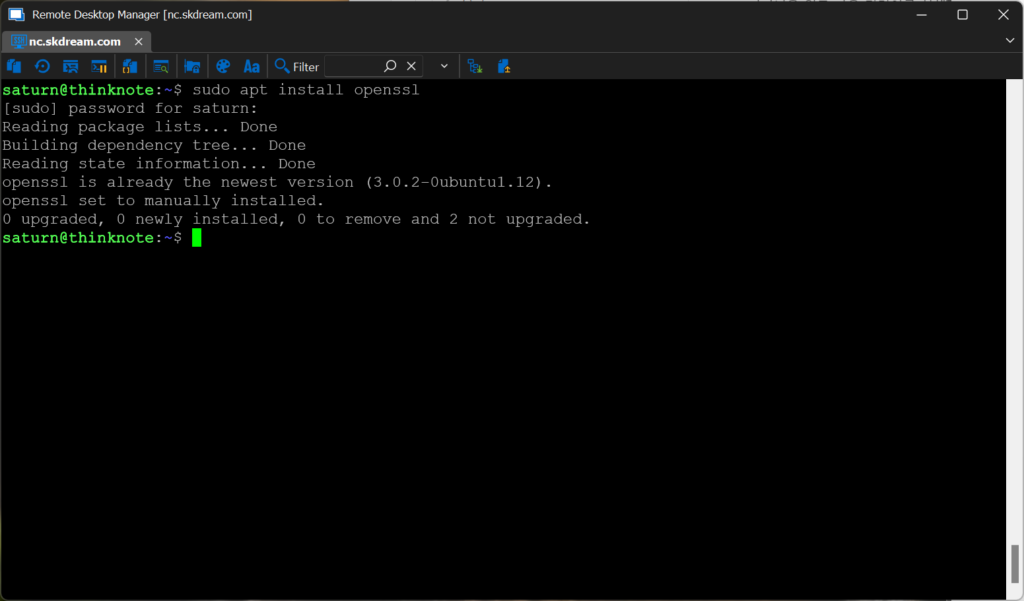
Install OpenSSL by running the following command:
1) Check OpenSSL version
openssl version3. Create param key
1) param necessity
The reason for using Openssl to generate param keys is mainly to generate parameters needed for security algorithms such as:
- Diffie-Hellman (DH) Key Exchange: DH is a type of public key cryptosystem that allows secure communication without sharing two different private keys. DH requires shared parameters p and g, which can be generated using OpenSSL.
- RSA encryption: RSA is a public key encryption method that uses prime numbers p and q to generate private and public keys. You can generate these prime numbers using OpenSSL.
2) Create DH parameters
Create DH parameters with size 2048 bits
sudo openssl dhparam -out /etc/ssl/certs/dhparam.pem 2048Create DH parameters of size 4096 bits
sudo openssl dhparam -out /etc/ssl/certs/dhparam.pem 4096You can change the size and file name according to your needs. There is also a way to use OpenSSL to generate the parameters needed for other encryption algorithms. The param key is used to generate parameters required for the Diffie-Hellman (DH) key exchange protocol used by OpenSSL. The DH protocol is a type of public key cryptosystem, used to generate a secret shared key between two entities. These secret keys can be used for secure communications.
4. Additional study material
If you would like to learn more about OpenSSL, you can refer to the following resources:
- OpenSSL official documentation
- OpenSSL page on Ubuntu Wiki
Thinknote
Good article to read together
- Installing and managing MariaDB (MySQL)
- Activate Centos 8 RHEL & REMI Repository
- Linux administrator tool – enable cockpit
- Install Ubuntu 22.04.1 (VirtualBox)
- VirtualBox Virtual Box virtual machine download and installation
Related Reading
Continue with these related Thinknote English articles in the Server & Infrastructure cluster.
- Nextcloud installation and settings
- Install memory caching APCu, Redis, Memcached
- Free HTTPS setup (Let’s Encrypt, Cloudflare)
- Installing and managing MariaDB (MySQL)
- Setting up Nginx + Php8
- Install PHP 8 (ubuntu)
FAQ
What is this article about?
This article is an English translation and global-reader adaptation of the original Thinknote article “Install OpenSSL.” It preserves the original article’s main explanation, examples, and practical context.
Why is it translated into English?
The English version helps global readers access Thinknote articles through English search keywords while keeping the Korean source available as the original reference.
Where can I read the original Korean version?
The original Korean article is available here: Original Korean article.