
1. Database package that can be installed on Ubuntu
- MySQL: A popular open source relational database management system (RDBMS).
- PostgreSQL: A powerful open source RDBMS that offers many features and extensibility.
- MongoDB: A document-oriented NoSQL database.
- SQLite: A lightweight, open source relational database engine suitable for embedded systems and small-scale applications.
- Redis: A high-performance key-value store and memory-based data structure server.
- MariaDB: A fork of MySQL that offers improved performance and stability while maintaining compatibility.
2. Understanding MariaDB
MariaDB is an open source relational database management system (RDBMS) that began as a fork of MySQL. It is fully compatible with MySQL, and users can easily migrate from their existing MySQL environment to MariaDB. MariaDB is used as the basic RDBMS in many Linux distributions.
Original Korean article: Installing and managing MariaDB (MySQL)
1) MariaDB Features
- Performance: MariaDB provides excellent performance for processing large amounts of data. Performance improvements have been achieved through optimizations such as query optimization, indexing functions, and parallel processing.
- Scalability: MariaDB can scale your database servers horizontally and vertically. Scalability can be achieved in a variety of ways, such as master-slave replication and clustering.
- Security: MariaDB places a strong emphasis on database security. It provides features such as SSL/TLS encryption, access control, and data masking to ensure the safety of your data.
- Openness: MariaDB was developed as open source, allowing users to access the source code to modify and improve it. It also offers a variety of plugins and extensions to customize it to suit your needs.
2) MariaDB Advantages
- MariaDB is fully compatible with MySQL, so existing MySQL users can easily migrate.
- MariaDB delivers fast performance with optimized query processing and indexing features.
- MariaDB allows you to flexibly scale your database servers.
- MariaDB is stable in many Linux distributions and provides features for error recovery and fault tolerance.
3) Disadvantages of MariaDB
- Because it has a relatively small community compared to MySQL, troubleshooting and support can be difficult to find.
- MariaDB is compatible with MySQL, but differences may occur in some specific features, which may cause some applications to not work properly.
3. Install MariaDB
1) Preparing MariaDB in advance
Update and upgrade Ubuntu packages.
sudo apt update
sudo apt upgrade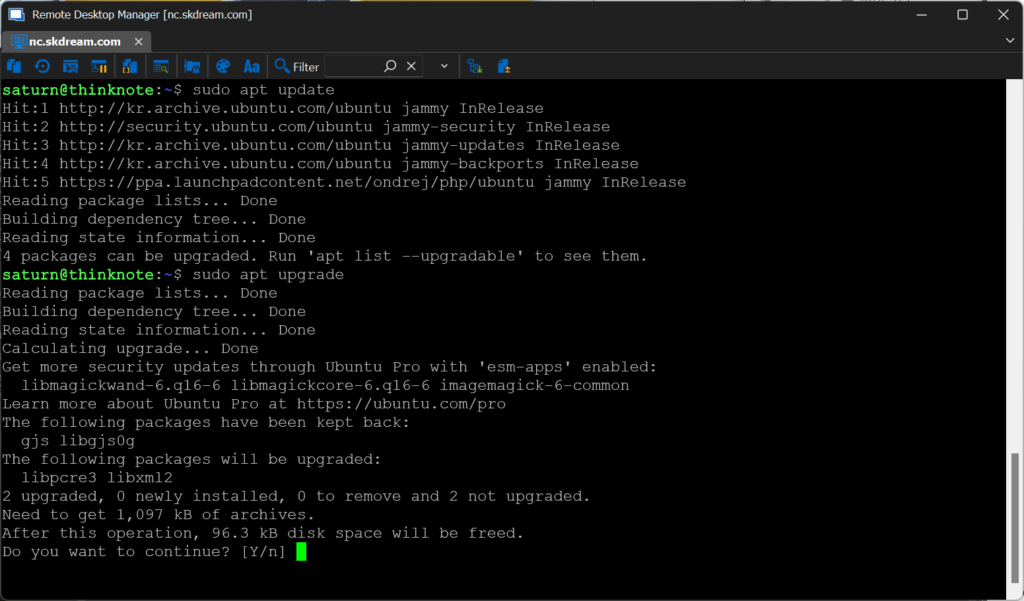
2) Install MariaDB
sudo apt install mariadb-server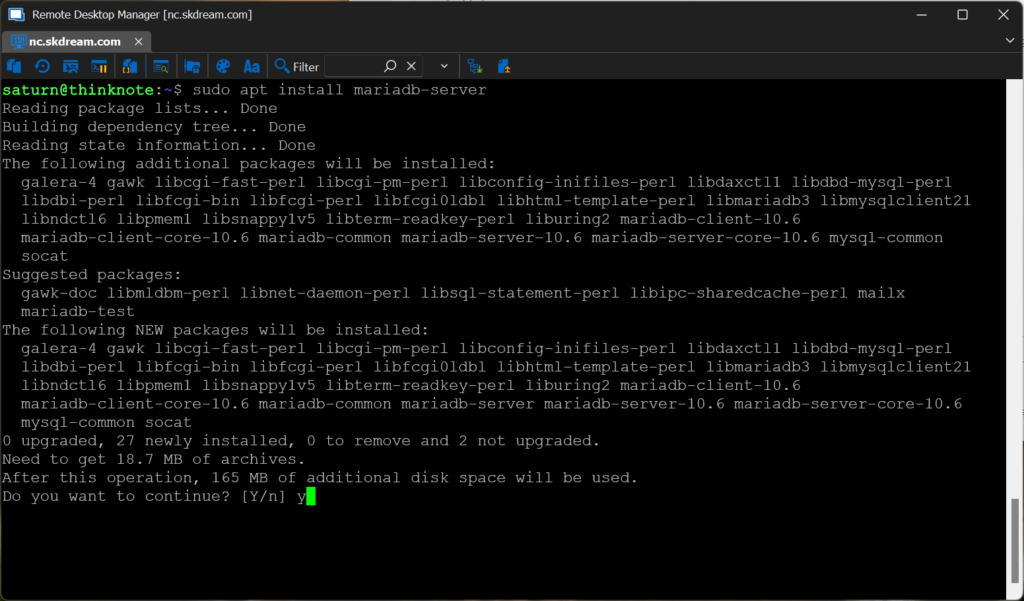
2) Check MariaDB service
Once installation is complete, the MariaDB service will start automatically. To check the service status, run the following command:
sudo systemctl status mariadb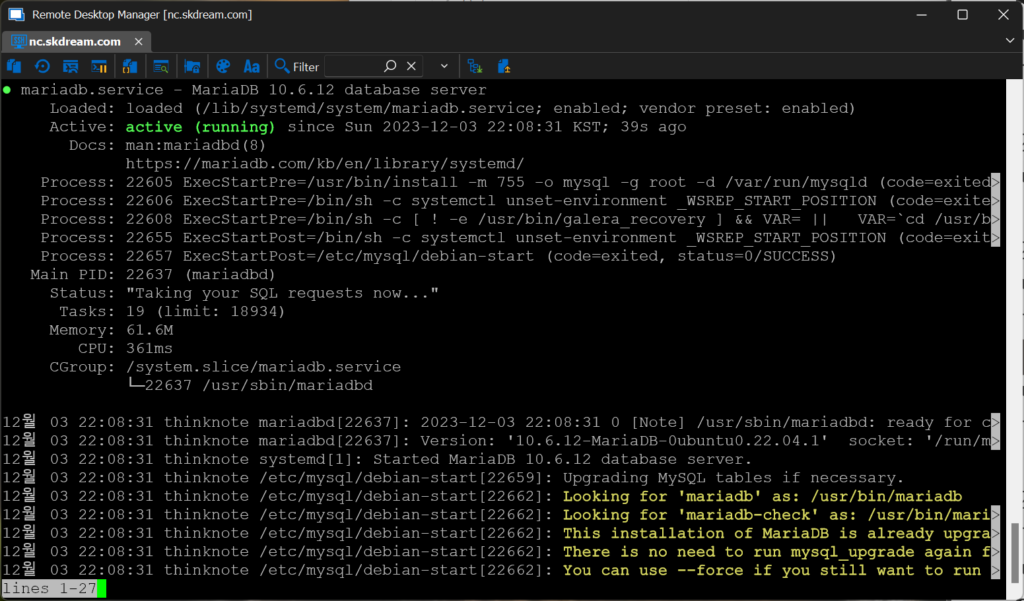
3) Run MariaDB security script
To configure MariaDB more easily, run the security script by running the following command:
- Enter current password for root: During initial installation, there is no password, so press enter.
- Change the root password: Enter Y and set the password.
- Remove anonymou user: Type Y to remove an anonymous user.
- Disallow root login remotely: Enter Y to enable remote login or N to disable it.
- Remove test database and access to it: Type Y to delete the test database.
- Reload privilege tables now: Type Y to save changes.
sudo mysql_secure_installation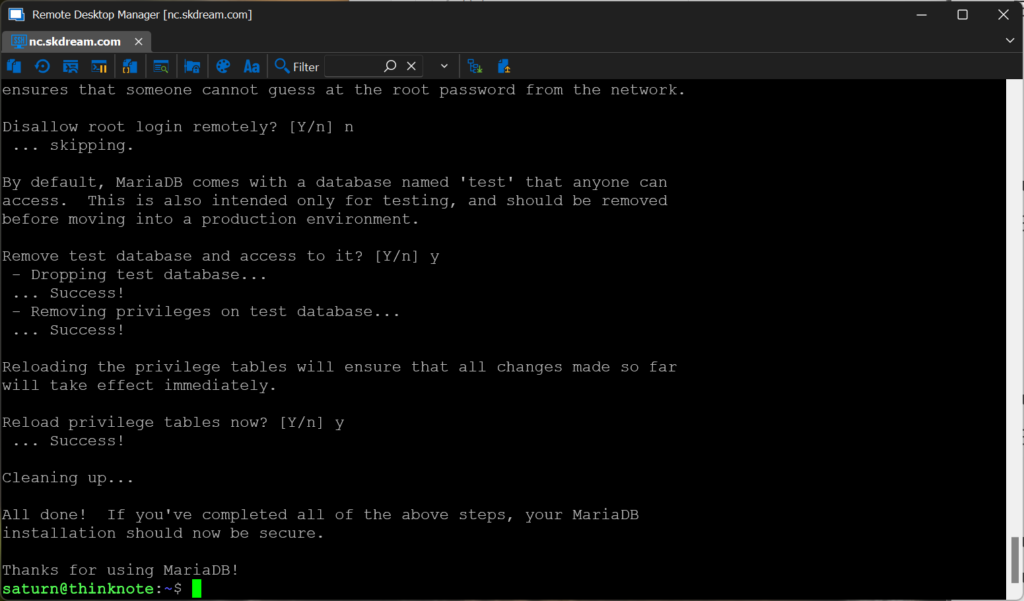
The security settings for your MySQL server are now complete.
Thinknote
Good article to read together
- Install OpenSSL
- Activate Centos 8 RHEL & REMI Repository
- Linux administrator tool – enable cockpit
- Install Ubuntu 22.04.1 (VirtualBox)
- VirtualBox Virtual Box virtual machine download and installation
Related Reading
Continue with these related Thinknote English articles in the Server & Infrastructure cluster.
- Nextcloud installation and settings
- Install memory caching APCu, Redis, Memcached
- Free HTTPS setup (Let’s Encrypt, Cloudflare)
- Install OpenSSL
- Setting up Nginx + Php8
- Install PHP 8 (ubuntu)
FAQ
What is this article about?
This article is part of Thinknote’s English server and infrastructure archive. It focuses on practical Linux, Ubuntu, web-server, database, SSH, firewall, or hosting operations that readers can adapt to their own environment.
How should I use this guide?
Use it as a practical checklist and concept guide. Before applying commands on a live server, verify package names, OS versions, ports, and backup requirements for your own setup.
Where can I read the original Korean article?
The original Korean article is available here: Original Korean article.