
Activate Centos 8 RHEL & REMI Repository
Original Korean article: Original Korean article.
RHEL stands for an additional package for Enterprise Linux and provides a repository that can be used on Centos 8 servers. To use the RHEL repository, you must be connected to the Internet and have root or sudo administrator privileges.
RHEL 8 includes new features that accelerate application development, including installation, coding, tool selection, and configuration. Configuring to use the RHEL Repository on CentOS 8 is very simple, and during installation, REMI, which includes the PHP package to be used on the web server, is also installed. REMI is a free and stable dnf(yum) repository centered on the PHP stack and includes packages for the latest version of PHP.
Activate RHEL
sudo dnf search epelsudo dnf info epel-release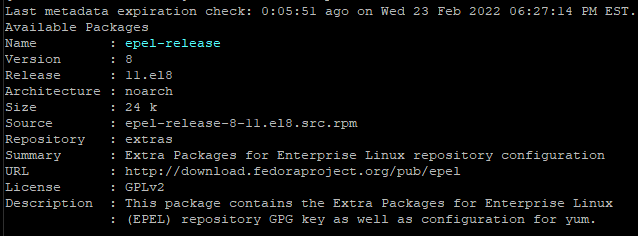
sudo dnf -y install epel-release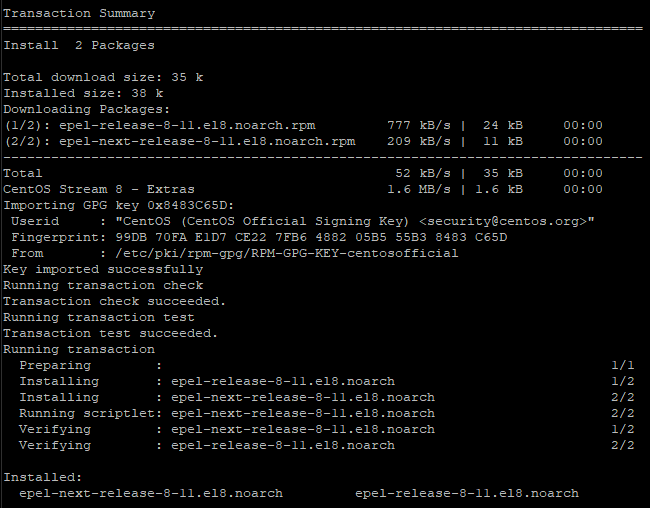
sudo dnf updateActivate REMI
You can install the REMI repository by running the following command.
sudo dnf -y install https://rpms.remirepo.net/enterprise/remi-release-8.rpm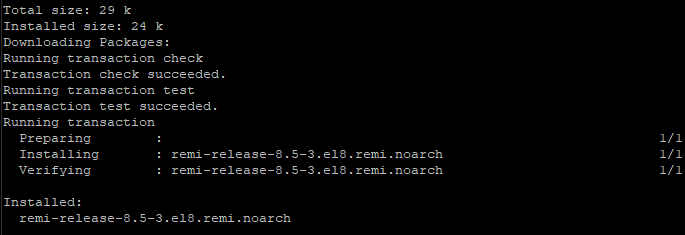
sudo dnf update "previous post.
Good article to read together
- Linux administrator tool – enable cockpit
- Linux user management useradd usermod userdel
- Install OpenSSL
- Installing and managing MariaDB (MySQL)
- Install Ubuntu 22.04.1 (VirtualBox)
Practical Apache Notes
For current production servers, treat this article as a conceptual reference rather than a copy-and-paste deployment recipe. Confirm the Linux distribution, Apache version, virtual-host layout, firewall rules, TLS certificate path, and backup policy before changing a live server. If the server hosts multiple sites, test configuration changes with a syntax check and reload the service only after verifying that the new configuration does not break existing domains.
Verification Checklist
After editing Apache configuration, run a syntax check, confirm that the expected virtual host answers on the correct domain, and review the error log before assuming the change is complete. If HTTPS is involved, also verify the certificate chain, renewal schedule, and redirect behavior from HTTP to HTTPS. These checks reduce downtime and make the older setup notes safer to apply in a modern hosting environment.
Related Reading
Continue with these related Thinknote English articles in the Server & Infrastructure cluster.
- Nextcloud installation and settings
- Install memory caching APCu, Redis, Memcached
- Free HTTPS setup (Let’s Encrypt, Cloudflare)
- Install OpenSSL
- Installing and managing MariaDB (MySQL)
- Setting up Nginx + Php8
FAQ
What is this article about?
This article is part of Thinknote’s English server and infrastructure archive. It focuses on practical Linux, Ubuntu, web-server, database, SSH, firewall, or hosting operations that readers can adapt to their own environment.
How should I use this guide?
Use it as a practical checklist and concept guide. Before applying commands on a live server, verify package names, OS versions, ports, and backup requirements for your own setup.
Where can I read the original Korean article?
The original Korean article is available here: Original Korean article.