삼성SDS 채널의 「AGI 시대에 살아남는 자들의 필살기」에서 김대식 교수는 꽤 단순하지만 중요한 결론을 말한다. AI는 구경하는 기술이 아니다. 써봐야 안다. 더 정확히 말하면, AI 시대에는 도구를 쓰는 능력보다 일하는 방식과 자기 역할을 다시 설계하는 능력이 중요해진다.
AI 도구를 쓰는 것과 AI로 일하는 것은 다르다
많은 기업이 AI 도입을 “ChatGPT 같은 도구를 쓰는 일”로 이해한다. 그러나 기업 현장에서는 그렇게 단순하지 않다. 공개 AI 도구는 인터넷에 공개된 정보를 바탕으로 답한다. 기업의 내부 기술, 고객 데이터, 특허, 조직 역량, 경쟁사의 움직임을 모르면 답은 대체로 막연해진다.
반대로 내부 정보를 충분히 넣으면 훨씬 좋은 답을 얻을 수 있다. 하지만 그 순간 보안과 신뢰 문제가 생긴다. 신제품 전략, 고객 정보, 기술 자료가 외부 모델로 흘러갈 수 있기 때문이다.
그래서 기업용 AI의 핵심은 단순 성능만이 아니다. “얼마나 똑똑한가” 못지않게 “믿고 맡길 수 있는가”가 중요하다. 앞으로 기업 AI 시장에서 보안, 권한 관리, 감사 로그, 데이터 거버넌스, 책임 구조가 중요한 이유다.
기업 AI의 경쟁력은 성능보다 신뢰에서 갈린다
영상에서 삼성SDS의 패브릭스, 브리티 같은 기업용 AI 서비스가 언급된다. 여기서 중요한 포인트는 특정 제품 홍보가 아니다. 기업 입장에서는 공개 AI보다 조금 덜 화려해 보여도, 내부 데이터를 안전하게 다루고 책임질 수 있는 AI 환경이 더 현실적인 선택일 수 있다는 점이다.
에이전틱 AI가 들어오면 이 문제는 더 커진다. 단순히 답변만 생성하는 AI라면 틀린 답을 사람이 걸러낼 수 있다. 하지만 AI가 실제 업무를 실행하기 시작하면 이야기가 달라진다. 메일을 보내고, 구매를 진행하고, 코드를 수정하고, 고객 응대를 처리한다면 실수의 비용은 훨씬 커진다.
결국 기업용 AI의 질문은 이렇게 바뀐다.
이 AI가 어떤 데이터에 접근할 수 있는가?
어떤 행동은 자동으로 하고, 어떤 행동은 승인 후 실행해야 하는가?
실수했을 때 책임과 복구 절차는 어떻게 되는가?
내부 직원은 AI의 판단 과정을 얼마나 확인할 수 있는가?
고객과 파트너에게 설명 가능한 방식으로 운영되는가?
이 질문에 답하지 못하면 AI 도입은 생산성보다 리스크를 먼저 키울 수 있다.
에이전틱 AI는 사람을 ‘명령하는 위치’에서 ‘감독하는 위치’로 옮긴다
생성형 AI 시대에는 사람이 계속 프롬프트를 입력했다. 질문하고, 답을 받고, 다시 고치고, 또 지시했다. 사람은 AI 루프 안에 있었다.
에이전틱 AI 시대에는 방향이 달라진다. 사람은 큰 목표와 조건을 제시하고, AI가 세부 실행을 맡는다. 예를 들어 “이번 달 식재료 예산은 40만 원이고, 한식 위주로 식단을 짜라”고 말하면 AI가 장보기, 비교, 주문까지 처리하는 식이다.
기업에서는 더 큰 변화가 생긴다. 업무 요청, 자료 조사, 보고서 초안, 코드 수정, 고객 응대, 일정 조율 같은 일이 하나의 흐름으로 연결될 수 있다. 사람은 모든 단계를 손으로 처리하기보다 목표를 정하고, 중간 결과를 확인하고, 최종 책임을 지는 역할로 이동한다.
이 변화는 편리함만 뜻하지 않는다. 사람의 역할이 더 선명해져야 한다는 뜻이기도 하다. 무엇을 맡길지, 어디서 멈추게 할지, 언제 사람이 개입할지 정해야 한다.
과거의 성공 방식은 AI 시대에 발목이 될 수 있다
영상에서 가장 흥미로운 대목은 “과거의 성공이 발목을 잡는다”는 지적이다. 성공한 기업일수록 자신이 잘해온 방식에 강하게 묶인다. 완벽한 제품, 엄격한 승인, 긴 개발 주기, 세밀한 품질 관리가 과거에는 강점이었다.
하지만 AI 기술은 너무 빠르게 변한다. 몇 달 동안 완벽한 결과물을 기다리는 동안 시장의 기준이 바뀔 수 있다. 완벽함을 추구하는 문화가 오히려 학습 속도를 늦추는 것이다.
물론 완성도를 버리자는 말은 아니다. 금융, 의료, 제조, 공공서비스처럼 신뢰가 중요한 분야에서는 안정성이 필수다. 다만 모든 일을 과거의 출시 방식으로만 처리하면 새로운 기술의 속도를 따라가기 어렵다.
AI 시대의 조직은 두 개의 속도를 가져야 한다. 고객에게 영향을 주는 핵심 시스템은 안전하게 운영해야 한다. 동시에 내부 실험, 프로토타입, 업무 자동화, 고객 경험 개선은 훨씬 빠르게 시도해야 한다.
바이브 코딩은 개발자만의 이야기가 아니다
영상에서는 기획자나 디자이너가 AI를 활용해 직접 샘플을 만들 수 있는 시대가 언급된다. 예전에는 “이 기능은 2년 걸립니다”라는 말 앞에서 비전문가는 반박하기 어려웠다. 이제는 다르다. 기획자가 AI로 간단한 화면과 작동 예시를 만들어 보여줄 수 있다.
이 변화는 개발자를 대체한다는 뜻이 아니다. 오히려 협업의 기준이 바뀐다는 뜻이다. 말로 설명하던 사람이 이제는 작동하는 초안을 가져올 수 있다. 아이디어와 실행 사이의 거리가 줄어든다.
그래서 앞으로 중요한 역량은 하나의 직무만 고집하는 능력이 아니다. AI의 도움을 받아 여러 일을 연결하고, 빠르게 실험하고, 결과물을 보여주는 능력이다. 기획자는 더 기술적으로 생각해야 하고, 개발자는 더 고객과 경험을 이해해야 한다. 디자이너는 화면을 넘어 흐름과 자동화를 설계해야 한다.
개인은 먼저 자신의 상황을 냉정하게 분석해야 한다
김대식 교수는 30~40대 직장인, 개발자, 대표, 자영업자에게 먼저 자신의 능력과 상황을 냉정하게 보라고 말한다. 막연히 불안해하거나 유튜브만 보는 것으로는 방향이 생기지 않는다.
AI 시대의 준비는 거창한 자격증이나 선언으로 시작하지 않는다. 내가 무엇을 잘하는지, 어떤 일을 하고 있는지, 어디에 시간을 걸어야 하는지 확인하는 데서 시작한다.
다음 질문을 적어보면 좋다.
나는 반복 업무와 판단 업무 중 어디에 시간을 더 쓰고 있는가?
내 업무에서 AI가 바로 도와줄 수 있는 부분은 무엇인가?
내가 직접 해야만 가치가 생기는 부분은 무엇인가?
고객이나 조직이 나에게 기대하는 진짜 결과는 무엇인가?
앞으로 3개월 동안 AI로 실험해볼 작은 과제는 무엇인가?
이 질문에 답하면 막연한 두려움이 조금 줄어든다. 불안은 행동하지 않을 때 커지고, 경험은 불안을 정보로 바꾼다.
AI는 자전거처럼 직접 타봐야 익숙해진다
영상의 결론은 “일단 해보라”다. AI를 배우는 방식은 자전거와 비슷하다. 책을 읽고 강의를 듣는 것만으로는 자전거를 탈 수 없다. 직접 타보고, 넘어지고, 다시 균형을 잡아야 한다.
AI도 마찬가지다. 남이 쓰는 장면을 보는 것과 내가 내 일에 적용해보는 것은 완전히 다르다. 프롬프트를 넣어보고, 결과가 틀리는 이유를 보고, 다시 요청하고, 내 업무 자료와 연결해보는 과정에서 감각이 생긴다.
처음부터 거창한 프로젝트를 할 필요는 없다. 다음처럼 작게 시작하면 된다.
회의 메모를 요약해보기
보고서 목차를 3가지 버전으로 만들기
고객 문의 답변 초안을 만들기
엑셀 데이터를 설명문으로 바꾸기
간단한 랜딩페이지나 앱 화면을 AI로 시제품화하기
매주 반복하는 업무 하나를 자동화해보기
중요한 것은 “내가 해봤다”는 경험이다. 그 경험이 쌓이면 자신이 AI로 무엇을 잘할 수 있는지 보이기 시작한다.
AI가 기능을 대신할수록 인간은 경험을 설계해야 한다
영상 후반부에서 명품 브랜드 이야기가 나온다. 가방의 기능만 보면 몇 천만 원의 가격 차이를 설명하기 어렵다. 물건을 담는 기능은 비슷하다. 그러나 사람들은 기능만 사지 않는다. 기다림, 스토리, 상징, 소속감, 자기만족 같은 경험에 돈을 낸다.
AI 시대에도 이 점은 중요하다. AI가 기능을 빠르게 평준화할수록 단순 기능만으로는 차별화하기 어렵다. 문서 작성, 이미지 생성, 코드 초안, 고객 응대 같은 기능은 점점 더 쉽게 복제된다.
기업은 단순히 기능을 제공하는 회사를 넘어 고객이 더 편안하고, 더 안전하고, 더 좋은 선택을 했다고 느끼게 만드는 경험을 설계해야 한다. 개인도 마찬가지다. AI가 할 수 있는 일을 흉내 내는 사람이 아니라, AI를 활용해 자신만의 관점과 결과물을 만드는 사람이 되어야 한다.
이전 글을 보완하면, AI 혁신의 순서는 이렇게 정리된다
앞선 기업 혁신 글은 “기존 사업을 다시 해석하고, AI와 테크를 붙여야 한다”고 정리했다. 이번 영상은 그 다음 단계를 보완한다. AI를 붙인 뒤에는 조직의 일하는 방식과 개인의 역할까지 바뀌어야 한다.
정리하면 순서는 이렇다.
기존 사업의 본질을 다시 정의한다.
고객 문제에 AI와 테크를 연결한다.
공개 도구 사용을 넘어 신뢰 가능한 기업용 AI 환경을 만든다.
에이전틱 AI에 맡길 일과 사람이 승인할 일을 구분한다.
조직의 속도를 실험형과 안정형으로 나눈다.
개인은 작은 업무부터 직접 AI를 써보며 감각을 만든다.
기능보다 경험과 신뢰를 설계하는 방향으로 차별화한다.
이렇게 보면 AI 혁신은 기술 도입 프로젝트가 아니다. 사업 정의, 조직 설계, 일하는 방식, 개인의 커리어 전략이 함께 바뀌는 변화다.
마무리: AI 시대의 생존 전략은 ‘먼저 경험하고, 다르게 설계하는 것’이다
에이전틱 AI 시대에는 “AI를 쓸 줄 안다”는 말의 의미가 달라진다. 단순히 프롬프트를 잘 쓰는 수준을 넘어, AI가 실행할 수 있는 일을 구조화하고, 신뢰와 책임의 경계를 설계하고, 인간이 맡아야 할 가치를 더 선명하게 만드는 능력이 필요하다.
기업은 AI 도구를 도입하는 데서 멈추면 안 된다. 일하는 방식 자체를 바꿔야 한다. 개인도 불안해하며 구경만 해서는 안 된다. 직접 써보고, 넘어지고, 다시 시도해야 한다.
AI가 기능을 대신할수록 인간은 더 인간적인 것을 설계해야 한다. 경험, 신뢰, 행복, 희소성, 맥락. 결국 AI 시대의 경쟁력은 기술을 얼마나 잘 쓰느냐와 함께, 사람이 왜 나를 선택해야 하는지를 얼마나 분명하게 만들 수 있느냐에 달려 있다.
Anthropic’s “Mythos” issue is not just another story about a new AI model. The core message is colder than that. Frontier AI models are now cloud services and strategic assets at the same time.
Like advanced semiconductor equipment or high-end GPUs, access to a model itself is becoming a matter of diplomacy and national security. Korea cannot treat this shift as someone else’s regulatory news.
What Is at the Core of the Mythos Issue?
The Mythos issue signals that AI competition is no longer only about performance. Access rights and control are becoming national strategy questions.
Anthropic describes Claude Mythos 5 as a model with strong capabilities in cybersecurity and biology research. Through Project Glasswing, the company framed it as a tool for finding and defending critical software vulnerabilities.
According to Anthropic’s own updates, early partners used Mythos Preview to find more than 10,000 high- or critical-severity vulnerabilities in important software. For defensive security teams, that is a compelling result.
The problem is that the same capability can also be used offensively. A model that finds vulnerabilities quickly can strengthen defenders. If control fails, it can also strengthen attackers.
That is why Mythos was limited to vetted partners from the start. When the U.S. government issued a directive suspending foreign national access to Fable 5 and Mythos 5, the story moved from technology news to national strategy.
Why People Are Saying AI Is Becoming a Strategic Asset
The U.S. directive showed that access to frontier AI models can be treated as a national security matter. In practical terms, a pattern once associated with semiconductor export controls is now moving toward the model layer itself.
One important change sits underneath this shift. In the past, the bottleneck was mostly compute, chips, and manufacturing equipment. Going forward, model weights, API access, safeguard settings, and data retention rules may also become objects of control.
For companies, this makes AI adoption more complicated. A model that was available yesterday may be restricted today. In high-risk fields such as public administration, finance, healthcare, defense, and research, that is not just an inconvenience. It is an operational risk.
Three Risks Korea Should Watch
Korea’s AI strategy has to consider foreign model dependence, the dual-use nature of security AI, and the practical limits of sovereign AI at the same time.
1. Dependence on Foreign Models
Korean companies and public institutions have adopted global AI models quickly. From a productivity standpoint, that choice is natural. But when core workflows become tightly coupled to a specific overseas model, access restrictions can become workflow disruptions.
This matters most in areas connected to national functions: public administration, defense, cybersecurity, healthcare, energy, and finance. The point is not that every AI system must be domestic. The point is that systems that cannot stop need alternative routes.
2. The Dual-Use Nature of Security AI
Powerful security AI can improve defensive capacity, but without control it can also be redirected toward offensive capability.
Mythos raises a hard question: if a powerful security AI is released more broadly, does the world become safer or more dangerous?
Vulnerability-discovery AI can help defenders enormously. Yet if verification, disclosure, and patching cannot keep up, the result may be a faster-growing list of weaknesses. Anthropic has also noted that after AI accelerates discovery, the bottleneck shifts to verification, disclosure, and remediation.
Korea should not build AI security capability by focusing only on detection models. Coordinated vulnerability disclosure, patch responsibility, supply-chain response, and incident exercises need to be designed together.
3. The Practical Reality of Sovereign AI
Sovereign AI should not remain a slogan. It is not simply a matter of building one Korean-language model. It requires public data governance, domestic computing infrastructure, high-risk AI evaluation, sector-specific standards, and procurement rules.
Korea is already preparing parts of this foundation through the AI Basic Act, the National AI Committee, the AI Safety Institute, and the national AI computing center. The direction is right. The Mythos issue simply demands more speed and sharper prioritization.
Korea’s Future Strategy: Build Controllable AI Systems, Not Just Models
The key is not merely owning a model. The key is building an AI operating system that can be stopped, switched, and evaluated when necessary.
Korea’s response should not stop at “we need our own frontier model.” The more important question is this: in which domains should Korea secure control, at what level, and at what cost?
First, Classify AI Dependence in Critical National Domains
Public institutions and critical industries should classify the AI services they use by operational importance. A simple writing assistant and a cybersecurity, healthcare, or administrative decision-support system should not be governed by the same standard.
Critical domains need at least three safeguards: replaceable models, inference paths inside Korea or a trusted jurisdiction, and manual fallback procedures for outages.
Second, Make Korea’s AI Safety Evaluation More Operational
AI safety evaluation should not end with paperwork. In high-impact areas such as cybersecurity, biology, financial fraud, disinformation, and privacy leakage, red-team testing and repeated evaluation are essential.
For frontier models, there must be more than two choices: total prohibition or unlimited release. Restricted partner access, usage logging, high-risk query routing, independent evaluation, and incident reporting should work as one system.
Third, Treat the National AI Computing Center as Strategic Infrastructure
The Korean government is moving forward with a national AI computing center of up to 2 trillion won. This infrastructure should not be only a place to rent GPUs. It should become the foundation that connects Korean models, safety evaluation, and public-sector AI pilots.
Accessibility matters. If only large companies can use the infrastructure, national resilience will not grow very much. Universities, startups, security research groups, and public institutions need realistic access.
Fourth, Cooperate Internationally but Plan for Access Cutoff Scenarios
Korea cannot build every AI capability alone. Cooperation with the United States, Europe, Japan, Singapore, and other partners remains necessary. But cooperation is not the same as dependence.
Contracts should address data location, model access interruption, emergency patching, transition to alternative models, and audit rights. Public procurement should not only ask which model performs best. It should ask which system can keep operating in a crisis.
What Companies and Individuals Should Check
Companies should inventory the AI tools they already use. They need to know which workflows depend on which models, where data is stored, and how quickly the organization could switch if a service were restricted.
Individuals can start with a simpler rule. Using AI well is important. But trusting the answer of one model without question is risky. In the AI era, it is more important to have your own language and judgment criteria before writing better prompts.
Conclusion: Korea Needs to Prepare for the Politics of AI Access
The message from the Mythos issue is clear. Future AI competition will not be only about performance. It will also be about who can access models, who can adjust safeguards, and who can keep services running when access conditions change.
Korea should continue using global models, but critical domains need controllable alternatives. Sovereign AI is not isolation. It is insurance. That insurance works only when models, data, computing, safety evaluation, and procurement systems move together.
No. Anthropic describes Mythos 5 as a restricted-access model with strong capabilities in cybersecurity and biology research. The company also introduced Fable 5 as a safer model for general knowledge work, but access to that model was also suspended after the U.S. government directive.
Does the Mythos issue immediately affect Korean companies?
Not every company will be affected immediately. Still, it is a warning for organizations that rely heavily on overseas frontier models for critical workflows. They should review access rights, data location, alternative models, and outage response plans.
Does sovereign AI mean Korea should stop using overseas AI?
No. The core of sovereign AI is control and optionality in areas where they matter. Korea can keep using global AI services while building domestic operating capacity and alternatives for public, security, and industrially critical domains.
What is the Korean government already preparing?
Korea is preparing several foundations, including the AI Basic Act, the National AI Committee, the AI Safety Institute, and the national AI computing center. The computing center is expected to become a key infrastructure layer for domestic AI research and industrial use.
What should individuals prepare?
Individuals should avoid depending on a single model for important judgments. Important claims should be checked against multiple sources, and users should practice explaining AI-generated answers in their own words before accepting them.
다만 정부가 “모든 기업에 주 4.5일제를 지원한다”는 방식은 아닙니다. 핵심은 기업이 실제 근로시간을 줄이거나, 근로자의 사유에 따른 소정근로시간 단축을 허용했을 때 일정 요건을 충족하면 사업주에게 장려금을 지원하는 구조입니다.
기준일: 이 글은 2026년 6월 16일 고용24와 생활법령정보 공개 안내를 기준으로 정리했습니다. 지원 요건과 서식은 예산·고시·연도별 지침에 따라 달라질 수 있으므로 신청 전 고용24와 관할 고용센터에서 다시 확인해야 합니다.
한눈에 보는 핵심 요약
구분
실근로시간 단축 유형
소정근로시간 단축 유형
제도 목적
회사 전체의 장시간 근로 관행 개선
근로자 개인의 돌봄·건강·학업·임신·육아 등 사유 지원
기업이 하는 일
근로시간 단축 계획 수립 후 회사 평균 실근로시간을 줄임
근로자 신청에 따라 일정 기간 소정근로시간 단축 허용
주요 혜택
지원 인원 1명당 월 30만 원
단축 근로자 1명당 월 최대 50만 원
지원 기간
최대 1년, 3개월 단위 신청
최대 1년, 3개월 단위 신청
핵심 요건
단축 전 3개월 대비 주 평균 실근로시간 2시간 이상 감소
단축 전 6개월 이상 주 35시간 이상 근무 등 유형별 요건 충족
주요 대상
우선지원대상기업·중견기업
우선지원대상기업·중견기업
신청 경로
고용24 또는 관할 고용센터
고용24 또는 관할 고용센터
왜 워라밸 4.5일제가 정부지원 이슈가 됐을까
기업 입장에서 근로시간 단축은 단순한 복지 제도가 아닙니다. 근무시간을 줄이면 인력 운영, 임금 설계, 고객 대응 시간, 생산성 관리, 근태 시스템까지 함께 바뀝니다.
정부지원제도의 목적은 이 전환 비용을 일부 완화하는 데 있습니다. 장시간 근로를 줄이고, 일과 생활의 균형을 높이며, 근로자가 돌봄·건강·학업 같은 사유로 일을 그만두지 않도록 기업의 제도 도입을 유도하는 정책입니다.
즉 이 제도의 방향은 세 가지로 볼 수 있습니다.
장시간 근로 관행 개선: 야근과 연장근로에 의존하던 조직 운영을 줄입니다.
일·생활 균형 강화: 근로자가 돌봄, 건강, 육아, 학업 때문에 퇴사하지 않도록 돕습니다.
기업의 제도 전환 비용 완화: 근태관리, 임금보전, 제도 운영에 필요한 부담을 장려금으로 일부 보완합니다.
기업이 알아야 할 두 가지 지원 유형
워라밸 4.5일제를 검색하면 여러 표현이 섞여 나옵니다. 기업은 먼저 아래 두 유형을 구분해야 합니다.
1. 실근로시간 단축 유형: 회사 전체의 근로시간을 줄이는 방식
실근로시간 단축 유형은 연장근로가 많은 회사가 장시간 근로문화를 개선하도록 지원하는 제도입니다. 회사가 근로시간 단축 계획을 세우고, 소정근로와 연장근로를 합친 실근로시간을 줄였을 때 장려금을 받을 수 있습니다.
공식 안내 기준으로는 단축 시행 전 3개월과 비교해 근로자 1인당 주 평균 실근로시간이 2시간 이상 감소해야 합니다. 단순히 휴게시간을 늘려 근로시간이 줄어든 것처럼 만드는 경우는 지원에서 제외됩니다.
기업 혜택은 지원 인원 1명당 월 30만 원 정액입니다. 지원 인원은 지원 대상 근로자 총인원의 30%를 기준으로 산정하며, 최대 100명까지 지원됩니다. 지원 대상 근로자가 10명 미만이면 3명까지 지원될 수 있습니다.
2. 소정근로시간 단축 유형: 근로자 개인 사유를 지원하는 방식
소정근로시간 단축 유형은 근로자가 가족돌봄, 본인 건강, 퇴직준비, 학업, 임신, 육아 등의 사유로 일정 기간 근로시간을 줄이고 싶을 때 사업주가 이를 허용하는 제도입니다.
일반적 사유의 경우 단축 전 6개월 이상 주 35시간 이상 근무한 근로자를 대상으로, 주당 소정근로시간을 15~30시간으로 줄이는 방식이 대표적입니다. 육아기 10시 출근제나 임신 사유 단축은 별도 요건이 적용됩니다.
기업 혜택은 단축 근로자 1명당 월 최대 50만 원입니다. 구성은 장려금 월 30만 원과 임금감소액 보전금 월 20만 원입니다. 다만 임금감소액 보전금은 사업주가 단축 근로자에게 일정 수준 이상의 보전금을 지급한 경우에 지원되며, 육아기 10시 출근제에는 적용되지 않습니다.
기업 혜택을 금액으로 정리하면
지원 유형
기업이 받을 수 있는 지원
지원 한도
지원 기간
실근로시간 단축
지원 인원 1명당 월 30만 원
지원 대상 근로자 총인원의 30%, 최대 100명. 10명 미만 사업장은 3명
최대 1년
소정근로시간 단축
단축 근로자 1명당 월 최대 50만 원
직전년도 말 피보험자 수의 30%, 최대 30명. 10인 미만 사업장은 3명
최대 1년
소정근로시간 단축 내 장려금
월 30만 원
요건 충족 근로자 기준
최대 1년
소정근로시간 단축 내 임금감소액 보전금
월 20만 원
사업주가 임금 감소액을 일정 수준 보전한 경우
최대 1년
금액만 보면 소정근로시간 단축 유형이 더 커 보입니다. 그러나 두 제도는 목적이 다릅니다. 회사 전체의 주 4.5일제 전환이나 야근 축소라면 실근로시간 단축 유형이 더 가깝고, 특정 근로자의 돌봄·건강·육아 사유를 지원하는 경우라면 소정근로시간 단축 유형을 봐야 합니다.
주 4.5일제 도입 기업은 어떤 방향으로 설계해야 할까
주 4.5일제를 단순히 “금요일 오후 휴무”로만 설계하면 지원 요건과 맞지 않을 수 있습니다. 정부지원과 연결하려면 근로시간 단축의 목적, 대상, 근태관리 방식, 임금 처리 기준을 함께 설계해야 합니다.
첫째, 회사 전체 단축인지 개인별 단축인지 먼저 정해야 합니다
모든 직원의 금요일 근무를 줄이고 연장근로를 줄이는 방식이면 실근로시간 단축 유형에 가깝습니다. 반대로 육아, 건강, 학업 등 특정 근로자 사유에 따라 근무시간을 줄이는 방식이면 소정근로시간 단축 유형에 가깝습니다.
둘째, 실제 근로시간 감소가 보여야 합니다
실근로시간 단축 유형은 회사 평균 기준으로 단축 전 3개월과 단축 후 3개월을 비교합니다. 따라서 명목상 제도만 만들고 실제 야근이 유지되면 지원이 어렵습니다.
근태 데이터가 중요합니다. 전자카드, 지문인식, 타임레코드 등 전자·기계적 방식으로 출퇴근 시간이 확인되어야 합니다.
셋째, 취업규칙·인사규정·근로계약서를 정비해야 합니다
소정근로시간 단축 유형은 전일제 복귀 보장, 단축 사유, 단축 기간, 근로조건이 담긴 규정이 필요합니다. 단축 전후 근로계약서, 월별 임금대장, 임금지급 증빙도 준비해야 합니다.
실근로시간 단축 유형도 단축 시행일, 단축 목표 시간, 단축 방법이 포함된 사업계획이 필요합니다. 노사협의회 회의록, 취업규칙 개정안, 인사규정 개정안 등이 증빙자료가 될 수 있습니다.
넷째, 연장근로 관리가 핵심입니다
소정근로시간 단축 유형은 연장근로가 월 10시간을 초과하면 해당 월 장려금이 지급되지 않을 수 있습니다. 임신 사유 단축은 단축 후 근로시간을 초과해 근무한 경우 해당 월 지원이 제한될 수 있습니다.
실근로시간 단축 유형도 연장근로 위반 등 근로기준법 위반이 확인되면 장려금 전체가 부지급되거나 이미 받은 금액을 반환해야 할 수 있습니다.
신청 절차는 어떻게 진행될까
단계
실근로시간 단축 유형
소정근로시간 단축 유형
1단계
근로시간 단축 계획 수립
단축제도 도입 및 내부 규정 마련
2단계
관할 고용센터에 참여 신청서와 계획서 제출
근로자 신청에 따라 단축근무 시행
3단계
심사위원회 승인 후 정해진 기간 안에 제도 시행
단축 전후 근로계약서와 근태·임금 자료 준비
4단계
단축 시행 후 3개월 단위로 장려금 신청
단축 시작 다음 달부터 3개월 단위로 장려금 신청
5단계
지급 승인 후 계좌 입금
지급 승인 후 계좌 입금
신청은 고용24에서 온라인으로 진행할 수 있습니다. 오프라인 신청이 필요한 경우에는 사업장 소재지 관할 고용센터를 통해 확인하면 됩니다.
기업이 준비해야 할 자료
실근로시간 단축 유형은 단축 전 3개월의 근로시간 자료가 특히 중요합니다. 참여 신청 단계에서 이미 전자·기계적 방식의 출퇴근 기록을 요구하므로, 제도 도입을 생각한다면 먼저 근태관리 체계부터 점검해야 합니다.
소정근로시간 단축 유형은 내부 규정과 근로자별 계약·임금 자료가 중요합니다. 단축 전후 근로계약서, 월별 임금대장, 임금지급 증빙, 전자·기계적 출퇴근 기록이 기본 자료로 요구됩니다.
준비 항목
왜 필요한가
전자·기계식 출퇴근 기록
실제 근로시간 단축 여부 확인
취업규칙·인사규정·단체협약
단축제도 도입과 복귀 보장 확인
근로시간 단축 계획서
목표 시간, 시행일, 단축 방법 확인
단축 전후 근로계약서
소정근로시간 변경 사실 확인
월별 임금대장
임금 지급과 연장근로 관리 확인
임금지급 증빙
임금감소액 보전금 등 지급 확인
기업 입장에서의 장점과 한계
장점
첫째, 근로시간 단축 과정에서 발생하는 기업 부담을 일부 줄일 수 있습니다. 특히 중소기업이나 중견기업은 인력 공백과 운영비 부담 때문에 제도 도입을 미루는 경우가 많습니다. 장려금은 이 초기 부담을 낮추는 역할을 합니다.
둘째, 채용과 유지에 도움이 됩니다. 근로시간 단축제도는 복지 이미지뿐 아니라 실제 이직 방지 장치가 될 수 있습니다. 돌봄, 건강, 육아 사유가 있는 근로자에게 계속 일할 수 있는 선택지를 제공하기 때문입니다.
셋째, 생산성 중심 조직으로 전환하는 계기가 됩니다. 주 4.5일제는 단순히 시간을 줄이는 제도가 아니라 회의, 보고, 야근, 업무 우선순위를 다시 설계하는 과정입니다.
한계
첫째, 모든 기업이 자동으로 받을 수 있는 지원금은 아닙니다. 우선지원대상기업 또는 중견기업 요건, 근로자 요건, 제외 업종, 임금체불·중대재해 공표 여부 등을 확인해야 합니다.
둘째, 실제 근로시간 감소와 근태자료가 확인되어야 합니다. 명목상 제도만 두거나 수기 관리에 의존하면 지원 요건을 맞추기 어렵습니다.
셋째, 같은 근로자에 대해 같은 기간 동안 다른 지원금과 중복 수급할 수 없는 경우가 있습니다. 이미 육아기 근로시간 단축 지원금, 고용유지지원금 등과 연결되어 있다면 기간과 대상이 겹치지 않는지 확인해야 합니다.
신청 전 체크리스트
☐ 우리 회사가 우선지원대상기업 또는 중견기업에 해당하는가?
☐ 주 4.5일제 목적이 회사 전체 실근로시간 단축인가, 개인별 소정근로시간 단축인가?
☐ 단축 전 3개월 또는 6개월 기준 자료를 확보할 수 있는가?
☐ 전자·기계식 출퇴근 기록이 있는가?
☐ 취업규칙, 인사규정, 근로계약서 정비가 필요한가?
☐ 연장근로가 월별 지원 제한 기준을 넘지 않도록 관리 가능한가?
☐ 동일 근로자·동일 기간 중복 수급 위험이 없는가?
☐ 고용24 또는 관할 고용센터에서 최신 서식과 요건을 확인했는가?
자주 묻는 질문
Q1. 주 4.5일제를 도입하면 무조건 지원금을 받을 수 있나요?
아닙니다. 정부지원은 주 4.5일제라는 명칭만으로 지급되지 않습니다. 실근로시간이 실제로 줄었는지, 소정근로시간 단축 요건을 충족했는지, 근태자료와 임금자료가 확인되는지가 중요합니다.
Q2. 금요일 오후를 쉬게 하면 실근로시간 단축 유형으로 신청할 수 있나요?
가능성을 검토할 수는 있습니다. 다만 단축 전 3개월과 비교해 회사 평균 주 실근로시간이 2시간 이상 줄어야 하고, 휴게시간 확대만으로 줄인 경우는 제외됩니다. 전자·기계식 근태자료도 필요합니다.
Q3. 기업이 받을 수 있는 최대 금액은 얼마인가요?
실근로시간 단축 유형은 지원 인원 1명당 월 30만 원입니다. 소정근로시간 단축 유형은 단축 근로자 1명당 월 최대 50만 원입니다. 다만 지원 인원 한도와 근로자별 요건이 있으므로 단순히 전체 직원 수에 곱해서 계산하면 안 됩니다.
Q4. 소정근로시간 단축과 육아기 근로시간 단축 지원은 같은 제도인가요?
다릅니다. 고용24 안내에서도 만 8세 또는 초등학교 2학년 이하 자녀의 육아를 위한 근로시간 단축은 육아기 근로시간 단축 지원금을 별도로 참고하도록 안내합니다. 같은 기간 중복 수급은 제한될 수 있으므로 기간과 제도를 나눠 확인해야 합니다.
Q5. 어디에서 신청하나요?
고용24에서 온라인 신청이 가능합니다. 제도 설계나 서류 판단이 필요한 경우에는 사업장 소재지 관할 고용센터 또는 고용노동부 고객상담센터 1350을 통해 확인하는 것이 안전합니다.
결론: 4.5일제는 복지보다 운영 설계가 먼저다
워라밸 4.5일제 정부지원제도는 “쉬는 날을 늘리면 돈을 주는 제도”가 아닙니다. 정부가 보려는 핵심은 실제 근로시간이 줄었는지, 근로자가 계속 일할 수 있는 제도를 기업이 책임 있게 운영하는지입니다.
기업은 먼저 실근로시간 단축형인지 소정근로시간 단축형인지 구분해야 합니다. 그다음 근태관리, 규정 정비, 임금 처리, 연장근로 관리까지 함께 준비해야 합니다.
제대로 설계하면 장려금은 단순한 지원금을 넘어 조직문화 전환의 마중물이 될 수 있습니다. 반대로 요건을 가볍게 보고 신청하면 부지급이나 환수 리스크가 생길 수 있으므로, 신청 전 고용24와 관할 고용센터 확인을 권합니다.
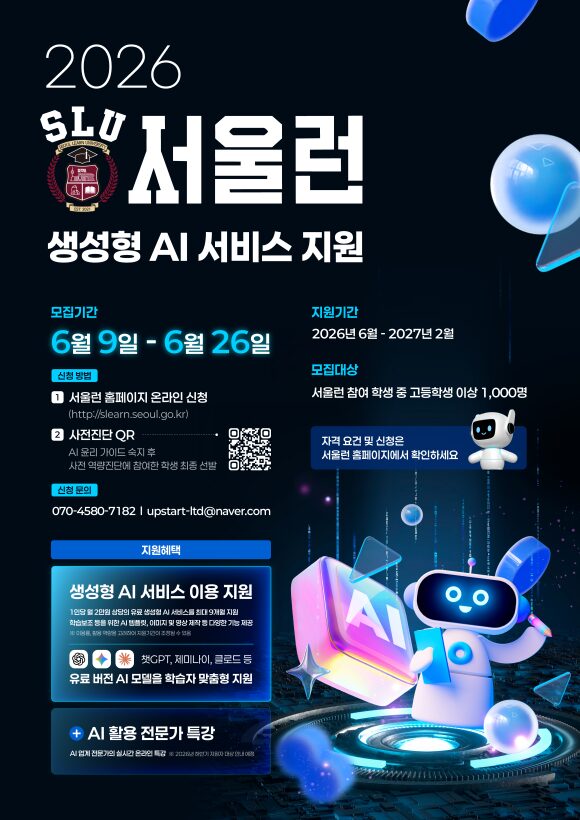
요즘 학습에서 AI는 단순한 검색 도구를 넘어섰습니다. 글을 요약하고, 문제 풀이 방향을 잡고, 영어 문장을 다듬고, 진로 탐색 질문까지 도와주는 보조 학습 도구가 됐습니다. 다만 유료 AI 서비스는 학생에게 비용 부담이 될 수 있습니다. 이번 서울런 AI 지원은 그 장벽을 낮추는 데 초점이 있습니다.
서울런 생성형 AI 서비스 지원이란?
서울런 생성형 AI 서비스 지원은 서울런에 참여하는 학생들이 최신 인공지능 서비스를 학습에 활용할 수 있도록 돕는 프로그램입니다. 이미지 안내에 따르면 지원 대상자는 챗GPT, 클로드, 제미나이, 퍼플렉시티 등을 포함한 총 9종의 유료 생성형 AI를 무료로 이용할 수 있습니다.
단순히 AI 계정을 나눠주는 성격이라기보다, 학습 격차를 줄이고 AI 활용 경험을 넓히려는 교육 지원 사업에 가깝습니다. 특히 고등학생 이상이라면 과제, 입시 준비, 자기소개서 초안, 진로 탐색, 외국어 학습 등에서 AI를 활용할 일이 많습니다.
모집기간과 지원기간
이미지에 표시된 주요 일정은 다음과 같습니다.
구분
내용
모집기간
6월 9일 ~ 6월 26일
지원기간
2026년 6월 ~ 2027년 2월
모집인원
선착순 1,000명
모집대상
서울런 참여 학생 중 고등학생 이상
신청방법
서울런 홈페이지 온라인 신청 또는 사전진단 QR 참여
지원기간이 2027년 2월까지로 안내되어 있어, 선정되면 한 학기 단기 체험이 아니라 비교적 긴 기간 동안 AI 서비스를 학습에 활용할 수 있습니다.
누가 신청할 수 있나?
모집대상은 서울런 참여 학생 중 고등학생 이상 1,000명입니다. 여기서 중요한 점은 ‘서울런 회원’이라는 전제입니다. 누구나 바로 신청하는 일반 공개 이벤트라기보다는, 서울런 참여 학생을 대상으로 한 교육 지원 프로그램으로 이해하는 것이 좋습니다.
다만 이미지에도 “자격 요건 및 신청은 서울런 홈페이지에서 확인하세요”라고 안내되어 있습니다. 따라서 실제 신청 전에는 서울런 홈페이지에서 본인의 참여 자격, 학년 기준, 선발 방식, 사전진단 참여 조건을 반드시 확인해야 합니다.
어떤 AI를 무료로 이용할 수 있나?
안내 문구에는 챗GPT, 클로드, 제미나이, 퍼플렉시티 등 총 9종의 유료 생성형 AI가 언급되어 있습니다. 각각의 도구는 쓰임새가 조금씩 다릅니다.
챗GPT: 글쓰기, 요약, 문제 풀이 방향 정리, 아이디어 확장에 활용하기 좋습니다.
클로드: 긴 글 읽기, 자료 요약, 문장 다듬기 등에 강점이 있습니다.
제미나이: 구글 생태계와 연결된 정보 탐색, 문서 작업 보조에 활용할 수 있습니다.
퍼플렉시티: 검색형 AI로 자료 조사와 출처 확인에 유용합니다.
학생 입장에서는 “어떤 AI가 제일 좋은가”보다 “과제와 학습 상황에 맞게 어떤 AI를 써야 하는가”를 익히는 것이 더 중요합니다. 예를 들어 개념을 처음 이해할 때는 설명형 AI를 쓰고, 자료 조사를 할 때는 검색형 AI를 쓰는 식입니다.
신청방법은?
이미지 기준 신청방법은 두 가지로 안내되어 있습니다.
서울런 홈페이지 온라인 신청
서울런 홈페이지에서 신청할 수 있습니다. 이미지에는 http://slearn.seoul.go.kr 주소가 표시되어 있습니다.
사전진단 QR 참여
AI 올리 가이드 숙지 후 사전 역량진단에 참여한 학생을 최종 선발한다고 안내되어 있습니다.
즉, 단순히 신청 버튼만 누르는 방식이 아닐 수 있습니다. AI 활용 가이드 확인과 사전진단 참여가 선발 과정에 포함될 가능성이 있으므로, 신청 페이지의 절차를 끝까지 확인해야 합니다.
학생들은 어떻게 활용하면 좋을까?
이번 지원을 받게 된다면, AI를 ‘정답 생성기’처럼 쓰기보다 학습 코치처럼 활용하는 것이 좋습니다.
예를 들어 수학 문제를 풀 때 바로 답을 물어보기보다 “이 문제에서 먼저 확인해야 할 개념이 무엇인지 설명해 줘”라고 질문할 수 있습니다. 영어 작문을 할 때도 “이 문장을 더 자연스럽게 고쳐주고, 왜 그렇게 고쳤는지 설명해 줘”라고 요청하면 학습 효과가 커집니다.
추천 활용 방식은 다음과 같습니다.
모르는 개념을 중학생도 이해할 수 있는 수준으로 다시 설명받기
긴 지문이나 교과 내용을 핵심 문장으로 요약하기
영어 문장 첨삭 후 수정 이유 확인하기
진로·전공 관련 질문 목록 만들기
수행평가 발표 자료의 구조 잡기
자료 조사 시 출처와 근거를 함께 확인하기
AI가 만들어준 답을 그대로 제출하는 방식은 위험합니다. 오류가 있을 수 있고, 학교 과제 기준에 맞지 않을 수도 있습니다. AI의 답변은 초안과 참고자료로 활용하고, 최종 판단과 표현은 학생 스스로 정리해야 합니다.
신청 전 확인할 체크리스트
신청 전에는 아래 내용을 확인해 보세요.
내가 서울런 참여 학생에 해당하는가?
고등학생 이상 기준에 포함되는가?
모집기간인 6월 9일~6월 26일 안에 신청하는가?
사전진단 QR 또는 AI 활용 가이드 절차가 필요한가?
선정 후 어떤 AI 서비스를 언제까지 이용할 수 있는가?
학교 과제나 시험 준비에 AI를 사용할 때 지켜야 할 기준을 알고 있는가?
특히 선착순 1,000명 모집으로 안내되어 있으므로, 관심이 있다면 신청기간 안에 빠르게 확인하는 것이 좋습니다.
마무리
서울런 생성형 AI 서비스 지원은 학생들이 비용 부담 없이 최신 AI 도구를 경험할 수 있는 기회입니다. 중요한 것은 무료 이용 자체보다, AI를 학습에 제대로 연결하는 경험입니다.
AI는 대신 공부해 주는 도구가 아닙니다. 하지만 질문을 잘 던지면 개념 이해, 글쓰기, 자료 조사, 진로 탐색을 도와주는 든든한 조력자가 될 수 있습니다. 서울런 참여 학생 중 고등학생 이상이라면 모집기간과 신청 조건을 확인해 볼 만합니다.
FAQ
서울런 생성형 AI 서비스 지원은 누구를 대상으로 하나요?
이미지 안내 기준으로 서울런 참여 학생 중 고등학생 이상이 대상이며, 모집인원은 1,000명입니다.
모집기간은 언제인가요?
모집기간은 6월 9일부터 6월 26일까지로 안내되어 있습니다.
어떤 AI 서비스를 무료로 이용할 수 있나요?
챗GPT, 클로드, 제미나이, 퍼플렉시티 등을 포함한 총 9종의 유료 생성형 AI를 무료로 이용할 수 있다고 안내되어 있습니다.
신청은 어디에서 하나요?
서울런 홈페이지 온라인 신청 또는 이미지에 포함된 사전진단 QR을 통해 신청 절차를 진행하는 방식으로 안내되어 있습니다.
신청만 하면 바로 선정되나요?
이미지에는 AI 올리 가이드 숙지 후 사전 역량진단에 참여한 학생을 최종 선발한다고 되어 있습니다. 최종 조건은 서울런 홈페이지에서 확인해야 합니다.
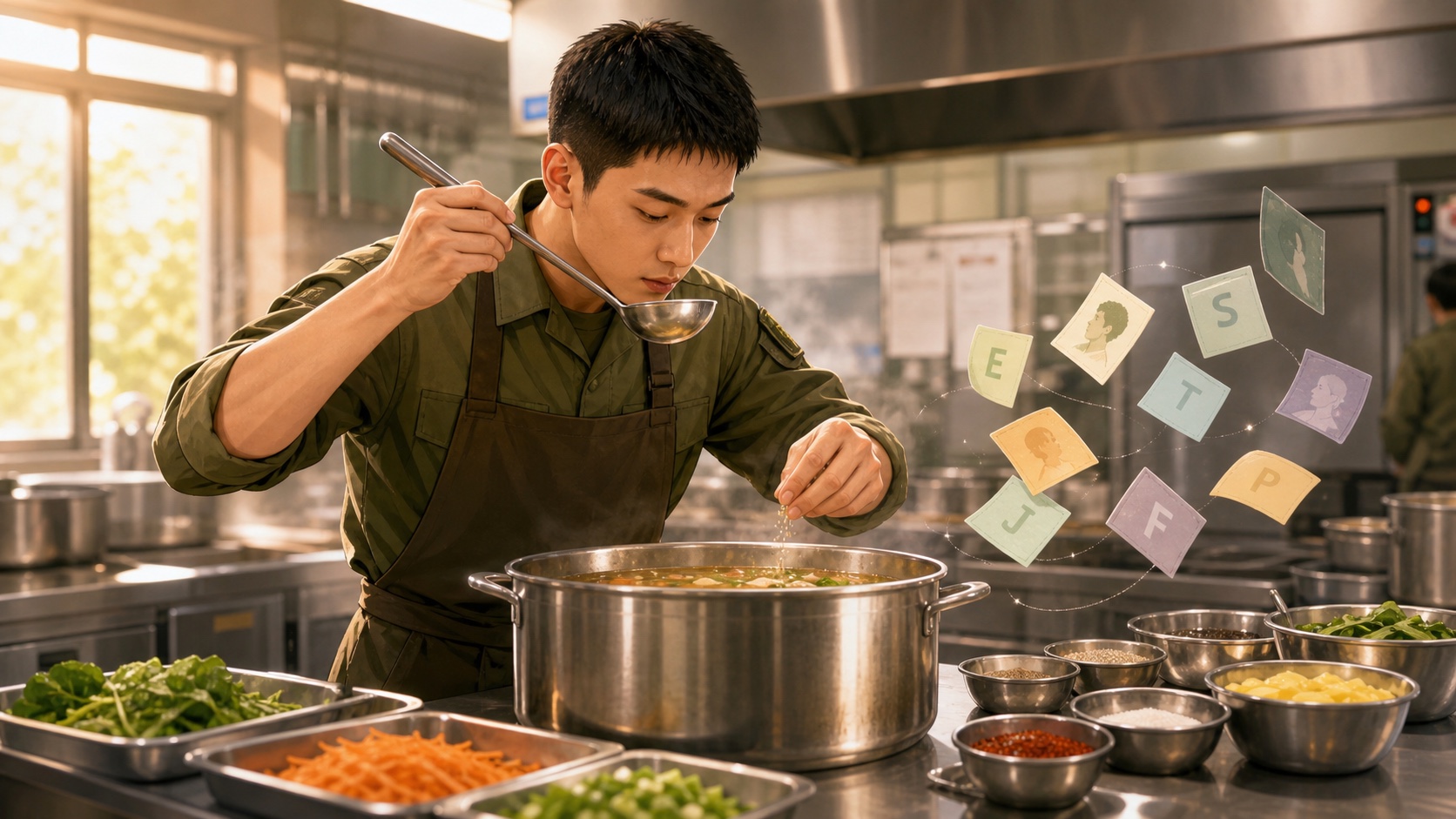
Kang Sung-jae’s growth is revealed less through grand declarations than through the feel in his fingertips and the rhythm of repeated days.
The Perspective of This Article
This article is a character reading of TVING’s original drama The Legend of the Kitchen Soldier through the lens of MBTI. Here, MBTI is not a tool for evaluating the actors or any real people. It is closer to a lens for examining what fictional characters notice first, how they endure, and how they form relationships in the unfamiliar space of the military.
The Legend of the Kitchen Soldier combines the military, cooking, and growth fantasy, just as its promotional phrase suggests: “a kitchen knife instead of a rifle, an apron instead of a cartridge belt.” Private Kang Sung-jae encounters a new role as a kitchen soldier inside the closed order of the military, and within that role he gradually creates his own ability and place. That is why the characters in this drama are difficult to explain with simple labels such as “kind,” “strong,” or “by the book.”
This article focuses on Kang Sung-jae, Jo Ye-rin, the senior kitchen soldier, and the ambitious officer. The goal, however, is not to force four letters onto each character. The more important question is why they move in such different ways when faced with the pressures of food, rules, recognition, and survival.
Quick Conclusion: MBTI Summary of the Main Characters
Character
This Article’s Reading
Alternative Possibility
Confidence
Core Reason
Kang Sung-jae
ISFP
INFP
67%
A growth-oriented survivor who endures a harsh reality while making a place for himself through sensation and hands-on skill.
Jo Ye-rin
ESTJ
ISTJ
64%
An “FM” platoon-leader type who values rules, responsibility, and order on the ground.
Senior kitchen soldier
ESFJ
ESTJ
58%
A practical helper who manages the unit’s meals, people, and daily rhythm.
Ambitious officer
ENTJ
ESTJ
57%
A command-organization figure who reads the internal board in terms of promotion and performance.
Kitchen team
Mixed-type team
—
55%
A structure in which sensation, rules, survival, and the desire for recognition collide and produce growth.
This table is a starting point for enjoying the drama. In The Legend of the Kitchen Soldier, the key question is not “who is more capable?” but “who creates a place for themselves, and by what method?” Kang Sung-jae quietly endures and then grows through the feel in his hands. Jo Ye-rin holds a disordered field together through rules and responsibility. The senior kitchen soldier understands the rhythm of daily life, while the ambitious officer calculates performance and position inside the organization.
Even within the same military kitchen, sensation, rules, care, and ambition move in different ways.
Before Reading It Through MBTI: The Characters in The Legend of the Kitchen Soldier Are “Everyday Survival” Characters
The characters in The Legend of the Kitchen Soldier are less like grand war-hero archetypes and more like everyday survival characters. The setting is the military, and the core space is the kitchen. The military is a place with clear rules and hierarchy, while the kitchen is the place within it that takes responsibility for the rhythm of each day. People become sensitive when they are hungry, and meals can change the atmosphere of an entire unit. In this drama, then, food is not just a prop. It becomes a language of relationships and recognition.
This is also why Kang Sung-jae is interesting. He does not appear from the beginning as an overwhelming leader or a fully formed genius. Based on the public introduction, he is a private who has just been transferred into the unit, a young man who has lived tenaciously through a tough reality. That kind of person encounters unexpected quests and opportunities through cooking in the military and begins to grow. This premise creates a tension that is well suited to an MBTI reading.
In a military space, personality often becomes sharper than usual. Some people cling to rules. Some read other people’s moods. Some calculate results. Some prove themselves by doing the work directly with their hands. The Legend of the Kitchen Soldier shows precisely these differences through the genre devices of cooking and fantasy.
For that reason, this article looks less at one specific scene and more at repeated choices. How Kang Sung-jae learns under pressure, how Jo Ye-rin protects order, how the senior kitchen soldier connects people with the rhythm of meals. What the ambitious officer calculates first inside the organization.
Kang Sung-jae’s MBTI: Close to ISFP, a “Survivor Who Grows Through His Fingertips”
Kang Sung-jae’s Repeated Actions and Judgment Criteria
At first glance, Kang Sung-jae may look like a growth-protagonist who simply receives a lucky opportunity. But if we see him only as “a soldier who becomes good at cooking,” we miss what matters. Kang Sung-jae’s core lies in his attitude. Rather than making grand plans, he learns the task in front of him with his body and creates a place for himself.
TVING’s official description presents Kang Sung-jae as a private who is reborn as a “legendary kitchen soldier.” The Naver Webtoon original introduction also refers to “an opportunity to become the legendary kitchen soldier, arriving like a ray of light in an anxious military life.” This setup shows. Kang Sung-jae is not a character who initially tries to change the world. He is someone who grasps a small possibility inside an anxious reality.
The first repeated trait Kang Sung-jae shows is learning through sensation. He reads as someone who grows through doing, tasting, failing. Adjusting again, rather than through abstract theory. The subject of cooking itself strengthens this tendency. Food cannot be understood only in the head. The strength of the flame, the rhythm of knife work, the subtle difference in seasoning. People’s reactions all have to be learned through the body.
His second trait is endurance: he does not easily show that he dislikes something. In articles from the production presentation, Kang Sung-jae is introduced as a diligent and sincere young man who lives tenaciously even amid a harsh reality. This prevents us from reading him as merely impulsive. Even if he wants to move freely, he is closer to someone who first shoulders today’s portion of work.
In relationships, Kang Sung-jae reads as a person who shows his heart through action rather than exaggerating it through big words. In the space of the kitchen, he persuades less by speech and more by putting food on the table and receiving reactions through results. Even when he wants recognition, he is likely to prove his existence by making one proper meal rather than directly demanding acknowledgment.
Under pressure, Kang Sung-jae does not command the whole board from the start. He moves his body and adapts. That is why he reads as ISFP-like. I is not passivity, but a direction of organizing emotion internally. S is the sensory attention to concrete realities such as the ingredients, the time, and people’s immediate reactions. F is not illogic, but a tendency to include personal values and human responses in judgment. P does not mean the absence of planning. It means adjusting with hands and senses to match a changing field.
There is still room to see Kang Sung-jae as INFP. If we look only at the structure of a young man from a poor background discovering his own possibility and moving toward the narrative of the legendary kitchen soldier, an INFP-style growth arc also feels natural. But this article gives slightly more weight to ISFP. Kang Sung-jae’s change is proven less by expanding ideals or concepts in words and more through the sensory act of cooking inside the real constraints of the military.
Ultimately, Kang Sung-jae is closer to “a person who changes his life through small changes at his fingertips” than to “a person who talks about a great dream.” His ISFP-like side is not looseness, but survival instinct. Through making one proper meal, rather than through grand slogans, Kang Sung-jae learns. He, too, can become necessary to someone.
A character like Jo Ye-rin tries to rebuild a chaotic field through rules and responsibility.
Jo Ye-rin’s MBTI: Close to ESTJ, an “FM-Type Character Who Sets the Field Straight”
Jo Ye-rin’s Sense of Rules and Way of Taking Responsibility
Public articles refer to Jo Ye-rin as an “FM platoon leader.”. Phrase alone already reveals something of her basic texture. An FM-type character is not simply a rigid person. It is someone who believes that when rules collapse, the field collapses. In a military setting, that tendency inevitably becomes even more visible.
Jo Ye-rin’s first trait is that she sees order first. If Kang Sung-jae is a person who adapts through sensation in unfamiliar situations, Jo Ye-rin reads as a person who first establishes standards and tries to protect them. She quickly checks who should do what. Procedures must be followed, and which lines must not be crossed.
Her second trait is placing responsibility ahead of personal emotion. A character like Jo Ye-rin does not easily set aside rules just because she feels sorry for someone. On the surface, she may look cold or stiff. But seen more deeply, that strictness is not meant to harass people. It is closer to the responsibility of holding the field together so accidents do not happen.
In relationships, Jo Ye-rin is likely to deal with people through standards rather than praise. Even if she likes someone, she will not simply protect that person unconditionally. She will look at whether they properly perform the role they have been assigned. As Kang Sung-jae grows, Jo Ye-rin may come to acknowledge him not merely as a new private but as a functioning member of the field. That recognition will probably be closer to a judgment. “he did it” than to warm words.
In conflict, Jo Ye-rin prioritizes procedure and responsibility rather than impulsive emotional reactions. This is where she reads as ESTJ-like. E does not simply mean talkativeness; it indicates a direction of directly intervening in external situations to establish order. S is attention to current rules, reports, and actual conditions on the ground. T is not coldness but a tendency to ground judgment in role and responsibility. J is a way of organizing and fixing an unstable situation.
There is also room to see Jo Ye-rin as ISTJ. If the drama emphasizes her quietly maintaining regulations and duties more than leading people from the front, an ISTJ reading would be persuasive. Considering the publicly presented image of an FM platoon leader and the role of managing a military field, however, this article gives slightly more weight to ESTJ.
It is not enough to see Jo Ye-rin’s ESTJ-like side merely as strictness. She is less a character who uses rules to control people and more a character who believes people will not collapse if rules are in place. In her relationship with Kang Sung-jae, then, the key is not emotional opposition but the standard of growth. Jo Ye-rin observes how well Kang Sung-jae performs while also checking whether his ability is connected to responsibility within the field.
The Relationship Between Kang Sung-jae and Jo Ye-rin: When ISFP Meets ESTJ
Relationship Point
Kang Sung-jae’s Tendency
Jo Ye-rin’s Tendency
Possible Conflict or Complement
Way of growing
Learns by doing and by sensation
Sets standards and procedures first
One side may feel frustrated, the other uneasy.
Expression of responsibility
Results and actions more than words
Rules, roles, and standards
They may recognize each other’s sincerity late.
Crisis response
Adjusts flexibly to the field
Restores disordered structure
When sensation and discipline meet, they become a strong team.
Way of seeking recognition
Proves that he is needed
Evaluates role performance
Trust accumulates before praise.
The relationship between Kang Sung-jae and Jo Ye-rin is interesting because the two see the same field from completely different directions. Kang Sung-jae learns with his hands; Jo Ye-rin judges by standards. What matters to Kang Sung-jae is how to save this one meal right now. What matters to Jo Ye-rin is whether. One meal functions properly inside the order of the unit.
At first, this difference can look like conflict. Kang Sung-jae may feel Jo Ye-rin’s standards are rigid. Jo Ye-rin may view Kang Sung-jae’s flexibility as unstable. When Kang Sung-jae achieves a result by sensory improvisation and. Result collides with procedure, their standards of judgment can easily clash.
Yet that very difference becomes a complement. Kang Sung-jae’s ISFP-like sensation gives life to Jo Ye-rin’s ESTJ-like order. Jo Ye-rin’s standards keep Kang Sung-jae’s talent from scattering as mere luck or impulse. With sensation alone, the field becomes unstable; with rules alone, food loses its vitality. When the two are together, the drama’s two axes—cooking and the military—come alive at the same time.
Relationally, Jo Ye-rin can become both a wall and a standard for Kang Sung-jae’s growth. Kang Sung-jae can show Jo Ye-rin that even within rules, a sense that saves people is necessary. Their relationship is less a simple opposition or attraction than a process in which each person’s method is tested in the field.
So the core of these two is not that they “fit well.” They need each other precisely because they are different. If Kang Sung-jae shows Jo Ye-rin a flexible instinct for survival, Jo Ye-rin shows Kang Sung-jae the moment when ability turns into responsibility. The growth narrative of The Legend of the Kitchen Soldier gains its strength from this difference.
Senior Kitchen Soldier MBTI: Close to ESFJ, a “Practical Helper Who Knows the Rhythm of Rice and People”
The senior kitchen soldier is likely to be one of the roles most closely connected to Kang Sung-jae’s growth. Although official materials have not disclosed enough detailed character names, the nature of the kitchen as a space makes this role more than just “a senior soldier.” He is closer to an everyday manager who knows the unit’s meals, schedule, people’s moods. The nagging realities of the field.
The reason this character reads close to ESFJ is. He sees people and daily rhythms together. A military kitchen is not a place where good taste alone solves everything. Meals must come out on time, fill many people’s stomachs. Account for hygiene, portions, and atmosphere. A person who handles all of this is likely to be someone who does not miss people’s reactions.
The senior kitchen soldier’s first trait is reading the field through experience. Rather than moving only by a rulebook, he knows when actual unit members become sensitive. Foods they respond to, and which mistakes lead to big problems. This reads as S-like: he sees the meal. Has to function today and the physical condition of people now, rather than grand possibilities.
His second trait is managing relationships through daily life. An ESFJ-like person does not necessarily express emotion only through soft words. Sometimes care appears as nagging, checking in repeatedly, or everyday phrases like “Did you eat?” The way a senior kitchen soldier treats Kang Sung-jae is likely to be less about grand theory and more about teaching him how to endure on the ground.
In conflict, he may also look like an ESTJ. If he emphasizes kitchen order, hygiene, and punctuality, he can read as a strict manager. But this article gives slightly more weight to ESFJ. The heart of a kitchen is feeding people. That work cannot be completed by rules alone. People’s tastes, atmosphere, stamina, and morale all matter together.
The senior kitchen soldier is not simply a person who teaches Kang Sung-jae technique. He is the person who shows him what rice—or a meal—means inside a unit. Therefore, his ESFJ-like side is not merely “being kind.” It is more naturally read as the ability to care for people and maintain an organization’s emotional temperature through the repetition of daily life.
Ambitious Officer MBTI: Close to ENTJ, an “Organization-Type Character Who Calculates Performance and Promotion”
Public articles from the production presentation mention an officer role who charges forward for success. This type of character is likely to create a contrasting axis to Kang Sung-jae’s growth within The Legend of the Kitchen Soldier. If Kang Sung-jae develops his ability in order to survive, the ambitious officer moves toward higher status and results inside the organization.
The reason this character reads close to ENTJ is strong goal orientation. A character who reads as ENTJ-like is not simply ambitious. He reads the board of the organization, calculates where results must be produced. Tries to move people and situations toward a target. In the hierarchical space of the military, this tendency becomes even more visible.
The first trait is seeing results first. Good intentions may matter less than visible performance. The kitchen, the atmosphere of the unit. Kang Sung-jae’s ability may not be seen only as they are. Interpreted in terms of “how does this affect my position and the organization’s evaluation?”
The second trait is reading relationships as resources. An ENTJ-type character is not necessarily cold toward people. However, such a character often sees role, ability, and usefulness before emotion. As Kang Sung-jae’s talent becomes visible, this officer may see. Possibility less as something to cheer for purely and more as a card inside the organization.
In conflict, this character tries to organize the board rather than soothe emotions. He first calculates who will take responsibility, what report will go up, and what result will remain. This is where he reads as ENTJ-like. E is the energy of directly intervening in external situations. N is the sense of seeing opportunities and the larger board beyond the current event. T is not cold-bloodedness, but a judgment standard that prioritizes performance and structure. J is the method of organizing situations toward a goal.
ESTJ is also possible. If the emphasis is on promotion, regulations, hierarchy. Practical evaluation within the organization, ESTJ also fits. But this article gives slightly more weight to ENTJ. This character appears not merely to preserve existing rules. To move the board for his own rise and performance.
The ambitious officer can create an uncomfortable tension in the drama. But a character like this is necessary if Kang Sung-jae’s growth is not to remain merely an improvement in cooking skill. His ability can be hope to some people and a tool of performance to others. This tension becomes visible through such a character.
Kitchen Team Analysis: A Space Where Sensation, Rules, Daily Life, and Ambition Meet
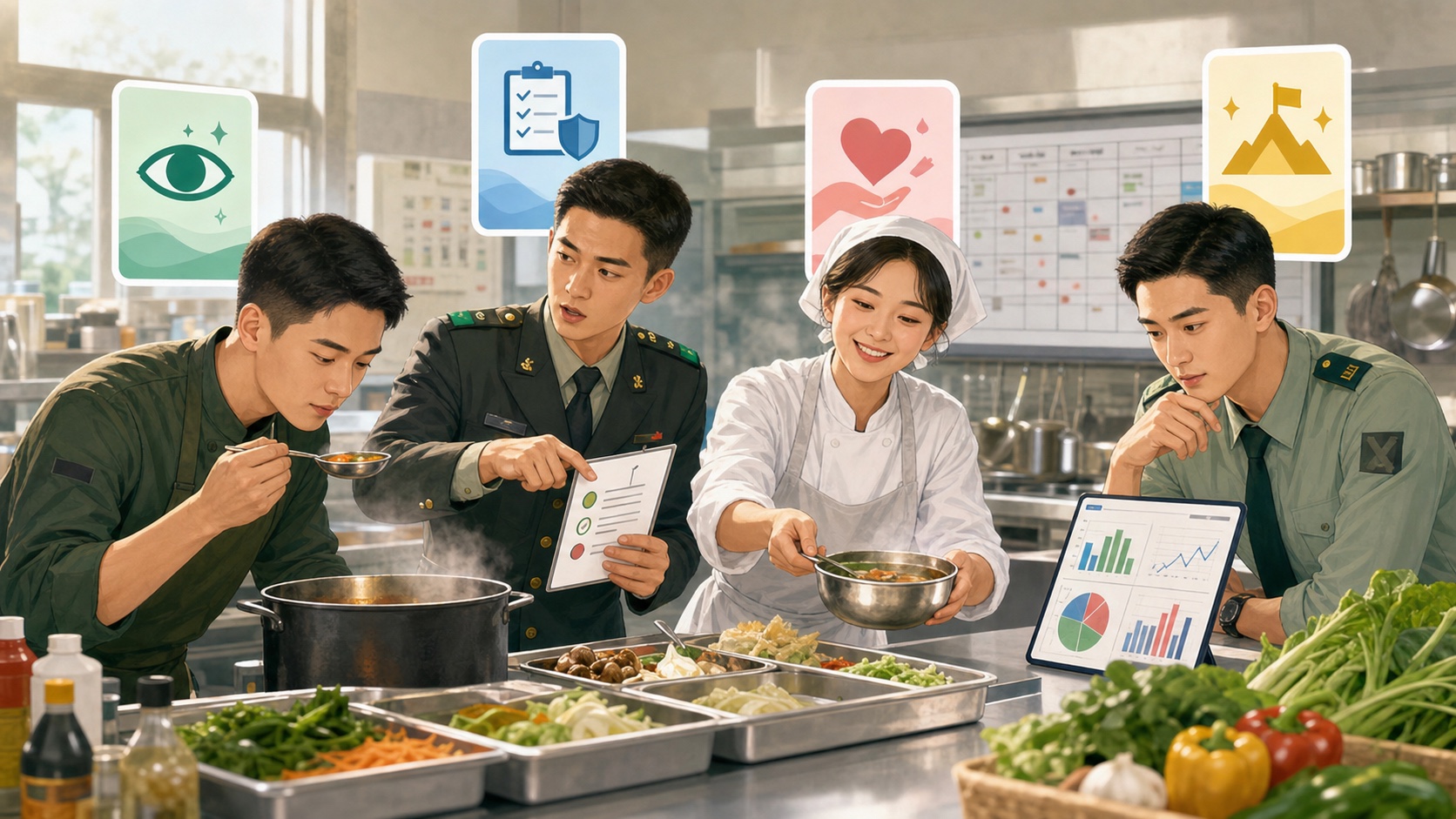
Seen through MBTI, the kitchen team is not an organization of people who all share one type. It is a team in which different survival methods collide in a single space. Kang Sung-jae grows through the sensation in his fingertips and the ability to adapt. Jo Ye-rin holds the field through rules and responsibility. The senior kitchen soldier knows the rhythm of rice and people. The ambitious officer calculates results and position inside the organization.
This combination is interesting because everyone sees “rice” or “a meal” differently. For Kang Sung-jae, a meal is a chance to prove his own possibility. For Jo Ye-rin, a meal is one of the standards by which the unit runs properly. For the senior kitchen soldier, a meal is the everyday language of looking after people. For the ambitious officer, a meal can sometimes become material for performance and evaluation.
Each person’s strength also becomes a seed of conflict. Kang Sung-jae’s flexibility can look unstable to those who value rules. Jo Ye-rin’s strictness can feel like a wall to Kang Sung-jae while he is still growing. The senior kitchen soldier’s practical sense of daily life can collide with performance logic from above. The ambitious officer’s drive can make people on the ground feel like tools.
But the fun of this drama comes from exactly that difference. The kitchen is not just a background; it is a place where people eat, endure, and receive recognition. Food is the most realistic thing and, at the same time, one of the most emotional. That is why the teamwork in The Legend of the Kitchen Soldier is closer to daily life than to combat, and closer to a growth story than to a hero’s tale.
The best way to read this team through MBTI is not to look at a compatibility chart. It is to look at what function each character performs in the space of the kitchen. When ISFP-like sensation, ESTJ-like order, ESFJ-like care. ENTJ-like desire for results collide in the same place, the drama becomes not only a military story but also a story about people finding their place.
What to Be Careful About in This Analysis
First, the MBTI types in this article are not official settings. What can be confirmed from TVING, CJ ENM, Naver Webtoon. Production-presentation articles are the drama’s basic premise, the characters’ roles, and casting information. The MBTI types are not official materials. They are a blog-style interpretation based on behavior and relationship patterns in the work.
Second, I and E should not be judged only by how much someone talks. Reading Kang Sung-jae as ISFP does not mean he is passive. He is closer to someone who proves himself through action and sensation rather than words. Likewise, reading Jo Ye-rin or the ambitious officer as E-like does not simply mean they are lively. It refers to the direction of directly intervening in external situations to create standards or results.
Third, T and F should not be divided into cold people and warm people. Jo Ye-rin’s T-like judgment does not mean she lacks emotion. It means she first looks at roles and responsibilities in order to protect the field. Kang Sung-jae’s F-like side is also not irrationality. It is a way of including the values he wants to protect and people’s reactions in his judgment.
Fourth, it would be difficult to treat genre fantasy as the correct answer for real military life. The Legend of the Kitchen Soldier deals with the military and cooking, but it also uses status-window and growth-fantasy devices. The purpose of this article is not to evaluate real military service, but to read genre characters through the language of personality types.
Finally, this reading may differ from fandom interpretations. Some readers may see Kang Sung-jae as INFP, Jo Ye-rin as ISTJ, or the ambitious officer as ESTJ. Those differences are not necessarily right or wrong; they are differences in emphasis. A character’s MBTI can change depending on which behaviors are placed at the center.
In this drama, rice is not just food; it is a language that changes the atmosphere and relationships of the unit.
Conclusion: The Legend of the Kitchen Soldier Shows “How to Make a Place for Yourself” Before It Shows MBTI
The appeal of The Legend of the Kitchen Soldier does not lie only in guessing whether Kang Sung-jae is ISFP or Jo Ye-rin is ESTJ. The more important question is how a person thrown into an unfamiliar order creates a place for themselves. Someone learns through sensation, someone protects through rules, someone knows the rhythm of daily life, and someone reads the board in pursuit of results.
MBTI helps us see these differences a little more easily. Even within the same kitchen, people do not take responsibility in the same way. Kang Sung-jae proves himself through a meal, Jo Ye-rin protects the field through standards. The senior kitchen soldier cares for people through the rhythm of repeated meals.
That is why this drama is both a food drama and a growth drama. Cooking rice does not simply mean making food. It means helping someone get through their day and becoming a necessary person within that process. The MBTI reading of The Legend of the Kitchen Soldier ultimately returns to a question beyond four letters: how does a person become legendary in the place they have been given?
Is Kang Sung-jae’s MBTI in The Legend of the Kitchen Soldier ISFP?
This article sees Kang Sung-jae as close to ISFP. Cooking as a sensory act, his way of physically adapting inside the unfamiliar military. His tendency to prove himself through results rather than words all read as ISFP-like. However, if the growth narrative and inner possibility are emphasized, an INFP reading is also possible.
Is Jo Ye-rin’s MBTI in The Legend of the Kitchen Soldier ESTJ?
This article interprets Jo Ye-rin as close to ESTJ. Since public articles introduce her as an FM platoon leader, she reads as a character who values rules, responsibility, and order on the ground. If quiet duty performance and adherence to procedure are emphasized more, ISTJ is also possible.
What type can the senior kitchen soldier be seen as?
This article reads the senior kitchen soldier role as close to ESFJ. A military kitchen is not simply a place that makes food. It is a place that manages people’s meals, moods, and daily rhythms together. That is why this article interprets him as a helper who reads people and the flow of daily life, rather than as someone who only looks at rules.
Is this analysis official MBTI?
No. This article is not official MBTI material, but a blog-style interpretation for reading fictional characters. Official sources were used to confirm the premise and basic settings. MBTI types were inferred from behavior, relationships, roles, and repeated choices.
Is it okay to analyze drama characters through MBTI?
Yes, but MBTI should not be used like an answer sheet. Character MBTI works best not as a tool for defining a person once and for all. As a language for discussing why a character repeats certain choices.
The difference between people who use AI well and those who do not—where does it come from? People often answer, “It depends on whether you know good prompts.” In reality, it is a little different. The core issue is not a handful of prompt sentences. It is whether I can say what I want while also including the context and criteria behind it.
The Ildangbaek video “Human Intelligence Expressed Delicately Through Language! The Beginning of AI Prompt Engineering” illustrates this point well. The video begins with the book AI Language Lessons for Intellectual Conversation, but rather than being a simple book introduction, it is closer to a conversation that asks what kind of language sense we need in the AI era. For Korean-language users in particular, there is an even more important question: when we talk with AI in a language like Korean, where omissions and nuance are common, what do we need to say more clearly?
The AI Usage Gap Comes Less from “How to Use the Tool” Than from the “Resolution of Language”
A good prompt begins not with sentence technique, but with organizing your thoughts and criteria.
When many people first use AI, they say things like this:
“Just organize this for me.” “Don’t make it too long.” “Don’t use a stiff tone.” “Don’t draw an image—just show me the prompt.”
Between people, this level of instruction usually works to some extent. That is because we read the surrounding situation, facial expressions, prior conversations, organizational culture, and tone of voice together. But AI guesses the context the user has not provided. If the guess is right, it feels convenient. If it is wrong, the result becomes completely off target.
The prompt guides from OpenAI and Anthropic both emphasize “clear instructions, sufficient context. The desired output format.” Ultimately, a good prompt is not a magic sentence. It is a sentence that reduces the parts AI has to guess.
This is where an important difference appears. People who use AI well are not necessarily people who write longer questions. They are people who structure context. They provide purpose, audience, constraints, examples, preferences rather than only prohibitions, output format, and validation criteria together.
Why Korean Is a More Difficult Language for AI
Korean’s omissions and nuances require clearer explanations of context when working with AI.
One of the most interesting points in the video is the high-context nature of Korean. Korean frequently omits subjects and objects. A single particle can change the focus of a sentence. Honorifics may be handled reasonably well at the surface level. Sarcasm and irony are entirely different matters.
For example, “Cheolsu-neun went to school” and “Cheolsu-ga went to school” may look similar, but their focus is different. “It’s okay” can mean that something is truly okay, or it can mean refusal. “Siwon-seopseop-hada”—a Korean expression that combines feeling refreshed or relieved with feeling sad or regretful—has a different ratio of relief to regret depending on the situation.
People read these differences through the situation. AI mostly receives them as text. That is why Korean users need to provide AI with more context. “Take care of it” is convenient, but from AI’s point of view it is an instruction with too little information.
This issue also appears in translation. Anthropic’s interpretability research shows that large language models can connect inputs from multiple languages to a shared internal conceptual space. But that does not mean Korean nuance is perfectly preserved. In the movement between languages, emotion, omission, irony, and the speaker’s intent can be lost.
Prompt Engineering Is Not “Asking Good Questions”; It Is Managing a System
In organizations, prompt engineering goes beyond asking better questions and becomes a matter of quality and operational design.
The video distinguishes between prompts and prompt engineering. Everyday users can simply ask questions as if they were talking with AI. But the story changes in work systems, customer service, automation, and content production pipelines.
Prompt engineering is not simply “the skill of asking pretty questions.” It involves looking at how answer tendencies differ from model to model. It analyzes why wrong answers emerged. It designs structures that reduce cost. It connects multi-step tasks reliably. It controls the consistency of results.
For example, writing requires creativity, but customer guidance copy or legal and policy guidance becomes problematic if it changes every time. In these cases, generation settings such as temperature, example-based output, validation steps, and retry conditions are needed.
In other words, prompt engineering is a language skill and, at the same time, an operational skill. It begins with an individual’s way of asking questions. In organizations it expands into quality management and cost management.
“Do It This Way” Is Stronger Than “Don’t Do That”
For AI, it is more stable to specify the desired direction and criteria than to state only prohibitions.
One practical tip repeated in the video is to use positive statements rather than negative ones. “Use everyday words” is better than “Don’t use technical terms.” “Keep each paragraph to three sentences or fewer” is better than “Don’t write too much.” “Write it as a short explanatory passage” is clearer than “Don’t write it as a list.”
AI does not always process a user’s negative phrasing reliably. In image, video, and multimodal models in particular, negative words can blur the desired result. Even in text models, saying “don’t do this” can sometimes place the prohibited element at the center of the context.
At work, it is better to change requests like this:
Common request
Better request
Don’t write it too difficult.
Write it in everyday language that a middle school student can understand.
Don’t make it long.
Explain only the three core points within 600 Korean characters.
Don’t make it sound like AI.
Mix short and long sentences, and reduce repeated expressions.
Just organize it for me.
Organize it in the order of background, key issues, and action items.
Don’t include subjective opinions.
Separate verified facts from interpretation.
This difference may look small, but the results change significantly. When you reduce the room AI has to guess, you reduce the time you spend revising.
The Core of the AI Productivity Debate Is Not “How Much You Used It” but “What You Delegated”
AI productivity depends on the ability to decide what to delegate and what humans should judge.
Opinions differ on whether AI actually increases productivity. Still, some studies have already observed concrete effects. The NBER paper “Generative AI at Work” found. Generative AI tools increased average productivity in customer support work, with especially large effects for less experienced employees.
By contrast, the ILO’s analysis of generative AI and jobs suggests. Many occupations are more likely to see some tasks automated or supported than to be completely replaced. This perspective also connects with the video’s conclusion. AI does not necessarily eliminate all work; rather, it redivides the components of work.
The question is not “Do you use AI a lot?” It is the ability to decide what to delegate and what humans should judge. Simple summaries, drafts, format conversions, and repeated responses are easy to delegate to AI. But reading a customer’s anxious feelings, judging field context. Carefully confirming unspoken needs are still largely human responsibilities.
Five Prompt Principles for Korean-Language Users
1. Restore the Omitted Subject and Object
Before writing “Organize this,” write what should be organized, for whom, and for what purpose. In Korean conversation, omission is natural, but for AI it becomes a blank space.
2. Turn Negative Sentences into Positive Sentences
Instead of saying “Don’t write in a stiff way,” say “Write in a friendly but not exaggerated tone.” Giving a goal is more stable than giving only a prohibition.
3. Decide the Output Format First
A table, list, paragraph, report, blog post, email, and presentation script are all different outputs. If you do not set the format, AI produces an average answer.
4. Provide Context and Criteria Separately
Separate the background as background, requirements as requirements, and validation criteria as validation criteria. If you mix everything into one sentence, AI can also miss the relative importance.
5. Do Not Try to Finish Everything in One Turn
Good AI use is closer to multi-turn collaboration than to a single turn. Receive a draft, strengthen the criteria, revise it again, and validate it at the end. This is not a command; it is collaboration.
In the End, Prompts Are Not a Technique but a Habit of Conversation
UNESCO’s AI competency framework sees the abilities needed in the AI era not as simple tool usage. As human-centered thinking, ethics, critical judgment, and practical application. Prompts are the same. They are not something to memorize like keyboard shortcuts.
Talking with AI is a process of making my own thinking clearer. If I do not know what I want, AI does not know either. If I do not provide criteria, AI produces an average value. If I omit context, AI guesses.
That is why the core of the video goes deeper than “Let’s write better prompts.” Competitiveness in the AI era comes not to people who know a lot of techniques. To people who can examine their own language and design context.
To put it a little strongly, future AI literacy may be a language issue before it is a coding issue. This is especially true for Korean-language users. The words we naturally omitted, the things we passed over through atmosphere. The tasks we handed off by saying “take care of it” must all become sentences again in front of AI.
Anthropic, “Tracing the thoughts of a large language model,” View source
Erik Brynjolfsson, Danielle Li, Lindsey R. Raymond, “Generative AI at Work,” NBER Working Paper No. 31161, View source
International Labour Organization, “Generative AI and Jobs,” View source
UNESCO, “AI competency framework for teachers,” View source
FAQ
Are Korean Prompts at a Disadvantage Compared with English Prompts?
It is not accurate to say they are always at a disadvantage. However, Korean relies heavily on omission, particles, honorifics, and context. AI often has to guess the user’s intent. That is why, when writing in Korean, it is better to state the situation and criteria more clearly.
Do I Really Need to Learn Prompt Engineering?
Everyday users do not need to learn grand, formal engineering. But if you use AI for work, you do need the basic habit of providing purpose, context, output format, and validation criteria.
Why Does Telling AI “Don’t Do That” Often Fail?
Negative sentences place the prohibited object inside the context. Some models do not reliably reflect the intention behind the prohibition. That is why it is better to specify the desired behavior positively rather than saying only “don’t.”
Can AI-Written Text Be Made to Sound Human?
To some extent, yes. Adjusting sentence length, repeated expressions, subject and object omission, inversion, rhythm. Concrete situations can reduce the mechanical feeling. However, AI does not actually possess real experience or judgment on your behalf.
What Work Should Humans Take On in the AI Era?
Humans should interpret context, set criteria, and make final judgments. Areas that are difficult to fully standardize in words—such as customer emotions, field situations, an organization’s tacit knowledge. Ethical judgment—still depend heavily on human roles.
Image source: Captured images used in this article are stills from the original YouTube video. They are used for review, commentary, and educational explanation, and copyright remains with the original rights holders and the channel.
The hardest part of choosing a summer vacation is not finding a “good place.” The real challenge is choosing a place that fits the way you travel. Some people want the sea, while others look for a forest where they can escape the heat. If you are traveling with children, travel distance and accommodation come first. If you are going with your parents, an itinerary that is not physically demanding matters more.
Korea’s domestic travel trends for 2026 are moving in the same direction. The Korea Tourism Organization has presented “dualistic tourism” as a 2026 tourism trend, in which technology and emotion, value and premium experiences, famous tourist sites and local everyday life grow together. Hotels.com’s 2026 summer trend materials also show rising interest in domestic travel alongside a more cautious approach to spending.
For that reason, this article does not simply list “seven pretty places.” It compares Korea’s 2026 summer vacation destinations together with the trends, who each destination is best for, and their advantages and drawbacks. During peak season, even one small downside can greatly change travel satisfaction.
2026 Summer Vacation Trends: The Criteria for Choosing a Destination Have Changed
Domestic travel in Korea in the summer of 2026 can be viewed through five major trends.
First, more people are choosing domestic trips instead of going abroad. Airfare and exchange-rate burdens remain, and there is strong demand to use short vacations efficiently. At the same time, travelers are becoming more careful about accommodation and food costs even within Korea.
Second, the trend has shifted from looking for “more famous places” to finding “places that feel comfortable for me.” This means choosing quiet beaches over crowded major beaches, small local stays over large resorts, and neighborhood restaurants over famous eateries.
Third, heat waves and rain forecasts have become bigger variables in travel decisions. Rather than leaving only for the sea, travelers now need to consider forests, valleys, indoor content, and nighttime tourism together.
Fourth, more people are using AI and map apps to plan short itineraries. However, actual satisfaction still depends on parking, accommodation location, waiting times, and how well the plan responds to weather.
Fifth, family and intergenerational travel is becoming important again. The more varied your companions are—children, parents, pets, or groups of friends—the more important an easy, manageable route becomes than the visual impact of famous attractions.
7 Korea Summer Vacation Destinations for 2026 at a Glance
Fluctuating airfare, rental-car, and accommodation costs
Tongyeong·Geoje
Islands, cable cars, coastal drives
South Coast scenery, island tours, a relaxed pace
Long travel times and ferry variables
Yeosu·Suncheon
Night views, gardens, trips with parents
Night sea, National Garden, food
Crowds during popular time slots
Pyeongchang·Inje
Escaping heat waves, forests·valleys·activities
Cool highlands, rafting·forest trails
Outdoor plans need adjustment when rain is forecast
Jecheon·Danyang
Lakes, paragliding, couples’ trips
Cheongpungho Lake·Dodamsambong Peaks·activities
Traveling by car is more convenient
Busan Yeongdo·Gijang
Urban sea, short vacations
Public transportation, cafés, nighttime content
Visiting only famous spots can become tiring
1. Gangneung·Sokcho: The Classic East Coast Route with a Low Chance of Disappointment
Gangneung and Sokcho are close to the safest choices for summer travel within Korea. The sea, cafés, markets, accommodation, and restaurants connect along one easy travel axis. They are also relatively easy to reach from Seoul and the greater metropolitan area.
In terms of 2026 trends, Gangneung and Sokcho fit well with “value-focused domestic travel.” They do not require as much preparation as an overseas trip. Even one night and two days or two nights and three days can be enough to feel like a proper vacation.
The advantage is the wide range of choices. You can rest on the beach, or move lightly around cafés and markets. If it rains, it is also easy to switch to indoor cafés, exhibitions, and restaurant-centered routes.
The drawback is that many people choose these places for exactly the same reasons. On peak-season weekends, accommodation prices rise and parking near beaches becomes difficult. Trying to see both Gangneung and Sokcho in one day can also be exhausting.
The recommended approach is simple. If the sea is your main focus, choose Gangneung. If you want to include Seoraksan and markets, give more weight to Sokcho. If you combine both, two nights or more is better.
2. Eastern Jeju·Seogwipo: When You Want to Make the Most of a Long Vacation
Jeju remains a major candidate for summer vacations in Korea. However, in 2026, the more important question is not “Jeju no matter what,” but “how will you use Jeju?” Airfare, rental cars. Accommodation prices vary greatly depending on the itinerary and timing of reservation.
Eastern Jeju is good for enjoying the sea and oreum volcanic cones together, with areas such as Seongsan, Udo, Pyoseon, and Gimnyeong. Seogwipo’s strengths include waterfalls, forest paths, coastal drives, and family-friendly accommodation options.
The advantage is the completeness of the trip. You can combine the sea, forests, cafés, markets, and activities within one region. It is easy to build routes when traveling with children, and manageable itineraries are possible when traveling with parents.
The drawbacks are cost and weather. Summer in Jeju brings the variables of rain and wind. If you try to cover everything from the east to the west, travel fatigue increases.
The recommended approach is to stay within one area. Splitting accommodation into two nights in the east and two nights in Seogwipo, or going deep into just one region, tends to produce higher satisfaction.
3. Tongyeong·Geoje: A Trip That Fully Captures the Island Mood of the South Coast
The seascapes of Tongyeong and Geoje are different from those of the East Coast. Rather than the feeling of waves rushing in with cool force, their appeal lies in scenery where islands, ports, bridges, and coastal roads flow together.
They also match the 2026 trend of “local re-creation.” Tongyeong’s markets, alleys. Art spaces, along with Geoje’s coastal drives and island trips, are closer to travel that lets you feel the atmosphere of a region than to consuming famous attractions.
The advantage is the density of the scenery. If you combine cable cars, luge rides, ports, island tours. Beaches, even a two-night, three-day trip fills up quickly. It also works well for couples who want to take plenty of photos.
The drawback is accessibility. Travel time from the Seoul metropolitan area is long. During peak season you need to consider traffic on South Coast roads. If you include an island tour, you should also check ferry schedules and weather conditions.
The recommended approach is to reduce ambition. Dividing the trip into one night centered on Tongyeong and one night centered on Geoje, or looking deeply at just one side, is better.
4. Yeosu·Suncheon: A Southern-Style Summer Vacation That Is Good with Parents
Yeosu and Suncheon are a combination that lets you include both the sea and gardens. Yeosu has a strong identity built around its night sea, marine cable car, seafood, and port atmosphere. Suncheon has a clear character as an ecological and garden destination, including the National Garden and the bay.
In terms of 2026 trends, this region suits intergenerational travel. The trip centers more on walking, meals, night views, and garden viewing than on overly intense activities.
The advantage is the stability of the itinerary. It is easy to explain the plan when traveling with parents. There are clear things to see when traveling with children. Food choices are also broad.
The drawback is congestion on popular routes. Yeosu’s night sea, cable car, and major restaurants draw crowds on peak-season evenings. In Suncheon, midsummer daytime hours are hot, so mornings or around sunset are better.
The recommended approach is to separate day and night. If you plan Suncheon’s gardens or indoor and café routes during the day, then Yeosu’s night views in the evening, the trip feels less tiring.
5. Pyeongchang·Inje: A Forest-and-Valley Vacation for Escaping Heat Waves
A summer vacation does not have to mean the sea. In a period like 2026, when heat waves and heavy rain are bigger variables, highland forests, valleys, and inland Gangwon travel become good alternatives.
Pyeongchang’s strengths include Daegwallyeong, ranches, forest trails, and resort-style accommodations. Inje works well for Naerincheon rafting, valleys, forests, and driving routes.
The advantage is the perceived temperature. If you want to avoid hot sand and parking lots at the beach, forests and valleys are much more comfortable. For families with children, it is also easy to include both water play and nature experiences.
The drawback is the rain forecast. Valleys and rafting are affected by weather and water levels. If it rains, you will need to change the schedule, so decide on indoor backup routes in advance.
The recommended approach is to choose accommodation first. On a forest-and-valley trip, the location of your accommodation has a major effect on satisfaction. Choose a place where water play, meals, and rest are close by.
6. Jecheon·Danyang: A Central Korea Option for Lakes and Activities Together
Jecheon and Danyang are destinations for seeing lakes, mountains, and rivers instead of the sea. You can combine scenery and activities such as Cheongpungho Lake, Dodamsambong Peaks, Mancheonha Skywalk, and paragliding.
They match the 2026 trend of the “personal value spectrum.” If you want a quiet lake view, the trip becomes slow travel. If you add paragliding or observatory routes, it becomes an active trip.
The advantage is accessibility within central Korea. It is relatively easy to reach from the Seoul metropolitan area, Chungcheong, and North Gyeongsang. It becomes an alternative when peak-season seaside accommodation prices feel burdensome.
The drawback is dependence on a car. Because attractions are spread out, an itinerary can become loose if you rely only on public transportation. For activities, you also need to check weather and reservation status.
The recommended approach is not to include too many observatories in one day. Choosing just two or three among the lake, cafés, observatories, and activities is enough.
7. Busan Yeongdo·Gijang: How to Use a Short Vacation for an Urban Sea Trip
Busan is good for people who want a summer vacation and a city trip at the same time. It is easy to think only of Haeundae and Gwangalli. If you focus on Yeongdo and Gijang, you will see a slightly different Busan.
Yeongdo’s strengths include ocean-view cafés, Huinnyeoul Culture Village, Bongnaesan Mountain, and port scenery. Gijang works well for coastal drives, cafés, seaside walks, and family-style accommodation.
The advantages are public transportation and content. Even if it rains, it is easy to switch to restaurants, cafés, exhibitions, shopping, and indoor tourist spots. Satisfaction can be high even on a short one-night, two-day vacation.
The drawback is route fatigue. Busan is larger than it seems. If you include Haeundae, Gwangalli, Yeongdo, and Gijang all in one day, the trip may end after doing little more than moving around.
The recommended approach is to choose not “all of Busan,” but “one area of Busan.” For an urban sea, Yeongdo is good. For family-style coastal rest, Gijang is a better fit.
Recommended Combinations by Travel Style
If the sea and cafés come first, choose Gangneung·Sokcho or Busan Yeongdo·Gijang. The shorter the itinerary, the more important accessibility and backup routes become.
For family travel, Jeju Seogwipo, Yeosu·Suncheon, and Pyeongchang·Inje are good choices. Prioritize places where travel distances are short and it is easy to rest around the accommodation.
For couples, Tongyeong·Geoje, Jecheon·Danyang, and Eastern Jeju work well. The scenery is good, and there are many points where you can leave photos behind.
If traveling with parents, Yeosu·Suncheon or Gangneung·Sokcho are stable choices. The key is to reduce routes with many stairs and long waiting times.
If you want to escape heat waves, look at areas with forests, lakes. Valleys, such as Pyeongchang·Inje or Jecheon·Danyang. They may feel less physically tiring than the sea.
Checklist to Review Before Booking
1. Check whether the accommodation location matches the purpose of your trip. Accommodation near the beach is not always best. Parking and noise can be inconvenient. 2. During peak season, “meal options with short waits” are more important than a “famous restaurant list.” 3. If rain is forecast, prepare at least two indoor routes. Weather response determines satisfaction on summer trips. 4. For island trips, rafting, cable cars, and observatories, check operating status and reservation conditions through official channels. 5. If you are traveling with parents or children, reduce daily travel time first. A less tiring trip will be remembered longer than one packed with many good attractions.
When is the best time to book a 2026 summer vacation destination in Korea?
From late July to early August, demand for accommodation and transportation is concentrated. For popular beaches, Jeju, Busan, and Gangwon’s East Coast, it is best to start checking prices and cancellation conditions at least three to four weeks in advance.
Which is better, a sea trip or a forest-and-valley trip?
The sea has a stronger vacation mood, while forests and valleys usually feel less tiring. If water play with children is the goal, a valley stay can be good. If you also want cafés and restaurants, the East Coast or Busan is convenient.
Which domestic summer vacation destinations are good for traveling with parents?
Yeosu·Suncheon, Gangneung·Sokcho, and Jeju Seogwipo are safe choices. However, it is best to reduce observatories with many stairs and famous restaurants that require long waits.
Which destinations make it easy to change plans even if it rains?
Busan, Gangneung·Sokcho, and Yeosu·Suncheon are relatively easy. They have many alternatives such as cafés, markets, exhibitions, indoor tourist spots, and restaurants.
What is the biggest mistake to avoid on a domestic summer vacation in Korea in 2026?
The biggest mistake is putting too many regions into one day. During peak season, travel, parking, and waiting times are longer than usual. Choosing one area and moving loosely tends to bring higher satisfaction.
AI automation stories are getting inflated far too easily these days. Lines like “run a company with 50 AI agents,” “work only one hour a day,” and “leave a comment and I’ll send you the automation recipe. Makes money” keep appearing in our feeds.
EO Korea’s interview with Gumloop founder Max Brodeur-Urbas puts a firm brake on that trend. The person in the video is the founder of an AI automation platform company that has raised major funding. Yet the point he repeats is surprisingly sober. AI is not a shortcut that lets you skip understanding. It is a tool that helps you execute faster on work you already understand.
Screenshot from EO Korea. Rather than simply summarizing the video, this article analyzes the real conditions for AI agent automation by reading the Gumloop case alongside external sources.
The Problem With AI Agent Automation Is Not the “Number of Agents”
Early in the video, Max treats claims such as “AI agents run the whole company” almost as marketing. The target of his criticism is not AI itself. The problem is the way automation is sold as if it can eliminate the need for understanding and trial and error.
Gumloop’s official website aligns with this view. It puts forward the message that understanding the work should be the only prerequisite for automation. In other words, the point is to make automation possible for people who are not developers. But that person still needs to understand, at least at a basic level, the work they are trying to automate.
This distinction matters. AI agent automation is not exactly a “do-anything assistant” that takes over whatever you want. It is closer to execution infrastructure that connects multiple tools, data sources, approval steps, and repetitive tasks into one flow.
The New Automation Market Revealed by the Gumloop Case
Y Combinator’s company page describes Gumloop as a platform. Uses AI to automate repetitive, complex workflows end to end. Users create automations by connecting modules through drag and drop. The goal is to let teams test and operate workflows faster than they could by writing code.
Reports from EO, TechCrunch, and BetaKit point in a similar direction. In March 2026, Gumloop raised a $50 million Series B led by Benchmark. Its total funding was described as roughly $70 million. More important than the number itself is the market direction investors are seeing. A market where employees inside companies build AI agents themselves and package repetitive work into an operational form.
What makes Gumloop interesting is that it does not only talk about competition over model performance. Its official site highlights concrete work agents such as data analysis, support ticket classification, CRM management, meeting preparation, and call analysis. Instead of abstract AGI, the repetitive work of actual departments comes first.
Four Reasons One-Click Automation Fails
AI agent automation usually does not fail for one simple reason such as insufficient technology. When we combine the video with external materials, four conditions become visible.
1. If You Do Not Understand the Work, You Have No Standard for Automation
Even if AI produces an output, someone still needs to judge whether that output is correct. Sales lead classification, customer inquiry triage, report writing. Meeting preparation all have different standards from one organization to another. Without business context, automation becomes fast error, not fast execution.
2. Without Data Connections, Agents Are Empty-Handed
Enterprise automation does not end with a single chatbot. CRM systems, documents, email, databases, ticket systems, and calendars need to be connected. This is why platforms like Gumloop emphasize connections and execution flows more than the model alone.
3. Repeated Execution Requires Control and Observability
A prompt that succeeds once is different from a work automation that runs every day. Repetitive work requires failure alerts, approval steps, logs, and permission management. As the number of AI agents grows, organizations need to be able to see who did what.
4. Automation Does Not Replace Learning
Max distinguishes between using AI as a learning tool and using it to skip understanding. AI can explain and assist. But if the user has no idea why a result came out the way it did, automation becomes an expansion of dependency, not an expansion of capability.
What Non-Developer Automation Really Means
The non-developer automation Gumloop talks about does not mean “anyone can build anything in any way.” More precisely, it means the person responsible for the work does not need to translate every requirement and hand it off to an engineer.
Marketers understand campaign lead flows. Salespeople know the annoying parts of CRM updates. HR teams know the recurring candidate communications. Operations teams know where exception handling breaks down. If these people can become the designers of automation, the speed of AI adoption inside a company can clearly increase.
But there are conditions here as well. The organization needs to decide how much automation authority it will grant. It must define which data can be accessed. Actions require approval before execution, and who is responsible when something fails. Adopting AI agents is not simply buying a tool. It is a redesign of the operating model.
A Checklist Before Starting AI Workflow Automation
If you or your organization want to adopt AI agent automation, it is better to start by asking these questions:
Does the repetitive work actually exist?
Can the person responsible explain the success criteria for that work in words?
Can the required data and tools be connected?
Is there a mechanism to stop or review the process when it fails?
Is there a feedback loop for improving automation results?
Without these five conditions, increasing the number of agents does not mean much. If those conditions are present, however, even one small automation can change how an organization works.
Further Reading From Thinknote on AI Agents
This perspective also connects with Thinknote’s existing articles on AI agents.
Conclusion: AI Agents Are More About Operations Than Replacement
The message from the Gumloop founder interview is simple. The promise that AI will take care of everything for us is attractive, but dangerous. Real value appears when we use AI to execute work we already understand more quickly and reliably.
That is why the key question for AI agent automation is not “How many agents are you using?” A better question is this:
Do I understand the work I want to automate well enough? And does that automation have enough verification, permission, and feedback structure to run safely every day?
When you can answer those questions, AI agents stop being a buzzword and become infrastructure for a new way of working.
FAQ
What is AI agent automation?
AI agent automation is a way of using AI models to connect repetitive work, data processing, cross-tool tasks, notifications, reporting, classification. Similar activities into one execution flow. Compared with a simple chatbot, what matters is its ability to connect with work systems and actually execute tasks.
What kind of company is Gumloop?
Gumloop is a platform that lets non-developers create AI-based work automations by connecting modules. Its Y Combinator company page and official site describe the company as focused on using AI to automate repetitive, complex workflows.
If we have AI agents, do we no longer need to understand the work?
No. As Max Brodeur-Urbas emphasizes in the video, AI is closer to a tool. Helps people execute work they already understand faster, rather than a replacement for understanding. Humans still need the standards for evaluating and improving the result.
What should companies look at first when adopting AI automation?
They should first look at whether repetitive work exists, whether success criteria are clear, whether the data can be connected, whether permissions can be managed. Whether there is a review structure for failures. Tool selection comes after that.
What is the difference between an AI automation platform and a regular chatbot?
A regular chatbot focuses on conversation and answers. An AI automation platform focuses on operating workflows. Include data sources, work tools, repeated execution, approval steps, and result records.
Image source: Captured images used in this article are stills from the original YouTube video. They are used for review, commentary, and educational explanation, and copyright remains with the original rights holders and the channel.